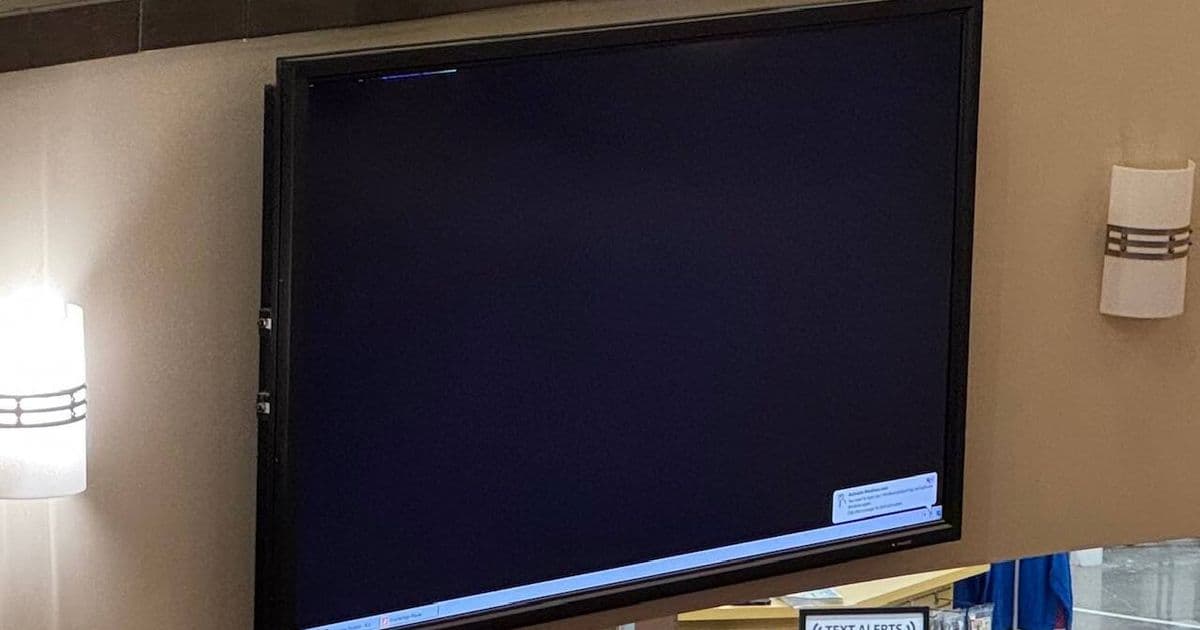
A digital signage display in a Virginia mall got stuck showing a Windows activation warning instead of store promotions, highlighting the hidden infrastructure failures that plague public-facing technology.
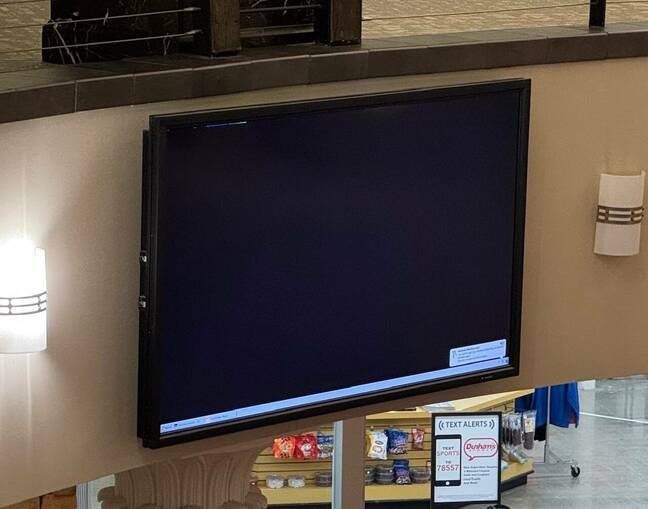
A digital signage display at Danville Mall in Virginia got stuck showing a Windows activation warning instead of store promotions, turning a marketing tool into an unpaid advertisement for Microsoft licensing enforcement.
What happened
The display, mounted on a wall in a high-traffic area, defaulted to showing a Windows activation notification that typically appears when the operating system detects significant hardware changes or hasn't been properly activated. The taskbar visible in the photo suggests this is running an older version of Windows, likely Windows 7 or 8, which raises additional concerns about unsupported software in public-facing systems.
Digital signage failures like this create a cascade of problems. Instead of directing shoppers to in-store bargains, the screen advertises that whoever manages the system hasn't paid their Microsoft licensing fees or hasn't maintained the activation status. For the mall operator, it's an embarrassing technical failure. For Microsoft, it's an effective (if unintentional) enforcement mechanism—public shaming as a licensing compliance tool.
Why activation fails in signage
Windows activation works by generating a hardware-based hash from key system components. When that hash changes significantly—after a motherboard replacement, major RAM upgrade, or even certain BIOS updates—Windows requires reactivation. For digital signage, this creates several failure points:
Hardware degradation: Signage systems often run 24/7 in enclosed spaces with poor ventilation. Component failures and replacements can trigger activation requirements.
Power interruptions: Unexpected shutdowns can corrupt activation status, especially on older hardware without proper shutdown sequences.
Network isolation: Many digital signs aren't connected to the internet for security reasons, preventing automatic activation checks.
Outdated systems: Running unsupported Windows versions means no security patches and higher failure rates.
The phone activation problem
Dave Plummer, a former Microsoft engineer who worked on Windows activation, explained that the old telephone activation method created security vulnerabilities. "Phone activation," he said, "is always going to limit the amount of information that can go back and forth and so will always be an attack vector and likely the easiest one for hackers to target."
The telephone system required users to input product keys via keypad, which limited validation capabilities and made it easier for attackers to brute-force or socially engineer activation codes. Microsoft has since retired this method entirely.
Modern activation and its challenges
Today, Microsoft directs users to its Product Activation Portal for manual activation. For the Danville display, this means someone needs to:
- Physically access the display
- Click the activation notification
- Navigate to Microsoft's portal
- Complete the activation process
If the IT team is monitoring the display remotely, they might see the same message on their management console. Otherwise, someone needs to climb a ladder and interact with the screen directly—a risky proposition for mounted equipment.
Broader implications for digital signage
This incident reflects a systemic issue with public-facing Windows installations. Digital signage represents a particularly problematic use case because:
- Inaccessible hardware: Displays are often mounted high on walls or in ceilings, making physical access difficult
- Minimal monitoring: Many systems run unattended with no remote management
- Legacy software: Cheap signage solutions often use outdated Windows versions
- No keyboard/mouse: Interaction requires creative solutions like USB hubs or remote desktop tools
The result is that minor licensing or activation issues become major service disruptions requiring physical intervention.
Better approaches
Organizations running digital signage should consider:
Dedicated signage operating systems: Solutions like Screenly, Yodeck, or BrightSign use Linux-based systems designed for 24/7 operation without licensing complications.
Windows IoT Enterprise: For Windows-based needs, Microsoft offers specialized IoT versions with different licensing models and longer support cycles.
Cloud-managed solutions: Services that handle updates, activation, and monitoring remotely reduce the need for physical access.
Containerized applications: Running signage software in containers on minimal Linux hosts reduces OS-level failures.
The human cost
Beyond the technical issues, this type of failure creates real problems for IT staff. As the article notes, "having to climb a ladder to stop Windows from complaining about activation feels a step too far." It's a safety hazard for technicians and a management failure that puts employees in awkward positions—literally and figuratively.
The Danville display serves as a reminder that digital infrastructure requires ongoing maintenance, and that licensing enforcement mechanisms can create public-facing failures when systems aren't properly managed. For a mall trying to attract customers, a Windows activation nag screen sends exactly the wrong message about attention to detail and modern technology management.
Comments
Please log in or register to join the discussion