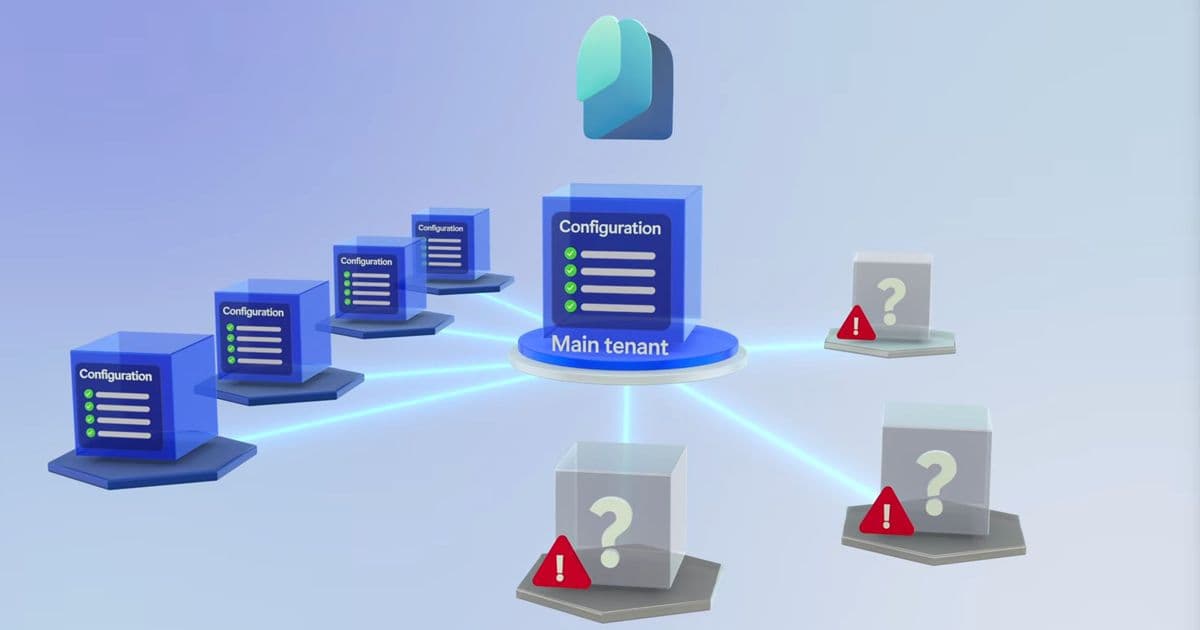
Microsoft Entra Tenant Governance lets organizations capture configuration‑as‑code for over 200 resource types, discover hidden tenants, and enforce baseline policies through automated drift monitoring. The article walks through baseline creation, drift detection, tenant discovery, governance handshakes, and ongoing monitoring, with practical pricing and migration considerations.
Microsoft Entra Tenant Governance – A Strategic Approach to Preventing Configuration Drift
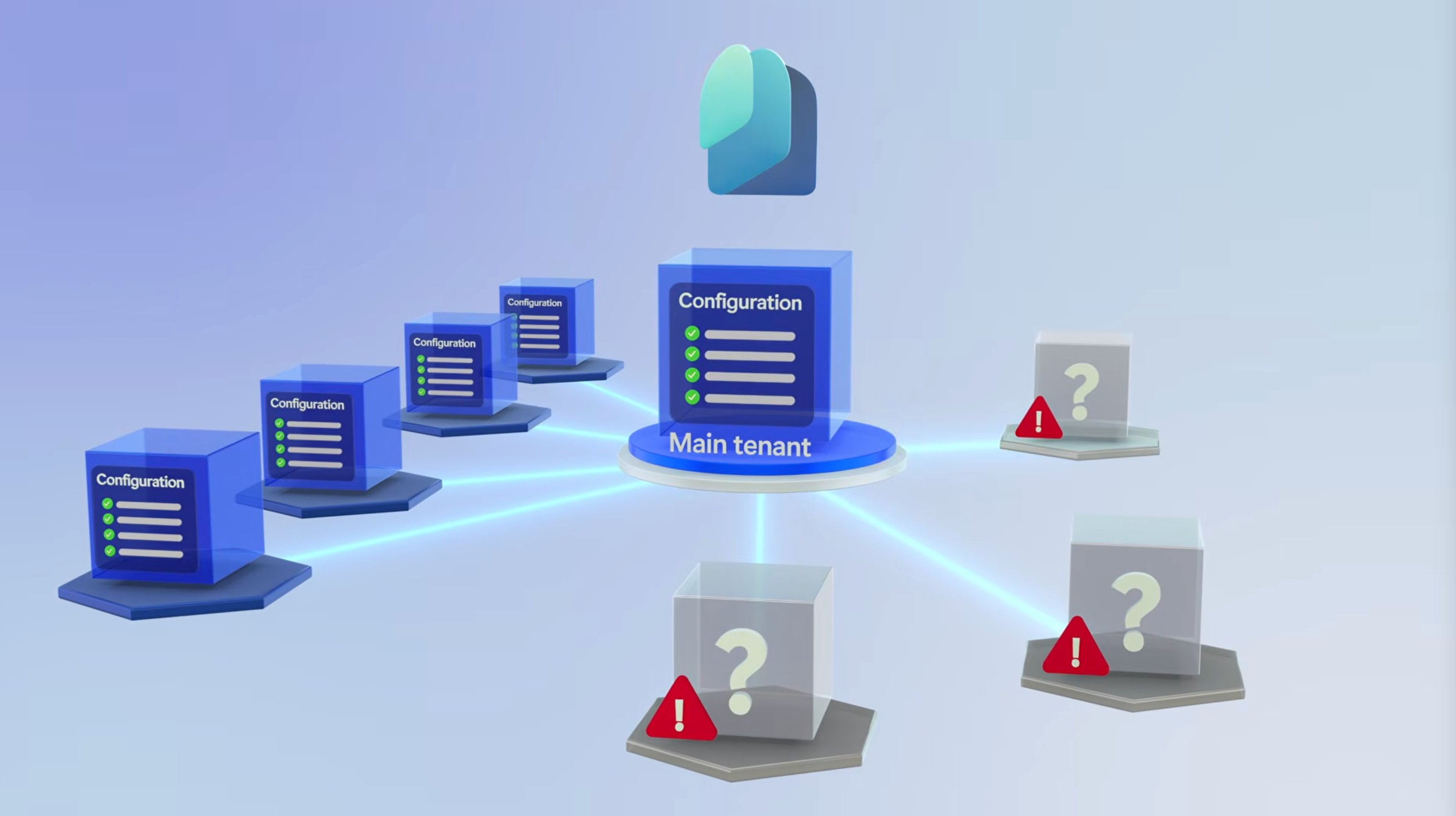
Enterprises that run dozens or hundreds of Microsoft Entra (formerly Azure AD) tenants face a hidden risk: a single policy change in an overlooked tenant can open a compliance gap that ripples across the organization. Microsoft’s Entra Tenant Governance service tackles this problem by treating tenant configuration as code, continuously scanning for drift, and surfacing related tenants that would otherwise stay invisible.
What changed?
- Configuration snapshots are now available for 200+ resource types spanning Entra ID, Intune, Exchange, Teams, Microsoft Defender, and Purview.
- A built‑in monitor runs every six hours, automatically flagging any deviation from the captured baseline.
- Tenant discovery leverages B2B traffic, multi‑tenant app registrations, and Microsoft Commerce billing signals to build a live “Related Tenants” list, exposing shadow‑IT and partner environments without manual inventory.
- Role‑based governance templates let administrators request specific permissions (global reader, security admin, tenant‑governance admin) and approve them through a secure handshake in the Entra admin center.
These capabilities shift tenant management from a reactive, point‑in‑time audit to a continuous, code‑driven compliance model.
Provider Comparison – Entra Tenant Governance vs. Alternatives
| Feature | Microsoft Entra Tenant Governance | Azure Policy (for Entra) | Third‑party CSPM tools (e.g., Wiz, Prisma Cloud) |
|---|---|---|---|
| Scope of resources | 200+ types across Entra, Intune, Exchange, Teams, Defender, Purview | Primarily Azure resources; limited to Entra ID objects | Varies; often focus on cloud infrastructure, not full Microsoft 365 stack |
| Configuration as code | Snapshots stored as JSON/YAML, reusable across tenants | Policy definitions, but not full‑stack snapshots | May ingest configuration via APIs, but rarely provide a one‑click snapshot UI |
| Drift detection frequency | Every 6 hours (configurable) | On‑demand or scheduled via Azure Monitor | Typically daily or on‑push; may require custom agents |
| Tenant discovery | Automatic via B2B, app, billing signals | Manual enumeration or Azure Lighthouse | Requires separate inventory scripts or connectors |
| Governance handshake | Role‑based request/approval flow inside Entra admin center | Azure Lighthouse delegation (requires tenant‑to‑tenant trust) | Often relies on service‑account credentials or API keys |
| Pricing model | Pay‑as‑you‑go per monitored tenant; first 5 tenants free (as of 2026) | Included with Azure subscription; additional cost for Azure Monitor logs | License per resource or per‑seat, generally higher total cost |
| Migration path | Native integration; import existing Azure AD Conditional Access policies directly into snapshots | Requires manual export/import of policies | May need custom scripts to pull configurations into the CSPM platform |
Key takeaway: Entra Tenant Governance offers the deepest native integration with Microsoft 365 services, a zero‑touch tenant discovery engine, and a lightweight pricing structure that scales with the number of governed tenants. For organizations already invested in Azure Lighthouse, the two can complement each other, but Entra’s built‑in handshake eliminates the need for separate delegation contracts.
Business Impact
1. Reduce compliance risk
A single mis‑configured Conditional Access policy can expose privileged accounts to credential‑theft attacks. By capturing a baseline snapshot (e.g., Contoso core compliance – May 2026), the monitor automatically flags any deviation, giving security teams a clear, time‑stamped audit trail. This aligns with ISO 27001, SOC 2, and Microsoft’s own Secure Score recommendations.
2. Gain visibility into shadow‑IT
The Related Tenants view surfaces tenants created for testing, development, or by individual users. Because discovery relies on existing B2B sign‑ins and billing relationships, there is no need for a separate inventory scan. Once identified, a tenant can be quarantined (see Tenant Quarantine documentation) or brought under governance without granting a full B2B account.
3. Streamline multi‑tenant administration
Governed tenants appear in the same Entra admin console. After the handshake, administrators can switch contexts simply by pasting the tenant ID into the URL (e.g., https://entra.microsoft.com/<tenant‑id>). No additional browser profiles or Azure Lighthouse delegations are required, reducing operational overhead.
4. Predictable cost model
Pricing is per‑tenant monitor. The first five monitors are free, after which the cost is $0.12 per monitored tenant per month (2026 pricing). Compare this to a typical CSPM license that charges $15‑$20 per user per month; for a 50‑tenant environment the Entra approach can be up to 80 % cheaper while delivering deeper policy coverage.
Implementation Guide – From Baseline to Ongoing Governance
Step 1 – Capture a Configuration Baseline
- Navigate to Entra ID → Tenant governance → Configuration snapshots.
- Click Create snapshot, give it a meaningful name (e.g., Contoso core compliance), and select the resource types you need – Conditional Access, Cross‑tenant Access, Device compliance, Exchange transport rules, Teams meeting policies, Defender threat protection, Purview data classifications, etc.
- Confirm the required read permissions (the service principal is automatically granted
Policy.Read.AllandDeviceManagementConfiguration.Read.All). - The service queries each selected service and stores the result as a JSON document in a secure Azure Storage account owned by Microsoft.
Step 2 – Turn the Snapshot into a Monitor
- Open the newly created snapshot and select Create monitor.
- Review the pre‑populated name, description, and permission set.
- Set the schedule (default every six hours; can be changed to hourly for high‑risk environments).
- Save – the monitor now runs autonomously, comparing live configuration to the baseline and writing drift events to Azure Monitor logs.
Step 3 – Discover Related Tenants
- In Tenant governance → Related tenants, review the automatically generated list.
- Click a tenant to view Discovery Signals – B2B registrations, admin‑app sign‑ins, multi‑tenant app usage, and billing relationships.
- For any tenant that requires oversight, click Request to govern.
Step 4 – Governance Handshake
- Choose an appropriate governance policy template (e.g., DevOps for test tenants, Production for critical partners). Templates bundle role assignments and optional app permissions.
- Submit the request – an email is sent to the target tenant’s admin.
- The admin reviews the request in the Entra admin center, approves the role set, and optionally grants a custom app (e.g., MegaMonitor) the needed API permissions.
- Once approved, the relationship status changes to Active and the requesting tenant can act on the governed tenant without a separate B2B account.
Step 5 – Extend Monitoring to Governed Tenants
- Copy the baseline ID from the primary tenant.
- In the governed tenant’s Entra admin center (accessed via
https://entra.microsoft.com/<tenant‑id>), navigate to Tenant governance → Monitors and create a new monitor using the copied baseline. - The monitor runs under the delegated roles, automatically inheriting the same read permissions.
- Review drift reports across all governed tenants from a single dashboard.
Migration Considerations
| Consideration | Recommendation |
|---|---|
| Existing policy inventory | Export current Conditional Access and device compliance policies via PowerShell (Get-AzureADMSConditionalAccessPolicy) and import them into Entra snapshots to avoid gaps. |
| Legacy delegation (Azure Lighthouse) | Keep Lighthouse for resource‑level delegation (VMs, storage) while using Entra Tenant Governance for identity‑centric policies. |
| Role explosion | Start with the DevOps template (global reader + security admin). Expand to custom roles only after drift analysis proves the baseline is stable. |
| Data residency | Snapshots are stored in the region of the tenant’s home directory. Verify compliance with local data‑storage regulations before enabling cross‑region monitoring. |
| Cost forecasting | Use the Azure Pricing Calculator to model the per‑tenant monitor cost. Factor in the free‑tier (first five monitors) for pilot phases. |
Closing Thoughts
Microsoft Entra Tenant Governance transforms tenant management from a periodic checklist into a continuous, code‑driven discipline. By automatically surfacing hidden tenants, providing a single‑pane‑of‑glass monitor, and using a lightweight role‑based handshake, it reduces the attack surface, simplifies compliance reporting, and delivers a clear cost advantage over traditional CSPM solutions.
Ready to lock down your tenant estate? Get started with the quick‑start guide at aka.ms/EntraTenantGovernance and explore quarantine options at aka.ms/TenantQuarantine.
For deeper technical demos, watch the Microsoft Mechanics video series linked in the original announcement, and join the discussion on the Microsoft Tech Community.
Comments
Please log in or register to join the discussion