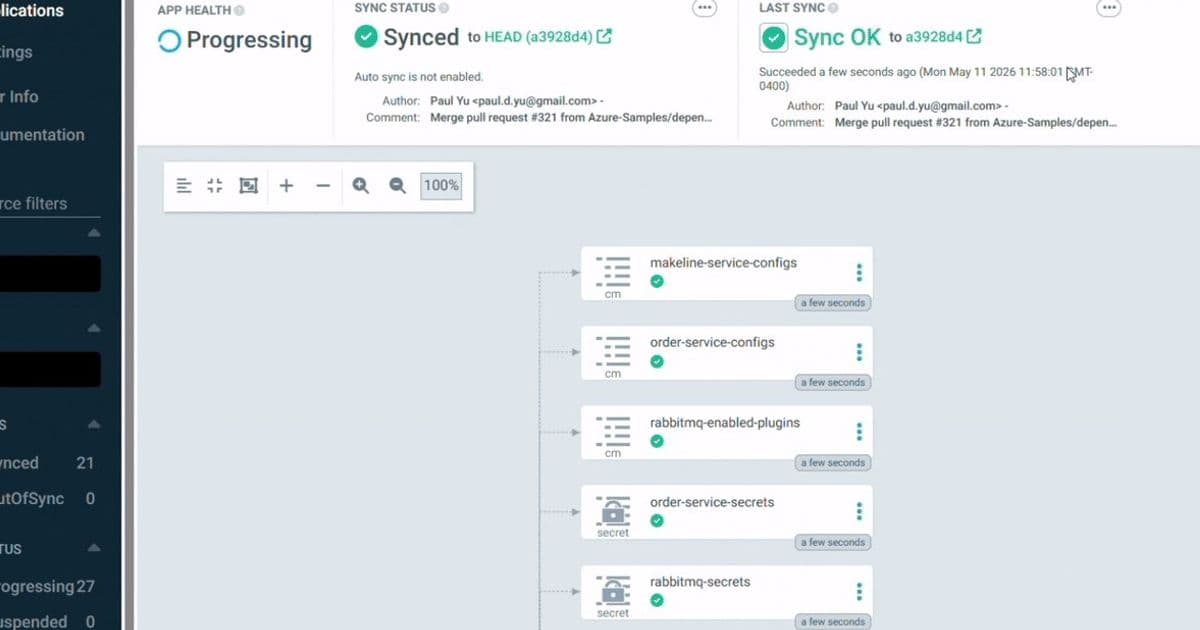
Microsoft's public preview of Argo CD extension in the Azure Portal simplifies GitOps adoption for AKS users, providing secure defaults and guided configuration workflows that reduce onboarding complexity while maintaining parity with upstream open-source capabilities.
Microsoft has announced the public preview of Argo CD integration directly within the Azure Portal for Azure Kubernetes Service (AKS), addressing the growing demand for simplified GitOps adoption in enterprise environments. This integration represents a significant evolution in how organizations implement GitOps practices, reducing the traditional complexity of manual configuration while maintaining enterprise-grade security standards.
What Changed: From Manual Configuration to Integrated Experience
The traditional implementation of Argo CD in Kubernetes environments has often required extensive manual configuration across identity management, networking, and registry integrations. Teams needed to navigate multiple interfaces and documentation sources to establish a functional GitOps workflow. The new Azure Portal experience consolidates these capabilities into a unified interface with guided setup flows.
Key changes include:
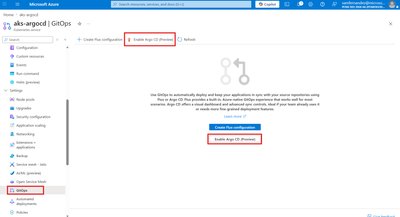
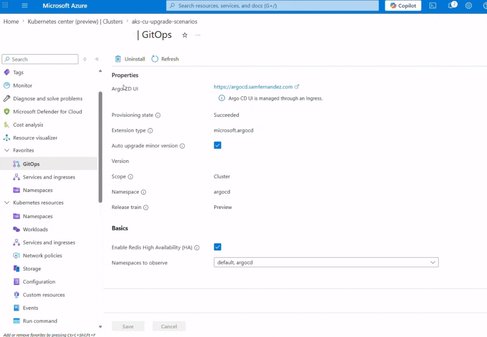
- Direct enablement of Argo CD from within the AKS cluster interface
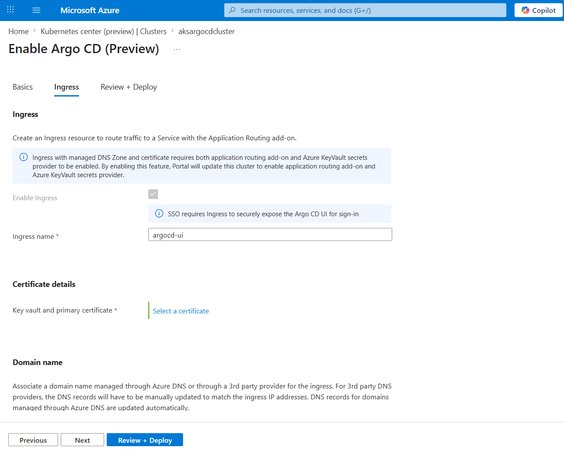
- Streamlined configuration process for identity, access, ingress, and registry integration
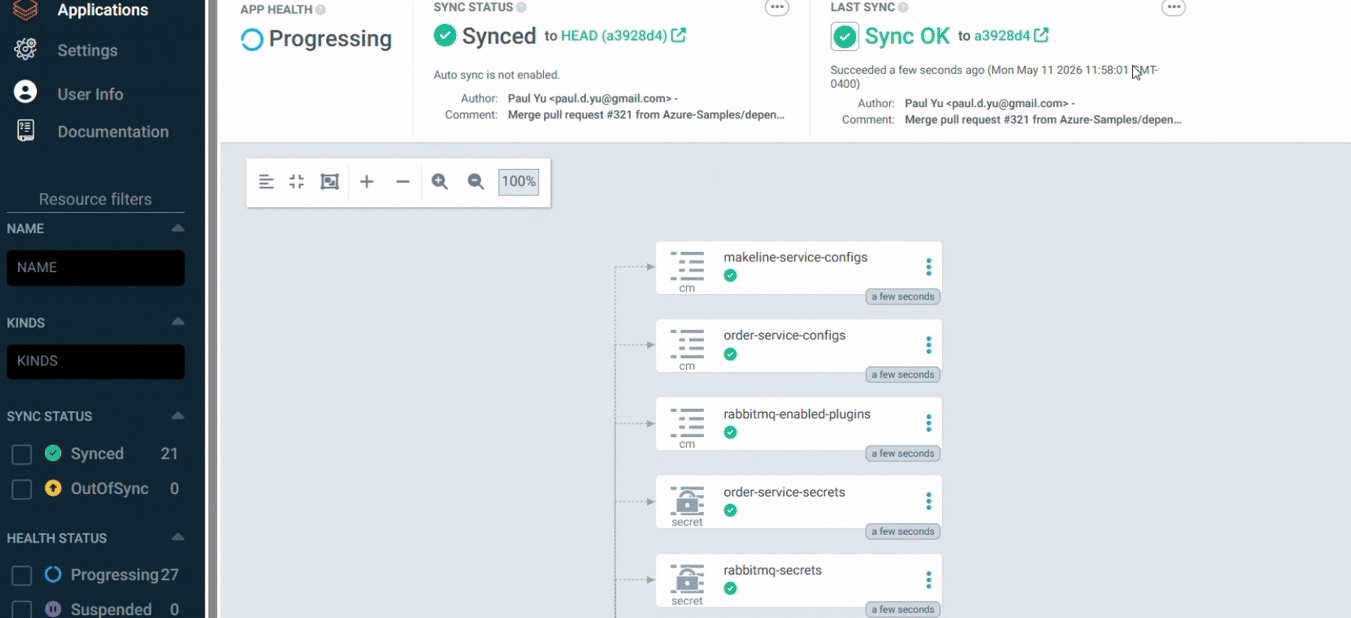
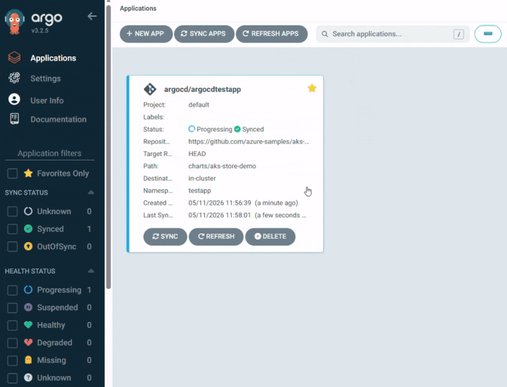
- Integrated monitoring and management through the Argo CD UI accessible from the GitOps blade
- Azure CLI support for automation and scripting needs
This integrated approach significantly reduces the time and expertise required to establish a working GitOps environment, potentially cutting onboarding time from hours or days to minutes for basic configurations.
Provider Comparison: Azure's Approach vs. Traditional Implementations
When comparing Microsoft's implementation to other cloud providers and traditional self-hosted approaches, several differentiators emerge:
Azure's Integrated Approach
- Native integration with AKS and Azure services
- Microsoft Entra ID federation for authentication
- Workload Identity federation specifically for Azure Container Registry (ACR) and Azure DevOps
- Azure Linux-based images with reduced CVEs
- Optional automatic patch updates with change control
- Support for both Flux and Argo CD in the same interface
Traditional Implementations
- Require manual setup across multiple systems
- Often involve custom scripts for integration
- May require separate identity management systems
- Typically require more specialized knowledge to implement securely
- Maintenance responsibilities fall entirely on the implementing team
Other Cloud Providers
- AWS offers similar GitOps capabilities through AWS GitOps but with different service integrations
- Google Cloud provides Anthos Config Management with GitOps principles but focuses more on multi-cluster management
- All major clouds are moving toward integrated GitOps experiences, but Azure's differentiator is the tight integration with Microsoft Entra ID and Azure services
Microsoft's implementation stands out through its emphasis on security-by-default and the elimination of long-lived credentials, which addresses common pain points in GitOps deployments.
Business Impact: Accelerating GitOps Adoption with Reduced Risk
The business implications of this integrated GitOps experience extend beyond technical convenience, offering tangible benefits for organizations adopting cloud-native practices:
Reduced Onboarding Friction
Development teams can now enable GitOps without deep expertise in Kubernetes networking, identity management, or CI/CD pipeline configuration. The guided setup process walks administrators through necessary configurations while establishing secure defaults, making GitOps accessible to a broader range of teams.
Enhanced Security Posture
By integrating with Microsoft Entra ID and implementing Workload Identity federation, the solution eliminates common security vulnerabilities associated with hardcoded secrets and long-lived credentials. The Azure Linux base image provides an additional security layer through reduced CVE exposure, while optional automatic patching helps maintain currency without introducing unexpected changes.
Operational Efficiency
The unified interface reduces context switching between the Azure Portal and separate Argo CD UI, creating a more coherent operational experience. Monitoring deployment status, viewing application health, and managing sync operations become centralized activities, potentially reducing the time spent troubleshooting configuration issues.
Multi-Cluster Management Support
For organizations managing multiple Kubernetes clusters, the support for hub-and-spoke architectures and ApplicationSet resources enables scalable deployment patterns across fleets of clusters. This capability becomes increasingly valuable as organizations scale their containerized workloads.
Flexibility in Tool Selection
Microsoft's approach of offering both Flux and Argo CD within the same interface acknowledges that different organizations have different preferences and requirements. This flexibility allows teams to choose the tool that best fits their existing workflows while maintaining a consistent management experience.
Technical Implementation Details
The Azure Portal integration maintains full parity with upstream Argo CD, ensuring compatibility with existing GitOps workflows while simplifying the initial setup process. Key technical aspects include:
- High availability configurations for production workloads
- Support for both monorepo and multi-repo GitOps patterns
- Integration with Azure Container Registry and Azure DevOps through Workload Identity
- Custom resource definitions for Applications and ApplicationSets
- Built-in monitoring and alerting capabilities
For organizations with automation requirements, the extension is also available via Azure CLI, enabling programmatic management of Argo CD instances as part of infrastructure-as-code practices.
Getting Started and Adoption Considerations
Organizations looking to evaluate this preview should consider the following approach:
- Start with non-production clusters to validate the integration
- Compare the experience with existing self-hosted Argo CD implementations
- Evaluate the security benefits of Workload Identity federation
- Assess the operational efficiency gains from the integrated UI
- Determine which GitOps tool (Flux or Argo CD) best fits organizational needs
The preview is currently available in all Azure regions where AKS is supported, with no additional cost beyond standard AKS charges during the preview period.
Conclusion
Microsoft's integration of Argo CD into the Azure Portal represents a significant step toward making GitOps more accessible to organizations of all sizes. By reducing the complexity of initial setup while maintaining enterprise-grade security and full compatibility with upstream capabilities, Azure is addressing a critical gap in the cloud-native ecosystem.
As organizations continue their journey toward cloud-native application development and deployment, solutions that abstract away operational complexity without sacrificing control or security will become increasingly valuable. This preview positions Azure as a leader in enabling GitOps at scale, potentially accelerating adoption across industries.
For organizations evaluating GitOps solutions or looking to optimize their existing Argo CD implementations, the Azure Portal experience offers a compelling alternative to traditional self-hosted approaches, particularly for teams already invested in the Azure ecosystem.
To explore the Argo CD experience in the Azure Portal, navigate to your AKS cluster and select the GitOps option in the left navigation pane. The guided setup will walk you through the configuration process with secure defaults for identity, access, ingress, and registry integration.
For more information about the implementation, refer to the official Microsoft documentation and the Argo CD project documentation.
Comments
Please log in or register to join the discussion