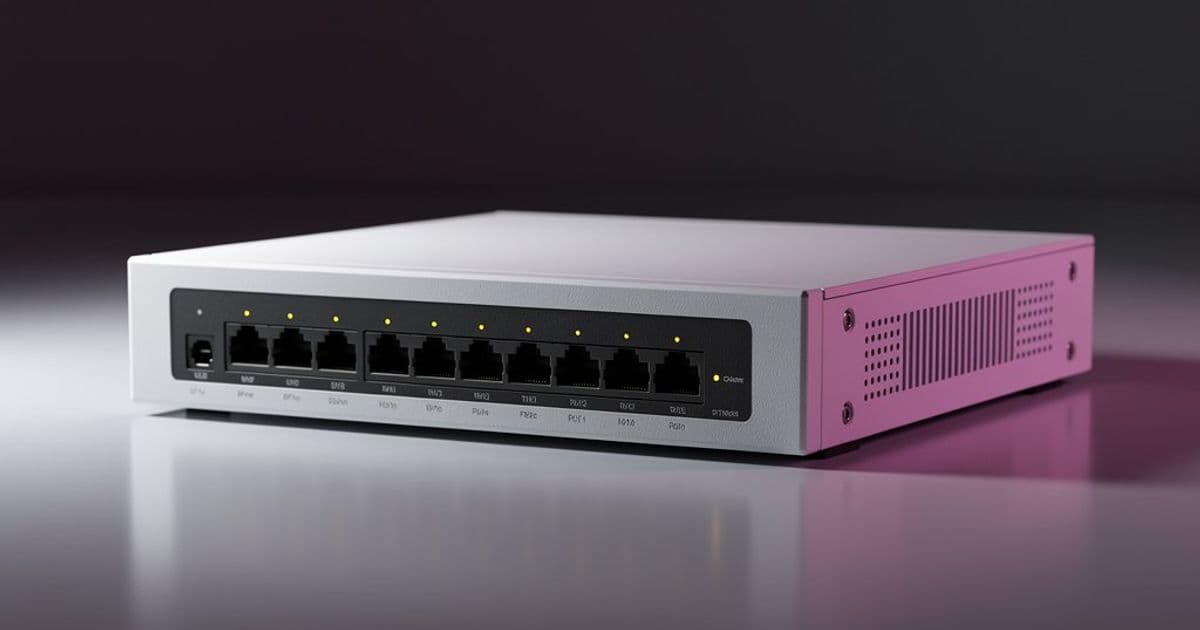
Moving beyond consumer routers to RouterOS reveals a network operating system of remarkable depth, where the initial complexity is the price of admission to enterprise-grade control.
The transition from consumer networking gear to professional equipment often feels like stepping from a golf cart into the cockpit of a commercial aircraft. Both will get you where you need to go, but the instrument panels tell radically different stories about what's possible. After years of cycling through Linksys and TP-Link devices, the decision to adopt MikroTik hardware represented a deliberate shift toward infrastructure that could grow with increasingly complex networking requirements.
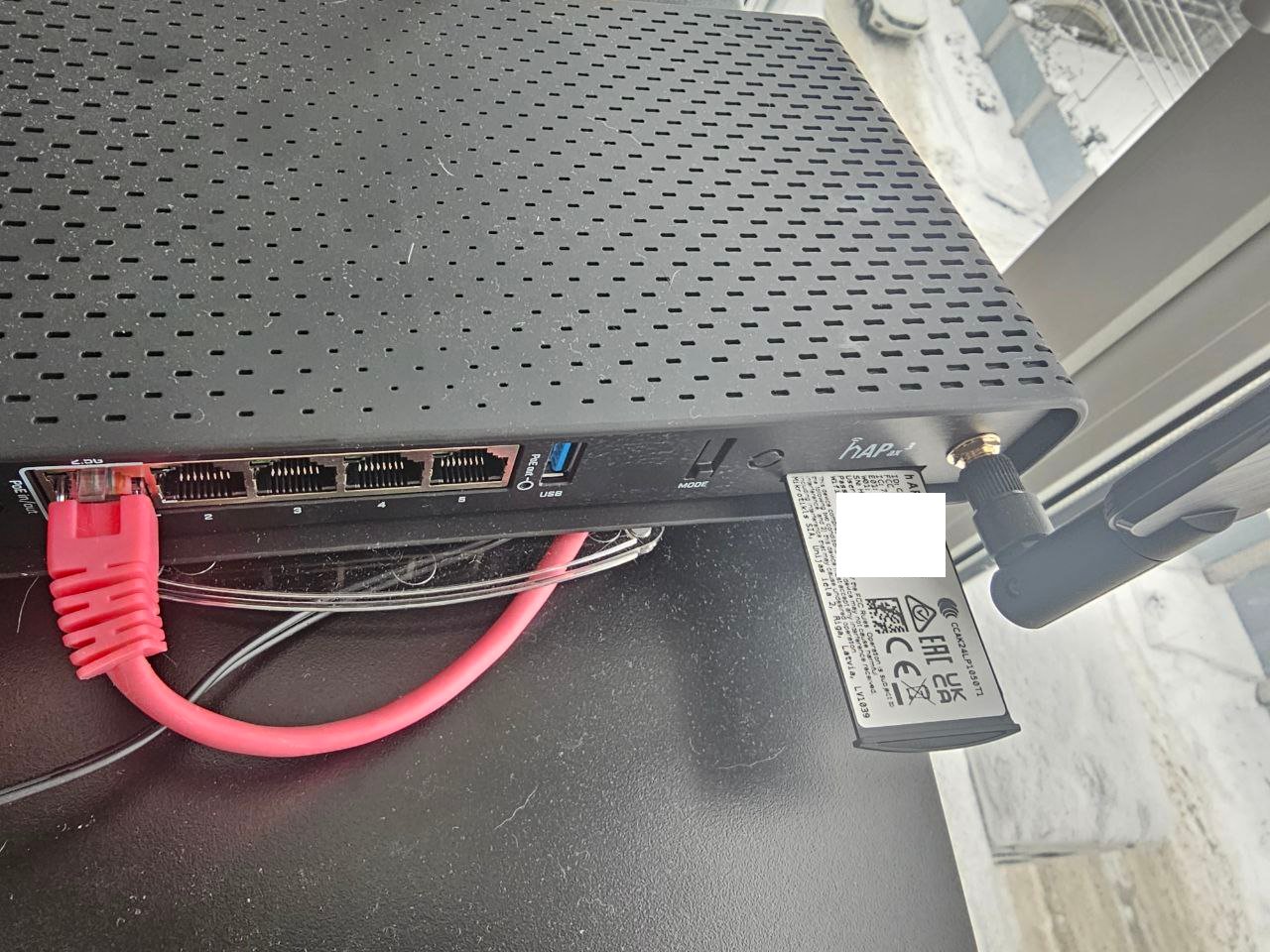
The specific hardware choices—RB4011iGS+RM for routing and hAP ax3 for wireless—weren't arbitrary. The RB4011 provides ten gigabit ports, robust processing power, and most critically, the full RouterOS feature set. The hAP ax3 serves as a dedicated wireless access point, though initially configured in standard routing mode for testing. This separation of concerns reflects a mature network design philosophy: routing, switching, and wireless each deserve dedicated attention.

Network Architecture Evolution
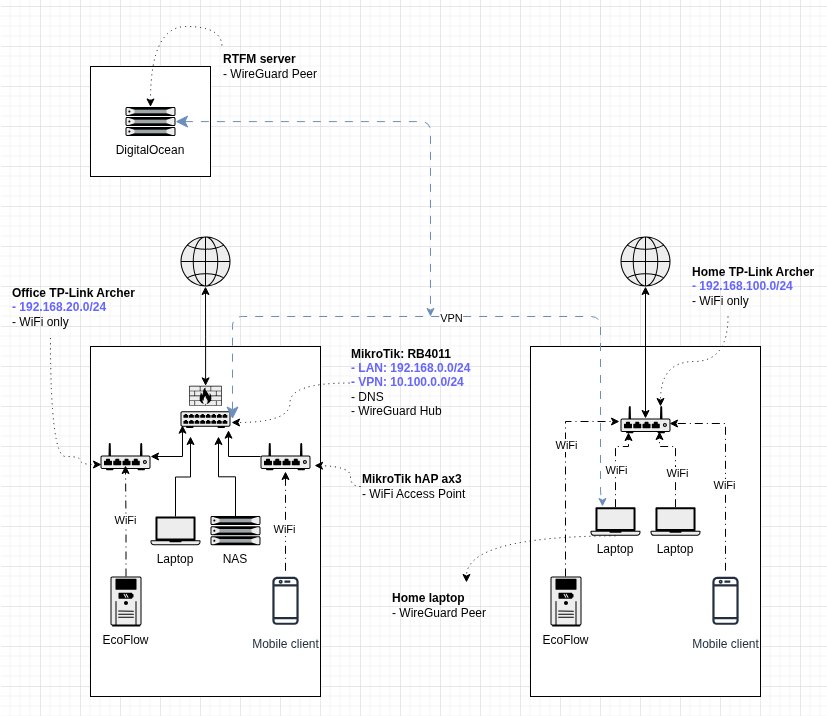
The existing infrastructure had reached its limits. Two distinct networks—"office" and home—were connected via VPN, but the topology was suboptimal. The office network housed a FreeBSD-based NAS, work laptop, and gaming PC, with most devices wired. The home network was WiFi-only, serving personal laptops. Previously, WireGuard VPN ran on the FreeBSD NAS itself, with port forwarding rules on a TP-Link Archer handling external access. This created a single point of failure and distributed critical networking functions across devices that weren't designed for them.
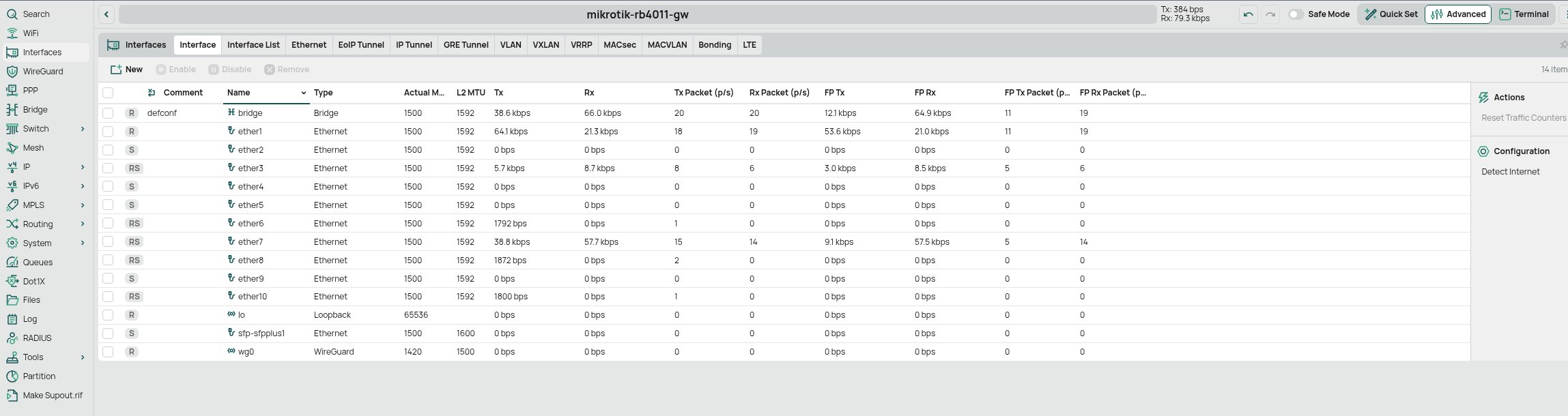
The new architecture centralizes these functions. The RB4011 becomes the network's brain: it receives the ISP connection, will soon handle LTE failover, runs WireGuard, and provides local DNS. The NAS and office devices connect directly to it via Ethernet. The hAP ax3, eventually switched to pure access point mode, extends wireless coverage. The existing TP-Link Archer remains in place—reconfigured as a simple switch—to avoid reconnecting dozens of IoT devices (doorbell, fire alarm, EcoFlow, robot vacuum) that would otherwise require reconfiguration.
This design accomplishes several goals simultaneously. It creates a clear demarcation between network layers, enables proper failover routing, and consolidates security functions. The WireGuard endpoint moves from a general-purpose server to dedicated routing hardware, improving reliability. The planned LTE backup connection (via a Teltonika RUT241) will attach to port 2, with distance-based routing automatically failing over when the primary fiber connection drops.
The RouterOS Interface Landscape
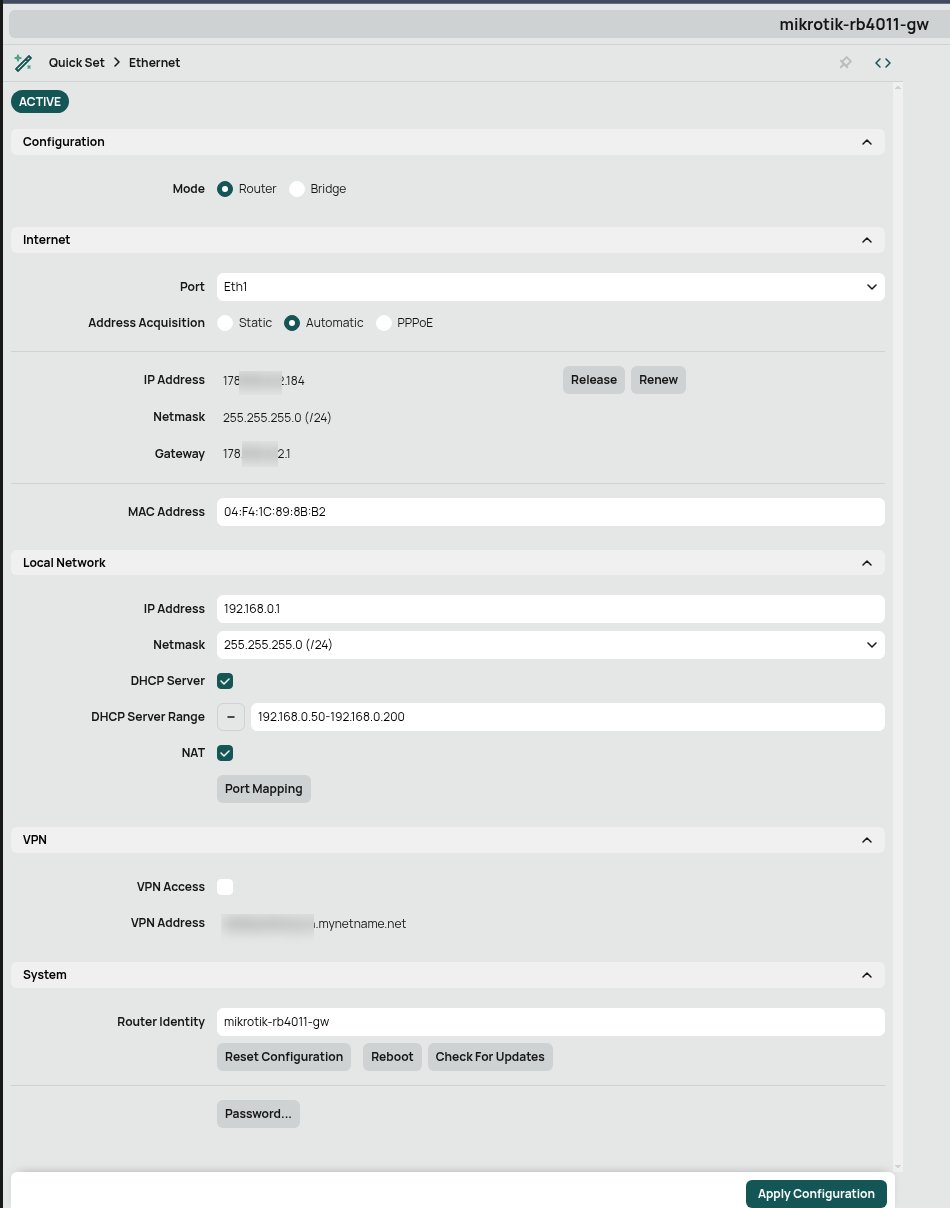
RouterOS provides four primary management pathways, each suited to different workflows. The Web UI offers three modes: a simplified Quick Setup for basic configuration, Advanced mode exposing all features, and an integrated terminal. The Design Skin system allows customization of visible menu items, which becomes valuable when you understand which features you actually use regularly.
WinBox, MikroTik's Windows-native management utility, might seem archaic until you realize its significance. It's a compiled binary that communicates directly with RouterOS via the same API as the Web UI, but with a desktop application's responsiveness and features like MAC address connectivity (useful when network configuration breaks IP connectivity). The dark theme is more than aesthetic—it reduces eye strain during extended configuration sessions.
SSH provides the most powerful interface for those comfortable with command-line tools. The mobile app offers basic management for on-the-go adjustments. The console itself is hierarchical and scriptable, with full tab completion and context-sensitive help via F1 (the traditional ? help system changed in RouterOS 7).
The console's design philosophy mirrors Linux but with RouterOS-specific conventions. Where you might use ip route in Linux, RouterOS uses /ip route. The hierarchy is strict: /ip firewall filter, /interface bridge, /system identity. This structure becomes intuitive once you recognize the pattern, and it enables precise control through command chaining and filtering.
Configuration Management and Safety
RouterOS provides two backup mechanisms that serve different purposes. The /export command generates a human-readable script containing all configuration commands. This text file can be version-controlled, edited, and applied to different hardware models (with caveats about hardware-specific settings). It's essentially a configuration playbook.
Conversely, /system backup save creates a binary snapshot containing everything—including cryptographic keys, certificates, and device-specific bindings. This is your "time machine" for disaster recovery, but it's hardware-specific and cannot be migrated between devices.
The distinction matters operationally. During initial setup, I exported configuration after each significant change, creating a series of checkpoints. If a change broke connectivity, I could either manually reverse it or import a previous export file. The binary backup serves as a final safety net before major changes.
RouterOS also includes a Safe Mode feature accessible via Ctrl+X in the console. If you lose connectivity during a session, Safe Mode automatically rolls back all changes made since activation. This is invaluable when experimenting with firewall rules or routing policies that might isolate your management connection.
User Management and Security
The default admin account should be disabled immediately after creating a proper administrative user. RouterOS user management includes granular group permissions and optional source address restrictions. The full group provides complete access, but you can create custom groups with specific privileges for different administrative roles.
Password changes in the console are immediately obscured—after executing /user set admin password=NEWPASS, the password field disappears from command history. User attributes can be modified using either the user's name or numeric ID, with the latter being more reliable when scripting.
For SSH access, key-based authentication is strongly recommended. While the initial setup uses password authentication, subsequent posts will cover proper SSH key configuration and firewall rules to restrict management access to trusted networks.
System Maintenance and Upgrades
RouterOS upgrades involve two distinct processes. First, the RouterOS software package itself updates via /system package update. The process downloads the new version, then installs it on the next reboot. Second, the RouterBOARD firmware (the low-level hardware initialization code) updates via /system routerboard upgrade. Both should be kept current, but they're independent.
A critical best practice: always create a backup before upgrading. The export format is preferred for cross-version compatibility, while the binary backup provides complete restoration. After upgrading, verify both the software version (/system package print) and firmware version (/system routerboard print) to ensure consistency.
Core System Commands
Effective RouterOS administration requires familiarity with its diagnostic and management commands:
- Log monitoring:
/log printshows system events; filtering by topic (where topics~"error|warning") helps isolate issues - System resources:
/system resource printreveals uptime, CPU load, memory usage, and storage - Interface status:
/interface print detailprovides comprehensive link information - Routing tables:
/ip route printshows active routes, with distance values determining preference - Connectivity testing:
/pingand/tool traceroutesupport source address specification for testing specific egress paths - Identity management:
/system identity set name=hostnamechanges the system hostname used in logs and prompts
The command structure emphasizes discoverability. After navigating to a menu context (e.g., /ip firewall), pressing F1 reveals available commands and parameters. This interactive help system reduces reliance on external documentation during configuration.
The Path Forward
RouterOS's depth becomes apparent only through systematic exploration. The initial configuration establishes a foundation, but the real power emerges through advanced features: DHCP scopes with custom options, DNS forwarding with conditional rules, WireGuard VPN with dynamic peer management, and script-based automation for monitoring and alerting.
The RB4011's capabilities extend far beyond basic routing. Its hardware acceleration for certain operations, combined with RouterOS's packet processing pipeline, enables sophisticated traffic shaping, multi-homed routing, and integrated services that would require multiple discrete devices in other ecosystems.
For those transitioning from consumer routers, the learning curve is real but manageable. The key is approaching RouterOS as a network operating system rather than a firmware overlay. Every configuration element—interfaces, addresses, firewall rules, routes—exists as a distinct object in a hierarchical tree that can be queried, modified, and scripted.
The following posts will explore these areas in depth: DHCP configuration with custom options, DNS architecture, SSH hardening, WireGuard setup for site-to-site and client VPN, and eventually, automated failover using LTE backup. Each builds on the foundation established here, demonstrating how MikroTik's "Mercedes" complexity translates into practical network superiority.
Resources
Comments
Please log in or register to join the discussion