
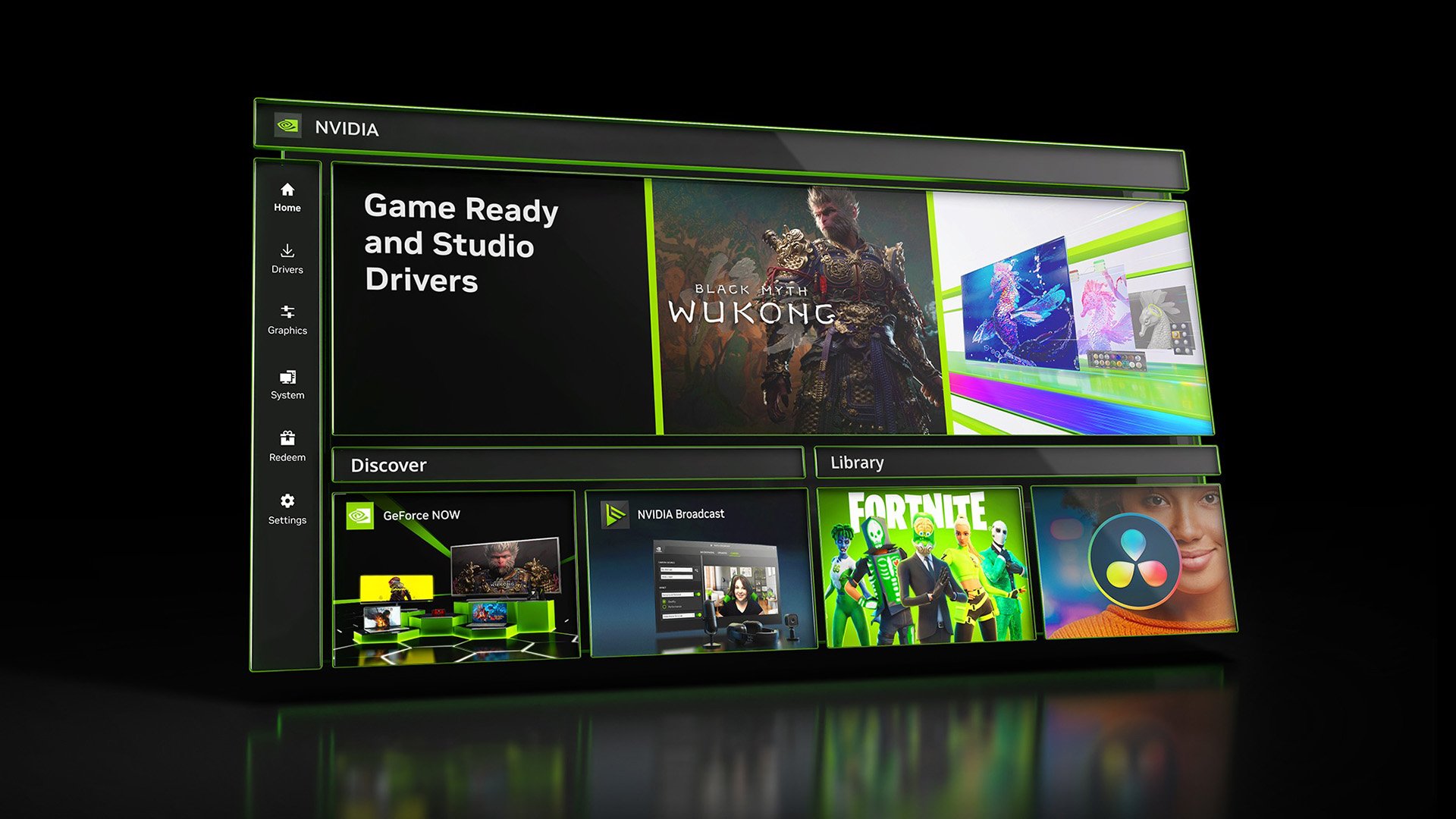
Nvidia’s latest Game Ready driver marks the end of new feature development for the Control Panel, moving all functionality to the Nvidia App. The legacy UI enters maintenance mode, while GeForce users will receive driver updates through the unified app, with RTX Pro cards retaining the panel only until professional features migrate.
Nvidia’s 20‑year Control Panel era ends
The patch notes for the Game Ready 555.58 driver confirm that the classic Nvidia Control Panel will no longer receive feature updates and will stop being bundled with standard GeForce Game Ready and Studio drivers. From now on, the Control Panel is shipped only in maintenance mode – it will stay on users’ systems unless a clean‑install driver is applied, and it remains downloadable from the Microsoft Store.
Exception: RTX Pro GPUs will keep the Control Panel until all professional‑grade settings are ported to the Nvidia App.
Technical migration timeline
| Year | Milestone | Features moved to Nvidia App |
|---|---|---|
| 2024 | Nvidia App launch | Basic driver version display, simple game profiles |
| 2025 | Major UI overhaul | 3D Settings, Multi‑Monitor management, offline driver control |
| 2026 (Q2) | Final migration | Remaining power‑limit sliders, color calibration, G‑Sync toggles |
The 2025 update already covered the bulk of the Control Panel’s core functions: 3D settings (anisotropic filtering, antialiasing, texture quality), multi‑monitor configuration, and offline access to driver options. The 2026 driver release now adds the final set of professional tools – such as advanced color management and workstation‑specific power‑profile controls – for RTX Pro cards.
What the Nvidia App now offers
- Driver‑level tuning: Real‑time clock‑frequency and voltage adjustments, comparable to the old “Adjust Image Settings with Preview” workflow.
- Game optimization: Automatic profile selection based on detected hardware, with the same per‑game overrides that were formerly only in the Control Panel.
- Monitoring & recording: Integrated overlay for FPS, temperature, and power draw, plus ShadowPlay‑style video capture.
- Overclocking UI: Slider‑based boost controls, plus a “Performance Mode” preset that mirrors the previous manual overclock paths.
- Update management: One‑click driver download and installation, eliminating the separate GeForce Experience updater.
All of these modules are now accessed through a single Windows‑store app, reducing the footprint on the system drive by roughly 35 GB compared with the combined Control Panel + GeForce Experience installation.
Market and supply‑chain implications
- Reduced driver package size – Nvidia can now ship a slimmer driver bundle, which eases bandwidth costs for OEMs and end‑users, especially in regions with limited internet infrastructure.
- Simplified validation for OEMs – With a single UI stack, certification labs need to test fewer binaries, potentially shortening the time‑to‑market for new laptop and desktop SKUs.
- Competitive positioning – AMD’s Adrenalin suite has already consolidated its settings UI. Nvidia’s move narrows the feature‑gap, making the overall user experience more comparable across the two major GPU vendors.
- Professional‑grade continuity – By retaining the Control Panel for RTX Pro until the migration completes, Nvidia avoids disrupting workflows in content‑creation studios that rely on legacy scripts and automation tools tied to the old API.
What users should do now
- GeForce owners: Install the latest driver (e.g., 555.58) and let the Nvidia App handle future updates. The Control Panel will remain functional, but no new options will appear.
- RTX Pro professionals: Keep the Control Panel installed if you depend on any of the still‑unported professional features. Monitor upcoming driver releases for the final migration timeline.
- Clean‑install enthusiasts: If you prefer a completely fresh driver stack, run the installer with the “Custom (Advanced)” option and deselect the Control Panel to free the remaining ~120 MB of disk space.
Outlook
Nvidia’s consolidation reflects a broader industry trend toward unified software ecosystems. By retiring a two‑decade‑old UI, Nvidia can allocate engineering resources to performance improvements on the silicon side—such as the upcoming Ada‑Lovelace 2.0 die that promises a 12 % rasterization uplift over the current flagship.
For now, the Nvidia App stands as the sole gateway to driver configuration, and the legacy Control Panel lives on only as a fallback for niche professional scenarios.
Comments
Please log in or register to join the discussion