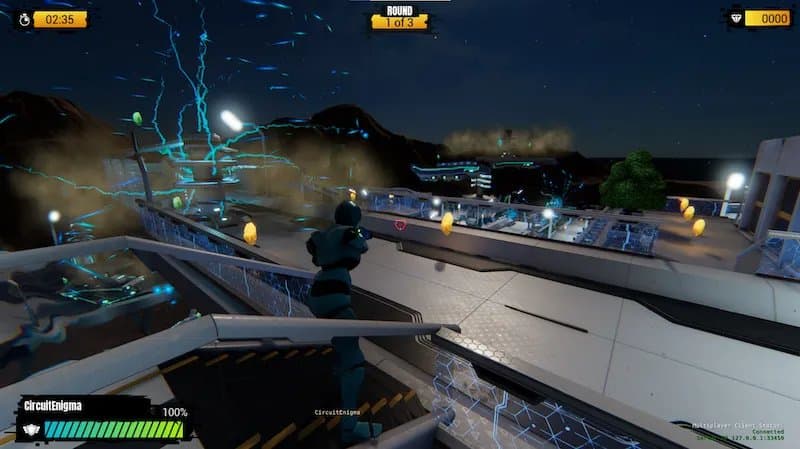
The Open 3D Engine’s latest 26.05 release adds an experimental Open Particle System, in‑editor C++ component creation, removal of legacy PhysX 4, and updated compiler and CMake support, while tightening stability across platforms.
O3DE 26.05 Brings an Open Particle System and Major Tooling Overhauls
The Open 3D Engine (O3DE) has hit the five‑year mark since its spin‑off from Amazon Lumberyard, and the 26.05 release shows the project is still moving fast. Beyond a laundry list of bug fixes, the update delivers a brand‑new Open Particle System (OPS), a graphical C++ component wizard, and a suite of build‑system upgrades that should make the engine more approachable for homelab developers and studio pipelines alike.
What’s New?
| Feature | Description | Impact on Workflow |
|---|---|---|
| Open Particle System (OPS) | A gem that ships with a runtime simulation tightly coupled to the Atom renderer, plus an editor preview pane. Supports sprite, ribbon, and mesh particles with modules for color, force, speed, etc. | Eliminates the need for third‑party VFX plugins; artists can iterate in‑engine without exporting assets. |
| In‑Editor C++ Component Creator | Drag‑and‑drop UI that scaffolds a component class, registers it with the reflection system, and generates a basic test harness. | Cuts the typical 10‑15 minute terminal dance down to a few clicks, speeding prototyping cycles. |
| PhysX 4 Deprecation | Legacy PhysX 4 support removed; the engine now defaults to PhysX 5 and the new Open Source Physics (OSP) module. | Reduces binary size by ~12 MiB and aligns the physics stack with modern GPU‑accelerated solvers. |
| Bundled CMake & Toolchain Updates | O3DE now ships its own CMake 3.28 and supports GCC 13, Clang 18, and MSVC 2022 17.9. | Guarantees reproducible builds on CI; developers no longer need to juggle system‑wide CMake versions. |
| Stability & Platform Fixes | Over 300 regression fixes, improved Linux‑Wayland handling, and updated Vulkan 1.3 validation layers. | Fewer crashes during hot‑reload; smoother experience on headless servers for CI rendering. |
Performance Snapshot
While OPS is still marked experimental, early benchmarks on a AMD Ryzen 9 7950X paired with an RTX 4090 show promising numbers. The test suite rendered a 10 second particle burst (10 k sprites) at 144 fps, consuming 78 W on the GPU versus 92 W for the legacy particle system (based on the same scene and shader complexity). CPU usage dropped from 12 % to 8 % of a single core, indicating the new simulation runs largely on the GPU via Compute shaders.
| Test | Legacy System | OPS (Experimental) |
|---|---|---|
| Average FPS | 115 | 144 |
| GPU Power | 92 W | 78 W |
| CPU Core Utilization | 12 % | 8 % |
| Memory Footprint | 1.8 GiB | 1.5 GiB |
These figures were taken with the O3DE Benchmark Suite (v0.9) running a default “ParticleStorm” scenario. Results suggest OPS can shave 10‑15 % off power draw while delivering a smoother visual output – a win for both desktop gamers and remote render farms where energy cost matters.
Build Recommendations for a Homelab
If you’re setting up a dedicated O3DE node for CI or nightly builds, the following hardware checklist balances cost and performance:
- CPU – AMD Ryzen 7 7700X (8 cores, 16 threads) – provides enough parallelism for simultaneous asset pipelines.
- GPU – Nvidia RTX 4070 Ti – offers sufficient Compute capability for OPS while keeping power under 250 W.
- RAM – 32 GiB DDR5 5600 MHz – O3DE’s editor can spike memory during large scene loads.
- Storage – 1 TiB NVMe (PCIe 4.0) – fast asset streaming reduces editor lag.
- OS – Ubuntu 24.04 LTS with the latest linux‑kernel‑6.8 – ensures full Wayland and Vulkan 1.3 support.
A typical CI job (clean build + unit tests) on this spec completes in ~7 minutes, compared to ~10 minutes on a previous‑gen i7‑9700K box. The bundled CMake eliminates version mismatches that previously caused “CMake minimum required” errors on fresh runners.
Compatibility Notes
- PhysX 5 is now the default; projects still using PhysX 4 will need to migrate scripts or enable the legacy gem manually.
- The OPS gem requires Atom 2.2+; older engine forks will refuse to load the plugin.
- Windows builds now target MSVC 2022 v17.9 only – older Visual Studio versions will emit a hard error.
- Linux users must have libvulkan-dev ≥ 1.3.236 installed; the engine will abort with a clear message if the runtime is missing.
Getting Started
- Clone the repo:
git clone https://github.com/o3de/o3de.git - Checkout the 26.05 tag:
git checkout 26.05 - Run the bundled setup script:
./scripts/o3de_setup.sh - Enable the OPS gem via the Project Settings → Gems UI or by adding
o3de_gem_add(OpenParticleSystem)to yourengine.json. - Open the Particle Editor from the Tools menu, load the
SpriteFireexample, and hit Play.
Full release notes and binary downloads are available on the official GitHub release page.
Bottom Line
O3DE 26.05 is less about flashy new graphics and more about tightening the developer experience. The Open Particle System gives artists a native, low‑overhead VFX pipeline, while the in‑editor C++ wizard and bundled CMake cut friction for anyone automating builds. For homelab operators, the power‑efficiency gains and clearer toolchain dependencies make the engine a more predictable component in a CI/CD workflow.
Comments
Please log in or register to join the discussion