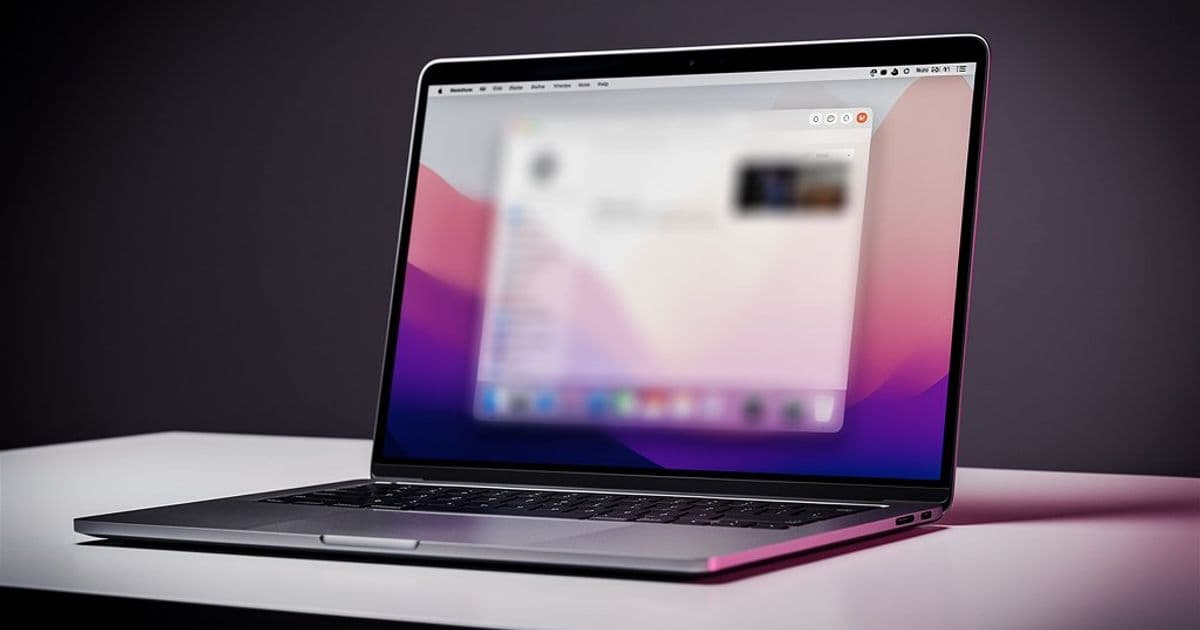
A new open-source macOS app uses Apple's Vision framework to detect poor posture in real-time, applying a progressive screen blur as a visual reminder to sit up straight. The project highlights growing interest in privacy-focused, local-first productivity tools for developers.
A new open-source project called Posturr is gaining attention in the developer community for a simple but unusual approach to ergonomics: it blurs your screen when you slouch. The macOS app uses your Mac's camera and Apple's Vision framework to monitor posture in real-time, applying a gentle visual reminder that intensifies as your posture worsens.
The Core Idea
Posturr runs as a lightweight background application, continuously analyzing your posture through the camera. When it detects slouching—measured by the relative position of your nose and shoulders—it applies a progressive blur effect across all your displays. The blur clears instantly when you correct your posture. The entire process happens locally on your Mac, with no cloud processing or data transmission.
The project's GitHub repository includes detailed documentation on its technical implementation, installation process, and usage instructions. It's built using Swift and relies on several Apple frameworks: AppKit for the UI, AVFoundation for camera access, Vision for pose detection, and CoreImage for the blur effect.
How It Works Technically
Posturr uses Apple's Vision framework to detect body pose landmarks. The app tracks the nose and shoulders, measuring the vertical distance between them to determine posture quality. When full body visibility isn't possible, it falls back to face detection. The blur effect is applied using macOS's private CoreGraphics API, which allows for efficient, system-level blur that covers all windows and displays simultaneously.
The blur intensity is proportional to the posture deviation. This progressive approach means users get a gentle nudge for minor slouching and a stronger visual reminder for more significant posture issues. The app is designed to be non-intrusive—once you correct your posture, the blur disappears immediately.
Privacy-First Design
One of Posturr's key selling points is its privacy focus. Unlike many wellness apps that rely on cloud processing or data collection, Posturr processes all video data locally. The camera feed is used solely for posture detection and is never stored or transmitted. This aligns with a growing trend among developers who prefer local-first applications that don't require accounts or send data to external servers.
The app requires no signup, no cloud services, and no tracking. It's a single, self-contained application that runs entirely on your Mac. This approach resonates with privacy-conscious users who are increasingly wary of software that requires constant internet connectivity or data sharing.
Installation and Setup
Posturr is distributed as a pre-built .zip file from its Releases page. Installation is straightforward: download, unzip, and drag the app to your Applications folder. However, because the app isn't signed with an Apple Developer certificate, users need to bypass macOS Gatekeeper on first launch by right-clicking the app and selecting "Open."
The app requires camera access, which macOS will prompt for on first launch. If permission is denied accidentally, it can be re-enabled in System Settings > Privacy & Security > Camera. The developer recommends positioning the camera at eye level with adequate lighting for best results.
Community Reception and Use Cases
The project has sparked interesting discussions in developer forums and social media. Some users praise it as a clever solution to a common problem—many developers spend hours hunched over laptops, often forgetting to maintain good posture until discomfort sets in. The visual, immediate feedback of screen blur is seen as more effective than periodic reminders or wearable devices.
However, there are also counter-perspectives. Some developers question whether constant screen blur might be more disruptive than helpful, especially during focused work sessions. Others point out that the app's effectiveness depends heavily on camera placement and lighting conditions. A few have noted that the blur effect could be jarring for users with visual sensitivities.
There's also discussion about the technical implementation. Using private CoreGraphics APIs for screen blur is efficient but raises questions about long-term compatibility with future macOS versions. The developer acknowledges this limitation in the documentation, noting that the app currently has no preferences UI and requires manual Gatekeeper bypass.
Building from Source
For developers who prefer to build from source, Posturr provides a build script and manual compilation instructions. The project requires macOS 13.0 (Ventura) or later and Xcode Command Line Tools. The build process is relatively simple, and the developer has included options for both standard and release builds.
The app also exposes a file-based command interface for external control, allowing users to manually set blur levels or trigger analysis. This could be useful for integration with other tools or for testing purposes.
Limitations and Trade-offs
Posturr has several acknowledged limitations. It requires a working camera with adequate lighting, and detection accuracy works best with a clear view of the upper body or face. The app doesn't include a preferences UI, so users can't adjust sensitivity or customize the blur effect. It's also not code-signed, which means the Gatekeeper bypass is required on each new Mac or after system updates.
These limitations reflect the project's current state as a focused, single-purpose tool rather than a polished commercial product. The developer has chosen to keep the scope narrow, focusing on core functionality rather than extensive customization options.
Broader Pattern
Posturr represents a growing pattern in the developer tool ecosystem: local-first, privacy-focused applications that solve specific problems without requiring cloud infrastructure or data collection. This trend is partly driven by increasing privacy concerns and partly by the availability of powerful on-device processing capabilities, like Apple's Vision framework.
Similar projects have emerged for other productivity challenges—apps that track screen time locally, tools that block distracting websites without cloud sync, and utilities that automate workflows without sending data to external servers. Posturr fits neatly into this category, offering a solution that's both technically interesting and practically useful.
Getting Started
For developers interested in trying Posturr, the official repository provides complete installation instructions, usage tips, and build instructions. The project is licensed under the MIT License, making it free to use, modify, and distribute.
The developer welcomes contributions and has provided guidelines for submitting issues and pull requests. As an open-source project, Posturr could evolve based on community feedback, potentially adding features like adjustable sensitivity, custom blur effects, or integration with other productivity tools.
Conclusion
Posturr offers a novel approach to a common problem, combining Apple's Vision framework with a privacy-first design philosophy. While it has limitations, it demonstrates how local processing and thoughtful UI design can create effective tools without compromising user privacy. For developers spending long hours at their desks, it might just be the nudge needed to maintain better posture—without the need for wearable devices or cloud-connected services.
Comments
Please log in or register to join the discussion