
Pretext, a new browser library from Cheng Lou (React core developer and creator of react-motion), solves the expensive problem of calculating line-wrapped text height without DOM manipulation, enabling new text rendering effects through clever optimization techniques.
Pretext, a new browser library from Cheng Lou, the former React core developer and original creator of the react-motion animation library, addresses a fundamental challenge in web development: calculating the height of line-wrapped text without touching the DOM. This seemingly simple problem has significant performance implications for browser applications.
The traditional approach to measuring text dimensions involves rendering the text in the browser and then measuring its dimensions, which is computationally expensive. This operation becomes particularly costly when dealing with large amounts of text or when measurements need to be performed frequently, as is often the case in sophisticated UI components.
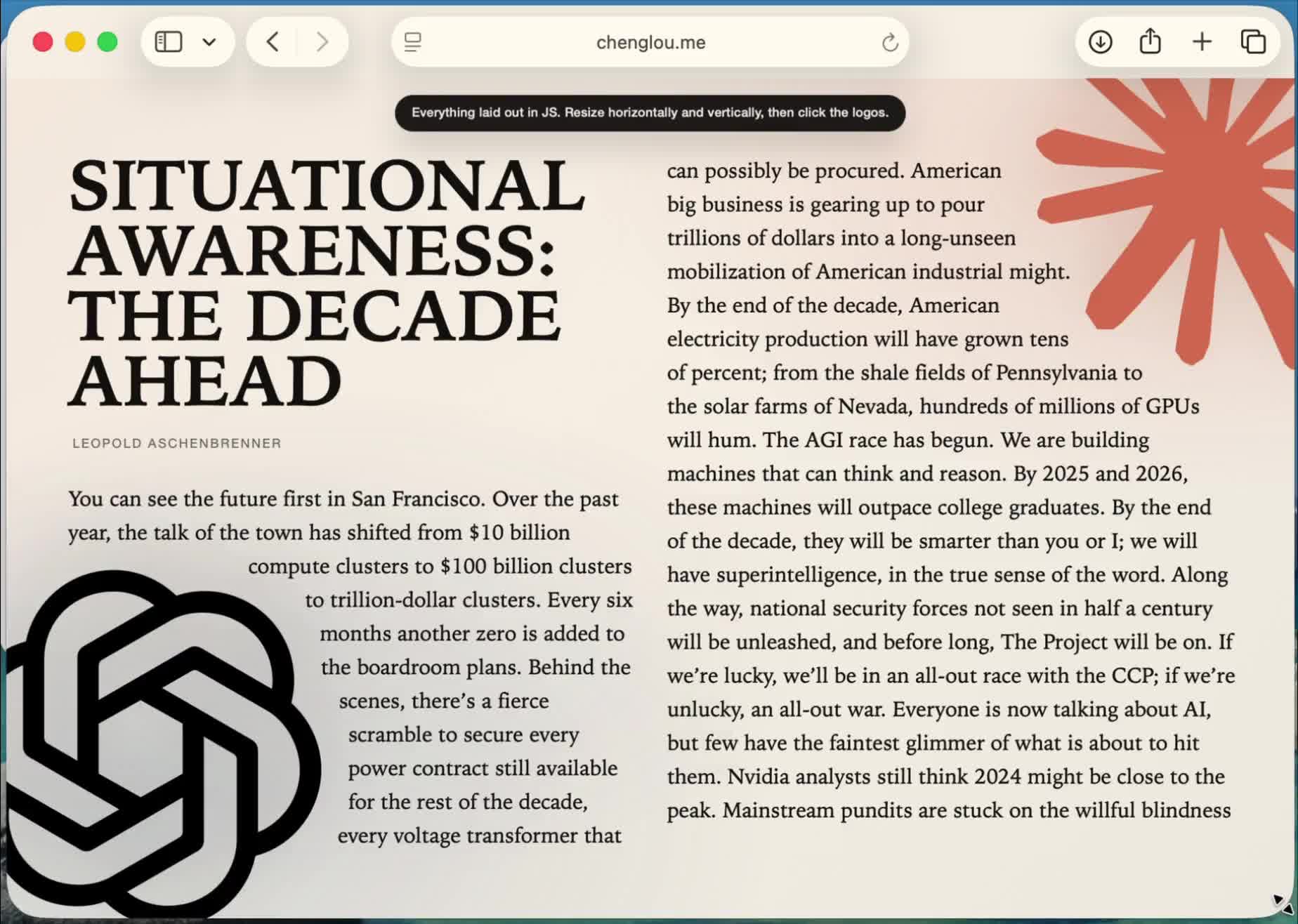
Pretext offers an elegant solution by employing an array of clever tricks to make text measurement dramatically faster. The library's architecture separates calculations into two distinct phases: a call to a prepare() function followed by multiple calls to layout().
The prepare() function splits the input text into segments—effectively words, though it intelligently handles soft hyphens, non-Latin character sequences, and emoji. It then measures these segments using an off-screen canvas and caches the results. While this preparation step is comparatively expensive, it only needs to run once per text segment.
The layout() function can then emulate the browser's word-wrapping logic to determine how many wrapped lines the text will occupy at a specified width and calculate the overall height. This separation allows for efficient recalculation when container dimensions change without needing to re-measure the text segments.
The testing methodology behind Pretext is particularly impressive. Early tests involved rendering a complete copy of The Great Gatsby across multiple browsers to verify that the estimated measurements matched the browser's rendering. This approach was later expanded to include the corpora/ folder, which applies the same technique against lengthy public domain documents in Thai, Chinese, Korean, Japanese, Arabic, and numerous other languages.
According to Cheng Lou, "The engine's tiny (few kbs), aware of browser quirks, supports all the languages you'll need, including Korean mixed with RTL Arabic and platform-specific emojis."
This comprehensive language support was achieved through an innovative process: showing Claude Code and Codex the browsers' ground truth measurements and having them iterate against those at every significant container width, a process that ran over weeks.
The implications of Pretext extend beyond simple performance improvements. By enabling efficient text measurement without DOM manipulation, the library opens up possibilities for new text rendering effects in browser applications. These include dynamic text resizing, sophisticated typography controls, and responsive layouts that can adapt fluidly to different container sizes without jarring reflows.
For developers working with text-heavy applications, content management systems, or sophisticated typography controls, Pretext offers a practical solution to a long-standing performance bottleneck. Its approach demonstrates how clever algorithmic design can solve problems that might otherwise require expensive DOM operations.
While the library doesn't appear to have secured traditional funding—Lou seems to be developing it as an independent project—its technical sophistication and the reputation of its creator suggest it could become an important tool in the web development ecosystem.
The source code and documentation for Pretext would likely be available on GitHub, though specific links weren't provided in the original announcement. Developers interested in implementing text measurement optimizations in their applications would benefit from examining Pretext's approach to solving this fundamental browser rendering challenge.
Comments
Please log in or register to join the discussion