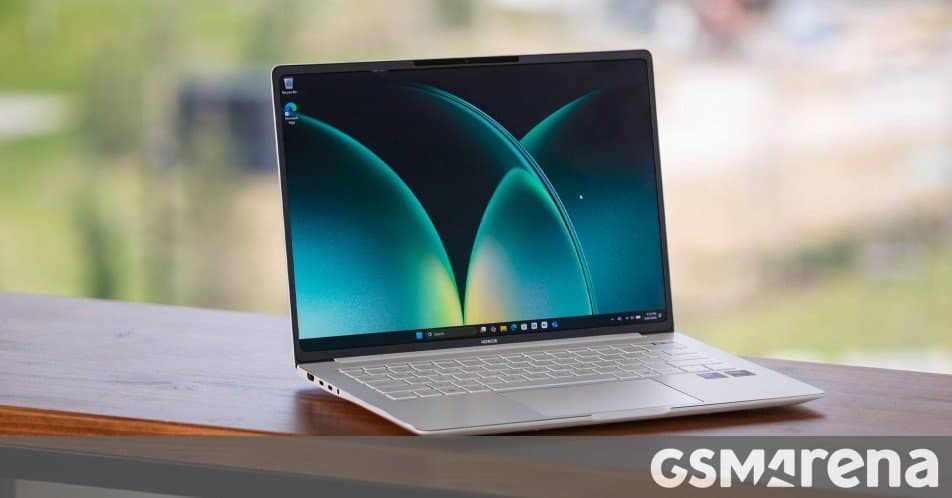
Honor’s 2026 MagicBook Pro 14 packs a 14.6‑inch 3:2 OLED panel, Intel Core Ultra 5/6 CPUs, up to 32 GB RAM and a 92 Wh battery into a 1.39 kg chassis. The review covers design, ports, display, performance and battery life, noting strong sustained performance and excellent screen quality but limited availability and the absence of Thunder‑bolt 5.
Introduction
Honor’s newest MagicBook Pro 14 arrives with a refreshed OLED display, the latest Intel Panther Lake “Core Ultra” silicon and a sizable 92 Wh battery. The device targets creators and power users who want a portable Windows notebook without stepping into the premium‑price territory of a MacBook Pro. In this review we break down the hardware, the user experience and the practicalities of buying the machine.
Design and ports
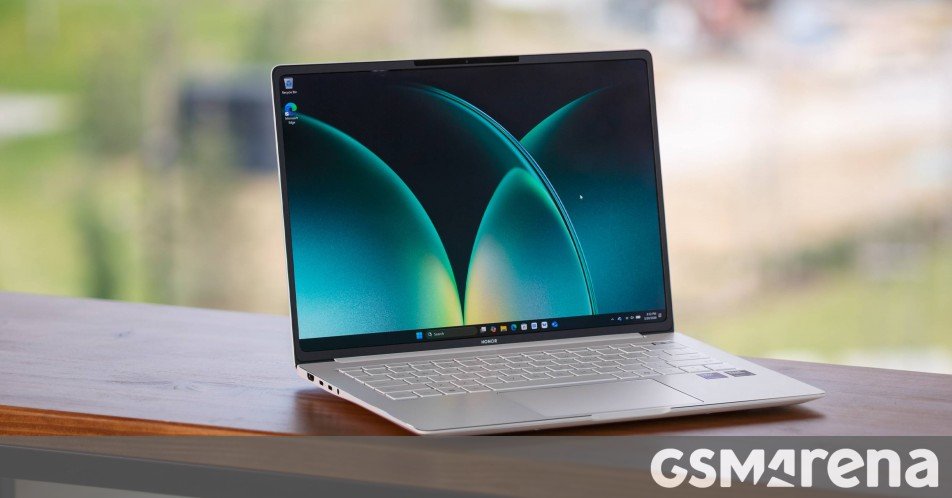
The chassis retains the all‑metal unibody that has become a hallmark of the MagicBook line. A subtle vine‑leaf edge runs along the bottom, widening near the port cluster and tapering toward the front. The finish, marketed as Pearlescent Electrophoresis Process, gives a satin‑gloss look that resists fingerprints. Two colour options are offered: Starry Grey and White.
Weighing 1.39 kg, the Pro is a touch heavier than the previous Art models but still lighter than most 14‑inch MacBook Pros. The laptop feels solid, and the built‑in rubber pads keep the bottom elevated for better airflow.
Port layout
- Left side: HDMI 2.1, USB‑C 3.2 (10 Gbps), Thunderbolt 4/USB‑C 4.0 (40 Gbps) with DisplayPort and Power Delivery, 3.5 mm jack
- Right side: two USB‑A 3.2 Gen 1 (5 Gbps)
The asymmetrical arrangement means you cannot charge from the right side and there is no USB‑C on that edge. Thunderbolt 5 is also missing, which may matter to users with external GPUs or high‑speed storage.
Display, keyboard and audio
The 14.6‑inch OLED touchscreen is the centerpiece. With a 3120 × 2080 resolution (3:2 aspect ratio) it delivers 267 ppi, perfect for reading long documents and editing photos. The panel covers 100 % of the DCI‑P3 colour space, reaches 700 nits peak brightness and can run at either 60 Hz or 120 Hz. Unlike many laptops, the refresh rate does not switch dynamically; you choose the mode in the PC Manager app.
Honor’s software adds several comfort presets (Eye comfort, eBook, AI Defocus, Dynamic dimming) and 13 colour‑management profiles, ranging from P3‑D65 Photography to sRGB Web. In our measurements the OLED delivered around 500 nits SDR and 800 nits HDR peak, with excellent uniformity. The anti‑reflective coating is decent, though the surface is slightly wavy, causing minor colour shift at extreme angles.
The backlit keyboard offers 1.5 mm travel and a pleasant tactile feel. The Art series’ titanium‑key variant feels a little more premium, but the Pro’s keys are still comfortable for long typing sessions. The glass trackpad is slightly smaller than on the Art model but supports haptic feedback and adjustable sensitivity.
Audio comes from two bottom‑firing speakers. They are loud enough for a small desk, and the PC Manager includes presets for music, movies and gaming. Bass response is limited, which is typical for thin‑and‑light laptops.
Performance and battery life
Under the hood the MagicBook Pro 14 (2026) ships with Intel’s Core Ultra 5 338H (12 cores: 4 P‑cores, 4 E‑cores, 4 L‑cores) built on the 18A (3 nm‑class) process. The review unit is equipped with 32 GB LPDDR5x 8400 MT/s RAM and a 1 TB YMTC PC411 PCIe 4.0 x4 SSD. A second M.2 slot is available for users who want to add a PCIe 5.0 drive.
Benchmarks
- Geekbench 6 CPU – Single 2820, Multi 14 200
- Geekbench 6 GPU (OpenCL) – 48 400
- PassMark CPU – 29 950
- Cinebench R23 – Single 462, Multi 3 795
- PassMark 2D/3D Graphics – 810 / 7 910
These scores place the Pro firmly in the “high‑end ultrabook” bracket. Real‑world tasks such as Lightroom editing, 4K video trimming and moderate 3D rendering run smoothly. The integrated GPU can handle older AAA titles at low‑to‑medium settings, but it is not a substitute for a discrete graphics card.
Thermals and power draw
During a two‑hour stress test on AC power the CPU settled at about 3.5 GHz (≈55 W) with temperatures hovering around 90 °C. Fans spun at roughly 55 dB, louder than a typical office environment but far below gaming‑laptop levels. On battery the chip throttled to 3.2 GHz (≈40 W) and stayed near 80 °C, while fan noise dropped to 40 dB.
Battery endurance
The 92 Wh cell, combined with the efficient 3 nm silicon, yields solid runtimes. With the display set to 250 nits and 60 Hz, we measured:
- Web browsing: 10 h 27 min
- YouTube streaming (1080p): 13 h 50 min
Charging from 0 % to 100 % takes about 70 minutes using the supplied 100 W USB‑C charger.
Verdict
The Honor MagicBook Pro 14 (2026) offers a compelling mix of a high‑quality OLED screen, strong CPU performance and a large battery, all wrapped in a thin, lightweight chassis. It excels at content creation, office work and media consumption. The main drawbacks are its limited market availability (currently only China, the Middle East and France) and the lack of Thunderbolt 5 and a right‑side USB‑C charging port.
If you can find one at a reasonable price, the Pro is a solid alternative to more expensive Windows ultrabooks and even some MacBook models, especially for users who value the 3:2 OLED display.
Pros
- Powerful Core Ultra CPU with good efficiency
- 3:2 OLED panel with 100 % DCI‑P3 coverage and 120 Hz option
- Strong sustained performance and respectable thermals
- Good port selection (HDMI 2.1, Thunderbolt 4, USB‑C, USB‑A)
- Long battery life and fast charging
Cons
- Availability limited to a few regions
- No Thunderbolt 5, no USB‑C on the right side
- SSD is PCIe 4.0; a PCIe 5.0 option would be nicer
- Speakers lack deep bass
Comments
Please log in or register to join the discussion