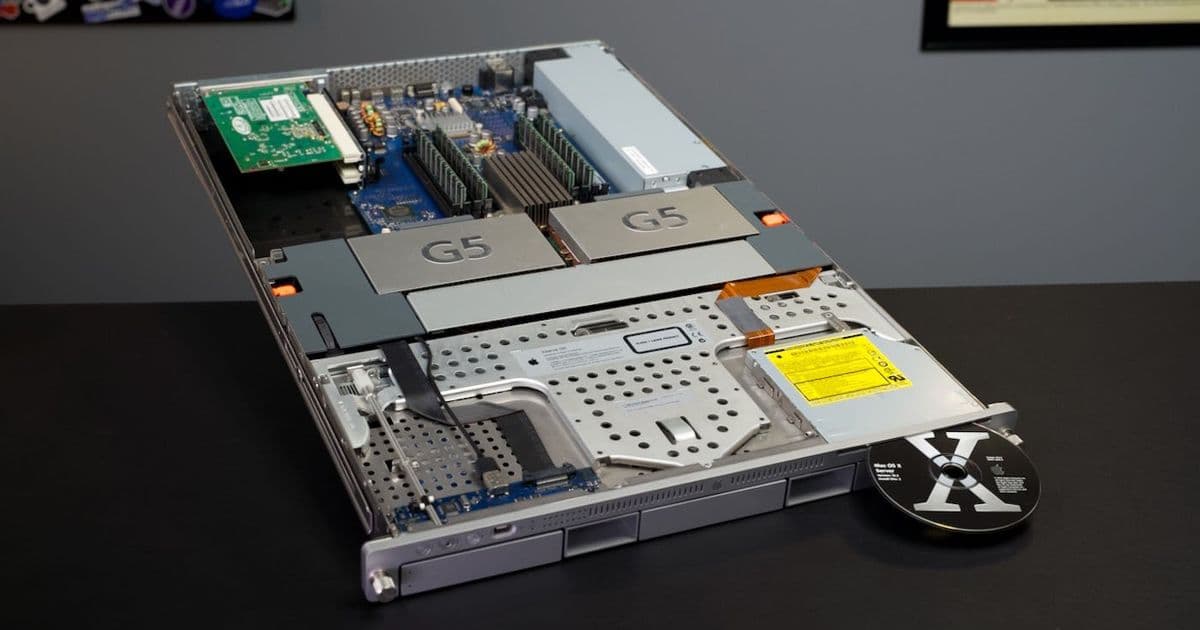
A deep dive into restoring a 2004 Apple Xserve G5, from recapping the PSU to installing Mac OS X Server 10.3, revealing the quirks and capabilities of Apple's PowerPC-era server hardware.
Recently I came into possession of a few Apple Xserves. The one in question today is an Xserve G5, RackMac3,1, which was built when Apple at the top—and bottom—of it's PowerPC era. This isn't the first Xserve—that honor belongs to the G41. And it wasn't the last—there were a few generations of Intel Xeon-powered RackMacs that followed. But in my opinion, it was the most interesting.
Unfortunately, being manufactured in 2004, this Mac's Delta power supply suffers from the Capacitor Plague. The PSU tends to run hot, and some of the capacitors weren't even 105°C-rated, so they tend to wear out, especially if the Xserve was running high-end workloads. The one I have ran gene-sequencing software, judging by the pile of CDs that came with it. Between that and the dust I had to blast out of it, I'm guessing it's seen some use!
This blog post is more about the overall Xserve experience, but if you want to see in detail how I restored the Xserve's PSU, installed Mac OS X Server 10.3, and how it runs, check out today's video:
Restoring the PSU
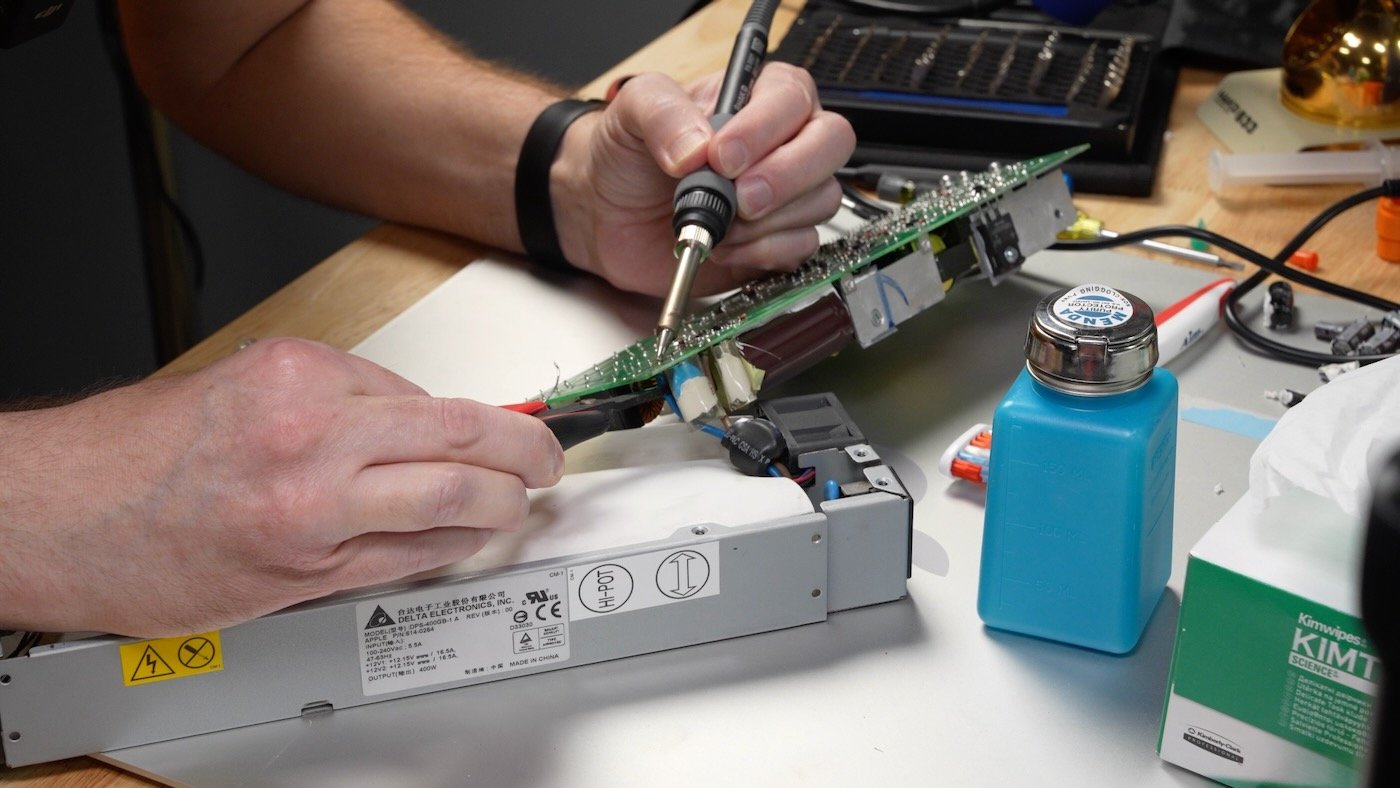
The first order of business was recapping the PSU, and luckily The House of Moth maintains a guide for the process. I got in touch and was able to snag a pre-sorted kit of the right electrolytic capacitors for the job (13 total). The video has the whole process, but the PSU has a number of small SMD (Surface Mount Device) components on the underside—usually right in the mix with the legs of the through-hole-soldered capacitors. That meant my trusty Hakko FR-301 with it's default tip was hard to use in a couple spots2. I had to go back and forth between flowing in fresh solder, wicking a little away, cleaning up the solder on a couple nearby components, and sucking out the holes for the capacitor legs on four or five joints. All's well that ends well, and I could measure 12V after reassembling the PSU. There's a little coil whine, but I'm not sure if that's normal or not. It's certainly masked by the fans on the system, once they're powered up :)
SATA HDD Trays and an interesting lock
Besides the non-standard PSU, the Xserve used a non-standard connector for the hot-swap hard drive trays. The drive trays themselves hold up well, but the wires inside seem a little delicate. And the few ventilation holes under the drive handles seemed to be clogged with dust—so I give these drive trays a C- for overall function.
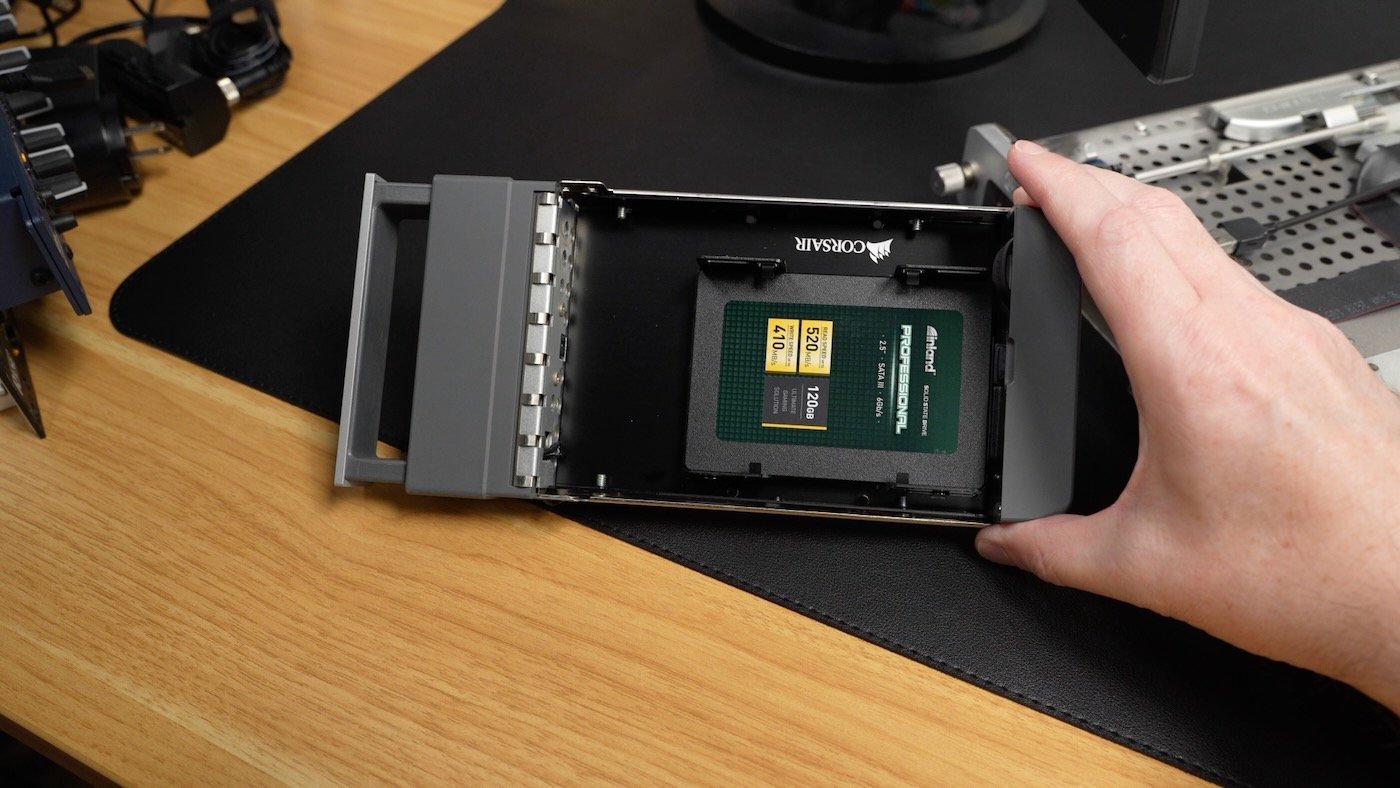
I first tried a 120 GB Inland Professional SSD, but it wasn't recognized by Mac OS X Server 10.3's Install CD Disk Utility. So I tried a 240 GB Inland Platinum drive (both were SATA-III), and that worked!
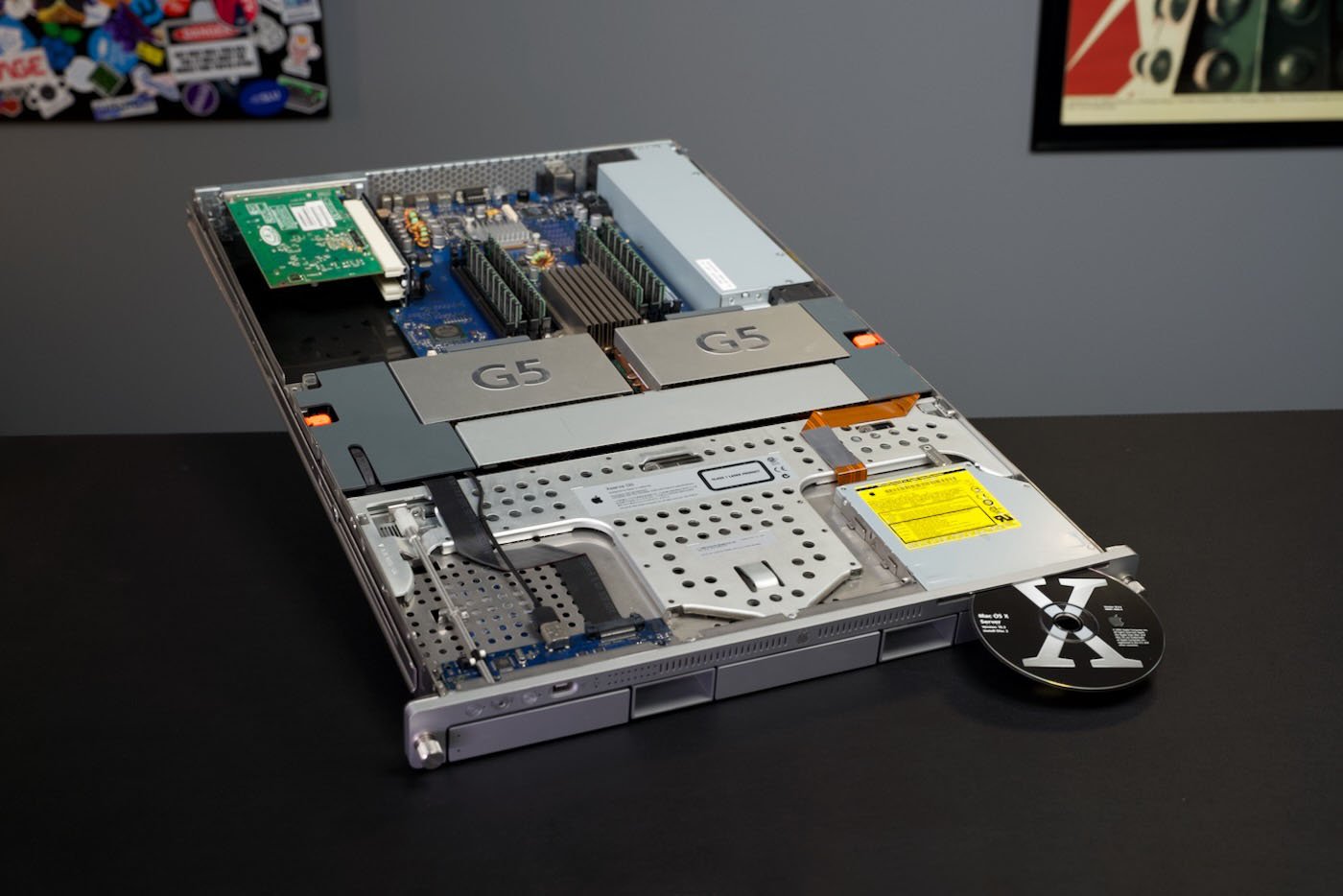
While I was installing Mac OS X Server, I took a peek around the rest of the chassis. Most things were standard—or at least as standard as you see on Apple hardware—but the drive/system lock mechanism was certainly quirky:
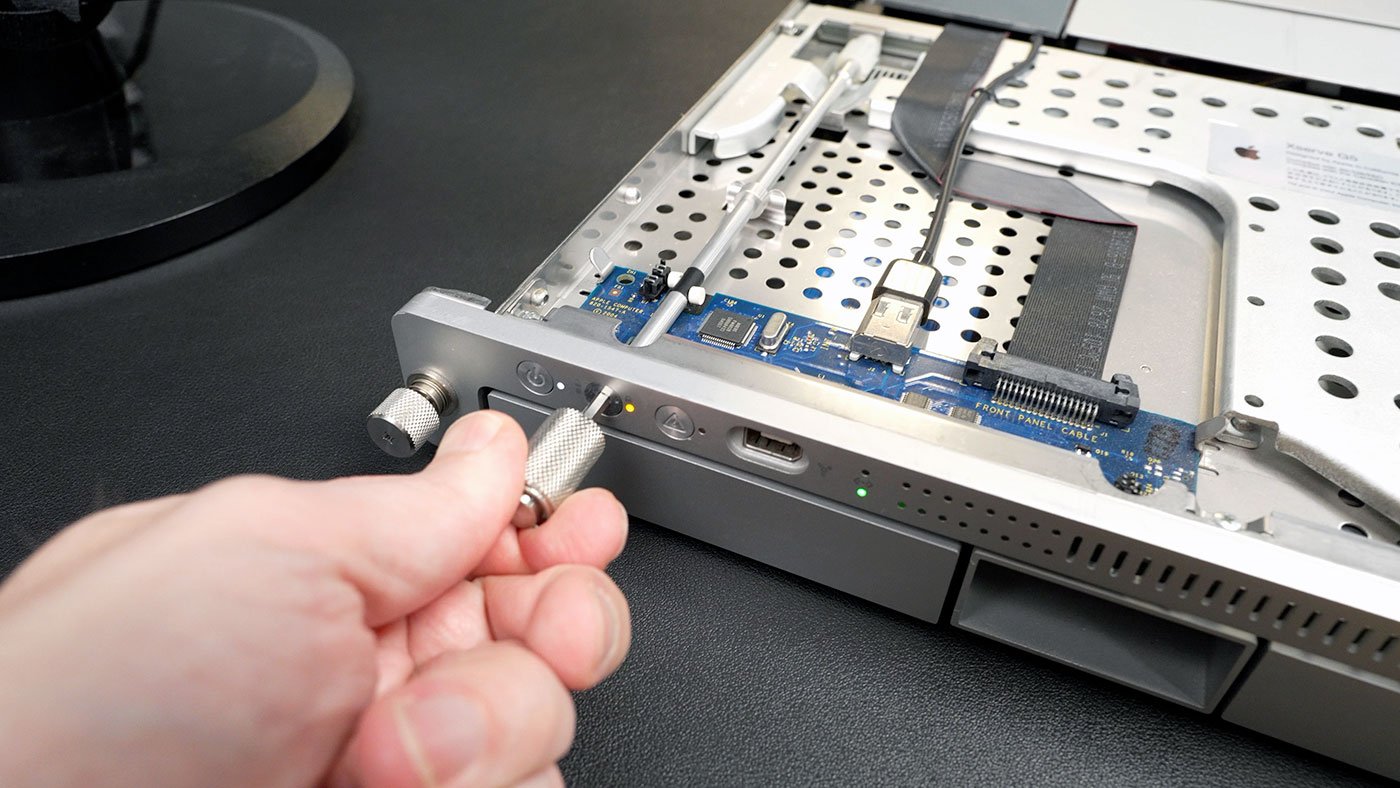
Apple made a heavy knurled hex key for the system lock, and when you turned it, a long rod with a worm gear would lock in the drive trays. Partway down the rod, there were two white cylinders—these pass over either optical or magnetic sensors, which tell the system when the lock is active (which lights up a lock LED on the front as well).
Power Consumption and Noise
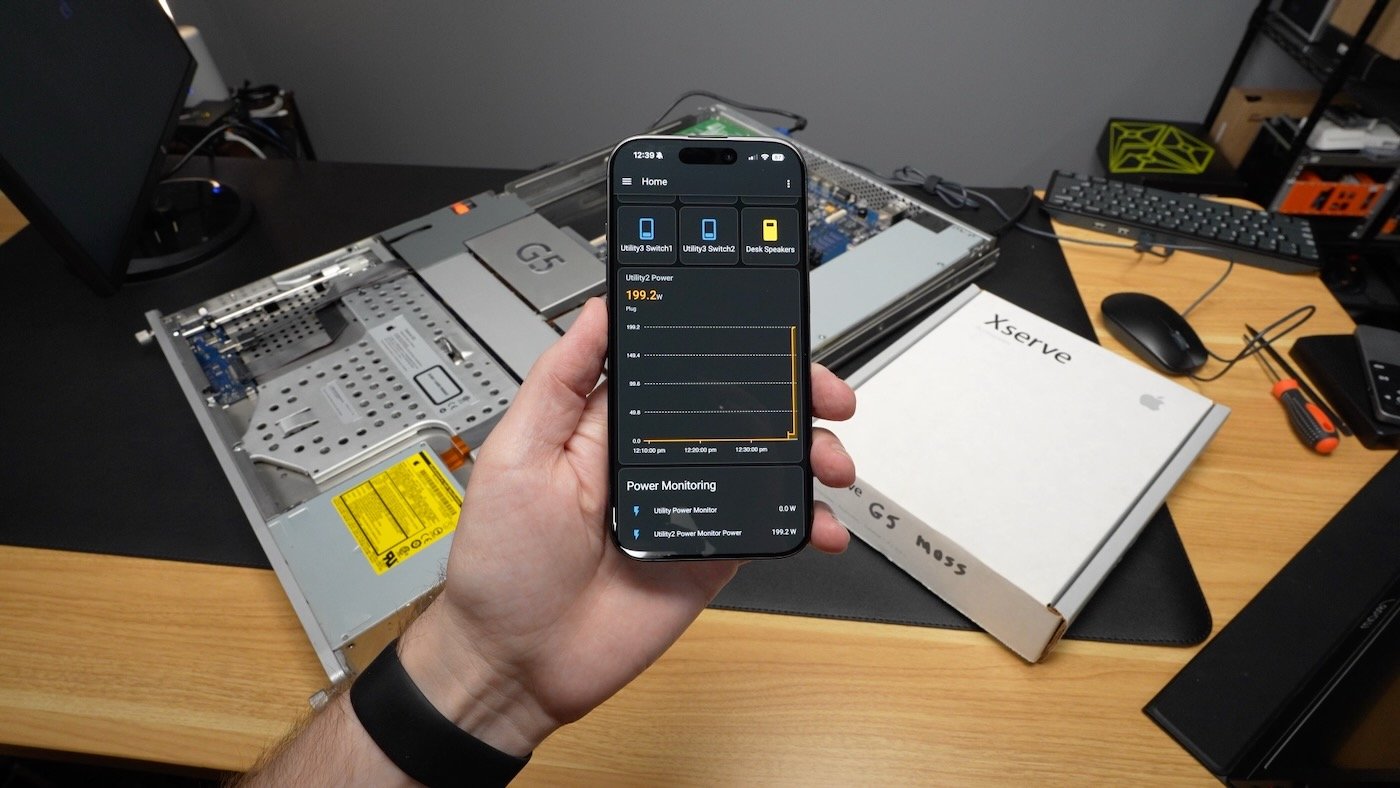
Also during installation, I checked how much power the Xserve was gobbling. Turned off, around 9W (which is honestly not terrible, for the era). Turned on, before booting up fully, around 199W (which is a lot). After booting, it would settle in around 140W at idle. I know there's CHUD Tools (Computer Hardware Understanding Development), which installs a System Preference pane to disable one of the CPUs entirely, but I haven't checked if that works on the Xserve G5. I think if you run one of these things, you just have to get over the power consumption; the fans alone are likely 20W-40W of that total!
The other thing you'll have to get used to—if you're not used to server hardware—is the noise: Honestly the fans aren't as loud as other 1U servers I've used. Even networking gear can get up to the 70-80 dBa range. The fans in the Xserve seem tuned well enough, and I was surprised when I noticed there's no fan blowing air under the motherboard3. The G5 was the pinnacle of Apple's PowerPC chips. Unfortunately it was also the hottest chip Apple used, as IBM had trouble shrinking process nodes for more efficiency. This was the direct motivation for their move to Intel, which not only allowed Apple to hit 3 GHz clock speeds, it gave them a path forward for faster laptops.
The Mac OS X Server Experience
After 15 minutes or so (SSDs are so much faster than hard drives on this system), Mac OS X Server 10.3 was installed. While I was using the system, I saw different wavy patterns in the VGA output (I was using a 1080p HP monitor with VGA input). I know old, tired capacitors can lead to artifacts on the display, with analog tech like VGA or composite output... and it looks like there's a good number of surface-mount caps on the other side of this ATI PCI-X VGA card:
The pattern got less annoying (or I just got used to it), and I started testing out the built-in server apps Apple shipped with 10.3 Server. The monitoring apps and GUI for managing services like Apache, NTP, File Sharing, etc. were straightforward, and refreshingly simple. Apparently managing the services behind these apps was frustrating if you were used to the control you'd get on, say, Linux. But I can imagine many school district admins loving the push-button simplicity of spinning up a local webserver, or clicking one button to launch QuickTime Streaming Server.
Remote Access and an actual Purpose
Besides wanting to see what the Xserve was like, I do have a use for this Xserve G5—at least I hope. It came with a full rackmount kit, so I dutifully installed it in my rack:
It is not a good rackmount kit. The enclosure is the rackmount, which is as annoying as it sounds. You have to hold the entire enclosure in place while you screw in the front screws, then slide some braces and extra brackets in the back, for a 4-post rack install. And heaven forbid the enclosure is not square—that makes the installation even more difficult4.
But my purpose for this Xserve involves one of the most unique ports on any Mac made since the 80s:
That's a full DB9 serial port, used on this Mac as a Console port. I think it's possible to use the port like a regular 'ol serial port in macOS, but if that's not the case, I might try a PowerPC-specific version of Linux. My goal is to get a GPS signal in through serial, so I can consume both the NMEA sentence (which delivers time/datestamps), and PPS (a precise signal to mark the beginning of each second). If the clock line works like I think it should, I might be able to build the world's most accurate Mac time server! There might be ways to do it better on modern Macs, but any good timing infrastructure on modern macOS seems tucked away behind private APIs :(
Watch Steve Jobs introduce the Xserve at the 2002 Apple Special Event. It's the first (and maybe last?) time I've heard Apple introduce a product with the word 'humble' as the tagline! ↩︎ Hakko makes specialized tips for tight work around other components... I may buy a few in various sizes since I do some SMD work that could benefit from it. ↩︎ Unlike the desktop G5, the motherboard on the Xserve G5 puts the hot northbridge IO chip on the topside. I guess Apple assumed there was enough airflow in the chassis to keep it cool with a smaller heatsink. The backside cooling on the desktop G5 was elaborate, and very annoying to service. ↩︎ As if getting cut inserting cage nuts isn't trying enough! ↩︎
Comments
Please log in or register to join the discussion