Apple's WWDC 2026 preview of Safari in macOS 27 leans heavily on Apple Intelligence, with automatic tab grouping, page-change notifications, and natural-language extension creation. For developers shipping web apps and Safari extensions across iOS, iPadOS, and macOS, the bigger story is a batch of performance work and new WebKit capabilities worth tracking before the fall release.
Apple used the WWDC 2026 keynote to walk through what's coming to Safari in macOS 27 Golden Gate, and the headline features are all about Apple Intelligence doing organizational work on the user's behalf. But underneath the demos sit a set of changes that matter to anyone maintaining a web app or a Safari extension across Apple's platforms. If you build for both iOS and macOS, this release tightens the gap between the two even further.
What's new for users
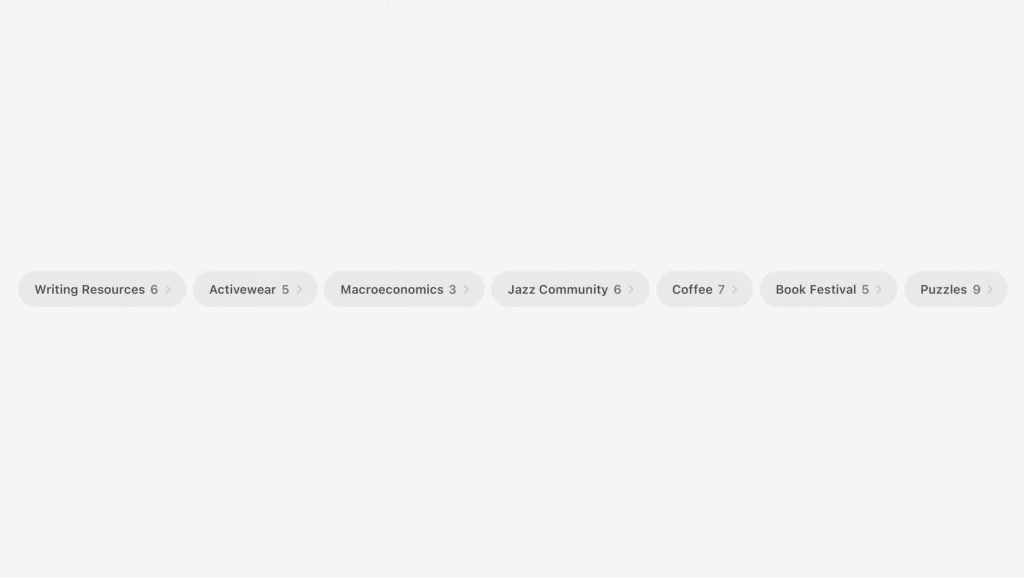
The most visible addition is automatic tab groups. When enabled, Safari analyzes the content of each open page and clusters tabs by shared topic, generating labels like "Vacation planning" or "School project research." New tabs that match an existing topic get folded into the relevant group automatically. Users can promote those clusters into a saved Tab Group or close the whole batch when a project wraps up. The feature is optional, which matters for privacy-conscious users since the grouping requires Safari to read page content.
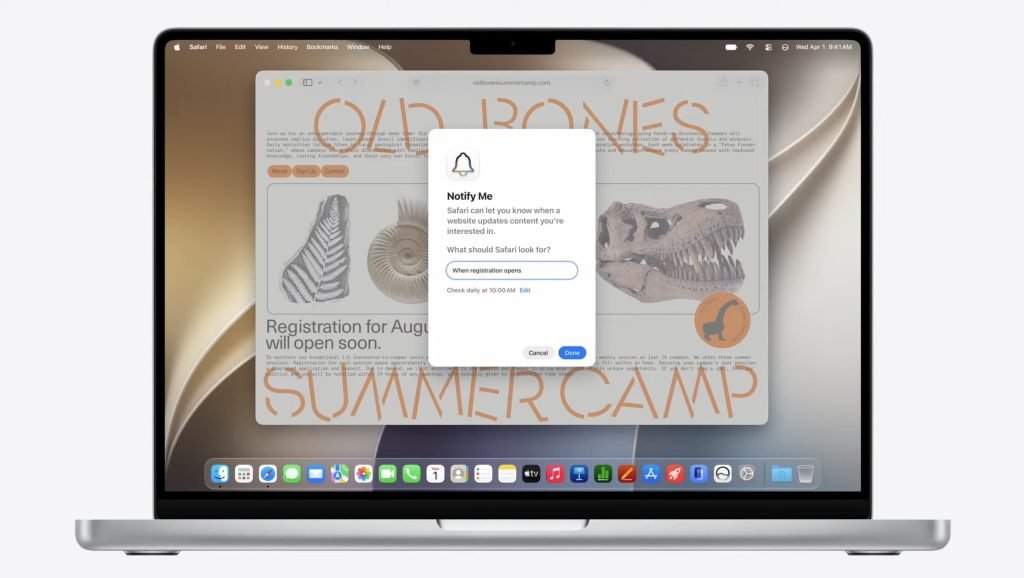
Notify Me is the second Apple Intelligence feature. It lets users describe, in plain language, the kind of change they want to watch for on a page, then sets a schedule for Safari to check. You can write something like "Price drop on the shoes" or "When registration opens," pick a daily, weekly, or monthly cadence, and choose the exact time the check runs. It's essentially a built-in page-monitoring tool that previously required a third-party extension or service.
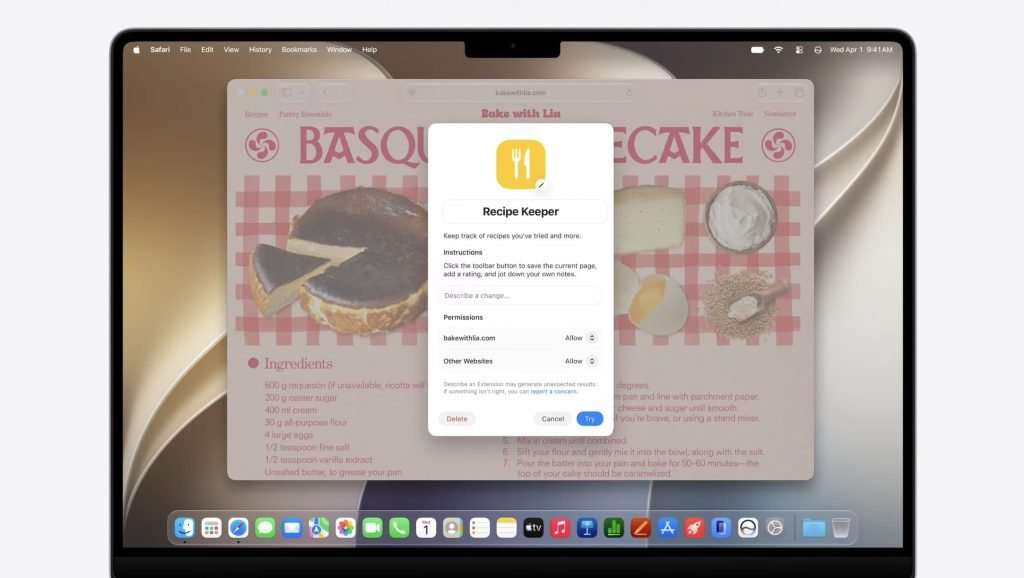
The third AI feature, and the most interesting one for developers, is natural-language extension creation. Users describe what they want an extension to do, and Safari scaffolds it. Apple's keynote example: "Save and track cooking recipes from around the web. Click the toolbar button to see your saved recipes and add notes to each." Safari generated a Recipe Keeper extension, complete with a prompt field for follow-up changes and controls for which sites could add or modify recipes.
Two more user-facing changes round out the list. Pull-to-refresh finally comes to the Mac, mirroring the gesture that iPhone and iPad users have had for years. Pulling down from the top of a page triggers the familiar rubber-band effect and a spinning indicator before the page reloads. And, matching iOS 27, Safari can now proactively change compromised passwords on the user's behalf rather than just flagging them.
Why this matters for developers
The natural-language extension builder raises an obvious question for anyone who ships Safari extensions: what exactly is Safari generating under the hood? Apple hasn't published full details yet, but the demo suggests these are real WebKit extensions with manifest-defined permissions, given the site-access controls shown on screen. If users can spin up lightweight extensions on demand, the bar for a published extension to justify its existence goes up. Tools that do something genuinely complex, or that need server-side infrastructure, are safe. Simple page-scraping or note-saving utilities now compete with a built-in generator.
The performance work is the part worth reading the release notes for. Apple listed enhanced power efficiency across macOS and iOS, faster start page and web application loading, faster JavaScript handling, and smoother animations, scrolling, and resizing. These are the kinds of improvements that show up as measurable gains in real web apps without any code changes on your end, but they also shift the baseline. If you've been working around older WebKit JavaScript performance characteristics, some of those workarounds may no longer earn their complexity.
Cross-platform considerations
For teams maintaining apps on both platforms, the convergence story continues. Pull-to-refresh arriving on macOS means the gesture behavior you already handle on iOS now applies to the desktop, which simplifies shared interaction logic for web content embedded in cross-platform shells. The same WebKit engine improvements land across iOS, iPadOS, macOS, and visionOS, where Safari also gains multiple tab views. That shared engine is the practical advantage of targeting Safari and WKWebView: a single set of platform improvements propagates everywhere at once, though it also means you inherit WebKit's constraints uniformly across every device.
What to do before the fall release
Apple's WebKit blog has begun publishing deeper technical breakdowns of the new web technologies shipping in this Safari cycle, and that's the resource to follow rather than the keynote summaries. The practical migration path is straightforward: test your web apps and extensions against the macOS 27 and iOS 27 betas as they roll out, watch for the new permission prompts tied to AI features that read page content, and confirm that the password-change automation doesn't interfere with custom authentication flows on your own sites. Developers can track the full set of changes through Apple's Safari developer documentation and the Safari Technology Preview builds, which typically expose these capabilities ahead of the public release.
The AI features will get the attention, but the engine work and the extension-builder shift are the changes that will actually affect how you build and ship for Safari over the next year.
Comments
Please log in or register to join the discussion