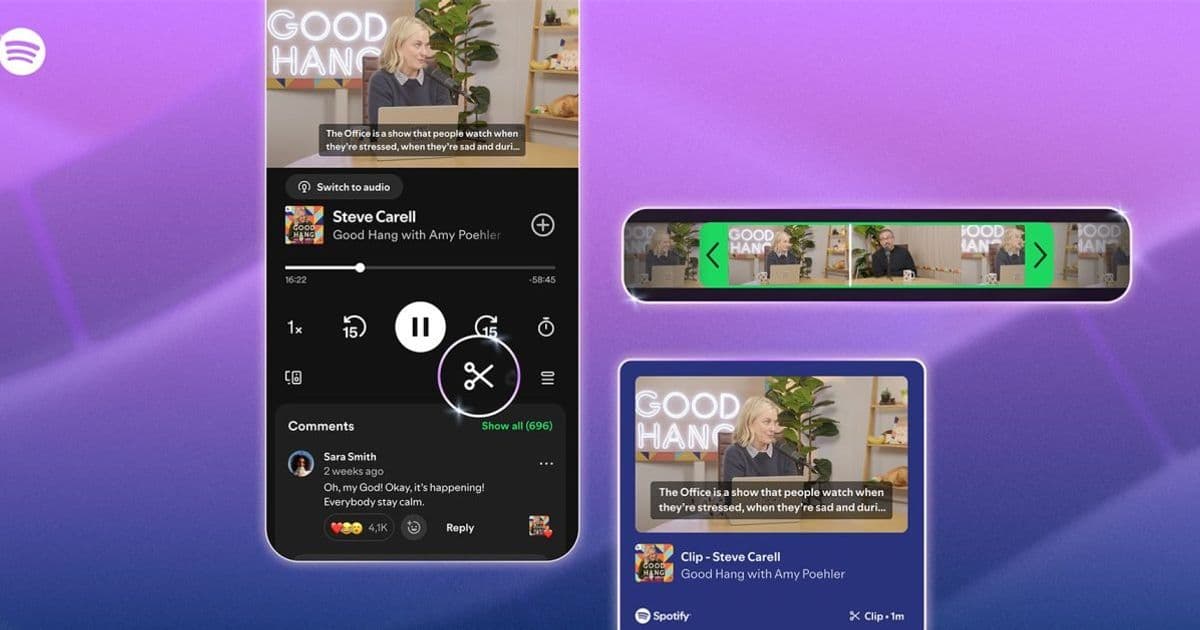
Spotify’s new clipping tool lets listeners trim, save, and share moments from audio and video podcasts directly in the app, with a transcript‑based selector and integration into personal libraries and playlists.
Spotify Adds Podcast Clip Creation for Free and Premium Users
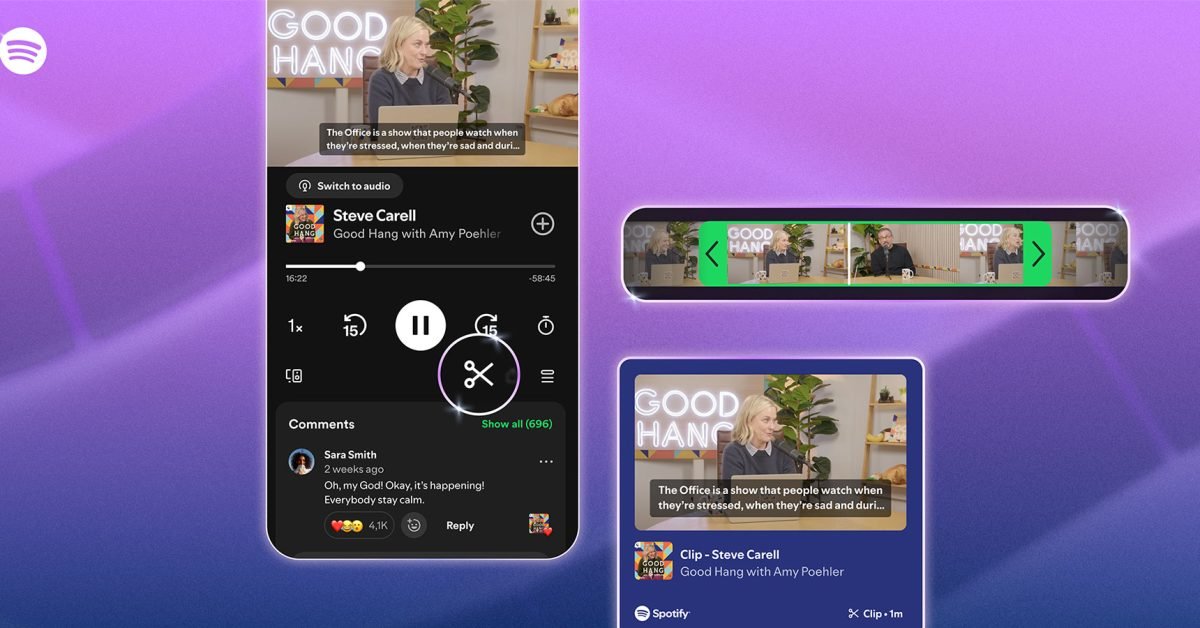
Spotify has rolled out a clipping feature that lets users carve out short segments from any podcast episode and share them instantly. The tool is available to both Free and Premium accounts and supports audio‑only as well as video podcasts.
What the feature does
- Trim with a transcript selector – Instead of a visual waveform, the interface shows the episode’s transcript. Users tap the start and end lines to define the clip.
- Save locally – Clips are stored in a new Your clips collection under Your Library.
- Share everywhere – From Spotify Messages to external platforms (Twitter, Instagram, etc.) with a single tap.
- Add to playlists – Clips can be dropped into existing playlists, keeping favorite moments alongside full episodes.
Why it matters for developers
If you publish a podcast on Spotify, the clipping API now exposes two new endpoints:
POST /v1/podcasts/{id}/clips– Create a clip by sending start and end timestamps (or transcript token IDs).GET /v1/me/clips– Retrieve a user’s saved clips.
Both endpoints require the user‑library-modify scope, and the response includes a short‑lived URL that can be embedded in social posts. For cross‑platform apps built with Flutter or React Native, the official Spotify Android SDK 2.1.0 and iOS SDK 2.1.0 already contain wrappers for these calls, so you can add clipping support without writing raw HTTP code.
Android SDK notes
- Minimum API level: 21 (Android 5.0).
- The SDK now bundles a
ClipManagerclass that handles token refresh automatically. - ProGuard rules must include
-keep class com.spotify.sdk.clip.** { *; }.
iOS SDK notes
- Requires iOS 13 or later.
- The new
SPTClipServiceis available via Swift Package Manager. - Remember to add
NSPhotoLibraryAddUsageDescriptionif you let users export the clip as a video file.
Migration checklist for existing podcast apps
- Update SDKs – Pull the latest versions of the Android and iOS SDKs.
- Request the new scope – Add
user-library-modifyto your OAuth flow. - Implement UI – Use the transcript selector UI provided by the SDK, or build a custom timeline if you prefer a waveform view.
- Handle rate limits – Spotify caps clip creation at 30 per hour per user; surface a friendly message when the limit is reached.
- Test on both Free and Premium accounts – Some shows may not be eligible for clipping at launch.
Cross‑platform considerations
If you maintain a single codebase with Flutter, the community plugin spotify_clip (v0.4.0) already wraps the native SDK calls. For React Native, the react-native-spotify-clip module provides a JavaScript API that mirrors the native methods. Both plugins require you to link the native SDKs manually, so be sure to follow the platform‑specific installation steps.
What’s next?
Spotify says the rollout will continue globally over the next few weeks, with more shows gaining clipping support. Developers should monitor the Spotify Developer Dashboard for updates on quota changes and new metadata fields that may be added to the clip object.
For a deeper look at the clipping UI, see Spotify’s official announcement.
Comments
Please log in or register to join the discussion