Apple’s WWDC 2026 keynote will stream on YouTube, the Apple TV app, and the Events website on June 8. The session will introduce iOS 27, iPadOS 27, and related SDK updates, bringing new Siri AI features, Liquid Glass refinements, and a stronger focus on performance. This guide explains how to tune in and what the announced changes mean for cross‑platform developers.
Where to Watch the WWDC 2026 Keynote
 Apple’s Worldwide Developers Conference kicks off on Monday, June 8 at 1:00 p.m. ET / 10:00 a.m. PT. The keynote will be streamed live in three official channels:
- Apple’s YouTube channel – the most universally accessible option. The stream will be available in both 1080p and 4K, with closed captions in multiple languages.
- Apple TV app – works on iPhone, iPad, Mac, Apple TV, and even on compatible Android TV devices that support the app. The app offers a picture‑in‑picture mode, which can be handy for developers who want to keep an eye on code while watching.
- Apple Events website – the classic web player (https://www.apple.com/apple-events) provides a fallback if the other two services experience hiccups.
All three streams will be archived for 30 days after the event, so you can catch up if you miss the live broadcast.
What iOS 27 Brings to the SDK
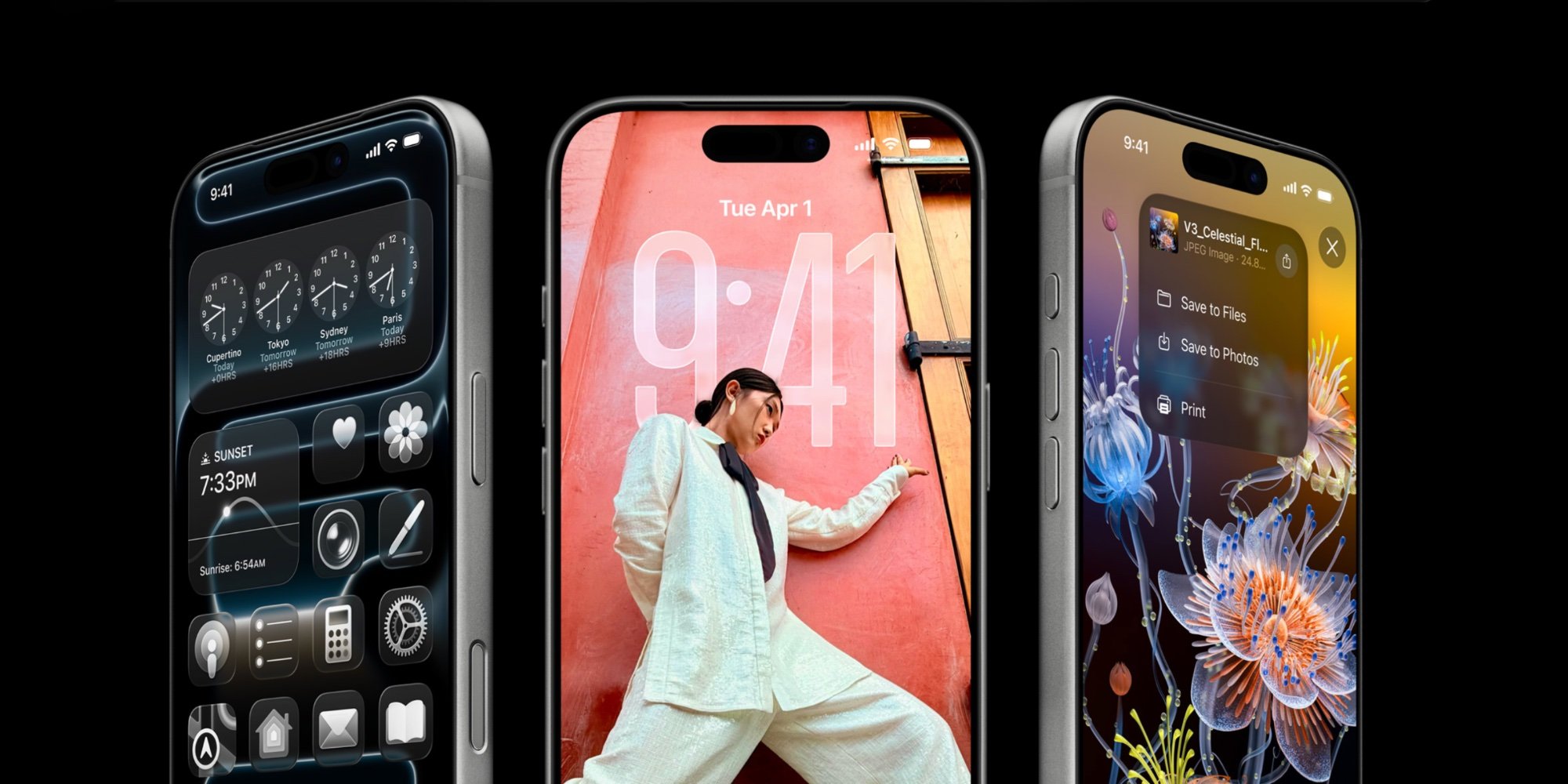 The headline for developers is the release of iOS 27 SDK (alongside iPadOS 27, macOS 27, watchOS 27, tvOS 27, and visionOS 27). Apple’s release notes highlight three major areas that will affect both native and cross‑platform codebases:
1. Siri 2.0 – An LLM‑powered Assistant
- A new Siri app with a chat‑style UI replaces the old voice‑only experience.
- Apple Intelligence APIs expose a Foundation Model that developers can query via
SiriKitextensions. The model runs on‑device when possible, falling back to Apple’s cloud for heavier workloads. - For React Native, Flutter, or Kotlin‑Multiplatform projects, the upcoming
react-native-siriandflutter_siriplugins will wrap these APIs, letting you add conversational features without writing Swift/Obj‑C directly.
2. Liquid Glass UI Toolkit
- The Liquid Glass rendering engine, introduced last year, receives performance tweaks and new compositing APIs. It now supports partial rasterization for smoother scrolling on older devices.
- SwiftUI’s
GlassViewcomponent gets ablurIntensityparameter, and the UIKit equivalentUIVisualEffectViewadds amaterialScaleproperty. - Cross‑platform frameworks can tap these via bridge modules. For example, the Capacitor community plugin
@capacitor/liquid-glassnow maps the new properties to web‑view layers.
3. Battery‑life and Performance Focus
- Apple reports a 12 % average boost in app launch speed for apps built with the iOS 27 SDK, thanks to tighter JIT constraints and improved memory allocation paths.
- The Xcode 16 toolchain introduces
swiftc -Osizeas the default for release builds, shrinking binary footprints. - Android developers using Kotlin Multiplatform Mobile (KMM) can benefit from the updated
kmm-corelibrary, which now aligns its concurrency model with Swift’s async/await, reducing interop overhead.
Migration Checklist for Cross‑Platform Teams
If your product ships on both iOS and Android, the WWDC announcements suggest a few concrete steps:
- Update Build Environments
- Install Xcode 16 (available from the Mac App Store) and set the iOS 27 SDK as the Base SDK in your project settings.
- Upgrade Android Studio to Arctic Fox 2026.1 and ensure the compileSdkVersion is set to 33 (the latest API level that aligns with iOS 27’s feature set).
- Integrate Siri 2.0
- Add the new
SiriKitcapability in Xcode and request theSirientitlement. - For React Native, run
npm install @react-native-community/siri --saveand follow the linking steps. - For Flutter, add
siri_kit: ^2.0.0topubspec.yamland runflutter pub get.
- Add the new
- Adopt Liquid Glass Enhancements
- Replace legacy blur views with
GlassViewin SwiftUI orUIVisualEffectViewwith the newmaterialScaleon UIKit. - In Flutter, switch to the
liquid_glasspackage version^1.2.0to leverage the updated compositor.
- Replace legacy blur views with
- Test Performance on Legacy Devices
- Run the new Xcode Instruments template “Battery Life” on an iPhone 12 and older models to verify the promised gains.
- On Android, use Profile Installer to compare launch times before and after the migration.
- Update Documentation and CI
- Pin the iOS 27 SDK in your CI pipeline (e.g.,
xcode-select --switch /Applications/Xcode_16.app). - Add a step to validate that the Siri intents schema compiles without warnings.
- Pin the iOS 27 SDK in your CI pipeline (e.g.,
Why the Changes Matter for Cross‑Platform Development
- Unified AI surface – With Apple Intelligence now exposed as a first‑class service, you can write a single conversational layer that works on iOS, macOS, and even visionOS, while Android’s Google Gemini integration offers a comparable endpoint. This reduces the amount of platform‑specific glue code.
- Consistent visual language – Liquid Glass refinements mean the same blur and translucency effects will render similarly across Apple devices, simplifying design hand‑off for teams that also target Android’s Material You blur APIs.
- Performance headroom – The focus on launch speed and memory efficiency gives developers more leeway to add features without sacrificing battery life, a common pain point when maintaining a shared codebase.
Quick Links
- Official WWDC livestream page – https://developer.apple.com/wwdc23/
- Xcode 16 release notes – https://developer.apple.com/documentation/xcode-release-notes/xcode-16-release-notes
- SiriKit documentation – https://developer.apple.com/documentation/sirikit
- Flutter
liquid_glassplugin – https://pub.dev/packages/liquid_glass - React Native
react-native-siri– https://github.com/react-native-community/react-native-siri
Stay tuned to the keynote for the final feature list, and start planning your SDK upgrade now so you can ship iOS 27‑ready updates alongside the Android release.
Comments
Please log in or register to join the discussion