
Spotify’s 20th‑anniversary disco‑ball icon was a limited‑time celebration. After user confusion, the streaming service announced the classic green logo will be back this week, and it hints at future support for optional icons on iOS.
Spotify confirms disco‑ball app icon is temporary and regular logo will return
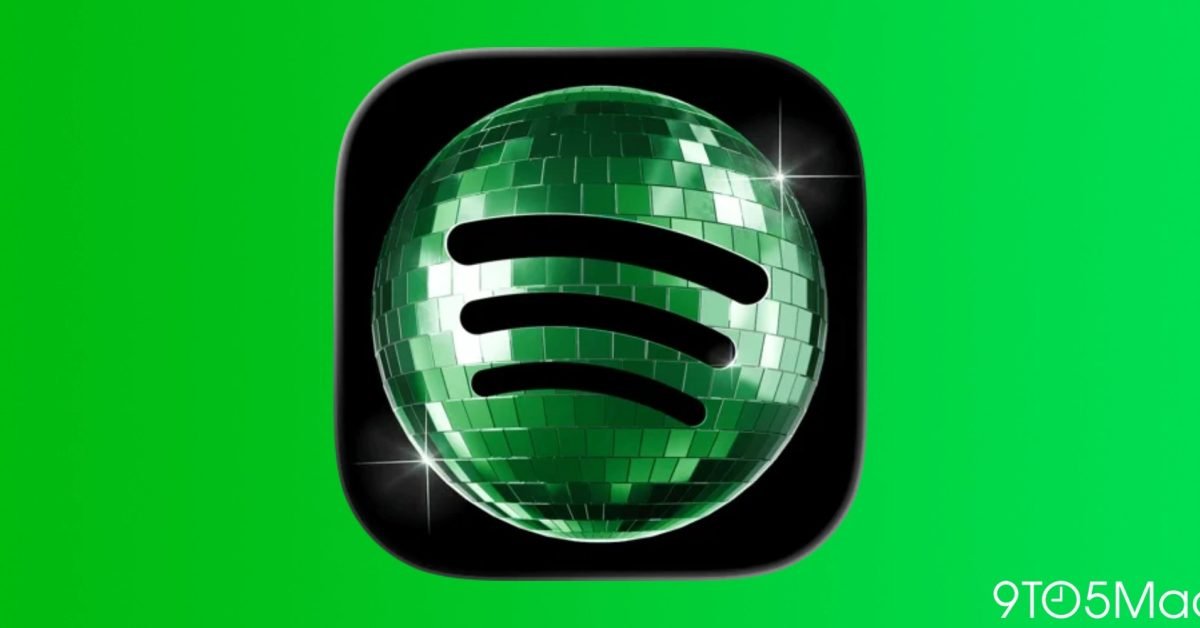
Spotify switched its familiar flat‑green app icon to a photorealistic disco ball on May 10 to mark its 20th anniversary. The change was meant to be a short‑lived visual party, but many users assumed the new look was permanent and voiced concerns on Twitter, Reddit, and Apple‑focused forums.
Why the icon mattered to users
Mobile home screens are curated spaces where each icon contributes to a visual theme. A sudden shift from a minimalist green square to a glossy, reflective sphere can clash with the rest of a user’s palette, especially for those who rely on dark mode or custom icon packs. The backlash wasn’t about the design itself—many commenters praised the playful touch—but about the lack of clear communication that the change was temporary.
Spotify’s response
In a series of tweets and a brief blog post, Spotify clarified that the disco‑ball icon will be replaced by the classic logo by the end of this week. The company also apologized for any confusion and thanked fans for the enthusiastic response. Here’s the official statement:
"The disco‑ball was a birthday celebration, not a permanent redesign. The green Spotify logo will return on May 17. Thanks for joining the party!"
The clarification was posted on the company’s official Twitter account and linked to a support page that explains how iOS users can switch between available app icons where the OS permits it.
What this says about iOS’s alternate‑icon feature
Apple introduced alternate app icons in iOS 10, allowing developers to ship multiple icon assets that users can select manually in Settings → [App] → Icon. Spotify has not yet exposed the disco‑ball as a selectable option, but the episode highlights a growing expectation that brands will offer seasonal or promotional icons as user‑controlled choices.
A comparable case occurred in 2020 when Instagram rolled out a set of themed icons for Pride Month and the holidays. Those icons were optional and could be toggled without affecting the default appearance. By contrast, Spotify’s switch was automatic, which is why it sparked confusion.
Technical side: how the icon swap works
When an app updates its bundle, it can include a new CFBundleIconFiles array in the Info.plist. iOS reads this list at launch and displays the first entry as the default icon. For alternate icons, the app registers additional identifiers via setAlternateIconName:completionHandler:. The system then presents a picker in Settings.
Spotify’s update simply replaced the primary icon entry with the disco‑ball asset. Because the change was bundled in a version update rather than an over‑the‑air asset swap, the new icon appeared for all users immediately after the update completed in the background.
What to expect next
Spotify has not announced any plans to make the disco‑ball a permanent optional icon, but the conversation may push the service to add it to the alternate‑icon roster. If they do, users will be able to keep the celebratory look without it overriding the default green logo.
For iPhone owners who enjoy swapping icons, the process is straightforward:
- Open Settings → Spotify → App Icon.
- Choose from any icons the developer has exposed.
- Tap Done and the new icon appears on the home screen instantly.
If Spotify adds the disco‑ball as an option, the steps above will let you keep the party vibe year‑round.
Bottom line: The disco‑ball was a limited‑time birthday gag, and the classic green Spotify logo will be back by May 17. The episode underscores the importance of clear communication around visual changes and hints at a future where users can decide which celebratory icons, if any, they want to display.
Follow the conversation on Twitter @Spotify and check the official Spotify blog for any updates on alternate‑icon support.
Comments
Please log in or register to join the discussion