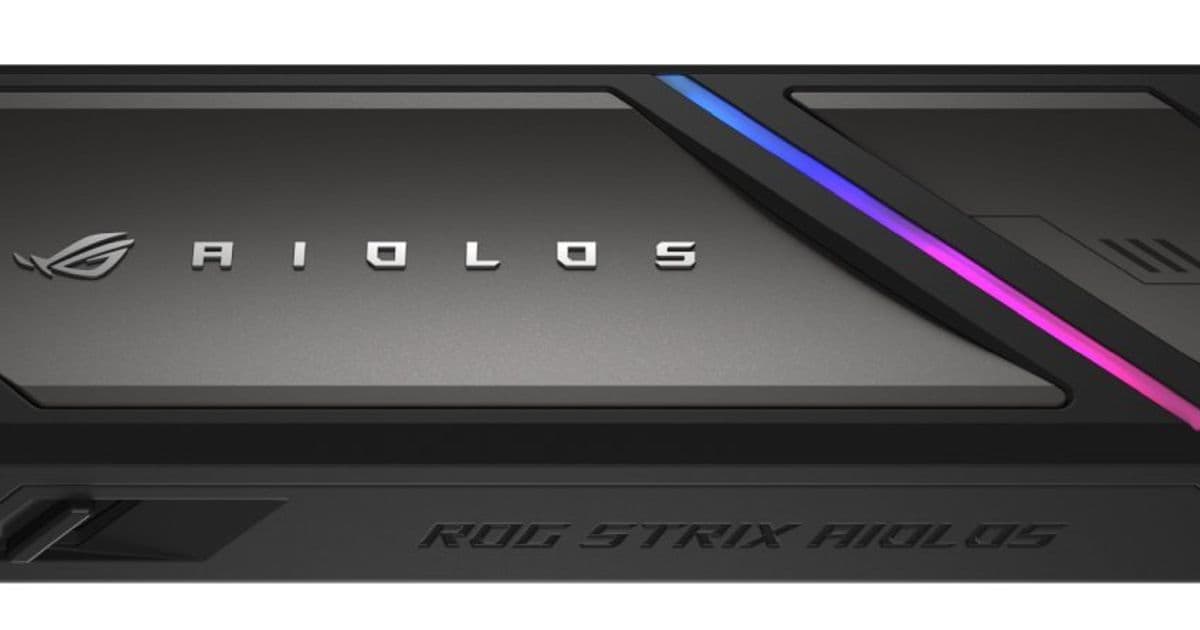
Asus ROG Strix Aiolos joins a growing list of 20 Gbps SSD enclosures that offer a middle ground between standard USB 3.2 Gen 2 and Thunderbolt/USB4 speeds.
The world of external SSD enclosures has expanded beyond the simple choice between budget 10 Gbps models and premium 40 Gbps Thunderbolt options. A new middle ground has emerged with USB 3.2 Gen 2×2 enclosures supporting 20 Gbps speeds, and the recently announced Asus ROG Strix Aiolos is just one example of this growing category.
Understanding USB 3.2 Gen 2×2 Speeds
The USB 3.2 Gen 2×2 standard, certified in 2017, supports up to two lanes of 10 Gbps each, theoretically delivering speeds up to 20 Gbps. This represents a significant jump from the 10 Gbps maximum of USB 3.2 Gen 2 while avoiding the premium pricing of Thunderbolt 3/4 or USB4 solutions that offer 40 Gbps speeds.
While this standard has existed for several years, it hasn't achieved widespread adoption. Many computers still feature USB Type-C ports labeled at 20 Gbps, but these are far less common than the ubiquitous 5 Gbps (USB 3.2 Gen 1) or 10 Gbps (USB 3.2 Gen 2) ports, or the faster 40 Gbps Thunderbolt/USB4 ports.
The practical advantage of 20 Gbps enclosures is that they work with any computer featuring a 20 Gbps or higher port, including all Thunderbolt/USB4 systems. This makes them a versatile option for users who want faster-than-10 Gbps speeds without investing in the most expensive enclosures.
Available 20 Gbps SSD Enclosures
Several manufacturers have already embraced this speed tier, offering various features at different price points:
- Acasis 20 Gbps - Tool-free M.2 NVMe SATA SSD enclosure for $37
- Asus TUF Gaming A2 - 20 Gbps rugged enclosure (MIL-STD-810H & IP68) for $60
- ineo 20 Gbps - SSD enclosure with built-in cooling fan for $50
- Orico aluminum 20 Gbps - SD case for $41
- Sabrent Rocket 20 Gbps - RGB SSD enclosure for $40
- SSK 20 Gbps - SSD enclosure for $33
- UGREEN 20 Gbps - M.2 NVMe SSD enclosure for $39
These prices typically run $20-$40 higher than basic 10 Gbps enclosures but remain significantly more affordable than Thunderbolt 3/4/USB4 models, which can cost $60-$100 or more.
Asus ROG Strix Aiolos Features
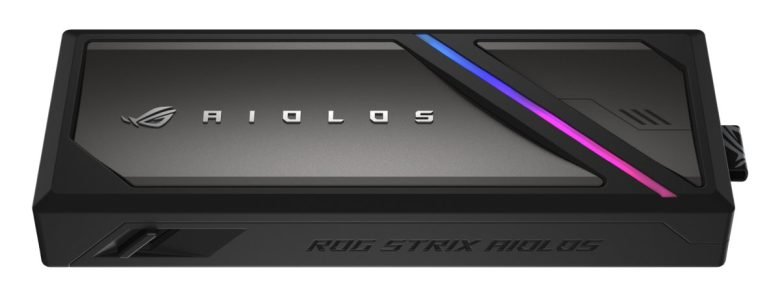
The Asus ROG Strix Aiolos brings gaming-oriented features to the 20 Gbps category. While pricing hasn't been announced, it includes several distinctive elements:
- Thermal pad for heat management
- Liquid-silicone-rubber coating that's heat resistant and dust-resistant
- Push-to-open mechanism for tool-free SSD insertion and removal
- Customizable RGB light strip controllable via Asus Aura RGB lighting software
- Asus ROG SSD Dashboard software for monitoring SSD status and performance
This combination of gaming aesthetics and practical features positions the Aiolos as a premium option within the 20 Gbps category, though it will need to compete with established alternatives that offer similar speeds at lower prices.
The Market Context
The emergence of 20 Gbps as a viable speed tier reflects the maturation of external storage technology. As SSD prices have fallen and performance demands have increased, users want faster transfer speeds without the premium associated with Thunderbolt technology.
For many users, 20 Gbps represents an ideal balance—fast enough to take advantage of modern NVMe SSD speeds while remaining compatible with a wide range of computers and avoiding Thunderbolt's cost premium. This middle ground may become increasingly important as more computers adopt USB4 and higher-speed USB-C ports become standard.
The 20 Gbps category also serves as a stepping stone for users who might eventually upgrade to 40 Gbps systems. Since all 40 Gbps ports are backward compatible with 20 Gbps accessories, investing in a 20 Gbps enclosure today doesn't lock users into a slower technology path.
Practical Considerations
When choosing between 10 Gbps, 20 Gbps, and 40 Gbps enclosures, users should consider their specific needs:
- 10 Gbps remains sufficient for most everyday use and budget-conscious buyers
- 20 Gbps offers a noticeable speed boost for users with compatible ports who want better performance without breaking the bank
- 40 Gbps is ideal for professionals working with large files or anyone who wants maximum future-proofing
For most casual users, a 10 Gbps enclosure will handle everyday file transfers adequately. However, content creators, photographers, and anyone regularly moving large files will appreciate the performance benefits of 20 Gbps or faster solutions.
The growing availability of 20 Gbps options suggests this speed tier will continue to expand, potentially becoming the new standard for mid-range external SSD enclosures as more computers adopt compatible ports.
Comments
Please log in or register to join the discussion