A developer discovers that a wildcard DNS entry pointing to GitHub Pages let anyone create subdomains under his domain, leading to hijacked pages and spam. He explains the technical gap, shows how the abuse was detected, and suggests practical mitigations for GitHub and domain owners.
When a Wildcard on GitHub Pages Turns Your Domain Into a Free Scam Platform
*“I thought only I could create subpages under .immersivepoints.com. I was wrong.” – Roland Meertens
The problem that surfaced
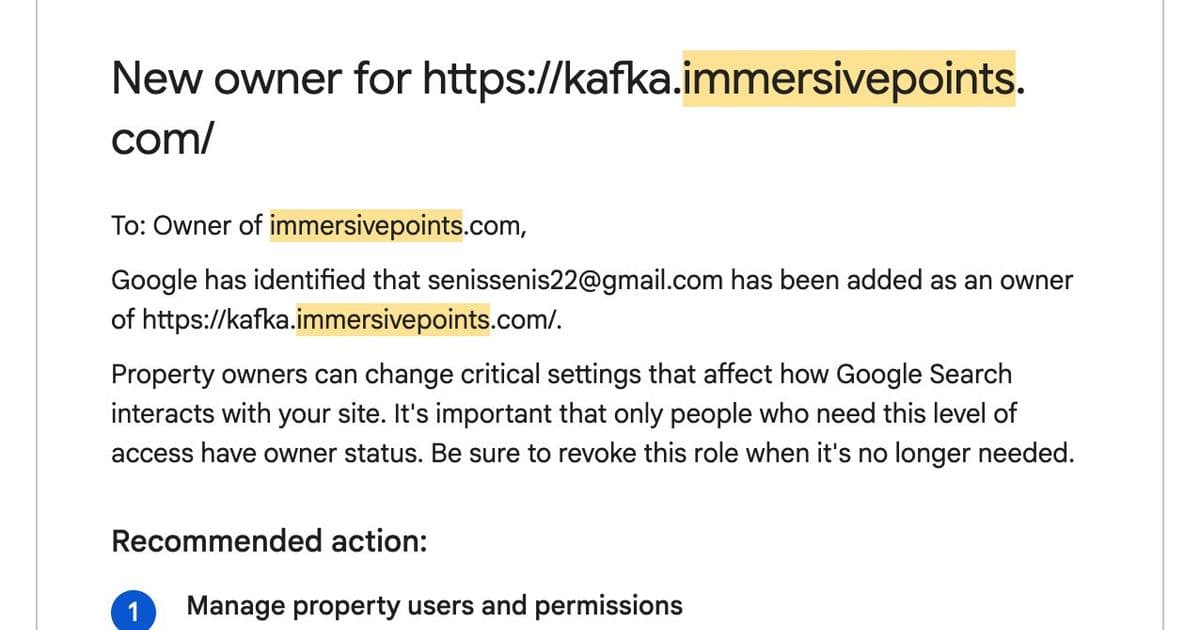
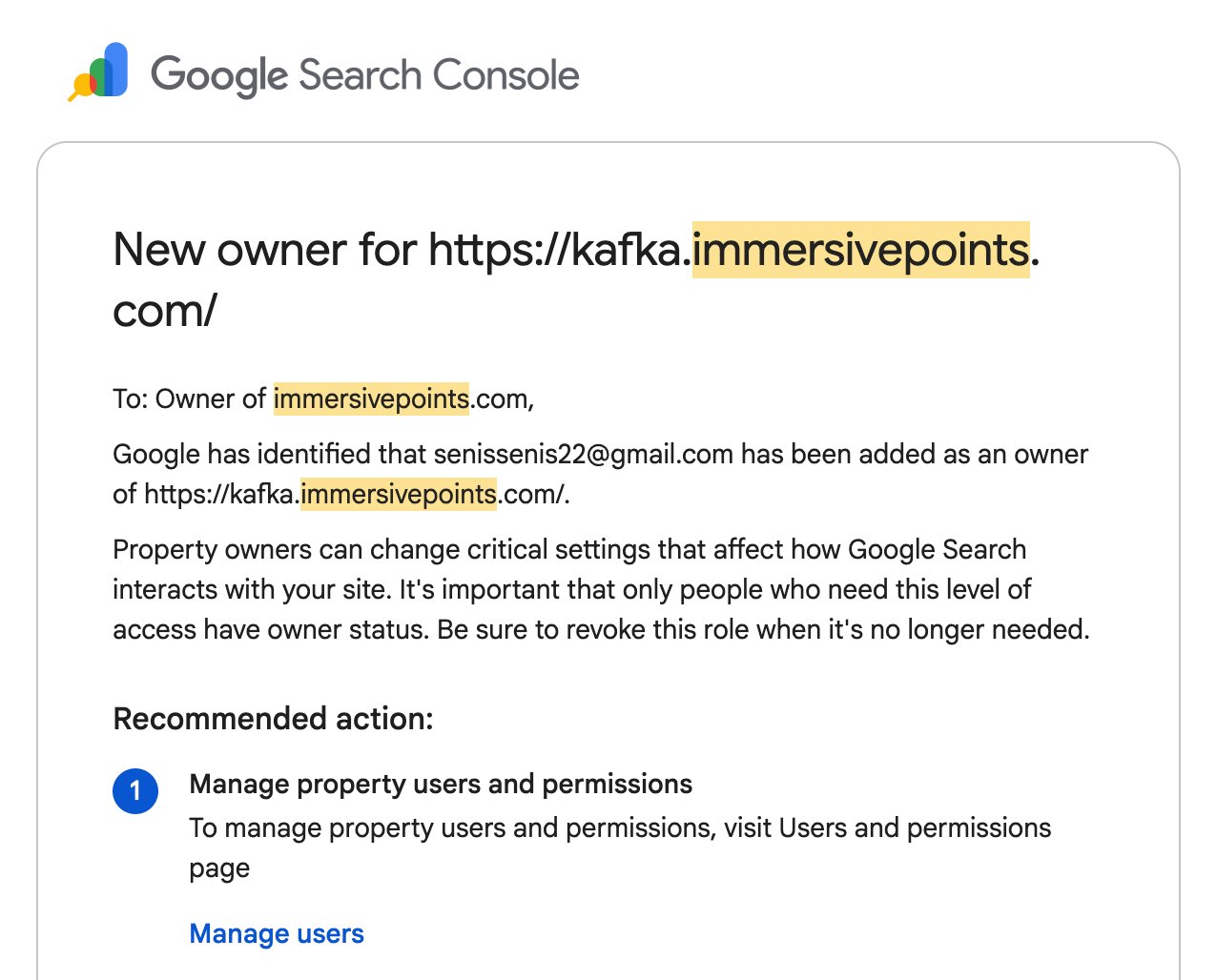
While traveling across Africa with spotty connectivity, Roland received an unexpected Google Search Console alert: a new owner had claimed kafka.immersivepoints.com. His own domain, immersivepoints.com, is only used for a simple static site that visualises 3‑D point clouds, hosted on GitHub Pages. There is no Kafka service in his stack, and he certainly never created that sub‑domain.
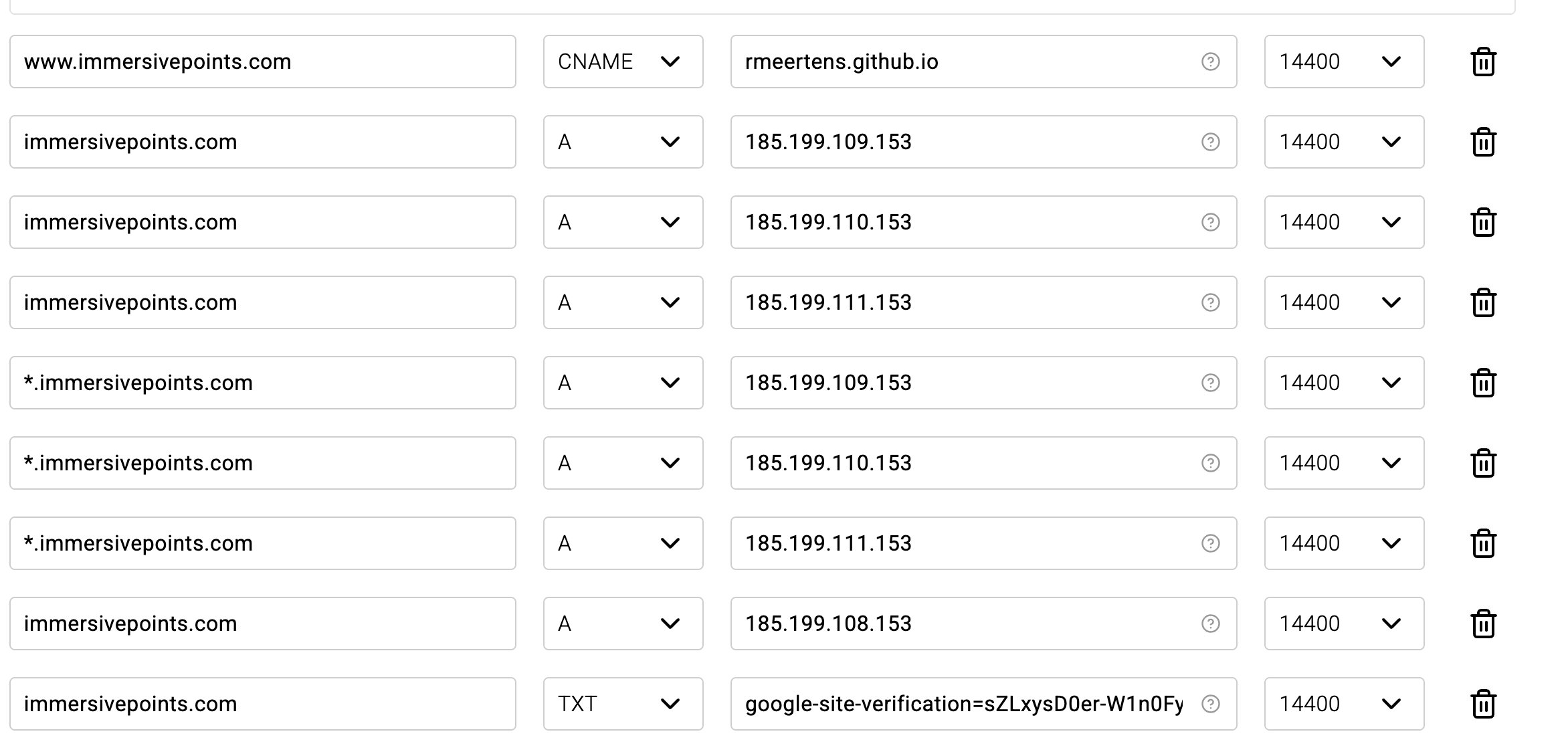
A quick check of the DNS zone showed nothing overtly malicious – the domain was still pointing at GitHub’s IP range, with a wildcard (*) record that forwards any sub‑domain to the same GitHub Pages servers. The wildcard was the weak link: once the DNS points to GitHub, any GitHub repository that contains a CNAME file matching a sub‑domain can serve content under that name.
How GitHub Pages resolves custom domains
- DNS points to GitHub – The domain owner creates an
AorCNAMErecord that resolves to185.199.108.153(or the other three GitHub IPs). This tells browsers to fetch the site from GitHub’s static‑file CDN. - Repository declares a CNAME – Inside the repository, a plain‑text
CNAMEfile lists the full domain name (e.g.,immersivepoints.com). GitHub uses this file to bind the repository to the domain. - GitHub serves the site – When a request arrives, GitHub looks for a repository whose
CNAMEmatches theHostheader. If it finds one, it serves that repository’sindex.htmland assets.
Crucially, GitHub does not check whether the domain owner has explicitly authorized the repository. As long as the DNS points to GitHub, any user who creates a repository with a matching CNAME can hijack the sub‑domain.
In Roland’s case, an unknown user created a private repository containing a CNAME file with kafka.immersivepoints.com. Because the DNS wildcard sent the request to GitHub, the private repo’s pages became publicly reachable, effectively turning the sub‑domain into a free hosting platform for spam or scam sites.
Detecting the abuse
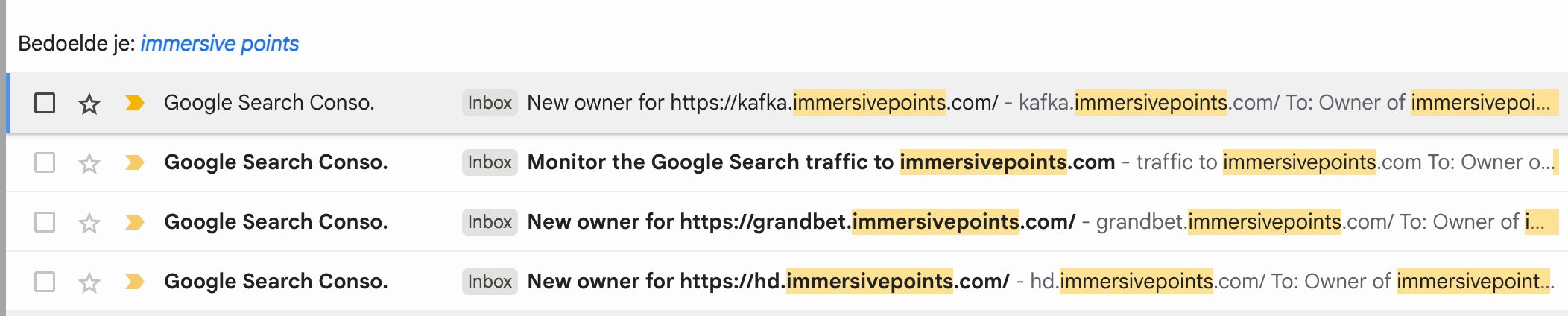
Roland only learned about the hijack because he had recently enabled Google Search Console for his domain. The console flagged a “new owner” for the sub‑domain, which prompted him to investigate. Without that alert, the malicious pages could have stayed hidden indefinitely – especially since his main site already suffers from indexing issues.
He also discovered a community‑maintained scanner that enumerates sub‑domains vulnerable to takeover:
- can-i-take-over-xyz – a GitHub project that checks for misconfigured CNAME records and reports domains that can be claimed by anyone (
https://github.com/EdOverflow/can-i-take-over-xyz).
Running the scanner against his own domain would have revealed the same vulnerability before the scam pages went live.
Why the DNS setup mattered
The root cause was the wildcard DNS entry (*.immersivepoints.com). Wildcards are convenient for catching typos or serving a single‑page app, but they also open the door for any sub‑domain to be resolved to the same hosting provider. When the provider is a platform that allows arbitrary users to claim sub‑domains via a CNAME file, the wildcard becomes a free‑for‑all.
A more restrictive DNS configuration would have prevented the issue:
- Explicit records only – List each sub‑domain you intend to use (
www,app,blog) instead of a wildcard. - Separate sub‑domains for external services – Keep third‑party services on their own domains (e.g.,
static.immersivepoints.comfor a CDN) to avoid accidental overlap.
Potential mitigations on GitHub’s side
- Domain verification per repository – GitHub already offers a verification step for user sites (see the docs:
https://docs.github.com/en/pages/configuring-a-custom-domain-for-your-github-pages-site/verifying-your-custom-domain-for-github-pages). Extending this to project pages would require the repository owner to prove control of the domain via a TXT record or a DNS‑based challenge before the site becomes live. - Warning UI for unverified domains – When a repository’s
CNAMEpoints to a domain that resolves to GitHub but lacks verification, GitHub could display a prominent banner in the repository settings, urging the maintainer to verify ownership. - Rate‑limit or flag duplicate CNAMEs – If two different accounts attempt to claim the same domain (or sub‑domain), GitHub could automatically quarantine the newer claim pending verification from the original owner.
- API for domain owners – Provide an endpoint where a domain owner can list all GitHub repositories that have declared a
CNAMEfor any of their sub‑domains. This would let owners audit unexpected claims quickly.
Practical steps for domain owners
- Avoid wildcards unless you truly need them. Define each sub‑domain you plan to use.
- Enable domain verification on GitHub Pages. The process is simple: add a TXT record (
_github-challenge.<domain>) with the token GitHub provides, then confirm in the UI. - Monitor with Search Console – Set up alerts for new owners or indexing anomalies. It’s a low‑cost safety net.
- Run periodic scans using tools like
can-i-take-over-xyzto catch any newly vulnerable sub‑domains. - Consider a TXT whitelist – Publish a custom TXT record (e.g.,
github-allowed-users=your‑github‑username) and ask GitHub to enforce it before serving pages for that domain.
What happened after the discovery?
Roland reported the offending pages to GitHub via their abuse channel. As of the writing of this post, he has not received a response, but the report should trigger GitHub’s internal review process. If the repository is private, GitHub can still suspend the account for violating the Terms of Service, even if the content is not publicly visible.
Take‑away
A wildcard DNS entry that points to a platform allowing any user to claim a matching CNAME is a recipe for domain hijacking. The fix is not just technical – it requires better defaults from hosting platforms and clearer verification steps for domain owners. Until GitHub (or similar services) tighten their domain‑ownership checks, the safest approach is to keep DNS records explicit and to verify every custom domain you point at their infrastructure.
If you run a personal project on GitHub Pages, double‑check your DNS records and enable domain verification. A few minutes of setup now can save you from a public embarrassment later.
Comments
Please log in or register to join the discussion