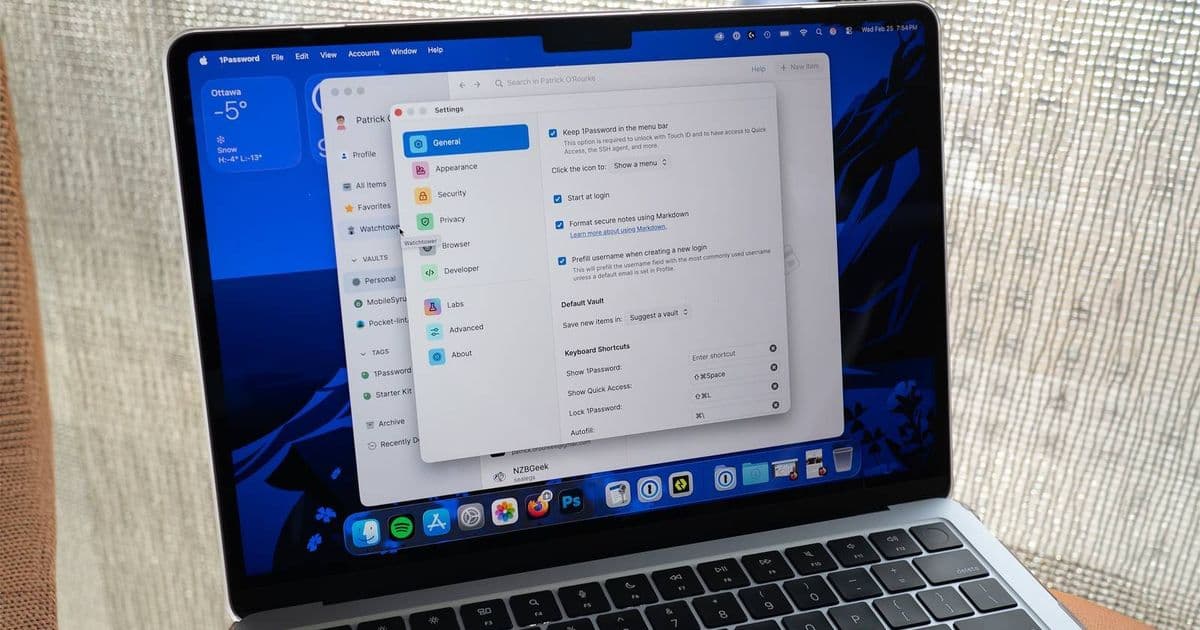
1Password announced higher subscription fees for its Teams and Families plans, effective March 2026. The change affects developers who rely on the password manager for credential storage, CI integration, and cross‑platform tooling. This article explains the new pricing tiers, how they impact existing workflows, and practical steps to evaluate alternatives such as Bitwarden and LastPass.
1Password Pricing Update: Implications for iOS and Android Development
By Patrick O'Rourke
Published Feb 25, 2026
 )
)
What changed
1Password released a revised pricing schedule for its Teams and Families plans. The new rates take effect on March 1, 2026. The company now charges $10 per user per month for Teams and $5 per user per month for Families. The Individual plan remains at $2.99 per month, while the Basic plan stays at $0.99 per month. These adjustments are reflected on the official pricing page: 1Password pricing. The announcement includes a brief FAQ that clarifies the billing cycle and renewal process.
Why it matters for developers
Many iOS and Android developers use 1Password to store API keys, OAuth tokens, and other secrets required by their applications. The password manager also provides a command‑line interface (CLI) that can be called from CI pipelines, and SDKs for native apps that let users generate passwords or retrieve stored items directly from the UI. The price increase can affect small teams that previously relied on the Families plan for shared access across personal and work devices, as well as larger organizations that use the Teams plan for centralized vault management.
Credential storage in native projects
In Xcode, developers often reference 1Password items through the 1Password CLI to inject secrets into environment variables during build time. The same workflow is used in Android Studio with Gradle tasks that invoke the CLI before signing an APK or AAB. A higher per‑user cost means each team member now contributes more to the overall budget, especially when the same vault is used for multiple projects.
CI/CD integration
The 1Password CLI supports integration with GitHub Actions, GitLab CI, and Bitbucket Pipelines. Scripts typically fetch items using the op get item command and export them as JSON or environment files. When the subscription fee rises, the cost of maintaining these scripts can become a noticeable line item in a project’s operational budget.
SDK usage
Both iOS and Android SDKs expose APIs for retrieving stored passwords, generating new ones, and handling two‑factor authentication. These SDKs are useful for apps that embed a password manager directly, allowing users to create and autofill credentials without leaving the application. The price change does not alter the SDK functionality, but it does affect the licensing cost for teams that distribute the SDK across many devices.
Impact on cross‑platform workflows
Cross‑platform frameworks such as Flutter and React Native often rely on a single shared vault for both iOS and Android builds. The Teams plan provides role‑based access control, which can be valuable when different members of a team need varying levels of permission. With the new pricing, teams must decide whether the added features justify the higher expense.
Example scenario
A small startup with three developers uses the Families plan to keep personal and work passwords separate. After the price increase, the total monthly cost rises from $15 to $15 plus $5 for the Teams upgrade, totaling $20. The team now evaluates whether the Teams features—advanced sharing, audit logs, and admin controls—are essential for their workflow.
Migration considerations
When a pricing change affects a development workflow, a systematic review helps avoid disruption. The following steps outline a practical approach.
- Audit current usage – List every 1Password item that is referenced by build scripts, CI pipelines, or app code. The developer portal provides an export function that can generate a CSV of all vault contents.
- Estimate cost – Multiply the number of users by the new per‑user rate and compare it with the total budget for developer tools. The pricing page includes a cost calculator that can be used for quick estimates.
- Identify alternatives – Review other password managers that offer comparable CLI and SDK support. Bitwarden, for instance, provides a free tier for personal use and a $4 per user per month Teams plan. The Bitwarden CLI is hosted on GitHub: bitwarden/cli. Its documentation covers setup for CI environments: Bitwarden CI guide.
- Test import – Export the existing vault from 1Password as a CSV and import it into the candidate manager. Bitwarden supports CSV import, which preserves item names and passwords. The import process is described in the official guide: Importing data.
- Update scripts – Replace
op get itemcalls with the equivalent commands from the new manager. For Bitwarden, the command isbw get item. Adjust any environment variable handling to match the new output format. - Validate CI jobs – Run a full build pipeline after the change to confirm that all secrets are correctly retrieved and that no build failures occur.
- Communicate to the team – Share the updated cost model and any required changes to the workflow. A brief meeting or written update can prevent confusion.
Alternative solutions
Bitwarden
Bitwarden offers an open‑source core and a commercial Teams plan that includes shared vaults, role‑based access, and audit logs. The free tier supports up to 100 items, which may be sufficient for small projects. The official pricing page: Bitwarden pricing. The developer documentation provides detailed instructions for integrating the CLI into CI pipelines and using the native SDKs on iOS and Android.
LastPass
LastPass continues to provide a Teams plan at $4 per user per month. Its API supports programmatic retrieval of items, and the Android SDK includes a password generator. The pricing page: LastPass pricing. The developer portal includes a guide for embedding the SDK: LastPass developer guide.
Cloud secret management services
For teams that already use cloud infrastructure, services such as AWS Secrets Manager, Azure Key Vault, and HashiCorp Vault can replace a password manager for storing API keys and other secrets. These services integrate directly with CI/CD tools and provide fine‑grained access policies. AWS Secrets Manager documentation: AWS Secrets Manager. Azure Key Vault documentation: Azure Key Vault. HashiCorp Vault documentation: Vault project. Each service has its own pricing model, which may be more cost‑effective for large numbers of secrets.
Long‑term cost modeling
When evaluating a password manager, consider the following factors beyond the monthly fee.
- Number of users – Teams plans scale linearly with user count. A small team may find the per‑user cost acceptable, while a larger organization might benefit from a bulk discount.
- Feature set – Advanced sharing, audit logs, and admin controls can reduce manual overhead. If a team does not use these features, a lower‑priced alternative may suffice.
- Integration effort – Switching to a new manager requires updating scripts, SDK calls, and possibly UI components. Estimate the engineering time required for migration.
- Security requirements – Some services enforce stricter encryption standards or support hardware security modules. Verify that the chosen solution meets compliance needs.
- Future growth – Anticipate the addition of new developers or projects. A pricing model that scales predictably helps maintain budget stability.
Conclusion
The recent price adjustment from 1Password adds a clear line item for many development teams. Understanding the new rates, reviewing how the manager is used in iOS and Android workflows, and testing alternative solutions can help keep costs under control without sacrificing security. By auditing current usage, estimating the impact, and planning a migration, developers can make an informed decision that aligns with both short‑term budget constraints and long‑term security goals.
 )
)
Comments
Please log in or register to join the discussion