iOS 27 layers practical changes onto Apple Notes: automatic Markdown-to-rich-text paste, a Copy as Markdown export, Siri AI note creation, and Image Playground models running on Private Cloud Compute. Here's what changes for users and what the new behaviors mean if you build apps that touch Notes data or share sheets.
Apple ships its Notes app on every iPhone, iPad, and Mac, which makes it one of the most widely used productivity tools on any platform. The iOS 27 update doesn't reinvent it, but the changes are the kind that working developers and power users notice immediately, especially around Markdown handling and Siri integration. Here's a breakdown of what's new and why it matters if you live in both the Apple ecosystem and cross-platform text workflows.
Markdown round-tripping gets seamless... err, automatic
The headline change for anyone who writes in plain text is the upgraded Markdown support. iOS 26 introduced Markdown import and export as a deliberate, multi-step action. iOS 27 removes the friction in both directions.
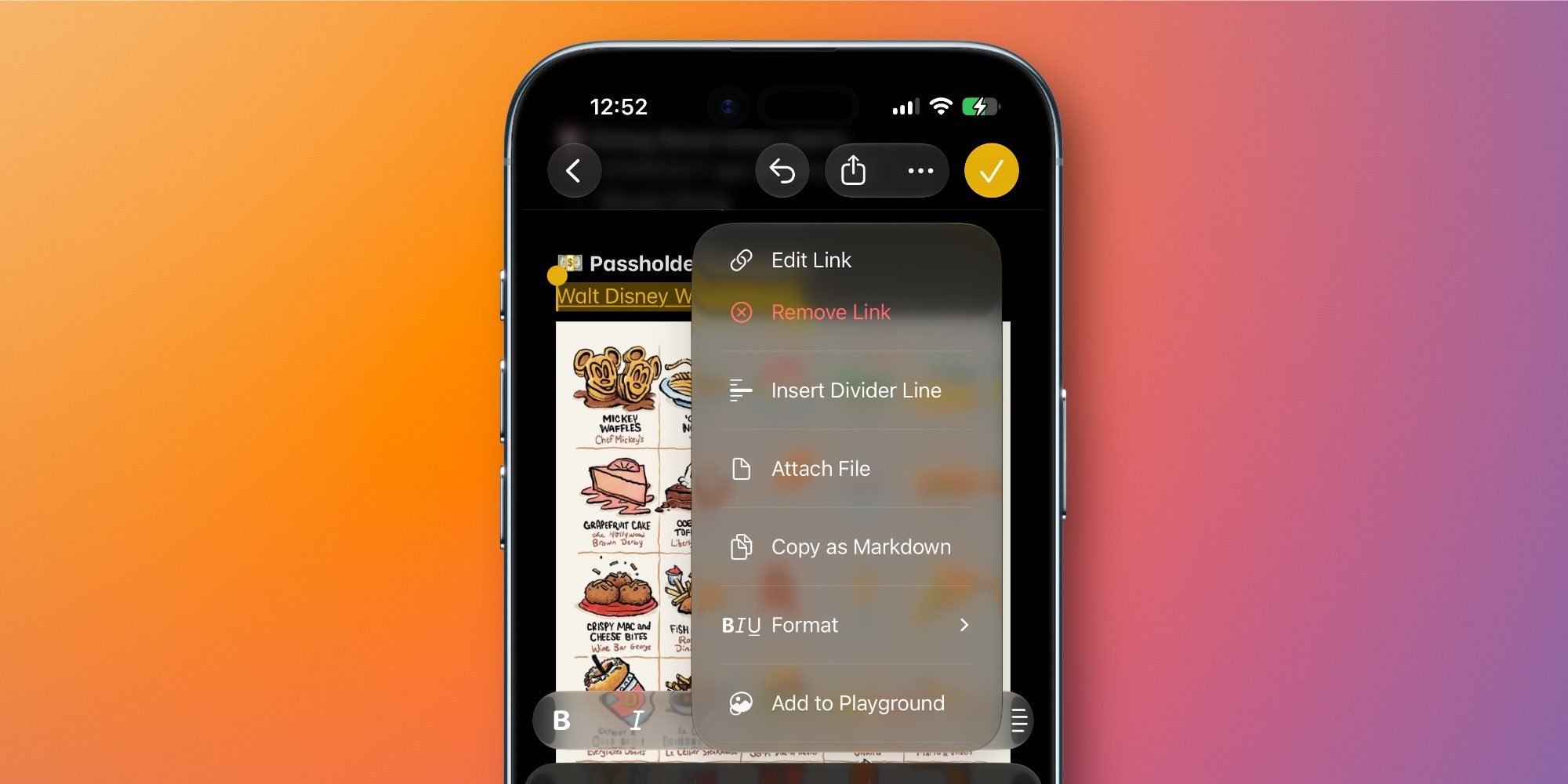
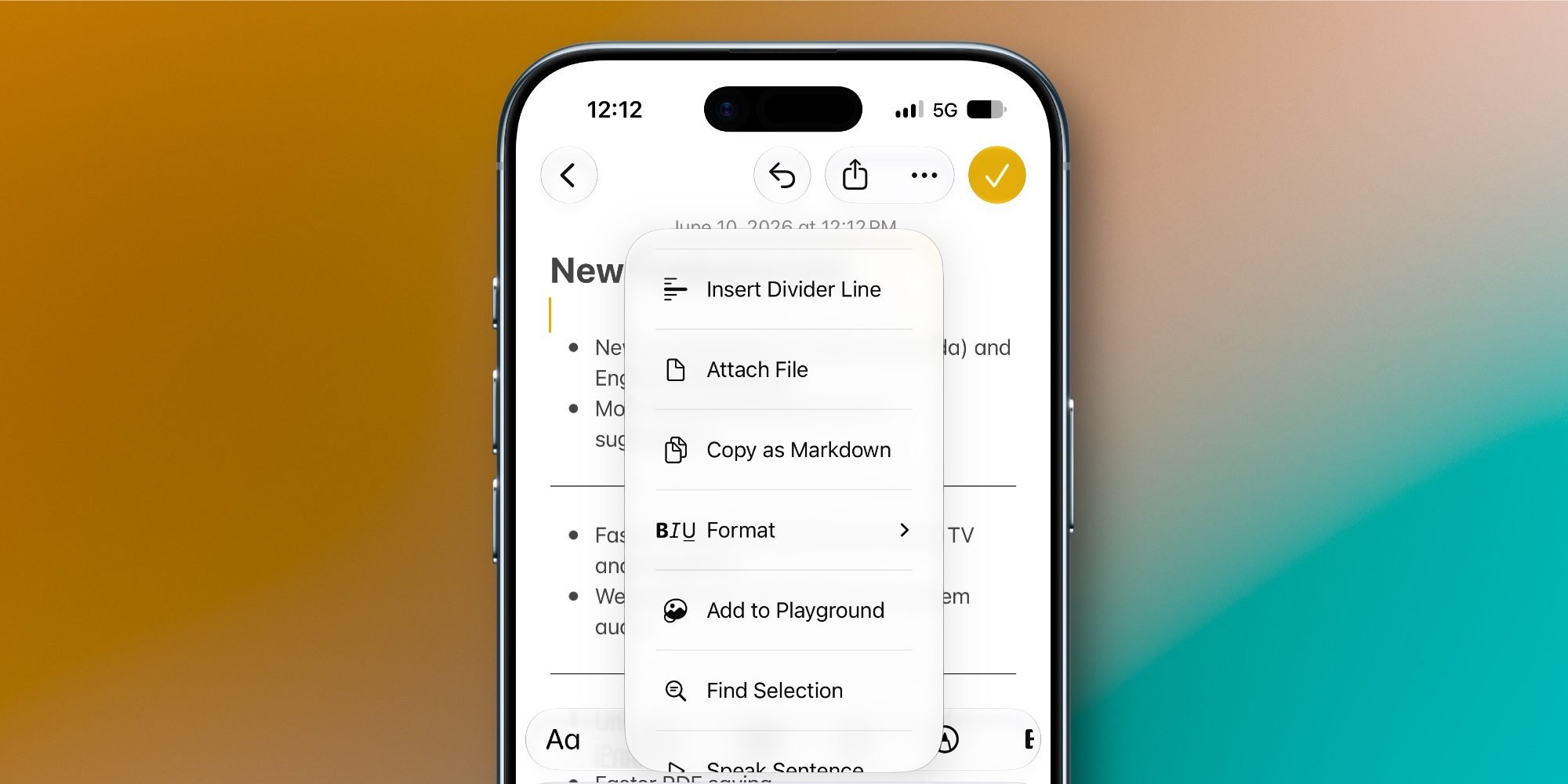
Paste Markdown-formatted text into a note now and it converts to rich text automatically, with no intermediate step. Headings, bold, italics, links, and lists all render as native Notes formatting on paste. Going the other way, a new Copy as Markdown option appears in the edit menu, so you can pull structured text out of Notes and drop it into a code editor, a static site generator, a GitHub issue, or any tool that speaks Markdown.
For context, Markdown is the lightweight formatting syntax John Gruber created in 2004. It uses plain-text conventions like # Heading, **bold**, and [link](url) that render into formatted output. It became the default writing format for developers because it lives comfortably in version control, plain-text files, and chat tools alike.
The practical impact for cross-platform developers: Notes becomes a more credible capture-and-export staging area. If you draft documentation on an iPhone and finish it in a Markdown editor on a Windows or Linux machine, the copy-paste loop no longer mangles your formatting. That said, Notes still doesn't expose its data as Markdown files on disk, so this is a clipboard-level convenience, not a file-format commitment. Don't expect to point a build pipeline at it.
Siri AI can create and append to notes
The larger structural change is Siri's new ability to create a note or add content to an existing one. With the revamped Siri in iOS 27, any answer Siri generates can be pushed straight into Notes. You can also hand Siri unstructured input, a messy list, for example, ask it to reformat, and have the cleaned-up result land in a new or named existing note.
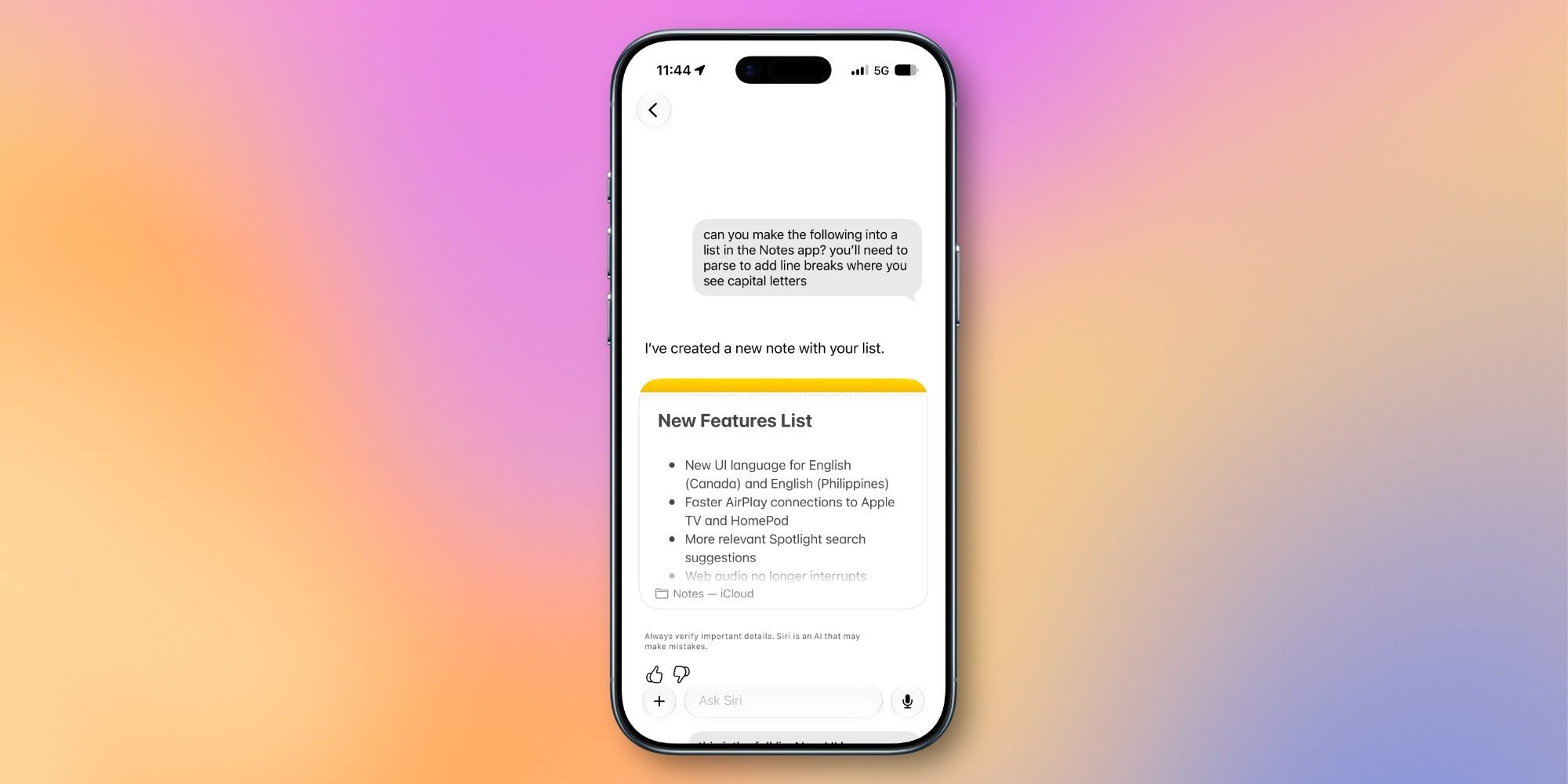
This matters beyond convenience. Siri has had narrow Notes hooks for years, but they were brittle and command-specific. Treating Notes as a writable destination for AI-generated content moves it closer to the kind of scratchpad workflow developers already build with shortcuts and share extensions. If you maintain a Shortcuts-based capture system, expect to revisit it once the new Siri intents are documented, since some of your custom plumbing may now be redundant.
Image Playground now runs photorealistic generation on Private Cloud Compute
Image Playground is built into Notes, so its upgrades carry over. iOS 27 adds a new generative model capable of photorealistic output, a notable jump from the stylized-only generation of earlier releases. The heavier model runs on Private Cloud Compute, Apple's server-side inference layer that keeps request data unreadable to Apple itself rather than processing entirely on device.
Two details are worth tracking. First, every generated image carries a hidden SynthID watermark to mark it as AI-generated, which aligns Apple with the broader industry push toward provenance signaling. Second, the full Image Playground feature set isn't yet exposed inside Notes in the current iOS 27 beta. Apple is expected to surface more of it in later betas, so anything you test now against the Notes integration is provisional.
Smaller changes: divider lines and Liquid Glass
Notes finally gets divider lines. Tap where you want a horizontal rule, open the edit menu, and choose Insert Divider Line. It's a small addition, but for anyone organizing long notes it closes a gap that has existed for years.
The app also picks up the system-wide Liquid Glass treatment on buttons and menus, a refreshed icon, and clearer visual indicators for shared content. Shared folders now sit at the top of the folders list with a distinct blue icon, and individual shared folders and notes get updated icons that make collaboration state easier to read at a glance.
Developer takeaways
None of these changes break existing integrations, but a few are worth planning around. The automatic Markdown paste behavior changes what users see when your app writes Markdown to the clipboard and they paste it into Notes, so test that flow if formatting fidelity matters to your product. The Siri note intents may overlap with custom Shortcuts you ship or recommend. And if your app generates or ingests images that pass through Image Playground, the SynthID watermark is now part of that pipeline.
These are evolutionary updates rather than a rebuild, but they push Notes further toward being a serious text tool that interoperates with the plain-text workflows developers already rely on across platforms. Watch the later betas for the remaining Image Playground hooks before assuming the feature set is final.
Comments
Please log in or register to join the discussion