Apple's iOS 27 Messages update layers Apple Intelligence into everyday conversations, ships a new Drawing iMessage app that telegraphs the foldable iPhone Ultra, and finally tackles the reliability complaints that have dogged Messages for years.
Apple's annual OS reveal tends to bury the most practically useful changes under flashier headline features, and iOS 27 follows that pattern. For the Messages app, the additions split into three buckets: Apple Intelligence integration that actually does something, a new iMessage app that quietly confirms where the hardware is heading, and a long list of performance fixes that address complaints iPhone users have voiced for years. If you maintain apps or workflows that touch Messages, or you just live in the app all day, here's what changes.
One-tap suggestions move Apple Intelligence into the conversation
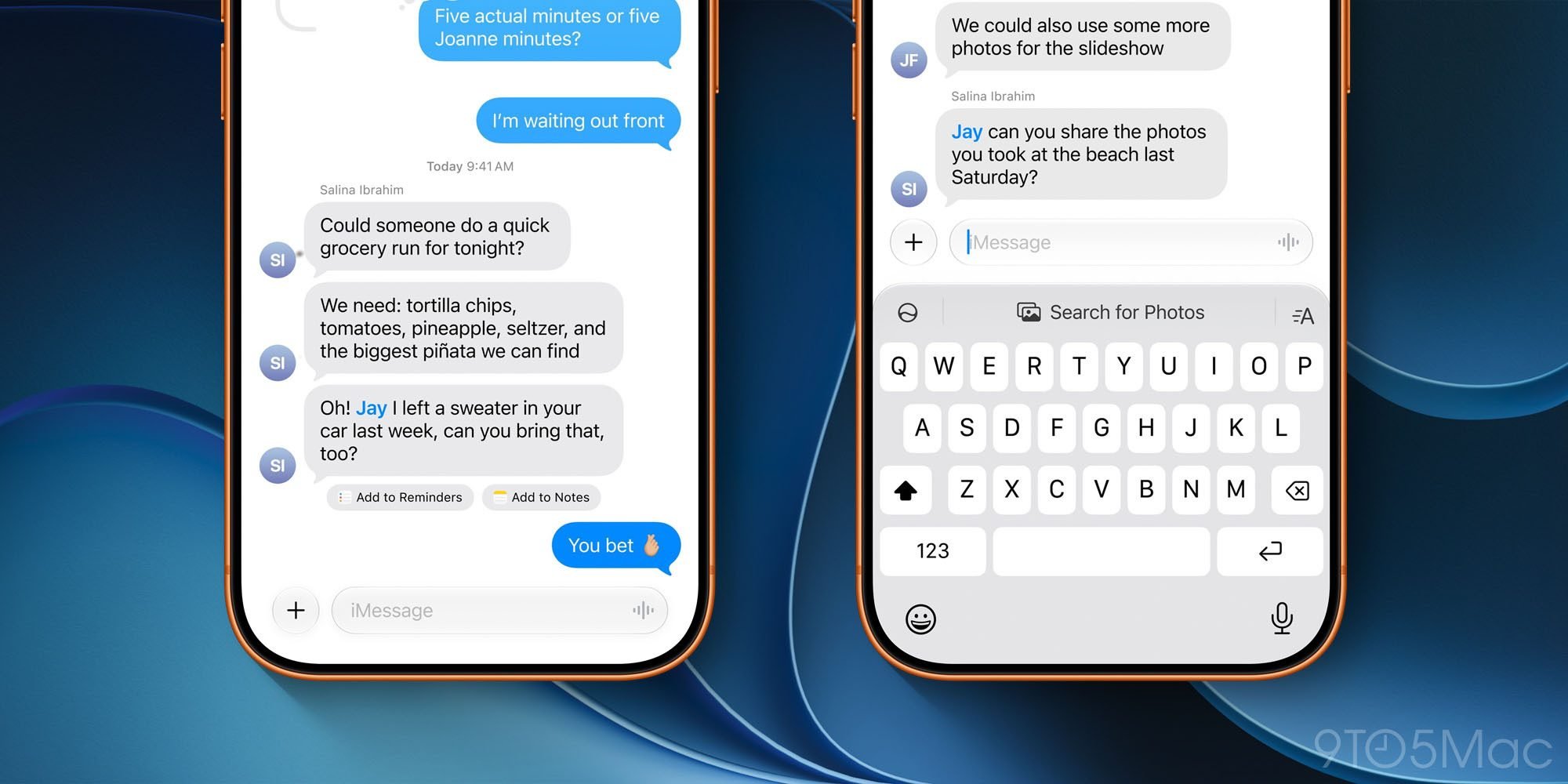
The most visible new feature is what Apple calls one-tap suggestions. Apple Intelligence reads the context of a conversation and surfaces an action you can take without leaving the thread. If a friend asks you to remember something, Messages offers to create a reminder or a note. If someone asks for photos, the app scans your library using keywords, locations, and recognized people to pull the most relevant images.
These suggestions show up in two places. Sometimes they appear directly beneath the message they relate to, anchored to the context that triggered them. Other times they sit in the top keyboard row, the same strip that already hosts QuickType predictions. The placement logic is contextual, which means the experience will feel a little inconsistent at first as you learn where to look.
From a platform perspective, this is Apple continuing to push on-device intelligence as the differentiator for newer hardware. One-tap suggestions depend on Apple Intelligence, which means they require an iPhone 15 Pro or later, or one of the newer iPhone 16 and 17 models. Older devices that run iOS 27 will get the rest of the Messages updates but not the suggestion engine. If you support a user base spread across several iPhone generations, plan for that split.
The Drawing iMessage app is a foldable tell
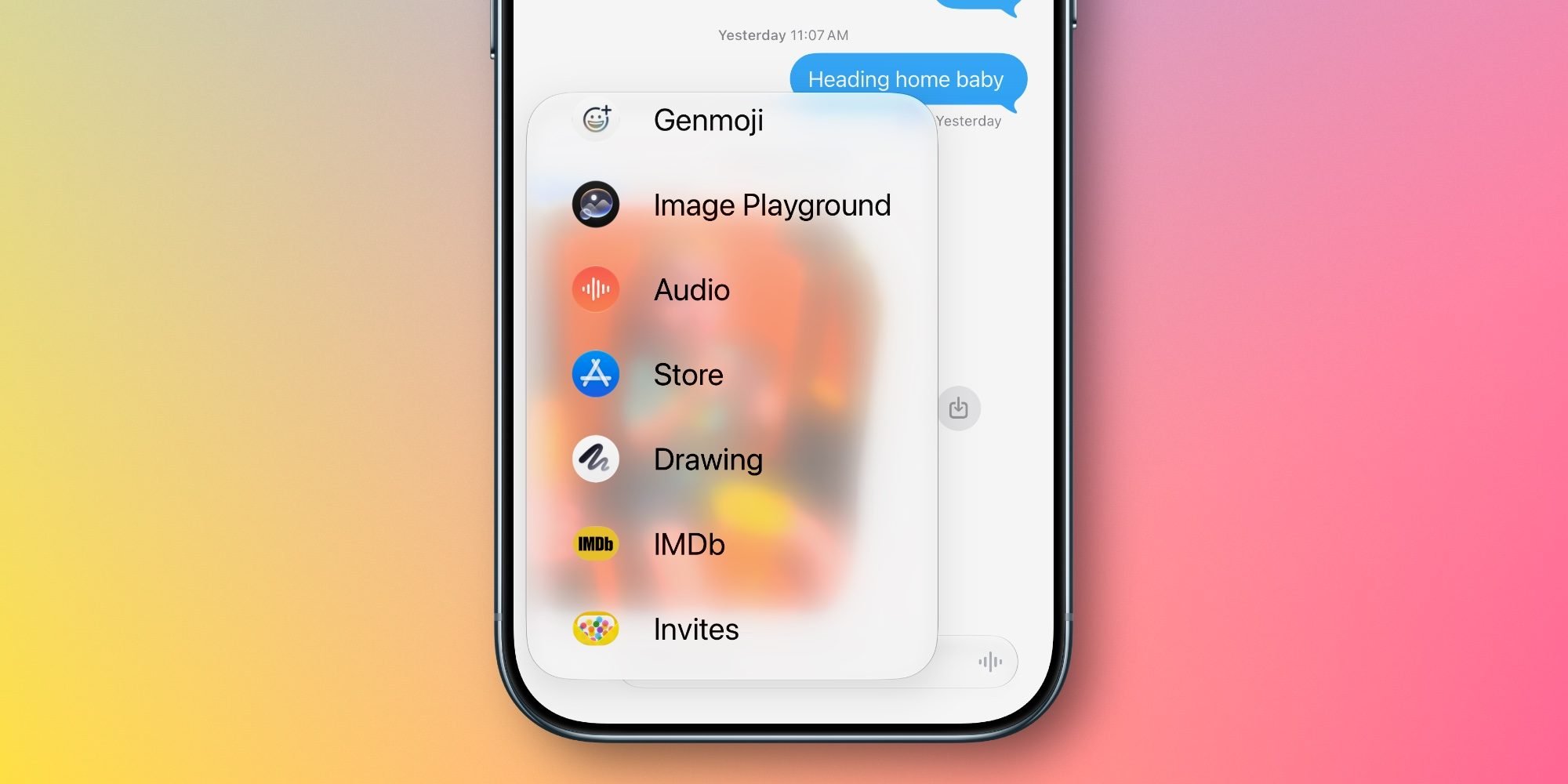
iOS 27 ships with a new built-in iMessage app called Drawing. On its own, it's modest: it bundles the same Markup toolset you already find in Notes, Preview, and the screenshot editor, and it lets you sketch a quick doodle and send it into a thread. Any iPhone running iOS 27 can use it.
The interesting part is the timing. iOS 27 is full of references to the iPhone Ultra, Apple's expected foldable, arriving this fall, including code that points to foldable-specific features. A drawing tool that would be cramped on a standard iPhone display makes a lot more sense on a large unfolded panel. The open question is whether the iPhone Ultra will support Apple Pencil. If it does, the Drawing app stops looking like a throwaway addition and starts looking like a deliberate first step toward stylus input on iPhone. For developers who build iMessage apps, the arrival of a first-party drawing surface is worth watching, since it sets expectations for what canvas-style extensions should feel like.
Settings and behavior changes worth knowing
Four smaller changes round out the feature set, and a couple of them are the kind of thing you'll appreciate immediately.
You can now disable the audio button that normally sits on the right edge of the active message field. Head to Settings, then Apps, then Messages, then Show in Text Field, and pick between Record Audio, Start Dictation, or None. If you've ever fired off an accidental voice memo, this is the toggle you wanted.
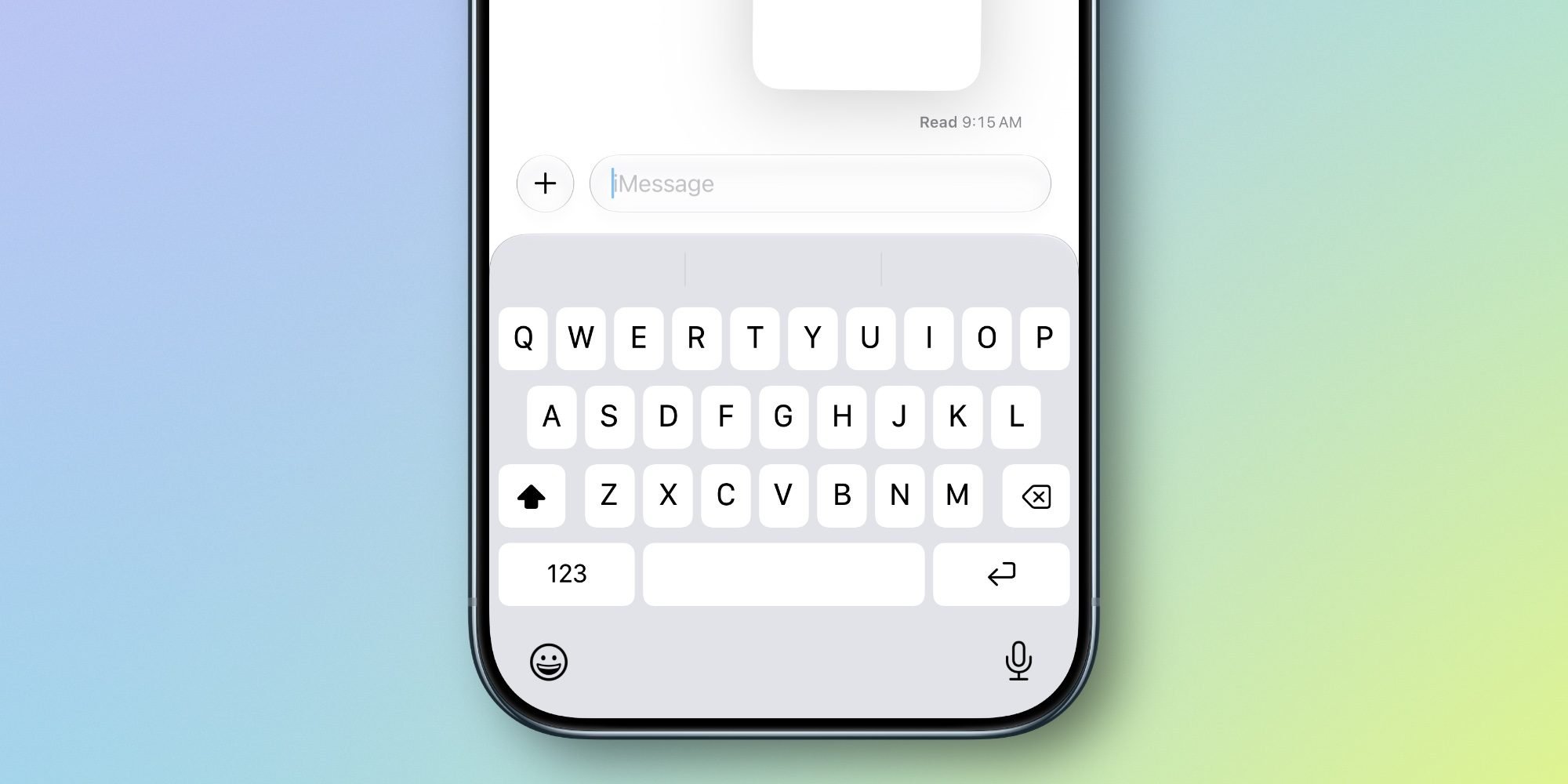
Tapback notifications are now consolidated. When several people react to the same message, you get one grouped alert instead of a cascade of individual pings. Smart Reply suggestions in the keyboard row are now shaped by your personalized writing style, so the canned responses sound more like you and less like a generic template. And for child accounts, Messages will automatically detect and block gore or violent content found in shared images or videos, extending the on-device safety scanning Apple already applies to nudity.
Performance fixes that address real complaints
Bug fixes rarely make a keynote slide, but Apple has put real work into Messages reliability in iOS 27, and the list reads like a direct response to years of user frustration.
Failed messages now retry sending automatically instead of leaving you to tap the red exclamation point. Message loading is faster, and syncing across devices is faster, two areas where Messages has historically lagged behind competitors. Thumbnails now display for offloaded media, and you can find offloaded media directly in Messages, which helps when iCloud has pushed older attachments off the device to save space. Photos, videos, and texts now send continuously rather than stalling mid-batch. And search picks up two new hooks: you can find conversations by phone number or by a contact's nickname.
These refinements matter more than they sound. Cross-device sync reliability and send-failure recovery are exactly the rough edges that erode trust in a messaging platform, and addressing them is arguably more valuable to daily users than any new AI feature.
For anyone planning a move to iOS 27, the practical takeaway is straightforward. The performance work benefits every supported device, the safety and settings changes are universal, and the headline Apple Intelligence suggestions are gated to newer Apple silicon. The Drawing app is the one to keep an eye on, less for what it does today and more for what it implies about the foldable iPhone Ultra coming later this year. You can read Apple's full rundown on its iOS 27 preview page once the public details expand.
Comments
Please log in or register to join the discussion