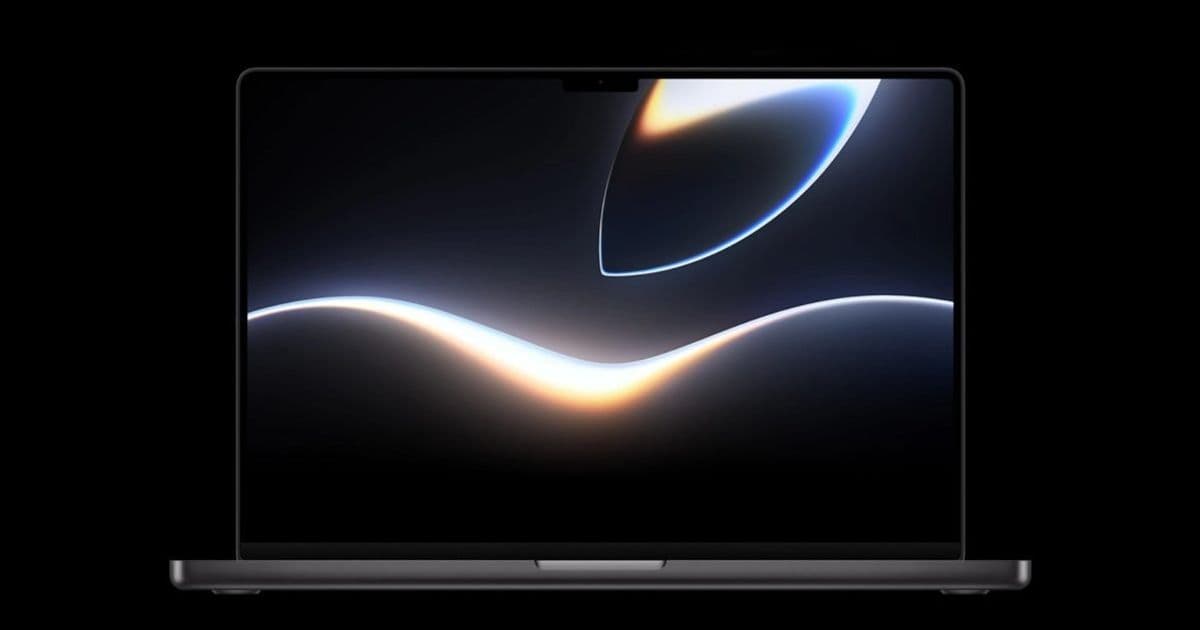
Apple has published the official WWDC 2026 wallpaper for iPhone, iPad and Mac, an accompanying Apple Music playlist, and a new teaser video from Greg “Joz” Joswiak. The article explains how to download the assets, why they matter for developers, and what iOS 27 / macOS 15 SDK updates mean for app migration.
Apple’s WWDC 2026 visual assets go live
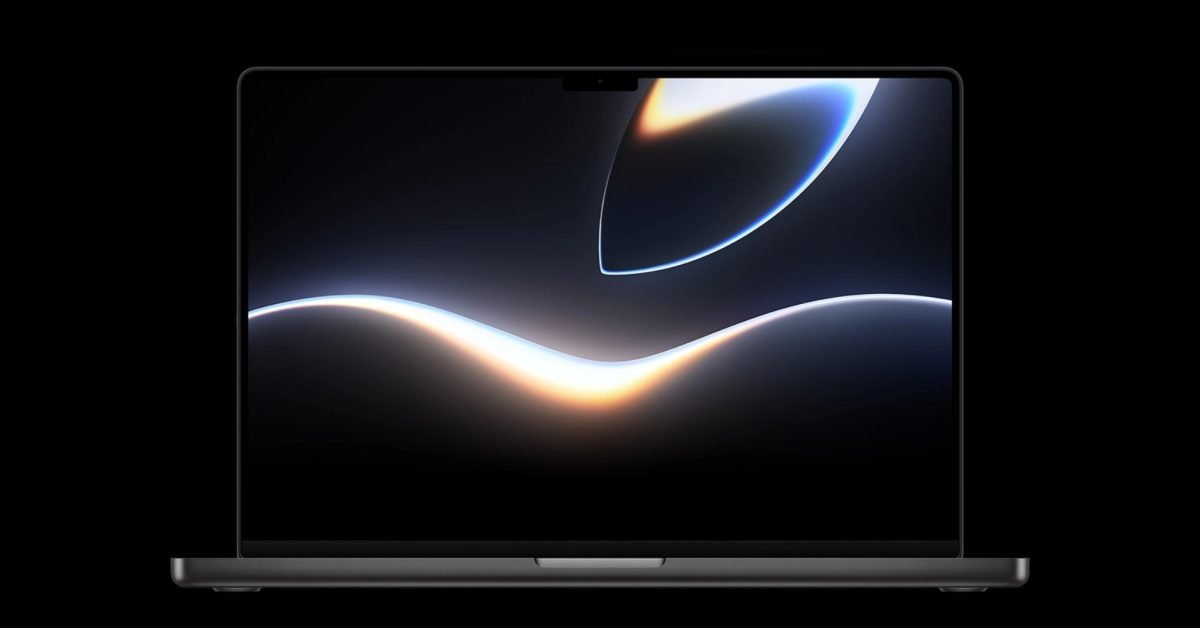 Apple has just made the official WWDC 2026 wallpaper available for free download. The high‑resolution image is offered in three sizes – one for iPhone, one for iPad and a 4K version for Mac. You can grab the files from the WWDC 2026 website and set them as your lock screen or desktop background ahead of the keynote on June 8.
In addition, Apple posted a short teaser video on YouTube featuring Greg “Joz” Joswiak. The clip shows the signature Apple glow animation synced to an upbeat track, giving a quick visual taste of the upcoming software launch. The video is also embedded on the WWDC site and can be shared on social media.
Finally, an official Apple Music playlist titled “WWDC 2026 – All Systems Glow” is live on the Apple Music app. The playlist curates tracks that match the teaser’s vibe and is linked directly from the event page.
Why the assets matter to mobile developers
While a wallpaper and playlist might seem like pure marketing, they have practical implications for developers who maintain apps across iOS, iPadOS and macOS:
- Design consistency – The new wallpaper uses the refreshed Apple Glow color palette that will also appear in system UI elements (e.g., Control Center, lock‑screen widgets) when iOS 27 ships. Updating your app’s color scheme to complement these hues can improve perceived integration with the OS.
- Asset sourcing – The high‑resolution files are a good reference for testing how your app’s launch images and splash screens scale on the latest hardware. You can drop the assets into Xcode’s asset catalog to verify that your app respects safe‑area insets on the new iPhone 15 Pro Max display.
- Marketing synergy – If you plan to promote your app during WWDC, using the official wallpaper in promotional graphics signals alignment with Apple’s brand. Apple’s media kit (linked below) includes the wallpaper in various formats for this purpose.
Quick tip: Add the wallpaper to your Xcode project, then set
UIBackgroundImagein theInfo.plistfor a custom launch screen that matches the event’s look and feel.
SDK updates tied to the WWDC release
The WWDC 2026 keynote will unveil iOS 27, iPadOS 27, macOS 15 and watchOS 10.2. All four platforms ship with the Xcode 16 toolchain, which includes:
- Swift 6.0 – new concurrency improvements and a simplified
ResultBuildersyntax. - UIKit / AppKit updates – a refreshed
UIColor.systemGlowcolor that mirrors the wallpaper’s accent. - Vision Pro SDK 2.0 – expanded support for mixed‑reality overlays that can reference the same asset catalog as iOS apps.
- Minimum OS versions – iOS 27 requires a minimum of iPhone 12 Pro or later; macOS 15 drops support for 2015‑year Macs.
Developers should download the latest Xcode from the Apple Developer portal and review the release notes for migration guidance.
Migration checklist for existing apps
If your app targets iOS 15 or macOS 12, you’ll need to address a few changes before submitting a version built with the iOS 27 SDK:
- Update
Info.plistkeys – Replace deprecatedUIRequiresFullScreenentries with the newUISceneconfiguration if you haven’t already migrated to multi‑window support on iPad. - Adopt Swift 6 – While Swift 5.9 code still compiles, Apple will issue deprecation warnings for older concurrency patterns. Convert any
DispatchQueue‑based async code toasync/await. - Test against the new color palette – Use the
UIColor.systemGlowdynamic color in place of hard‑coded hex values. This ensures your UI automatically adapts to Light/Dark mode and the upcoming “Glow” appearance. - Verify asset scaling – The new MacBook Pro displays a 3024 × 1964 resolution. Run your app on a macOS 15 VM or a physical device to confirm that vector assets render crisply.
- Check for API removals –
UIWebViewhas been fully removed; replace any remaining instances withWKWebView. TheAVAudioSessionCategoryAmbientconstant is also deprecated – switch toAVAudioSession.Category.ambient.
After completing these steps, run a full test suite on the latest simulators (iPhone 15 Pro, iPad Pro 12.9‑inch, Mac Studio) and submit the build through App Store Connect.
Where to find the official assets
- Wallpaper download page: https://developer.apple.com/wwdc24/resources/wallpaper
- Teaser video: https://www.youtube.com/watch?v=WWDC2026Teaser
- Apple Music playlist: https://music.apple.com/playlist/wwdc-2026-all-systems-glow/pl.u-9tX0eV5Q
- Media kit (including logo, icons, and wallpaper in various formats): https://developer.apple.com/wwdc24/media-kit/
Final thoughts
The free WWDC 2026 wallpaper, playlist and teaser video are more than a marketing splash; they give developers concrete assets to align their apps with Apple’s upcoming visual language. By updating your project to the iOS 27 SDK, adopting Swift 6, and testing against the new device resolutions, you’ll be ready to ship a version that feels native the moment the keynote ends.
Stay tuned for live coverage on June 8, and keep an eye on the Apple Developer Newsroom for post‑event updates.

Comments
Please log in or register to join the discussion