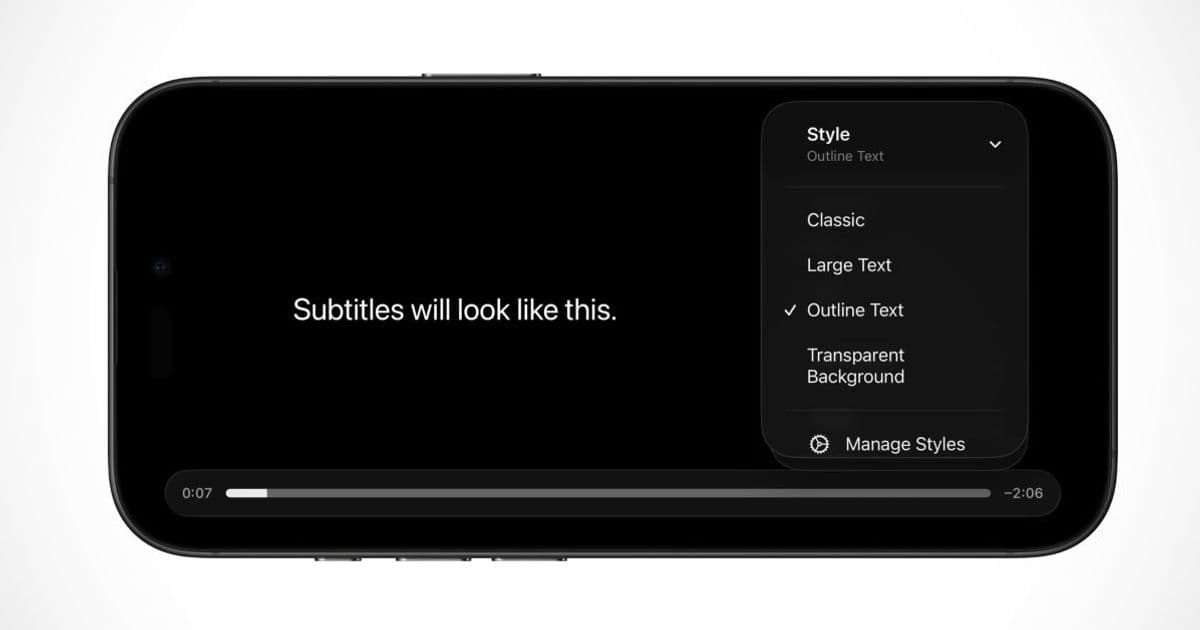
Apple is enhancing the subtitle experience in iOS 26.4 by making style customization accessible directly from the video player, eliminating the need to dig through Accessibility Settings.
Apple is making it easier to customize how subtitles look on iPhone and iPad with the upcoming iOS 26.4 update. The new feature brings subtitle style controls directly into the video player interface, allowing users to adjust their preferences while watching content without interrupting their viewing experience.
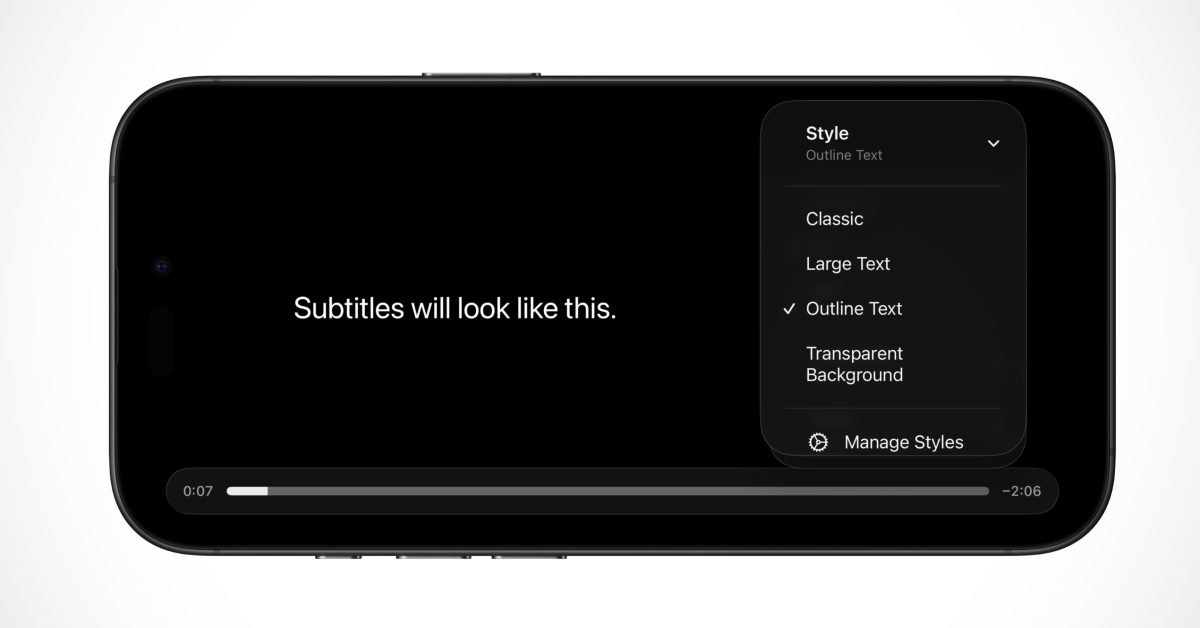
The usage of subtitles and captions in TV shows and movies is ever increasing, both due to the popularity of foreign language content and Hollywood's inability to produce an audio track where the person speaking is sufficiently intelligible. With iOS 26.4, Apple is improving the subtitles experience in the native video player on iPhone and iPad, and a similar change is rolling out to Apple TV with tvOS 26.4.
Previously, customizing subtitle appearance required navigating through the Accessibility Settings menu, a process that many users found cumbersome and unintuitive. The new approach brings these controls directly into the context where they're needed most - while watching video content.
How the New Subtitle Customization Works
With these new software updates, it is now possible to change the look of subtitles while in the midst of watching your favorite TV show or movie. This is because Apple has redesigned the Subtitles menu in the native video player to include new controls for changing their style.
Previously, this menu allowed you to toggle subtitles on or off, and pick the desired language for the captions. Now, it includes a separate section for Style. The preset Style options include 'Classic', 'Large Text', 'Outline Text', and 'Transparent Background'.
Users can also make their own custom styles, choosing design options like font, size and color. All of these style settings were previously available by digging through Accessibility Settings. But now, with iOS 26.4, they are readily accessible from the context of what the user is currently doing; increasing awareness of the feature and it is more convenient to change styles on the fly.
Cross-Platform Availability
This new functionality is available as part of the system's native video player, so it's available in apps like Apple TV and when watching video in Safari. Any third-party app that uses the native player will also be able to take advantage of this enhancement automatically.
The feature isn't limited to mobile devices - Apple is bringing the same subtitle customization capabilities to tvOS 26.4 for Apple TV users, ensuring a consistent experience across the Apple ecosystem.
Release Timeline
iOS 26.4 is currently in developer beta. It will likely be released to the public in March or April, although Apple hasn't yet confirmed a timeline. The update represents part of Apple's ongoing effort to make its devices more accessible and user-friendly for a wider range of viewing preferences and needs.
This enhancement addresses a common frustration for many viewers who struggle with inconsistent audio quality or prefer watching content with subtitles for various reasons. By making these controls more accessible, Apple is acknowledging the growing importance of subtitle usage in modern media consumption.
Comments
Please log in or register to join the discussion