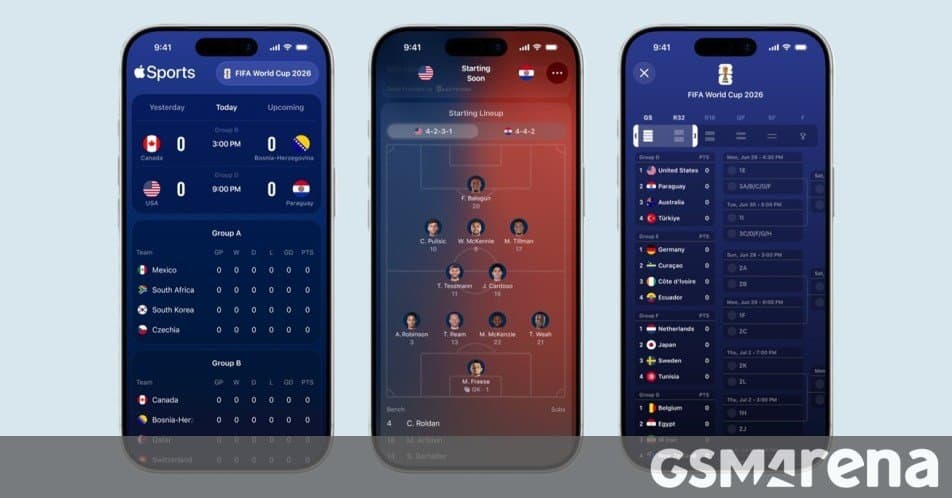
Apple’s Sports app is now downloadable in more than 170 countries, with new tournament‑bracket views, lineup graphics, lock‑screen Live Activities and one‑tap Apple TV integration to help fans follow the 2026 World Cup.
Apple Sports expands to 90+ new markets and adds FIFA World Cup 2026 tools
Apple announced that the Apple Sports app, first launched in 2024, is now available in over 170 countries and regions after a rollout that adds more than 90 new markets. The expansion means users from South America to Southeast Asia can download the free app from the App Store on any iPhone that runs iOS 17.2 or later.
New features aimed at the 2026 World Cup
The app’s latest update is timed for the kickoff of the FIFA World Cup 2026 on June 11. Apple has layered a set of UI and integration tweaks that let fans keep track of the tournament without leaving the Apple ecosystem.
Tournament bracket view
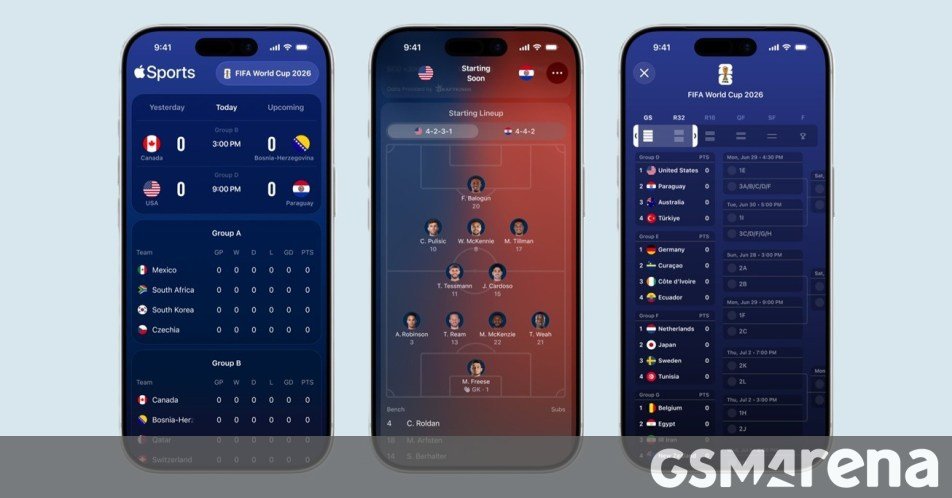
A scrollable bracket shows every group‑stage match, knockout round, and final. Tapping a match expands a card with score, time, and a quick link to the live‑score widget. The design is lightweight, so it loads fast even on older devices.
Visual formations
Each match card now includes a miniature formation diagram for both sides. The graphic pulls the starting XI from official line‑ups and highlights key positions, giving users a tactical snapshot before the whistle.
Live Activities on lock screen and Apple Watch
When you follow a team, a Live Activity appears on the iPhone lock screen and on the Apple Watch face, updating the score, time, and goal notifications in real time. This works without opening the app, leveraging the new ActivityKit APIs introduced in iOS 17.
Home‑screen widgets for iPhone, iPad and Mac
Apple ships three widget sizes (small, medium, large) that display the current match, next fixture, or overall tournament progress. Because the widgets are powered by WidgetKit, they refresh automatically and respect low‑power mode.
One‑tap switch to Apple TV
If a live match is available on a streaming service linked to your Apple TV (e.g., ESPN+, Paramount+), the app shows a “Watch on Apple TV” button. A single tap launches the Apple TV app and starts playback on the connected TV, keeping the experience fluid across devices.
Direct link to Apple News coverage
A small banner at the bottom of each match card opens Apple News to a curated story feed about the tournament, including analysis, player interviews, and behind‑the‑scenes videos.
Ecosystem implications
Apple’s decision to broaden the Sports app’s reach does more than add a new utility; it tightens the lock‑in around iOS, watchOS and tvOS. Users who rely on Live Activities or widgets are incentivized to stay within Apple’s hardware line‑up because the experience is tied to the OS version and the Apple Watch’s health sensors for real‑time heart‑rate alerts during high‑intensity moments.
For Android users, the lack of an equivalent native app means they must depend on third‑party score trackers that lack the deep integration with lock‑screen or TV. The move could sway sports‑enthusiast consumers toward iPhone upgrades, especially in markets where the World Cup drives a surge in mobile data usage.
Developers can also learn from Apple’s approach: by exposing tournament data through EventKit and WidgetKit, third‑party apps can build complementary experiences (e.g., fantasy‑league overlays) without reinventing the core data pipeline.
How to get started
- Open the App Store on an iPhone running iOS 17.2 or later.
- Search for Apple Sports and tap Get.
- After installation, open the app and enable Live Activities when prompted.
- Follow your favorite national team to activate lock‑screen updates and widgets.
- For TV viewing, ensure your Apple TV is signed in with the same Apple ID and tap the Watch on Apple TV button when a match is live.
The app is free, and Apple has not announced any subscription model for the core features. Additional content, such as premium editorial pieces in Apple News, may require an existing Apple News+ subscription.
Bottom line: Apple Sports is now a truly global hub for live scores, tactical insights and cross‑device streaming during the 2026 World Cup, reinforcing Apple’s strategy of weaving sports experiences into every layer of its ecosystem.
Comments
Please log in or register to join the discussion