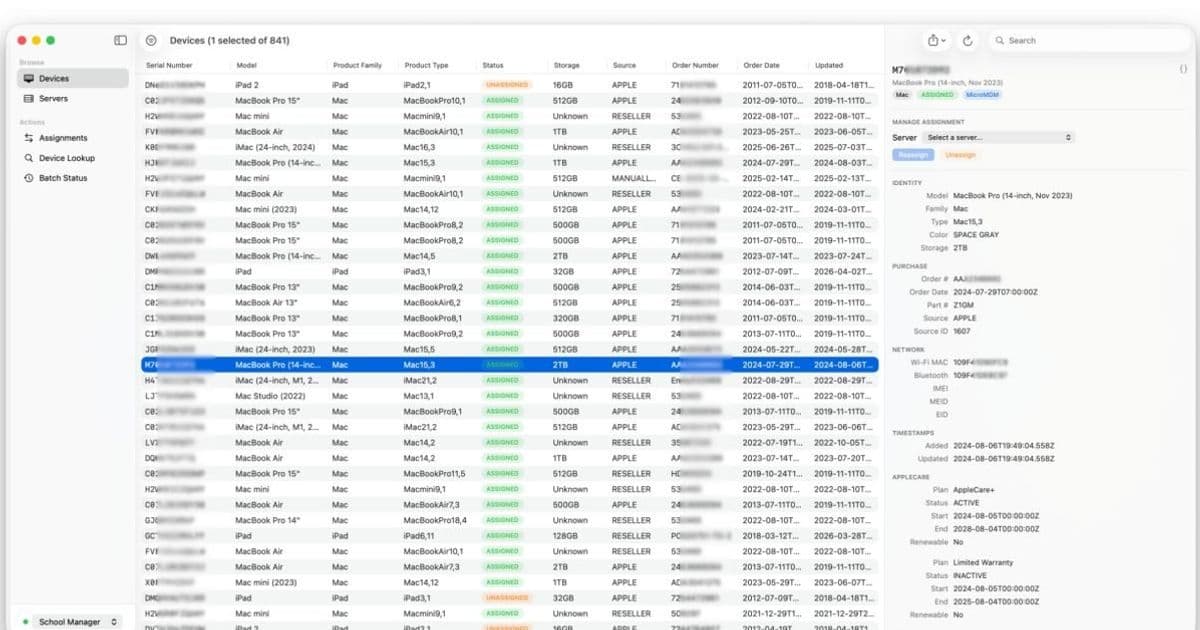
Mosyle’s new macOS utility, ASBMUtil, gives enterprise admins a graphical front‑end for the Apple Business and School Manager APIs, turning tedious web‑portal work into fast, bulk‑operations on a native SwiftUI app.
Apple @ Work: ASBMUtil Brings a Native macOS App to the Apple Business Experience
Apple Business Manager (ABM) and Apple School Manager (ASM) are the backbones of any large‑scale Apple deployment. They let IT teams enroll Macs, iPads, iPhones and Apple TVs, assign them to MDM servers, and keep track of AppleCare coverage. The web portals are functional, but when you’re handling thousands of devices they become a drag—lots of clicks, endless pagination, and JSON payloads that have to be crafted in a terminal.
Mosyle, the only Apple Unified Platform that bundles deployment, management and security, has turned the official Apple Business API into a desktop experience. ASBMUtil, built with SwiftUI, sits on your Mac and talks directly to the ABM/ASM APIs, exposing the same data you see in the browser but in a sortable, filterable table that feels like a native macOS app.
Core features that matter to admins
Unified device browser
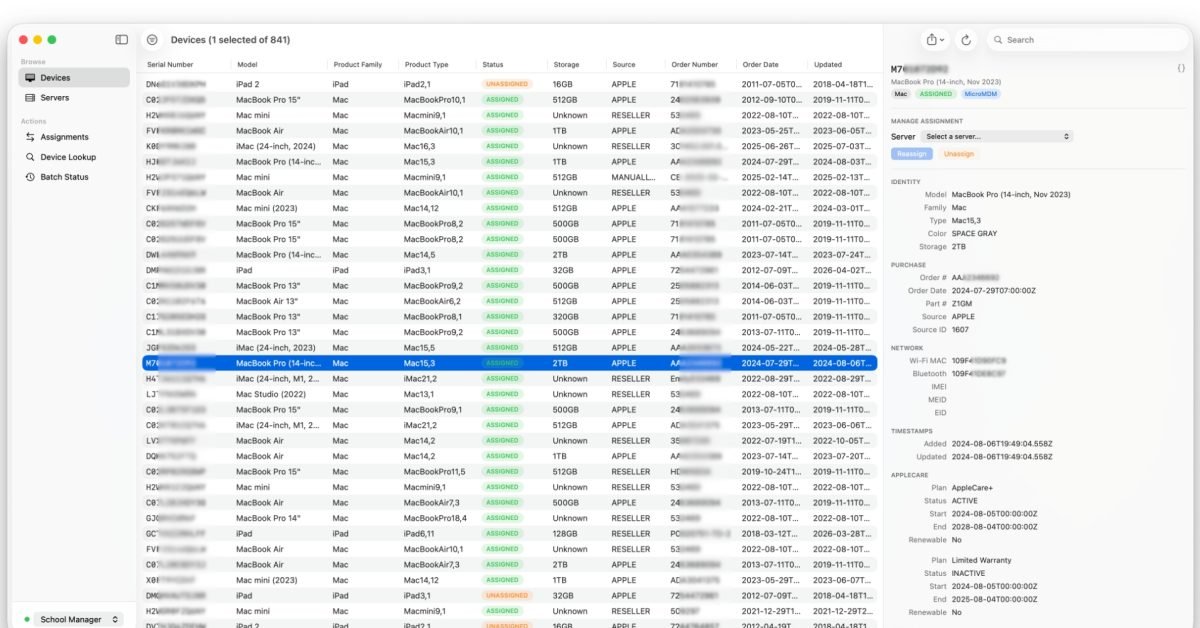
- A single, paginated table lists every device across all platforms (macOS, iOS, iPadOS, tvOS, visionOS). Columns include serial number, model, order status, assigned MDM server, AppleCare coverage and MAC addresses.
- Clicking a row slides in a detail pane with full metadata, so you never need to jump back to the web UI.
Powerful filtering and stacking
- Filter by status (assigned, unassigned, pending), order number, model family, OS version, or custom tags.
- Stack filters to narrow results to an exact subset – for example, iPad Pro + AppleCare expiring < 30 days.
Bulk assignment & unassignment
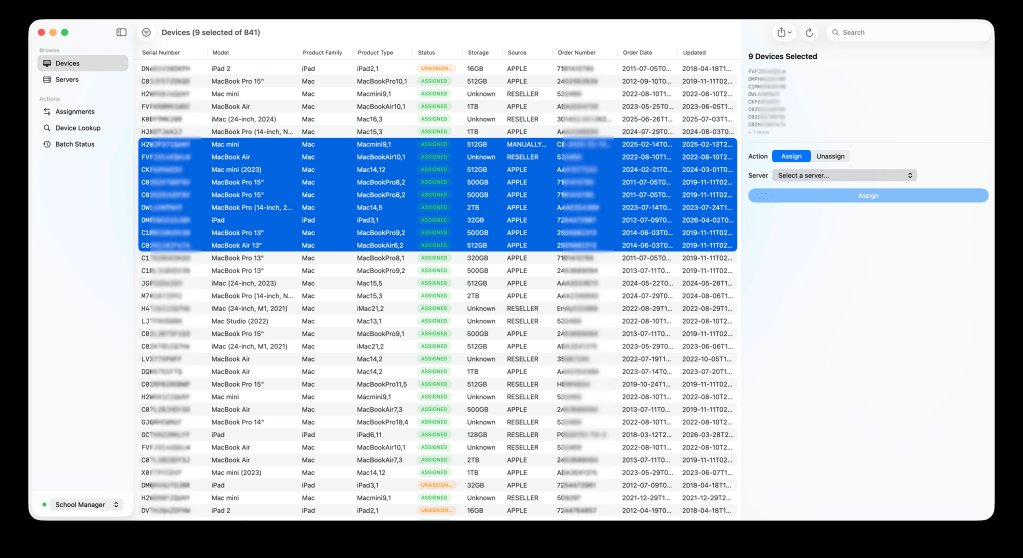
- Select any number of rows, choose a destination MDM server from a drop‑down, and apply the change with one click.
- CSV import lets you feed a pre‑built list of serial numbers and target servers, perfect for scripted roll‑outs.
Export & share
- Export the current view or the entire device inventory to CSV or JSON via the macOS share sheet. Handy for audits or feeding other reporting tools.
Multi‑profile switching
- Manage several ABM/ASM instances from the same Mac. The sidebar lets you toggle between environments and store credentials securely in the macOS keychain.
Up‑to‑date API coverage
- Supports AppleCare lookups (API 1.3), MAC address retrieval for Wi‑Fi, Bluetooth and Ethernet (API 1.4), and the new array‑format MAC data for devices with multiple interfaces (API 1.5).
Why a native app matters in the Apple ecosystem
Apple’s web portals were designed for occasional use, not for the day‑to‑day bulk operations that enterprise IT performs. By moving the interaction to a macOS app, Mosyle eliminates the context switch between a browser and a terminal, reduces the chance of malformed JSON, and leverages macOS features like the share sheet, native keyboard shortcuts and accessibility support.
From a lock‑in perspective, ASBMUtil does not replace an MDM solution; it complements any MDM that integrates with ABM/ASM. Mosyle’s own platform already provides unified deployment, but the utility works with any MDM server you have registered in Apple Business Manager. That means organizations can adopt the tool without committing to a new management stack, preserving flexibility while gaining productivity.
Getting started
- Visit the ASBMUtil GitHub releases page and download the latest
.dmg. - Drag the app into your Applications folder and launch it.
- In Settings, add your Apple Business or School Manager credentials (the app stores them in the keychain).
- Choose the environment you want to manage and start exploring the device table.
Because the app is open source, you can audit the SwiftUI codebase, contribute fixes, or even fork it to add custom actions that match your internal workflows.
The bigger picture for Apple‑centric enterprises
ASBMUtil is a concrete example of how Apple’s public APIs are maturing into a developer‑friendly ecosystem. When Apple opened the ABM/ASM API last year, the expectation was that third‑party tools would emerge to fill the gaps left by the web UI. Mosyle’s utility shows that a polished native client can be built quickly with SwiftUI, and it sets a benchmark for future tools—whether they focus on inventory, automated enrollment, or compliance reporting.
For IT departments that already rely on Mosyle’s Unified Platform, the utility adds a low‑friction layer for day‑to‑day device stewardship. For teams using other MDMs, the app still offers value as a read‑only inventory and bulk‑assignment tool, reducing the administrative overhead that typically forces admins to write custom scripts.
Bottom line
If you spend any amount of time in Apple Business Manager or Apple School Manager, ASBMUtil is worth a look. It brings the power of the API to a familiar macOS interface, cuts down on repetitive clicks, and lets you treat your Apple fleet like any other asset inventory. Grab it from GitHub, give it a spin, and see how many minutes you can shave off your daily device‑management routine.

Comments
Please log in or register to join the discussion