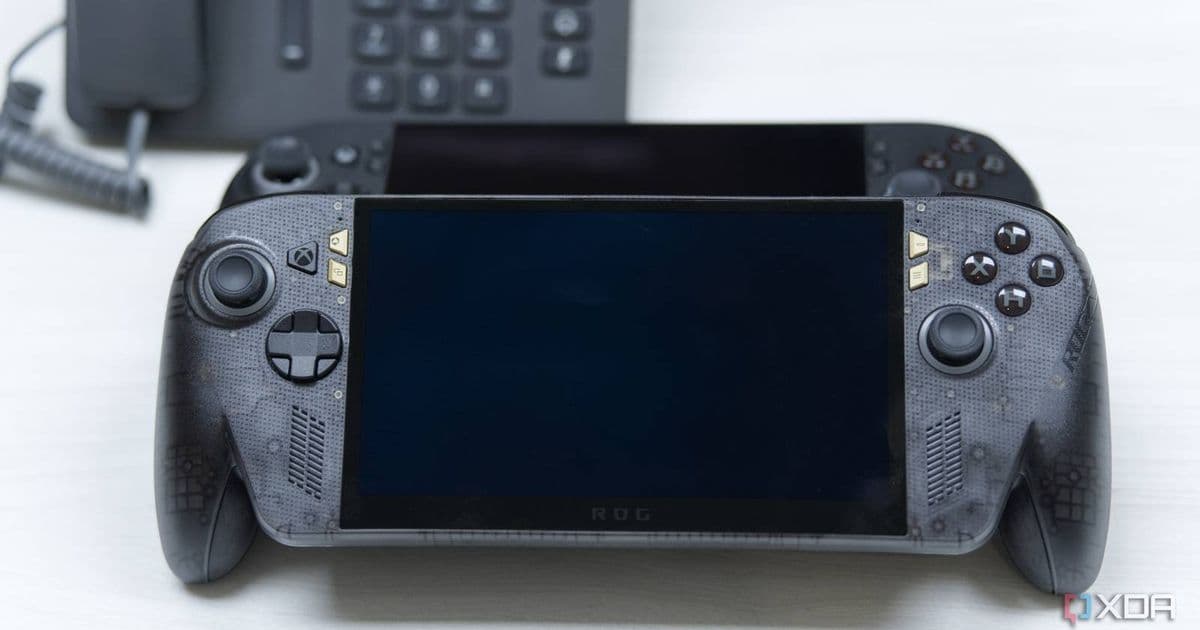
The limited‑edition ROG Xbox Ally X20 upgrades the original handheld with a 7.4‑inch 1080p 120 Hz OLED panel, brighter 1,400‑nit output, FreeSync Premium Pro, TMR joysticks, an eight‑way transforming D‑pad and a bundle that includes ROG XREAL R1 Edition 20 AR glasses. Powered by the same Ryzen AI Z2 Extreme (24 GB/1 TB) as the standard Ally X, the new model is positioned as a collector’s item and is expected to launch in the $2,000 price range.
Asus ROG Xbox Ally X20 – what’s new?
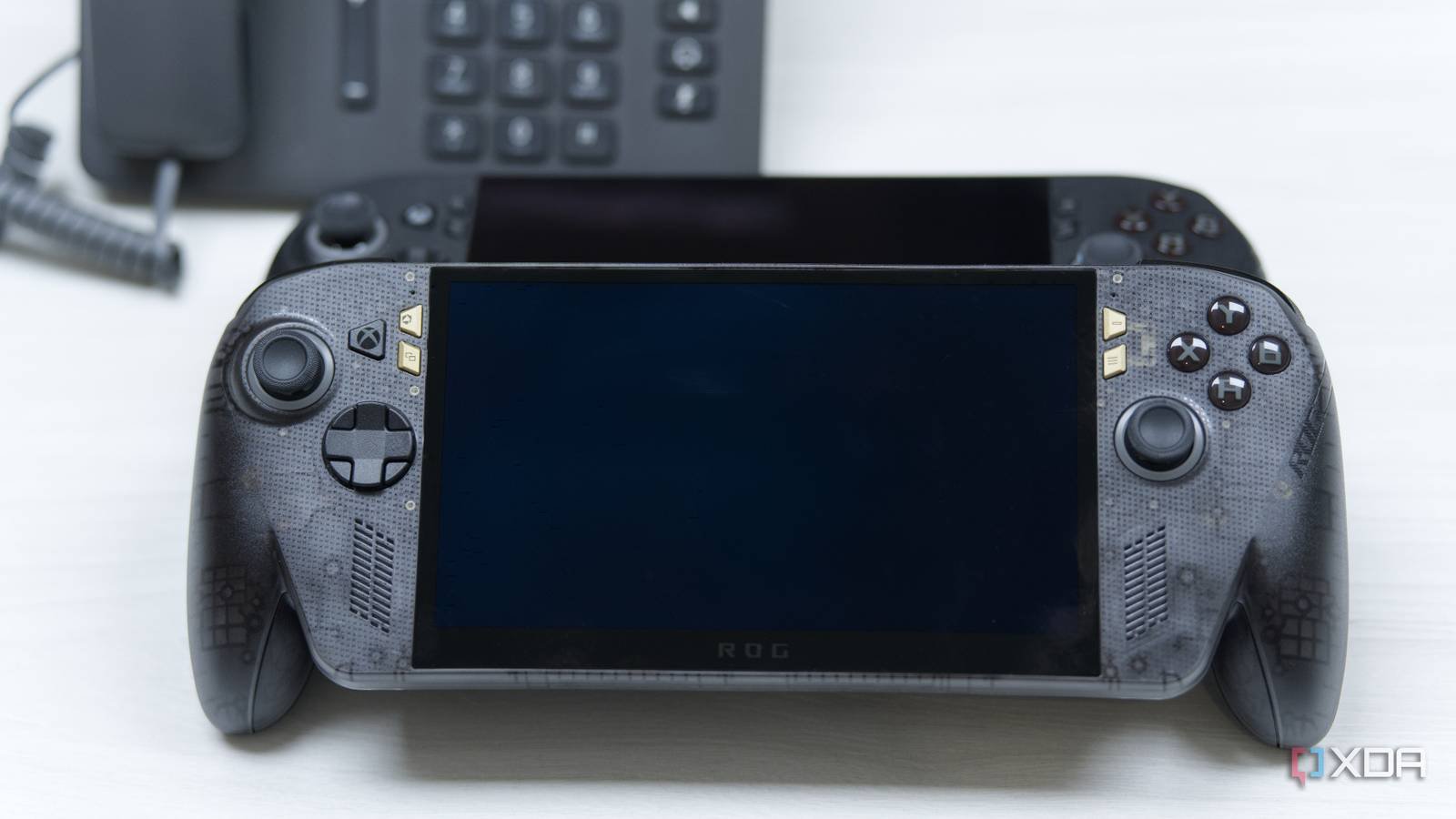
The latest ROG Xbox Ally X20 pushes Asus’ handheld line into a premium niche. The most visible change is a 7.4‑inch OLED display that retains the original 1080p resolution but adds a 120 Hz refresh rate and a peak brightness of 1,400 nits. FreeSync Premium Pro and variable refresh rate support mean the screen can adapt to the frame rate output of Xbox Cloud Gaming or native Windows titles, reducing tearing and stutter.
Beyond the panel, Asus has refreshed the input hardware:
- TMR (Titanium‑Metal‑Resonance) joysticks – a sturdier shaft and improved tactile feedback for precise aiming.
- Eight‑way transforming D‑pad – can be set to a traditional cross or a circular layout for fighting‑game inputs.
- Rubberized hand‑grips and flush‑mounted face buttons that sit closer to the chassis, improving comfort during long sessions.
The unit keeps the Ryzen AI Z2 Extreme SoC (24 GB LPDDR5, 1 TB NVMe) from the original Ally X, so raw performance remains unchanged. What does change is the bundle: Asus includes a pair of ROG XREAL R1 Edition 20 AR glasses, positioning the handheld as a gateway to mixed‑reality gaming.
How the OLED panel impacts battery life
OLED panels can draw more power at high brightness, especially when displaying bright UI elements or HDR content. The Ally X20’s 1,400‑nit peak suggests a potential increase in draw compared with the Ally X’s LCD. Asus has not released official battery‑life figures, but developers can expect a trade‑off:
- For dark‑themed games or UI, OLED may actually be more efficient because black pixels are turned off.
- In bright‑scene gameplay or when using the AR glasses, the battery could deplete faster than the roughly 2‑hour claim for the original model.
If you are building a game that targets the Ally X20, consider offering a low‑brightness mode or an OLED‑optimized UI that reduces full‑screen white areas. This can extend playtime without sacrificing visual fidelity.
Development considerations for the X20
SDK and OS version
The handheld ships with Windows 11 23H2 pre‑installed and includes the Xbox Game Pass SDK 2.5. The SDK adds support for variable refresh rates and exposes the new OLED panel’s color‑gamut information via the DXGI_COLOR_SPACE_RGB_FULL_G2084_NONE_P2020 format. Developers targeting the X20 should update their rendering pipeline to query IDXGISwapChain::GetColorSpace and enable the appropriate HDR metadata when available.
Input handling
The TMR joysticks report a higher resolution axis (12‑bit vs. the typical 10‑bit on the original). The Windows Gaming Input API (IGamepad) now surfaces a JoystickResolution property that returns 4096 steps. Games that rely on fine‑grained analog input—flight simulators, racing titles—can take advantage of the extra granularity without extra code changes; the API automatically scales the values.
The eight‑way D‑pad is exposed as a single directional pad with a DpadMode flag. When set to Transforming, the OS reports diagonal inputs as distinct values, which can simplify fighting‑game control schemes.
AR glasses integration
The bundled XREAL R1 Edition 20 connects via a proprietary USB‑C link that presents a virtual display surface to Windows. Asus provides the XREAL SDK 1.3, which includes:
- A
XRDisplayclass for rendering directly to the glasses. - A
SpatialAudioAPI that syncs game audio with head‑tracking data. - Sample code for dual‑view rendering, where the handheld screen shows a standard view while the glasses display a 3‑D overlay.
Developers can ship a single build that detects the presence of the glasses via the XRDevice::IsConnected call and switches to the enhanced mode automatically.
Migration path from Ally X to Ally X20
If you already have a game released for the original Ally X, the migration is straightforward:
- Update the Windows SDK to 10.0.22621 or later to access the new color‑space APIs.
- Re‑compile shaders with the
DXGI_FORMAT_R16G16B16A16_FLOATformat to enable HDR on the OLED panel. - Test joystick input on a device with the TMR sticks; the extra resolution should be backward compatible, but you may want to adjust dead‑zone logic.
- Add optional AR support by linking against the XREAL SDK. This step is optional—games will run perfectly without it.
- Verify battery consumption on the X20 prototype; if your title is particularly bright, consider offering a “Battery Saver” graphics preset.
Because the SoC is unchanged, performance‑critical code does not need modification. The primary focus is on display handling and optional AR features.
Pricing and availability
Asus has not announced an official launch date, but industry leaks suggest a Q4 2026 release. The limited‑edition bundle, which includes the AR glasses, is expected to sit around $2,000 USD, positioning it above the $1,000 price point of the standard Ally X. Whether Asus will eventually sell the handheld without the glasses remains unclear, but the collector’s‑item positioning hints that the bundle will be the only configuration.
Related reading: Microsoft’s Nvidia RTX Spark‑powered Surface Laptop Ultra pushes Windows on Arm further, highlighting the growing importance of cross‑platform SDKs for developers targeting both x86 and ARM ecosystems.
Comments
Please log in or register to join the discussion