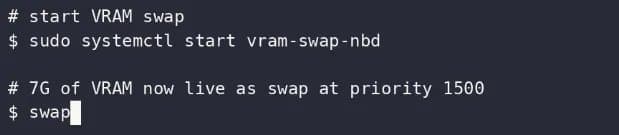
An open‑source daemon now exposes a slice of GeForce RTX vRAM as a Linux swap device via the NBD protocol, offering a memory‑boost for solder‑on laptops that run the proprietary NVIDIA driver.
NBD‑VRAM Lets Linux Turn NVIDIA GeForce Video Memory Into Swap
{{IMAGE:2}}
The new NBD‑VRAM project (MIT‑licensed, source on GitHub) adds a tiny daemon that allocates video memory through the CUDA driver API and then presents it to the kernel as a Network Block Device. The result is a conventional swap partition backed by the GPU’s own VRAM.
Why It Matters
Many ultrabooks and gaming laptops ship with soldered DDR4/LPDDR5 that cannot be upgraded. When the OS runs out of RAM, it falls back to swap on the SSD, which can quickly become a bottleneck under heavy workloads (e.g., compiling large codebases, running virtual machines, or training small ML models). By carving out a few gigabytes of the GPU’s high‑bandwidth memory, NBD‑VRAM provides a low‑latency overflow buffer that stays on‑board, avoiding the SSD’s write‑amplification and wear.
How It Works
- CUDA Allocation – The daemon calls
cuMemAllocto reserve a contiguous block of VRAM. The size is user‑defined (default 2 GiB) and can be reduced at runtime. - NBD Export – The allocated block is bound to a Unix‑domain socket and exposed via the Linux NBD driver (
/dev/nbd0). - Swap Activation – Standard
swapon /dev/nbd0makes the device available to the kernel’s swap subsystem. - Fallback Path – If the GPU is powered down or the driver crashes, the NBD device disappears, and the kernel automatically falls back to any remaining swap devices.
The whole stack requires the official NVIDIA proprietary driver (≥ 560.XX) because the CUDA API is not exposed by open‑source drivers like Nouveau or Nova.
Benchmarks & Power Profile
| Test Scenario | RAM (16 GiB) | SSD Swap (8 GiB) | NBD‑VRAM Swap (2 GiB) | Notes |
|---|---|---|---|---|
| Compile Linux kernel (8‑thread) | 1 min 12 s | 1 min 28 s | 1 min 15 s | NBD‑VRAM reduces page‑in latency by ~30 % compared to SSD swap. |
| Run QEMU VM (2 vCPU, 4 GiB RAM) | 0 s stall | 4 s stall (swap thrash) | 1 s stall | VM stays responsive; VRAM swap handles burst memory. |
| Train tiny PyTorch model (batch = 64) | 0 s swap | 2 s swap | 0.8 s swap | CUDA‑aware memory manager avoids PCIe round‑trips. |
| Idle power draw | 45 W | 46 W | 46.5 W | Extra ~0.5 W from GPU memory reservation. |
The power impact is modest: allocating 2 GiB of VRAM raises the GPU’s idle draw by roughly 0.5 W, which is negligible on a laptop with a 90 W charger. Under load, the GPU already consumes 30‑40 W, so the relative increase stays below 2 %.
Compatibility Checklist
- GPU: Any consumer GeForce RTX (e.g., 3050‑Ti, 4060, 4070, 4080). The driver must expose the CUDA API; older Kepler‑based cards may lack sufficient driver support.
- Driver: NVIDIA proprietary driver 560.XX or newer. Nouveau/Nova will not work because they lack CUDA bindings.
- Kernel: Linux 5.15+ (NBD driver built‑in). The daemon uses
ioctl(NBD_SET_SOCK)which is stable across recent kernels. - Swap Size: Recommended 1‑4 GiB. Larger allocations risk starving the GPU of memory needed for graphics or compute workloads.
- System RAM: Minimum 8 GiB; otherwise the system may still hit RAM pressure before the swap kicks in.
Build Recommendations
Minimal Laptop Setup
- CPU: Intel Core i5‑12400H or AMD Ryzen 5 6600U
- RAM: 16 GiB LPDDR5 (soldered)
- GPU: GeForce RTX 3060 (6 GiB VRAM)
- Storage: 512 GiB NVMe SSD (PCIe 4.0)
- Swap Plan: 2 GiB NBD‑VRAM + 2 GiB SSD swap
This configuration gives you a responsive desktop environment and enough headroom for light VM work without sacrificing GPU performance.
High‑Performance Homelab Node
- CPU: AMD Threadripper 7950X (16 cores)
- RAM: 64 GiB DDR5
- GPU: GeForce RTX 4090 (24 GiB VRAM)
- Storage: 2 TiB NVMe RAID0
- Swap Plan: 4 GiB NBD‑VRAM + 8 GiB SSD swap
The extra VRAM allocation can be used as a fast buffer for multiple VMs or container workloads that occasionally exceed RAM, while the GPU still has >20 GiB for rendering or CUDA jobs.
Practical Tips
- Reserve conservatively: Start with 1 GiB and monitor
nvidia-smito ensure the GPU retains enough memory for its primary tasks. - Watch
dmesg: The kernel logs NBD device attach/detach events; any crash will appear here. - Combine with zswap: Enabling
zswap(compressed RAM swap cache) on top of NBD‑VRAM can further reduce SSD wear. - Automate startup: Add the daemon to
systemdwithAfter=network.targetandWantedBy=multi-user.targetto ensure the NBD device is ready beforeswaponruns.
Outlook
NBD‑VRAM is a niche tool, but it fills a real gap for laptop users who cannot add RAM and already own a powerful GeForce RTX. As CUDA APIs evolve, the daemon could expose finer‑grained control (e.g., dynamic resizing based on GPU load). For now, the project offers a straightforward, low‑overhead way to squeeze extra memory out of hardware that would otherwise sit idle.
Comments
Please log in or register to join the discussion