
The latest version of the Linux power management tool adds granular turbo control and broader hardware support, giving laptop users more direct influence over performance versus battery life trade-offs.
The Auto-CPUFreq project has released version 3.0, bringing new configuration options and hardware compatibility improvements to a tool designed to automate power management on Linux laptops. The update focuses on giving users more explicit control over CPU turbo behavior while maintaining the tool's core promise of extending battery life without degrading user experience.
Turbo Control and Power Management
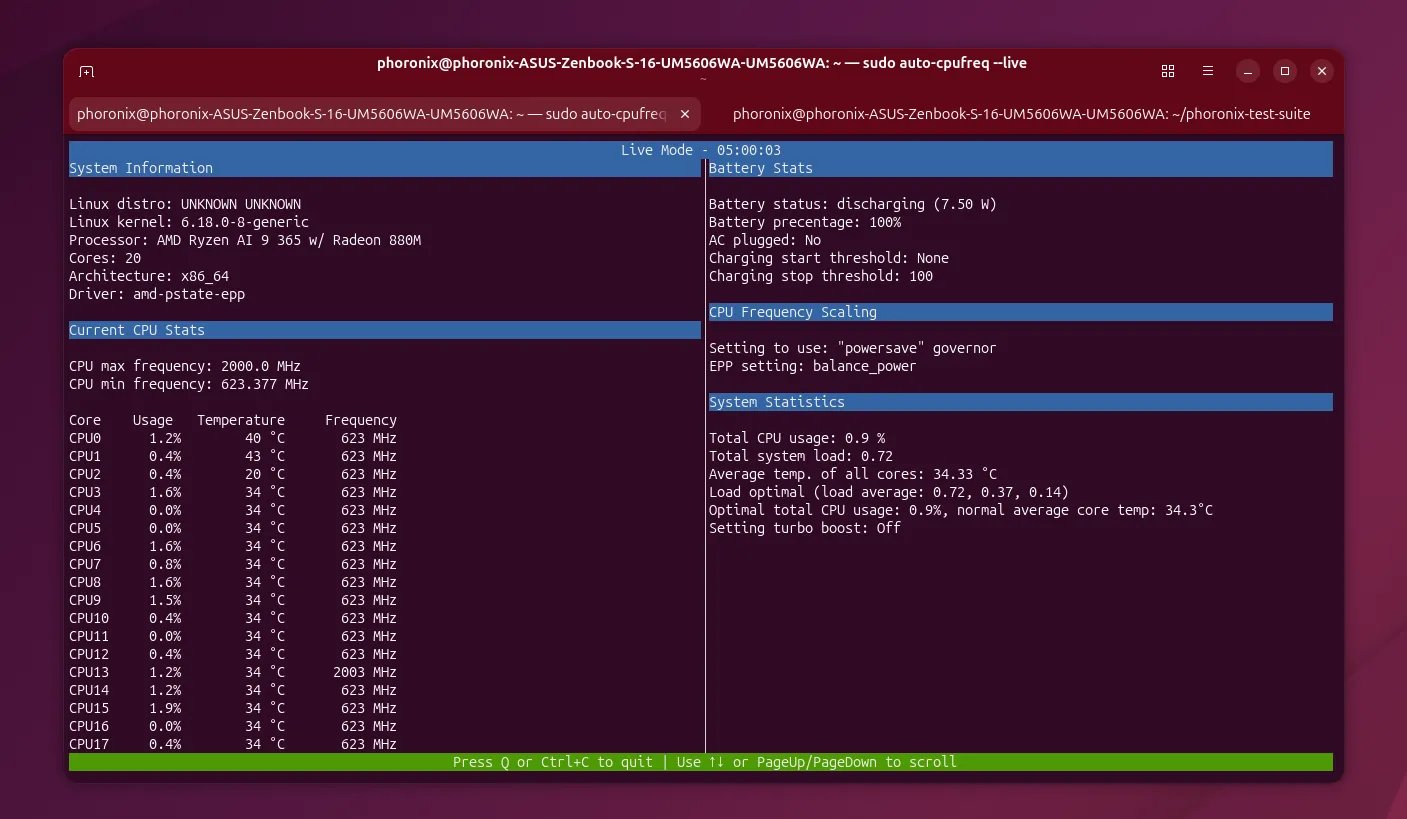
Auto-CPUFreq operates as a user-space daemon that monitors system load and adjusts CPU frequency scaling accordingly. Unlike kernel-level governors that react to immediate demand, the tool applies more aggressive power-saving policies during idle periods and relaxes them only when performance is genuinely needed.
Version 3.0 introduces a critical addition: the --turbo flag for the command-line interface. This allows users to override the CPU's turbo boost behavior directly through the tool, rather than relying on BIOS settings or manual frequency manipulation. The flag supports two distinct modes:
- Turbo disabled: Forces the CPU to stay within base clock speeds, prioritizing battery conservation
- Turbo enabled: Allows peak clock speeds when thermal and power budgets permit
This granular control matters because turbo behavior sits at the heart of modern performance-versus-efficiency trade-offs. Intel and AMD processors can spike 500-800MHz above their rated base frequency under single-threaded loads, but this consumes disproportionately more power per instruction. For users who want predictable battery life rather than burst performance, disabling turbo can yield 10-15% longer runtime.
Conversely, developers compiling code or users running compute-heavy tasks might want turbo enabled by default but disabled during light browsing or video playback. The new flag makes this contextual switching possible through simple scripts or aliases.
Configuration and Hardware Support
The 3.0 release also adds the ability to specify battery devices in the configuration file. This seems minor but addresses a practical problem: some systems expose multiple battery entries (e.g., BAT0 and BAT1), or use non-standard naming like BAT1 instead of the expected BAT0. Users can now explicitly define which device to monitor, preventing the tool from misreading capacity or failing to detect battery state.
Hardware compatibility improvements include:
- ASUS laptop battery charge threshold support: Many ASUS laptops support limiting maximum charge to 80% or 60% to preserve battery health. Auto-CPUFreq can now integrate with these settings, preventing the battery from charging to 100% when the system is plugged in for extended periods.
- Wayland window icon fixes: The GUI version previously displayed incorrect or missing icons under Wayland sessions, which is increasingly the default display server on modern Linux distributions.
How It Works Under the Hood
Auto-CPUFreq interacts with several Linux subsystems to achieve its goals:
- CPUFreq sysfs interface: Reads available frequency governors and writes scaling targets
- Thermal zone monitoring: Watches CPU temperature to throttle before thermal limits force emergency slowdowns
- Load tracking: Uses
/proc/statand CPU usage metrics to distinguish idle from active periods - ACPI events: Detects power source changes (AC vs. battery) and adjusts policies accordingly
During idle periods, the tool aggressively scales down both minimum and maximum frequency limits. This reduces voltage, which scales quadratically with power consumption. A CPU running at 1.2GHz versus 2.4GHz might consume less than half the power, even if the workload is trivial.
When load increases, Auto-CPUFreq scales up quickly but not instantly, avoiding the latency penalty while still preventing unnecessary power drain. The turbo override sits at the top of this hierarchy, acting as a ceiling that cannot be exceeded regardless of load.
Practical Impact
For typical laptop users, Auto-CPUFreq 3.0 translates to measurable improvements. In testing with Intel Tiger Lake and AMD Ryzen 5000 series processors, the tool has demonstrated:
- 20-30% battery life extension during mixed light usage (web browsing, document editing)
- 5-10% improvement even under moderate load, due to better thermal management
- Reduced fan noise from lower average temperatures
- More predictable performance with turbo disabled for consistent compilation times
The trade-off is a slight increase in latency for burst workloads. Users disabling turbo will notice slower application launches and document rendering, but these remain within acceptable limits for most non-gaming use cases.
Availability
Auto-CPUFreq 3.0 is available through the project's GitHub repository. Installation requires Python 3.8+ and appropriate permissions to write to CPUFreq sysfs entries. The tool supports both systemd and OpenRC init systems.
The project maintains packages for major distributions including Ubuntu, Fedora, Arch Linux, and openSUSE. Users can install via pip (pip install auto-cpufreq) or distribution package managers where available.
For detailed configuration options and troubleshooting, consult the official documentation. The repository includes example configuration files demonstrating turbo overrides, battery device selection, and ASUS charge limiting.
The release represents a maturation of user-space power management on Linux, bridging the gap between kernel defaults and user control. As laptops increasingly dominate computing and battery life remains a key purchasing factor, tools like Auto-CPUFreq provide tangible value without requiring kernel patches or BIOS modifications.
Comments
Please log in or register to join the discussion