
A homelab builder's systematic approach to preserving web content for decades, drawing parallels between server hardware reliability and blog longevity. The article explores practical archiving strategies, the pitfalls of third-party services, and why local, static HTML preservation beats recursive crawling.
The most persistent myth about the web is that content is permanent. In reality, it's fragile. I've spent years maintaining homelab servers where a single power loss or hardware failure can erase years of data. The same principle applies to blogs: if your server goes down, your content vanishes. This isn't theoretical—link rot is everywhere. Try clicking any link from a decade-old forum post. You'll find 404s, changed URLs, or sites that have completely restructured their content architecture.
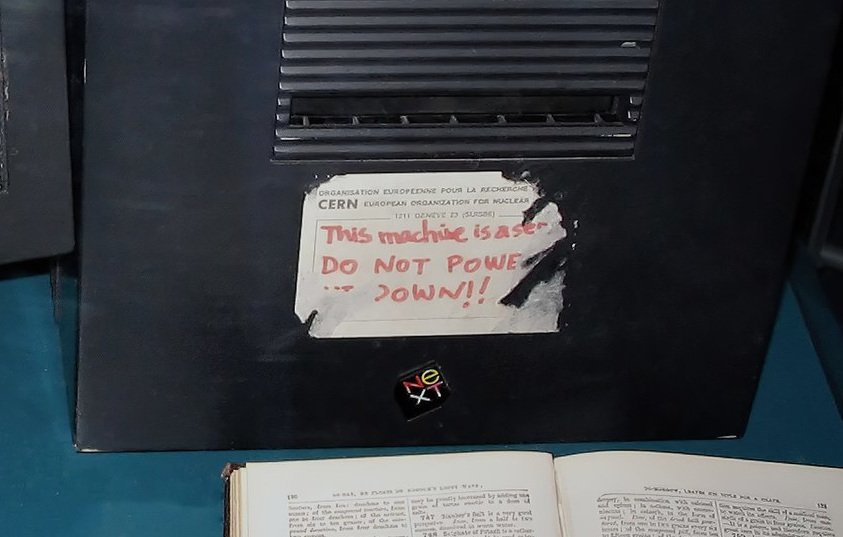
The Server Problem
Servers are just computers. When they break or are turned off, the website disappears. This is the first lesson every homelab builder learns: redundancy matters. But for a personal blog, running redundant servers is overkill. The better approach is to make the content itself resilient.
I run my blog with an almost zero-dependency site generator. It requires only a C compiler to build, and once generated, the HTML can be served by anything—even a simple Python HTTP server. This architecture mirrors how I approach server hardware: minimize dependencies, reduce failure points, and ensure graceful degradation.
The Link Rot Dilemma
External links are essential for context and credibility, but they're also the weakest link. Archive.org captures only about 50% of pages, and other archiving services have vanished entirely. Even when a page is archived, it's often a snapshot that doesn't capture dynamic content.
Consider Substack blogs or modern sites that render content client-side with JavaScript frameworks. A caching proxy might save the initial HTTP response, but if the page requires 50MB of JavaScript to render its text, that page won't be readable in ten years. The JavaScript ecosystem moves fast—today's React app might not run on tomorrow's browser.
Practical Archiving with Chromium
Instead of recursive crawlers that can overwhelm servers or fill disks with infinite dynamic pages, I use Chromium's "save page" feature. This has one critical advantage: it saves the final DOM after JavaScript execution, not just the raw HTTP response.
The workflow is straightforward:
- Navigate to the target page in Chromium
- Use
Ctrl+Sor the save function - Choose "Webpage, Complete" to embed resources
- Store the archived HTML alongside my blog content
This approach preserves the rendered content exactly as readers see it, including any JavaScript-generated math, dynamic charts, or client-side rendered text. It's the digital equivalent of printing a webpage to PDF—what you see is what you get.
URL Structure for Longevity
My blog uses a predictable URL structure: /projects, /misc, /tutorials, and /astro. This isn't arbitrary. When reorganizing content, these namespaces provide enough flexibility to maintain old URLs indefinitely. It's the same principle I use when organizing server storage: clear, predictable paths that won't need restructuring later.
The Trade-offs
This approach has limitations. Archived pages lose interactivity—comments, dynamic updates, and live data are frozen in time. For a technical blog, this is acceptable. The core value is in the text, code examples, and static diagrams. Interactive elements are nice-to-have but not essential for long-term preservation.
There's also the manual effort. Archiving pages one-by-one is time-consuming. But compared to maintaining a complex crawling infrastructure or dealing with broken links years later, the manual approach is more reliable. It's the same calculus I use when choosing server hardware: sometimes the simpler, more predictable solution beats the "automated" one.
Broader Implications
This isn't just about blogs. It's about any content we create on the web. The tools we use today—React, Vue, Svelte—might not be supported in a decade. The APIs we integrate with might disappear. The only guarantee is that the raw HTML, saved today, will still be readable tomorrow.
For homelab builders, this mindset is familiar. We don't assume our hardware will last forever. We plan for replacement cycles, keep spare parts, and document our setups. The same discipline applies to digital content: assume platforms will change, services will disappear, and plan accordingly.
Actionable Steps
If you're building a blog or personal site:
- Choose a static site generator with minimal dependencies. Jekyll, Hugo, or even a custom script works.
- Use a predictable URL structure that won't need restructuring later.
- Archive external links locally using Chromium's save feature or a similar tool.
- Keep a local copy of your entire site—not just the source files, but the rendered HTML.
- Test your backups regularly. Can you restore your site from a cold backup? Does it still render correctly?
The web is built on layers of abstraction, each adding convenience at the cost of fragility. By stripping away dependencies and preserving content in its simplest, most durable form, we can build things that last. It's the same philosophy that keeps my homelab servers running for years: simple, predictable, and maintainable.
For more on building resilient systems, see the Hugo static site generator or explore Chromium's documentation on page saving features.
Comments
Please log in or register to join the discussion