
Commodore plans a $499 flip phone for calls, messaging, maps and music, with Sailfish OS, Android app support and firm blocks on browsers, social apps, email and work tools.
Commodore plans to open preorders June 30 for the Callback 8020, a $499 flip phone that gives users Sailfish OS, selected Android apps and no browser or social media access.
Platform update
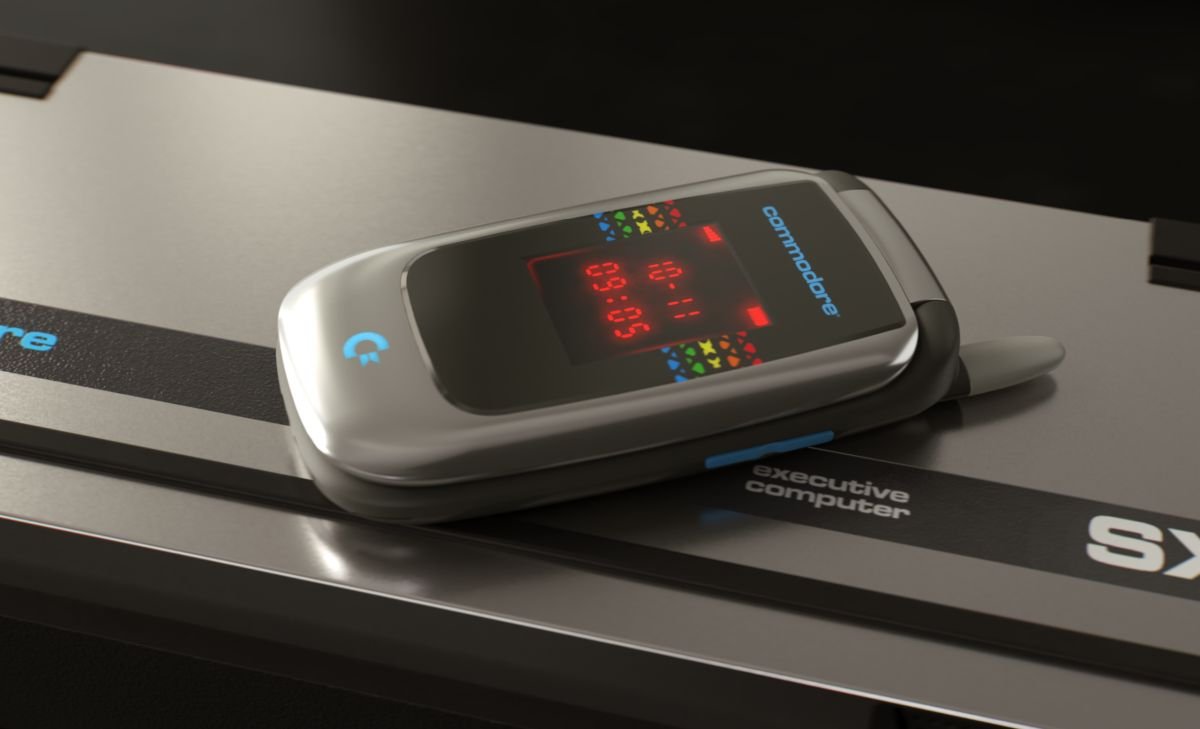
Commodore frames the Callback 8020 as a focused second phone, but the company built it on a smartphone stack. Commodore uses Sailfish OS, the Linux-based mobile operating system that Jolla develops, and pairs it with an Android app compatibility layer.
The hardware follows the same middle path. Commodore gives the handset a 1.77-inch cover display with LED notifications, then puts a 3.25-inch, 640-by-480 IPS LCD inside the flip body above a T9 keypad. The main screen supports touch, but Commodore disables touch input until an app needs it.
Commodore uses a MediaTek Helio G81 processor, 4GB of RAM, 64GB of storage, dual physical SIM slots, microSD support and a removable 1,550 mAh battery. The company also includes a 48-megapixel rear camera, a front camera, a 3.5 mm headphone jack, FM radio, USB-C charging and wired in-ear monitors.
The software limits matter more than the spec sheet. Commodore says it blocks browsers and social media apps at the system level. The company also says it blocks some services through DNS, so a sideloaded app such as TikTok would fail to reach its servers.
Commodore uses its Commostore app store for approved apps. Users can install messaging and utility apps such as WhatsApp, Signal, Telegram, WeChat, maps, rideshare tools, music apps, podcasts, notes, QR scanning and calendar tools. Commodore leaves Google Play Services and the Google Play Store out of the product, so Android compatibility depends on the app.
Developer impact
Mobile teams should treat Callback 8020 as a Sailfish OS device with Android compatibility, limited Google dependencies and strong product policy controls. Commodore has not published the exact Sailfish OS version, Android API target for its compatibility layer or SDK guidance for native Sailfish apps.
That missing version data matters for teams that maintain Android apps. An app that assumes Google Play Services, Firebase Cloud Messaging, Google Maps SDK, Play Integrity, in-app updates or Play Billing may fail or require another build. Apps that use standard Android APIs and avoid Google-owned service hooks have a better path.
Messaging and media apps also need input testing. Users will spend much of their time on a T9 keypad, and Commodore keeps touch input off until needed. Text fields, search screens, login flows, two-factor prompts and consent screens need keyboard navigation that does not trap focus or depend on swipe gestures.
Cross-platform teams should test the Callback path as a constrained Android-adjacent target. React Native, Flutter, Kotlin Multiplatform and web-wrapped apps may run if their native dependencies survive without Google Play Services and browser access. Any feature that launches a web login, opens Chrome Custom Tabs or sends users to a social sign-in flow creates a risk.
Commodore also removes email and work apps from Commostore. Users can sideload some APKs, but Commodore says browsers and social apps stay blocked. That policy changes the support model for productivity tools, device management apps and enterprise login flows. A workplace app may install, then fail when it asks the user to authenticate through a web page.
Migration
Users who want to move to Callback 8020 should start with carrier support. Commodore says the phone supports worldwide LTE bands, 4G VoLTE, Wi-Fi and hotspot, but buyers should check VoLTE provisioning with their carrier before they order. The phone uses physical dual SIM cards and skips eSIM.
Contact migration should use standard address book exports. Sailfish OS supports vCard import, so users can export contacts from iCloud, Google Contacts or another phone, then import the file during setup.
Text and call migration needs more planning. Android users can use forwarding or sync tools. iPhone users can try OpenBubbles for iMessage access, but that route needs one-time Mac setup and depends on third-party compatibility. Apple can change iMessage access without support from Commodore.
App migration needs a short audit. List the apps you need for calls, messaging, maps, transit, banking, authentication and music. Remove apps that require a browser login or Google Play Services. Test APK installs where Commodore allows sideloading, and expect banking apps to cause the most trouble.
The Callback 8020 suits users who want a phone that keeps messaging, maps and music within reach while Commodore blocks the services that turn a small screen into a scroll device. Developers should see the device as a constrained compatibility target, not a standard Android phone with a retro shell.
Comments
Please log in or register to join the discussion