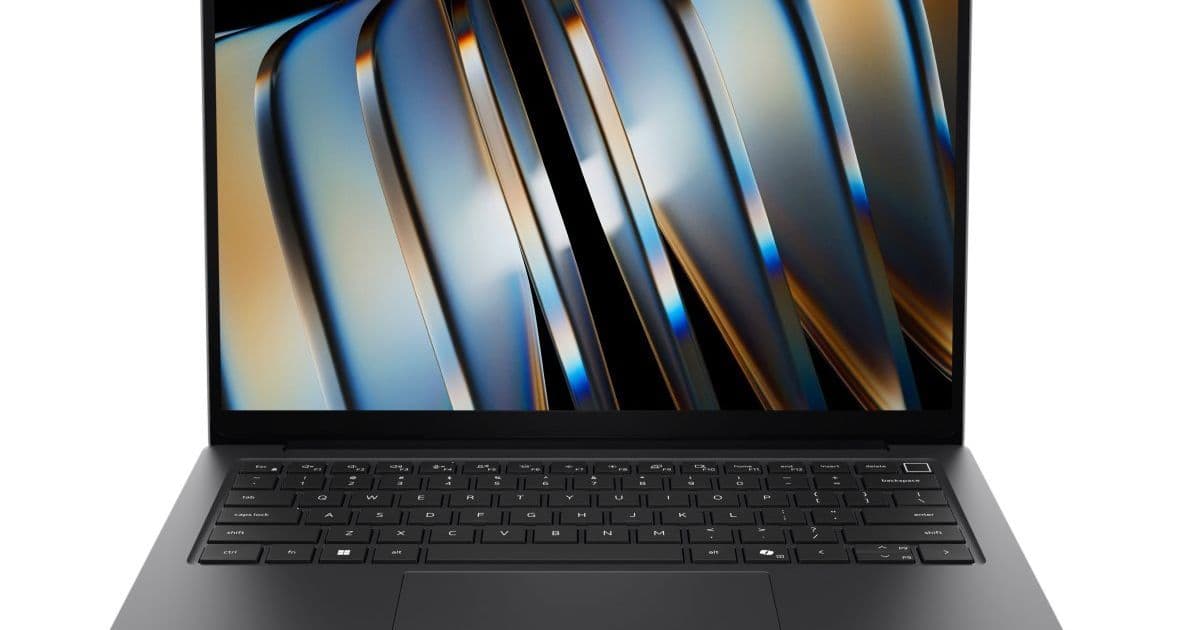
Dell's new Pro 5 business laptops support Intel's latest processors and introduce LPCAMM2 memory for user-replaceable upgrades on high-end models.
Dell has unveiled its new Pro 5 business laptop lineup, featuring Intel Core Ultra (Series 3) "Panther Lake" processors and a unique memory configuration that varies based on the processor selected. The Dell Pro 5 14 and Pro 5 16 models offer a compelling mix of performance, customization, and upgradeability that sets them apart in the business laptop market.
Processor and Memory Configuration
The most notable aspect of the Dell Pro 5 lineup is how memory options differ based on processor selection. Models equipped with 4-core Intel Graphics support traditional DDR5 or LPDDR5 memory options, with SODIMM slots allowing users to install between 8GB and 64GB of DDR5-5600 memory. This configuration provides the familiar upgrade path that business users expect from laptops.
However, Dell has taken a different approach for models featuring the more powerful Intel Core Ultra 5 338H and Core Ultra X7 368H processors. These chips, which include 10-core or 12-core Intel Arc B3xx graphics respectively, only support LPDDR5 memory. Rather than soldering this memory to the motherboard as is common practice, Dell has opted to use LPCAMM2 removable memory modules.
LPCAMM2 (Low-Power Compression Attached Memory Module 2) represents a relatively new standard that combines the energy efficiency and space-saving benefits of LPDDR memory with the upgradeability of traditional SODIMM modules. This allows users to replace or upgrade memory even on models with the most powerful graphics options. The LPCAMM2 modules in these laptops support LPDDR5-8533 speeds and are available in configurations ranging from 16GB to 64GB.
Display and Connectivity Options
Both the 14-inch and 16-inch models offer extensive display customization. Users can choose between LCD or OLED panels, with or without touch functionality. Refresh rate options range from a standard 60 Hz display to a variable refresh rate display that can scale from 1 Hz to 120 Hz, providing flexibility for different use cases and power management needs.
Connectivity options are equally comprehensive. Wireless configurations include an Intel BE211 card with WiFi 7 and Bluetooth 6.0 support, or an Intel AX211 card for WiFi 6E and Bluetooth 5.3. Both models also support optional 4G LTE or 5G cellular modems for always-connected functionality.
Camera and Battery Options
The Pro 5 laptops offer configurable camera options, with choices between a 1080p or 8MP (1440p) webcam. Both camera options include a privacy shutter for security. The 1080p camera can be equipped with an optional IR camera for facial recognition, while this feature comes standard on models with the 8MP camera.
Battery options provide additional customization, with choices between 45 Wh, 57 Wh, and 70 Wh capacities. This allows users to balance between weight, battery life, and performance based on their specific needs.
Physical Specifications and Ports
The Dell Pro 5 14 measures 316 x 226 x 18mm (12.4" x 8.9" x 0.7") at its thickest point, with a starting weight of 1.34 kg (2.96 pounds). The larger Pro 5 16 model measures 359 x 253 x 19mm (14.1" x 10" x 0.7") and weighs 1.82 kg (4 pounds).
Both models feature a comprehensive selection of ports, including two Thunderbolt 4 ports, two USB 3.2 Gen 1 Type-A ports, HDMI 2.1, Gigabit Ethernet, and a 3.5mm audio jack. This port selection ensures compatibility with a wide range of peripherals and accessories.
AMD Alternatives
For customers preferring AMD processors, Dell is also offering AMD versions of both the Pro 5 14 and Pro 5 16. These models feature processor options ranging from the Ryzen AI 5 PRO 435 to the Ryzen AI 9 HX 470. Unlike their Intel counterparts, all AMD models ship with up to 64GB of DDR5-5600 memory via SODIMM slots, with no LPCAMM2 options available.
Market Positioning and Availability
The Dell Pro 5 lineup represents a significant step forward in business laptop customization and upgradeability. By offering LPCAMM2 memory on high-end Intel models while maintaining traditional SODIMM options on other configurations, Dell provides flexibility that caters to different user needs and preferences.
The laptops are expected to be available starting next month, with pricing details to be announced closer to launch. This timing positions the Pro 5 models to compete with other business laptops featuring Intel's latest processors, while their unique memory configuration could give them an edge for users who value upgradeability.
Technical Implications
The use of LPCAMM2 memory on these laptops has several technical implications. First, it allows Dell to maintain the slim profile and energy efficiency benefits of LPDDR memory while providing the upgradeability that business users often require. This is particularly important for models with powerful processors and graphics capabilities, where future memory needs may increase as software becomes more demanding.
Second, the LPCAMM2 standard, while still relatively new, appears to be gaining traction. Lenovo's recent introduction of LPCAMM2 memory in the ThinkPad T14 Gen 7 suggests that this technology may become more common in business laptops going forward. Dell's adoption of the standard in the Pro 5 lineup could accelerate this trend.
Finally, the decision to use LPCAMM2 only on models with 10-core or 12-core graphics, while maintaining SODIMM options on other models, reflects a nuanced understanding of different user needs. This approach allows Dell to optimize each configuration for its intended use case while still providing upgrade paths where they're most likely to be needed.
The Dell Pro 5 laptops represent a thoughtful approach to business laptop design, combining the latest processor technology with flexible memory options and comprehensive customization. Whether the LPCAMM2 configuration will prove popular with business users remains to be seen, but it certainly offers an intriguing alternative to the traditional soldered memory approach.
Comments
Please log in or register to join the discussion