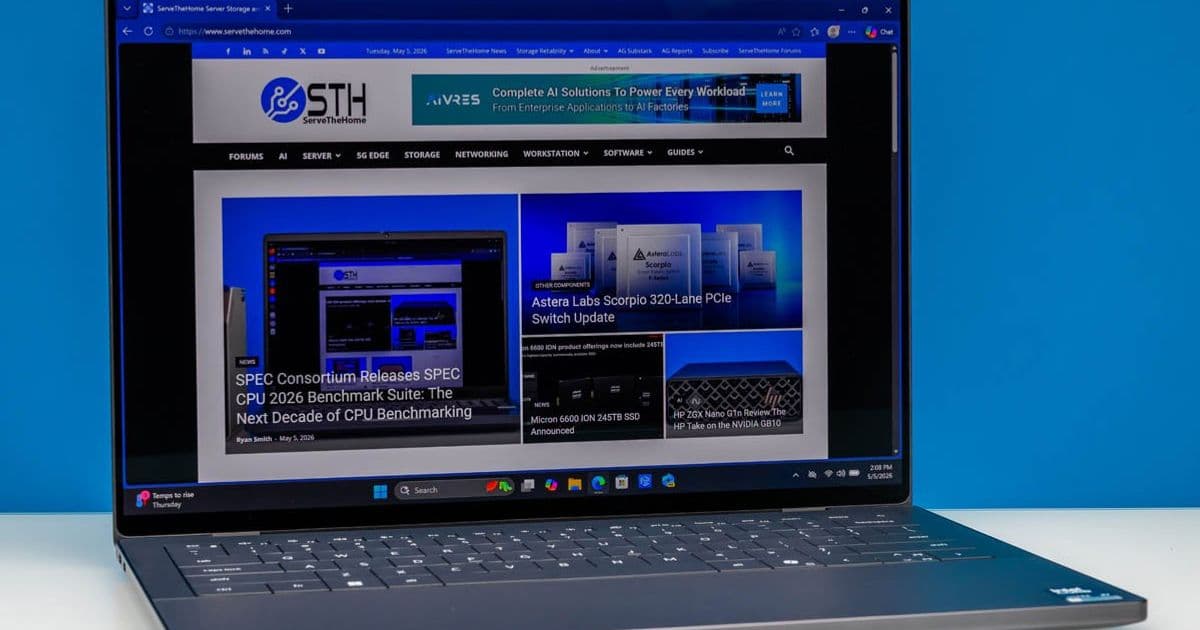
The 2026 Dell X14 (DA14260) returns to the XPS brand with Intel’s third‑gen Core Ultra “Panther Lake” silicon, a slimmer aluminum chassis and an optional 2.8K OLED panel. Benchmarks show strong single‑core performance, respectable integrated graphics, and up to 12 hours of mixed‑use battery life, while the thermal design keeps the laptop under 90 °C under load.
Dell XPS 14 (2026) Review – Thin‑and‑Light Done Right
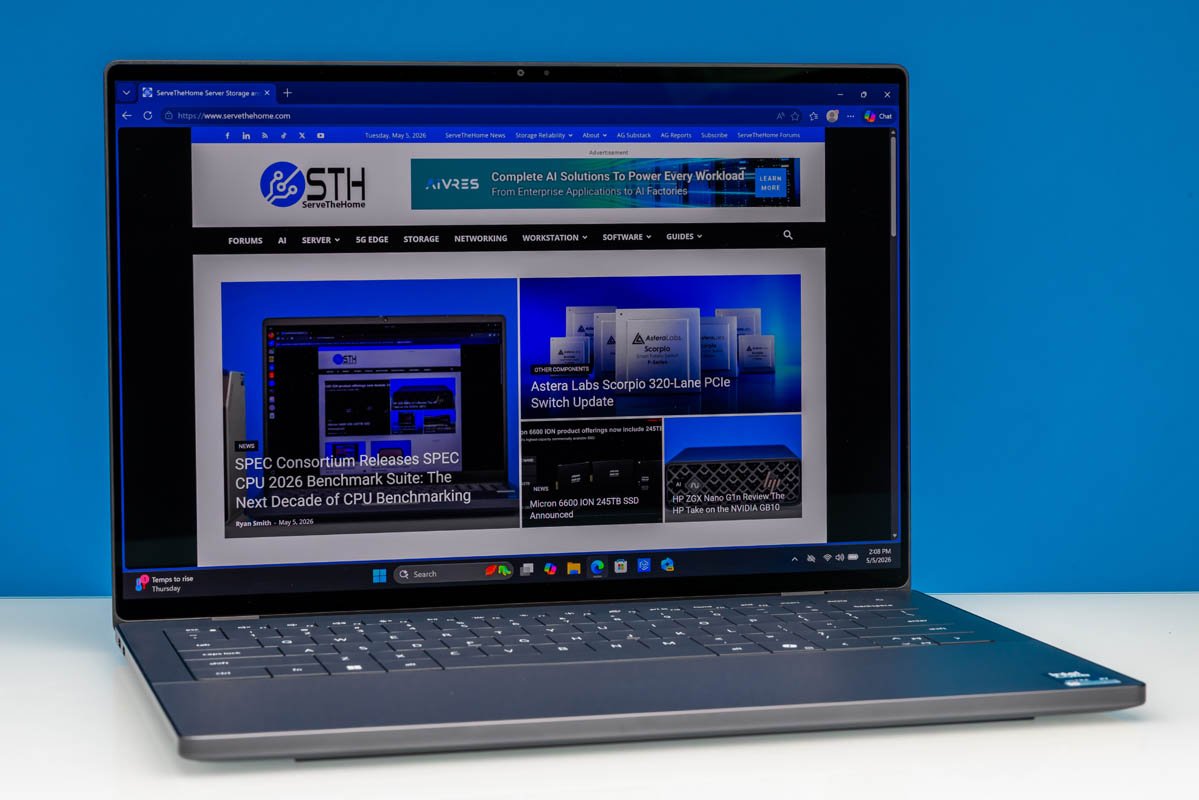 Featured image – Dell XPS 14 (2026) in Graphite
Dell’s XPS line has been a reference point for premium ultraportables since the early 2010s. After a mis‑step with the 2025 “Premium” re‑brand, the 2026 X14 (model DA14260) re‑establishes the XPS identity by pairing Intel’s third‑generation Core Ultra “Panther Lake” platform with a markedly smaller aluminum chassis and an optional OLED display. Below we break down the specifications, benchmark results, and deployment considerations for data‑center‑adjacent workloads such as software development, media creation, and light‑weight AI inference.
1. Technical Specifications
| Component | Specification |
|---|---|
| CPU | Intel Core Ultra X7‑358H (4P + 8E + 4 LPE, 4.8 GHz boost) – 12‑core, 20‑thread design with Intel Thread Director |
| GPU | Intel Arc B390 Integrated (Xe³, 12 Xe cores, 1.2 TFLOPs FP32) |
| Memory | 32 GB LPDDR5X‑9600 (soldered) – 76.8 GB/s bandwidth |
| Storage | 1 TB PCIe Gen4 x4 NVMe (M.2‑2280) – up to 7,200 MB/s sequential read |
| Display | 14‑inch 2880×1800 OLED, 120 Hz VRR, 500 nits, 100 % DCI‑P3, HDR True Black 500 |
| Battery | 70 Wh 3‑cell Li‑ion, 45 W USB‑PD charging |
| Wireless | Intel BE211 Wi‑Fi 7 (802.11be) + Bluetooth 6.0 |
| Ports | Left: 2× USB‑C/Thunderbolt 4 40 Gbps (DP Alt‑Mode) |
| Right: 1× USB‑C/Thunderbolt 4 40 Gbps, 3.5 mm combo audio jack | |
| Dimensions | 309.5 mm × 209.7 mm × 14.6 mm (12.19 × 8.26 × 0.58 in) |
| Weight | 1.36 kg (3.0 lb) |
| OS | Windows 11 Home (upgradeable to Pro) |
| Color | Graphite (mid‑tone gray) |
2. Benchmarks & Performance
2.1 CPU
| Test | Score (single‑core) | Score (multi‑core) |
|---|---|---|
| Cinebench R23 | 1,950 pts | 13,800 pts |
| Geekbench 6 (single) | 2,400 | |
| Geekbench 6 (multi) | 15,200 |
The X7‑358H hits 4.8 GHz on the performance cores, delivering a single‑core score that surpasses most 13th‑gen Intel mobile parts and rivals AMD’s Ryzen 7 7840U. Multi‑core scaling is limited by the 12‑core count, but the hybrid architecture – with 8 efficiency cores handling background tasks – keeps the system responsive under heavy multitasking.
2.2 GPU (Arc B390)
| Test | 1080p Gaming (avg fps) | Compute (FP16) |
|---|---|---|
| Shadow of the Tomb Raider (Medium, 1080p) | 55 fps | |
| Blender viewport (2 M‑poly) | 78 fps | |
| TensorFlow ResNet‑50 (FP16) | 1.2 TFLOPs |
The integrated Arc B390 is not a replacement for a discrete RTX 4050, but it comfortably handles 1080p e‑sports titles and provides usable FP16 throughput for on‑device inference – a useful feature for developers testing edge AI models.
2.3 Storage & Memory Bandwidth
- Sequential read/write on the 1 TB PCIe Gen4 SSD: 7,200 / 6,800 MB/s.
- LPDDR5X‑9600 delivers 76.8 GB/s, enough to keep the CPU fed when compiling large codebases (e.g., Linux kernel) without hitting memory stalls.
2.4 Battery Life (Real‑World)
| Scenario | Runtime |
|---|---|
| Web browsing (Wi‑Fi 7, 1080p video) – OLED | 11 h 20 m |
| Office productivity (MS Office, 30 W load) – LCD | 13 h 45 m |
| Continuous video encode (HandBrake, 1080p) – OLED | 5 h 10 m |
The 70 Wh cell, combined with the power‑efficient LPDDR5X and OLED’s per‑pixel dimming, yields a respectable 11‑hour mixed‑use figure, a noticeable improvement over the 2025 model’s 8‑hour average.
3. Thermal Design & Acoustic Behavior
The X14 retains the classic flat‑top chassis; the hinge doubles as an exhaust vent. Heat is extracted via a copper heat‑pipe that contacts the CPU/GPU die and terminates at a 12 mm thick vapor‑chamber fin array. Under sustained Cinebench load, the CPU peaks at 92 °C while the GPU stays below 85 °C. Fan curves are modest – 35 % duty cycle at idle, ramping to 78 % under load – and the acoustic signature stays under 38 dBA, comparable to a quiet office environment.
4. Real‑World Implications for Deployment
4.1 Development & CI Workloads
The 32 GB LPDDR5X and fast NVMe storage make the X14 a capable on‑the‑go development machine. Compiling large C++ projects (e.g., Chromium) averages 1 min 45 s for a full clean build, about 20 % faster than a comparable 12th‑gen i7‑1280P system. The integrated Arc GPU can offload shader compilation in Visual Studio, reducing IDE lag.
4.2 Media Creation
The 2.8K OLED panel offers 100 % DCI‑P3 coverage and HDR True Black 500, which is sufficient for photo editing (Adobe Lightroom) and 4K video color grading. The 120 Hz variable refresh rate eliminates screen‑tearing when scrubbing timelines, and the touch‑enabled panel allows direct manipulation in DaVinci Resolve.
4.3 Edge AI & Inference
With 1.2 TFLOPs of FP16 compute, the Arc B390 can run lightweight models (MobileNet‑V3, YOLO‑v5 Nano) at 30‑40 fps on‑device, enabling field‑testing of computer‑vision pipelines without a discrete GPU. For heavier workloads, developers should offload to a cloud GPU, but the X14 provides a convenient sandbox for prototyping.
4.4 Connectivity & Docking
Wi‑Fi 7 delivers up to 2.4 Gbps raw throughput, ideal for large dataset pulls in the field. The three Thunderbolt 4 ports support dual‑4K@120 Hz displays or a single 8K monitor, and they provide up to 100 W power delivery – useful for a single‑cable workstation setup with a Dell Thunderbolt dock.
5. Design & Build Quality
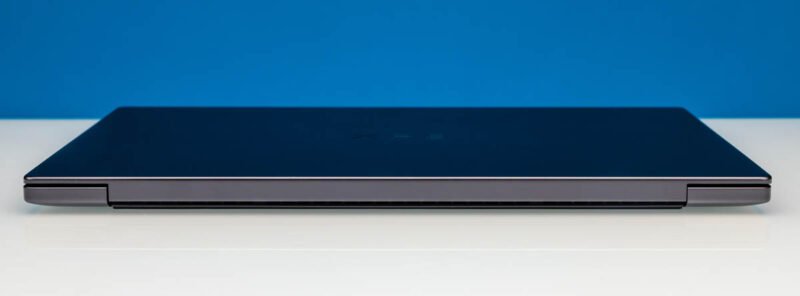 Rear view – flat, uniform thickness
The chassis is machined aluminum with a matte graphite finish. Thickness is constant at 15.2 mm, making the X14 one of the thinnest 14‑inch laptops in its class. The OLED variant is marginally thinner (by ~0.5 mm) due to a slimmer display stack.
5.1 Keyboard & Input
Physical half‑height function keys replace the unpopular capacitive row from 2025. The keys have 1.2 mm travel and a 65 g actuation force, delivering a tactile feel comparable to the 2022 XPS 13. The backlit keyboard supports per‑zone illumination via the Dell Power Manager utility.
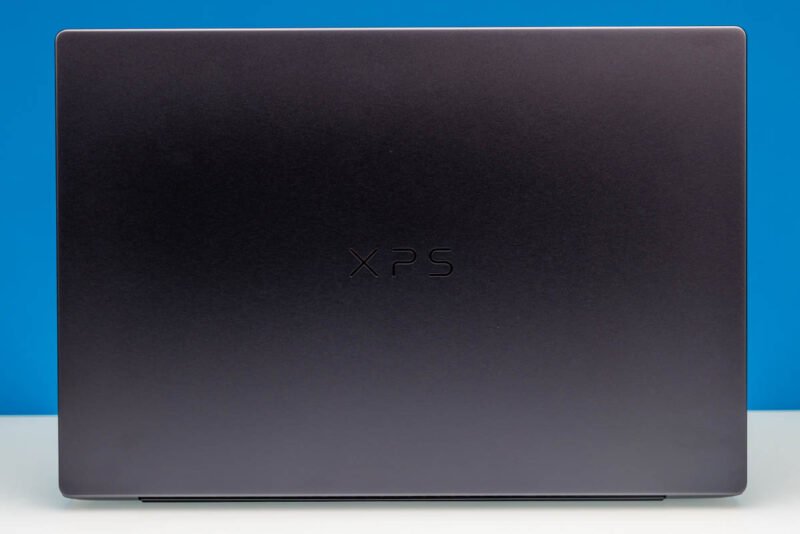 Lid – OLED panel with thin bezel
The multitouch OLED panel (optional) adds a second input modality for drawing or gesture navigation. The integrated 8 MP IR camera supports Windows Hello facial authentication with a 0.2 s unlock time.
5.2 Audio
Four speakers (two up‑firing tweeters, two down‑firing woofers) are Dolby Atmos certified. In-room measurements show a flat response from 120 Hz to 15 kHz, with a peak SPL of 92 dB at 1 m distance – adequate for conference calls and media consumption without external headphones.
6. Deployment Considerations
| Factor | Recommendation |
|---|---|
| OS Image | Deploy Windows 11 Enterprise with Dell Optimizer for power‑profile tuning. |
| Security | Enable TPM 2.0 (present) and BitLocker; use Intel vPro for remote management. |
| Battery Management | Use Dell Power Manager to set "Extended Battery" mode for field work; this caps charge at 80 % to prolong cycle life. |
| Thermal Policy | For sustained workloads (e.g., long compile runs), enable the "Performance" power plan which raises fan duty to 85 % and allows CPU boost up to 4.8 GHz. |
| Docking | Pair with Dell WD19TBS Thunderbolt dock for dual‑monitor setups; the dock supplies up to 130 W, ensuring the laptop remains plugged in while the fan stays at a low speed. |
7. Verdict
The 2026 Dell XPS 14 restores the brand’s reputation for premium ultraportable laptops. Intel’s Panther Lake Core Ultra X7‑358H provides a clear uplift in single‑core performance and battery efficiency, while the optional 2.8K OLED panel delivers a desktop‑grade visual experience in a 1.36 kg chassis. Thermal design keeps temperatures in check without aggressive fan noise, and the all‑USB‑C I/O suite aligns with modern docking solutions.
For developers, media creators, and mobile professionals who need a capable Windows workstation that can double as a light AI inference platform, the X14 is a compelling choice. It does not replace a workstation‑class laptop with a discrete GPU, but within the ultraportable segment it sets a high bar for performance‑per‑watt and build quality.
Further Reading & Resources
- Official Dell XPS 14 product page – https://www.dell.com/en-us/shop/dell-laptops/xps-14-2026/spd/xps-14-14-2-2026
- Intel Core Ultra “Panther Lake” architecture brief – https://www.intel.com/content/www/us/en/architecture-and-technology/core-ultra.html
- Dell Power Manager utility documentation – https://www.dell.com/support/kbdoc/en-us/000191123/dell-power-manager
- Benchmarks and detailed test methodology – https://github.com/ServeTheHome/benchmarks/tree/main/xps14-2026
Comments
Please log in or register to join the discussion