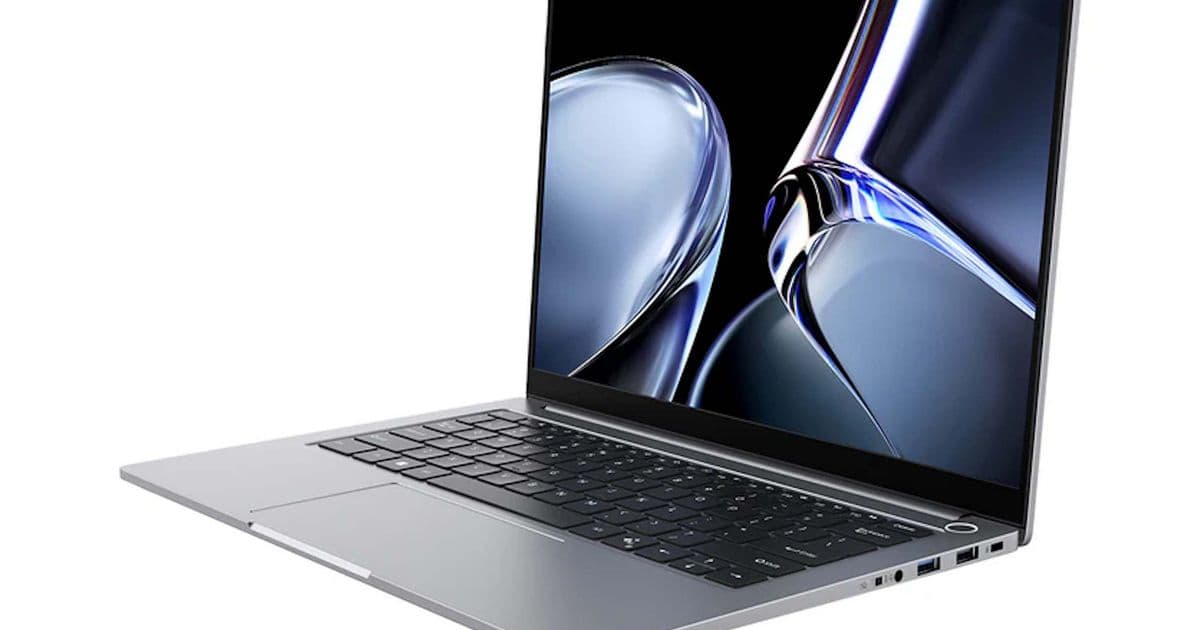
Chuwi’s new CoreBook Air 226V replaces the AMD processor of its predecessor with an Intel Core Ultra 5 226V, adds 16 GB of LPDDR5X RAM, a 512 GB PCIe SSD and Thunder‑bolt 4 ports, all for $859. The 14‑inch 90 Hz IPS panel, lightweight chassis and upgradeable storage make it a compelling low‑cost MacBook Air rival.
What’s new with the CoreBook Air 226V
Chuwi has just opened pre‑orders for the CoreBook Air 226V, the first model in the CoreBook Air line to ship with an Intel‑based SoC instead of the AMD Ryzen 7000U used in the original review unit. The laptop is built around the Intel Core Ultra 5 226V (a 12‑nm, 8‑core part that integrates Xe graphics and a built‑in AI accelerator). It comes paired with 16 GB of LPDDR5X RAM and a 512 GB PCIe 3.0 SSD that is user‑replaceable via a single M.2 2280 slot capable of four PCIe 4.0 lanes.
The chassis measures 312.9 × 22.5 × 16.8 mm and weighs roughly 1 kg, putting it in the same size‑and‑weight class as the 14‑inch MacBook Air. The display is a 14‑inch IPS panel with a 2,880 × 1,800 resolution and a 90 Hz refresh rate, offering a noticeable bump over the typical 60 Hz laptop screens in this price range.
Connectivity and ports
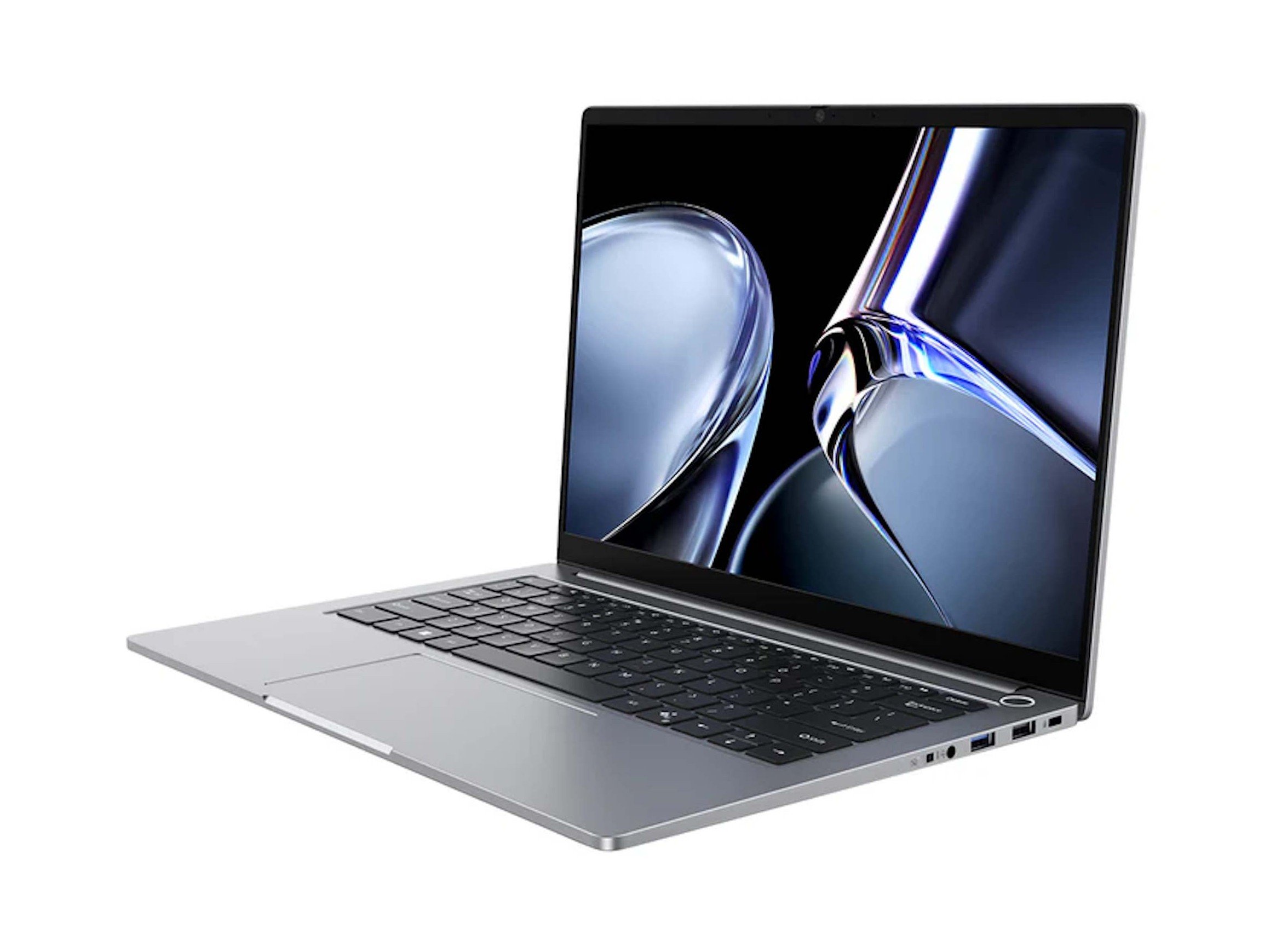
Chuwi equips the CoreBook Air 226V with a fairly generous port selection for a sub‑$900 notebook:
- Two Thunderbolt 4 (USB‑C) ports – support up to 40 Gbps data, 100 W Power Delivery, external displays (up to 8K), and, in theory, eGPU setups.
- One USB 3.2 Gen 2 Type‑C (non‑Thunderbolt) for additional high‑speed peripherals.
- One USB 3.2 Gen 1 Type‑A and one USB 2.0 Type‑A for legacy devices.
- HDMI 2.0 – 4K@60 Hz output.
- 3.5 mm audio jack and a 2‑megapixel webcam.
- Wi‑Fi 6E and Bluetooth 5.2 for modern wireless connectivity.
The inclusion of Thunderbolt 4 is a standout feature at this price point and directly challenges Apple’s MacBook Air, which also relies on Thunderbolt for external display and charging.
How it stacks up against the predecessor and the competition
| Feature | CoreBook Air 226V | CoreBook Air (AMD) | MacBook Air M2 (13.6") | Dell XPS 13 (9315) |
|---|---|---|---|---|
| CPU | Intel Core Ultra 5 226V (8‑core) | AMD Ryzen 7 7840U (8‑core) | Apple M2 (8‑core) | Intel Core i5‑1340P (12‑core) |
| GPU | Intel Xe‑LP (integrated) | AMD Radeon 680M | Apple 10‑core GPU | Intel Iris Xe |
| RAM | 16 GB LPDDR5X | 16 GB LPDDR5 | 8‑16 GB LPDDR5 | 8‑16 GB LPDDR5 |
| Storage | 512 GB PCIe 3.0 (upgradeable to PCIe 4.0) | 512 GB PCIe 3.0 (upgradeable) | 256‑512 GB SSD (non‑user) | 512 GB‑2 TB PCIe 4.0 (user) |
| Display | 14" IPS, 2880×1800, 90 Hz | 14" IPS, 2880×1800, 60 Hz | 13.6" Liquid Retina, 2560×1664, 60 Hz | 13.4" OLED, 3456×2160, 120 Hz |
| Ports | 2×TB4, 1×USB‑C 10 Gbps, 1×USB‑A 5 Gbps, 1×USB‑A 480 Mbps, HDMI 2.0, audio | Same | 2×TB4, 1×USB‑C 10 Gbps, 3.5 mm | 2×TB4, 1×USB‑C 10 Gbps, micro‑SD, audio |
| Weight | ~1 kg | ~1 kg | 1.24 kg | 1.2 kg |
| Price (USD) | $859 (pre‑order) | $799 (AMD) | $1,199 | $1,099 |
The Intel Core Ultra 5 226V sits a notch below the Ryzen 7 7840U in raw multi‑core performance but offers better single‑core speeds and a more power‑efficient architecture, which should translate into slightly longer battery life. Compared with Apple’s M2, the CoreBook Air provides more RAM and a user‑replaceable SSD, but the M2 still holds an edge in GPU‑accelerated workloads thanks to its unified memory architecture.
The 90 Hz panel is a clear upgrade over the AMD‑based CoreBook Air’s 60 Hz screen and rivals the Dell XPS 13’s 120 Hz OLED, though the XPS still leads in colour accuracy and contrast.
Who should consider the CoreBook Air 226V
- Students and professionals who need a light, portable notebook for office work, web browsing, and light content creation, but cannot stretch to the $1,200‑plus price of a MacBook Air.
- Developers who benefit from Thunderbolt 4’s ability to daisy‑chain external monitors or attach fast external storage without sacrificing USB‑C charging.
- Budget‑conscious power users who want the flexibility of upgrading the SSD to a PCIe 4.0 drive in the future.
- Linux enthusiasts – the Intel SoC has broader driver support in the Linux kernel compared with AMD’s recent APUs, making the CoreBook Air a more straightforward install target.
If you need a laptop that can run demanding Adobe Creative Cloud apps or moderate gaming, the integrated Xe‑LP graphics will handle those tasks at modest settings, but you should keep expectations realistic. For pure productivity, the CoreBook Air 226V offers a compelling mix of performance, port variety, and price.
Final thoughts
Chuwi’s decision to switch to an Intel SoC and add Thunderbolt 4 positions the CoreBook Air 226V as a genuine MacBook Air alternative in the sub‑$900 segment. The combination of a 90 Hz IPS display, 16 GB of fast RAM, and a user‑upgradeable SSD makes it a well‑rounded choice for anyone who values flexibility over brand prestige. Shipping starts on May 21, and at $859 it undercuts most ultrabooks with similar specs, so it will likely attract a fair amount of attention from students, remote workers, and hobbyists looking for a capable, lightweight laptop without the Apple premium.
Comments
Please log in or register to join the discussion