
A community-developed bash script provides a faster, more reliable method to verify whether Linux endpoints have been successfully offboarded from Microsoft Defender for Endpoint, addressing a critical gap in the platform's native reporting and streamlining security operations.
The Challenge: Ambiguous Offboarding Status in Defender for Endpoint
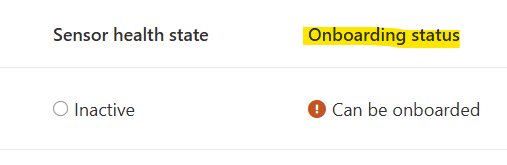
When managing multi-cloud security operations, one of the most frustrating gaps in Microsoft Defender for Endpoint (MDE) is the lack of clear, immediate feedback on offboarding status for Linux devices. Unlike Windows endpoints where offboarding state is more transparently reported, Linux devices present a unique challenge: the portal may display "Can be onboarded" status for up to seven days after an actual offboarding event, creating uncertainty for security teams.
This ambiguity stems from MDE's security design. The platform deliberately delays status updates to prevent devices that have been offline from being incorrectly marked as unprotected when they reconnect. While this protects against security gaps, it creates operational friction during deployments, migrations, or troubleshooting scenarios where administrators need immediate confirmation that offboarding was successful.
Understanding the Current Limitations
In the Defender portal, administrators can view onboarding status through the Assets → Device Inventory → All devices view, but offboarding status isn't directly exposed. The "Can be onboarded" indicator is ambiguous—it could mean either:
- The device was successfully offboarded
- The device is newly discovered by MDE's Device Discovery service
- The device has communication issues preventing telemetry transmission
This ambiguity becomes particularly problematic when offboarding is used as a troubleshooting step. For instance, if a Linux endpoint experiences sensor issues or performance problems with multiple AV solutions running in active mode, offboarding might be the prescribed fix. Administrators need to know immediately whether the process worked, rather than waiting a week for the portal to update.
The Solution: A Bash Script for Immediate Verification
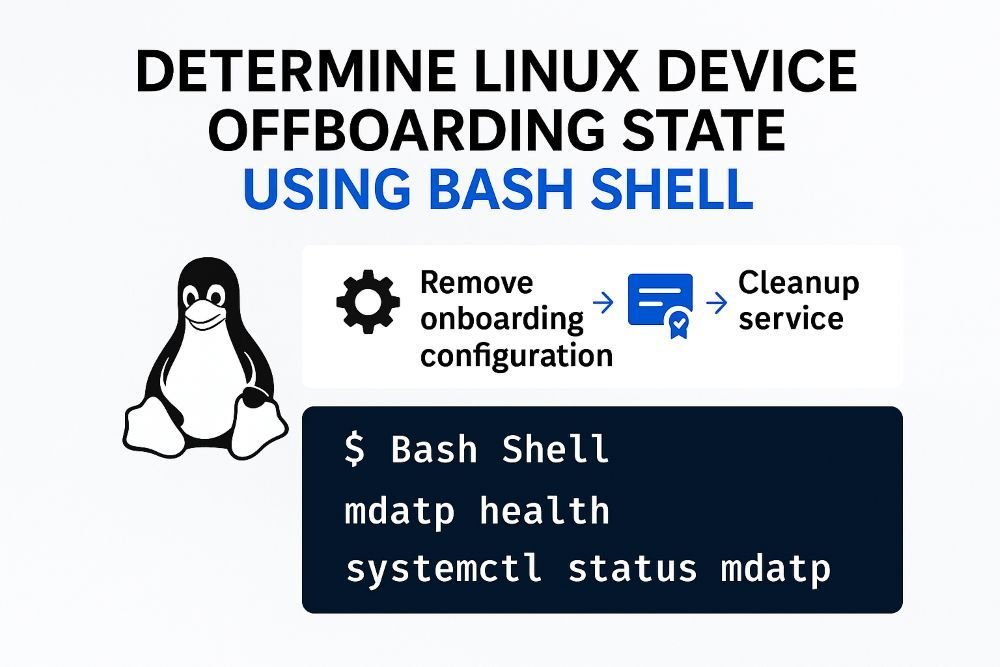
The community-developed solution is a bash script that performs comprehensive checks on Linux systems to determine MDE offboarding state with high confidence. Rather than relying solely on portal status, the script examines three critical indicators on the endpoint itself:
Core Verification Checks
Onboarding File Presence: The script checks for
/etc/opt/microsoft/mdatp/mdatp_onboard.json. If this file exists and contains valid organization ID data, the device was likely onboarded at some point.Service/Process Status: It verifies whether the Defender daemon (
wdavdaemon/mdatp) is actively running. A running service indicates the agent is operational.Package Installation: The script confirms whether the
mdatppackage is installed via the system's package manager (rpm or dpkg).
Advanced Health Assessment
Beyond basic checks, the script can query the Defender CLI (mdatp) when available to extract authoritative health information, including:
- Organization ID from the CLI
- EDR Machine ID
- Agent health status
- Application version
This multi-layered approach provides confidence scores that are far more reliable than waiting for portal status updates.
Technical Implementation Details
The script follows a logical progression through several detection phases:
Phase 1: Onboarding Artifact Analysis
The script first checks for the onboarding file and attempts to extract the organization ID. It uses jq when available for robust JSON parsing, falling back to portable grep/awk methods for compatibility across different Linux distributions.
Phase 2: Package Manager Queries
It detects the package manager (rpm or dpkg) and queries whether the mdatp package is installed. This is crucial for distinguishing between never-onboarded devices and successfully offboarded ones.
Phase 3: Service State Detection The script intelligently handles different init systems:
- For systemd-based systems, it queries
systemctlfor service status - For non-systemd environments, it falls back to process checks using
pgrep - It handles edge cases where the service unit might not be loaded but the process is still running
Phase 4: CLI Health Query
When the Defender CLI is available, the script executes mdatp health -j with a timeout to avoid hangs. It parses the JSON output to extract authoritative health data, using portable parsing methods that work without jq.
Phase 5: Decision Logic The script synthesizes all findings to determine overall status:
- ONBOARDED if: the agent reports healthy, OR the service is active, OR both package and onboarding file are present
- OFFBOARDED if none of these conditions are met
Practical Deployment Scenarios
Scenario 1: Migration Validation
During a multi-cloud migration where Linux workloads are moving from on-premises to Azure, administrators can run this script to verify that devices have been properly offboarded from the old MDE instance before onboarding to the new one.
Scenario 2: Troubleshooting Performance Issues
When Linux endpoints experience performance degradation due to multiple AV solutions running in active mode, offboarding is often recommended. This script provides immediate confirmation that the offboarding completed successfully, allowing the secondary AV to take over without conflict.
Scenario 3: Automated Compliance Checking
The script can be integrated into configuration management tools like Ansible, Chef, or Puppet to automatically verify MDE state across large Linux fleets. This is particularly valuable in hybrid cloud environments where consistent security posture is critical.
Integration with Microsoft's Live Response Console
One of the most powerful features of this approach is its compatibility with MDE's Live Response console. For devices that are already onboarded, administrators can execute the script remotely without logging into the device directly. This provides immediate visibility into the offboarding state of endpoints that may be experiencing communication issues.
The script's ASCII-only output is specifically designed for compatibility with Live Response's console interface, making it practical for real-time troubleshooting scenarios.
Limitations and Considerations
Security vs. Speed Trade-off
Microsoft's seven-day delay for status updates serves a security purpose: it prevents devices that have been offline from being incorrectly marked as unprotected when they reconnect. While this script provides faster feedback, administrators should understand that immediate offboarding confirmation doesn't necessarily mean the device is completely isolated from MDE—there may be residual telemetry or cached data.
Dependency Requirements
The script requires:
- Bash 4.0 or later
- Standard Linux utilities (grep, awk, sed)
- Optional:
jqfor enhanced JSON parsing - Appropriate permissions to read system files and query services
Platform Compatibility
While tested on major distributions (RHEL, CentOS, Ubuntu, Debian), the script may require adjustments for:
- Non-standard installation paths
- Custom service names
- Alternative package managers (dnf, yum, zypper)
Best Practices for Implementation
1. Testing in Staging Environments
Before deploying across production fleets, test the script in a representative staging environment. Different Linux distributions and versions may have variations in service management or file paths.
2. Integration with Existing Workflows
Incorporate the script into your existing security operations workflows:
- Add it to your incident response playbooks
- Integrate with SIEM systems for automated status reporting
- Include it in your device provisioning checklists
3. Regular Validation
Even after successful offboarding, periodically run the script to verify that devices remain in the expected state. This is especially important after system updates or configuration changes.
4. Documentation and Knowledge Sharing
Document the script's usage within your organization's knowledge base. Include examples of output for both onboarded and offboarded states, and document any organization-specific modifications.
Broader Implications for Cloud Security Operations
This community-developed solution highlights a broader pattern in cloud security management: the gap between platform capabilities and operational needs. While Microsoft Defender for Endpoint provides comprehensive security coverage, the operational tooling sometimes lags behind real-world requirements.
This gap is particularly evident in multi-cloud environments where:
- Different cloud providers have varying management interfaces
- Security teams need consistent tooling across platforms
- Automation is essential for scale
The bash script approach represents a pragmatic solution that bridges this gap. It doesn't replace MDE's native capabilities but augments them with operational tooling that security teams need.
Future Directions
As cloud-native security continues to evolve, we can expect Microsoft to enhance MDE's Linux management capabilities. However, community-developed tools like this script will likely remain valuable for:
- Edge cases not covered by official tooling
- Custom automation workflows
- Cross-platform consistency in hybrid environments
Conclusion
The challenge of determining offboarding state for Linux devices in Microsoft Defender for Endpoint represents a classic operational gap in enterprise security platforms. While the platform's security design prioritizes accuracy over immediacy, operational needs often require faster feedback.
This bash script provides a practical, reliable solution that:
- Delivers immediate confidence in offboarding status
- Works across different Linux distributions and init systems
- Integrates with existing management tools and workflows
- Complements rather than replaces MDE's native capabilities
For security teams managing Linux fleets in hybrid cloud environments, this tool represents a valuable addition to the operational toolkit, enabling faster decision-making and more efficient security operations.
Additional Resources
For further troubleshooting with Linux devices, refer to Microsoft's official documentation:
- Microsoft Defender for Endpoint on Linux resources
- Defender for Endpoint Linux deployment guide
- Troubleshooting guide for Linux
The script is available through the Microsoft Community Hub and can be adapted to specific organizational needs while maintaining the core verification logic that provides immediate, reliable offboarding status confirmation.
Comments
Please log in or register to join the discussion