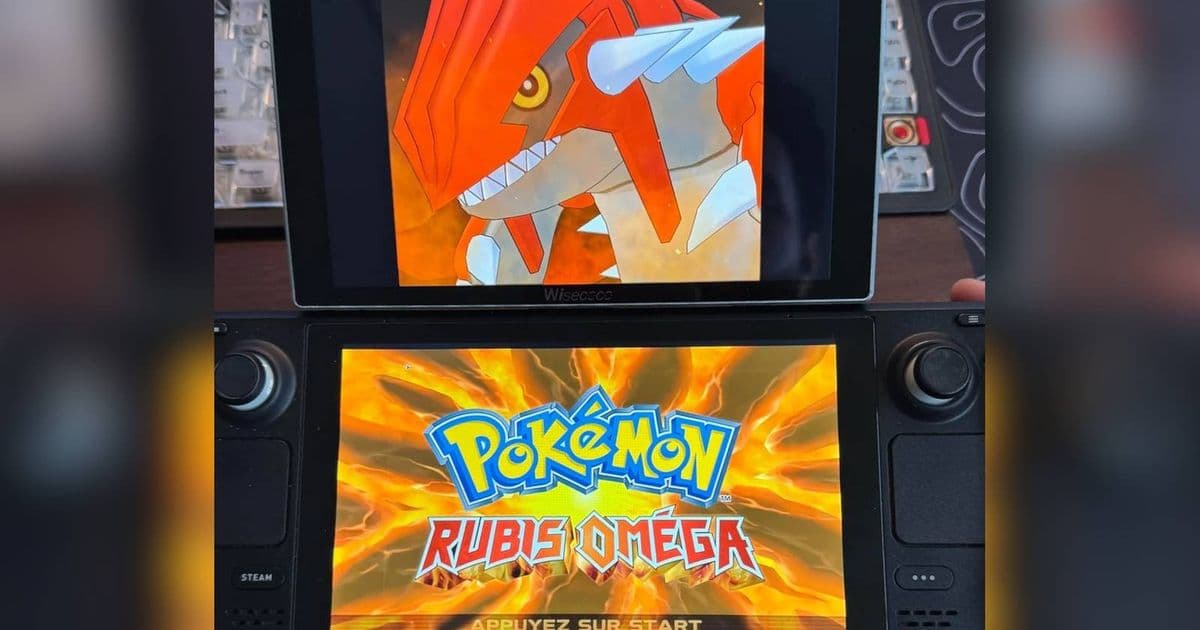
A clever Steam Deck mod solves Nintendo DS emulation challenges with a reversible dual-screen setup using magnetic mounts.
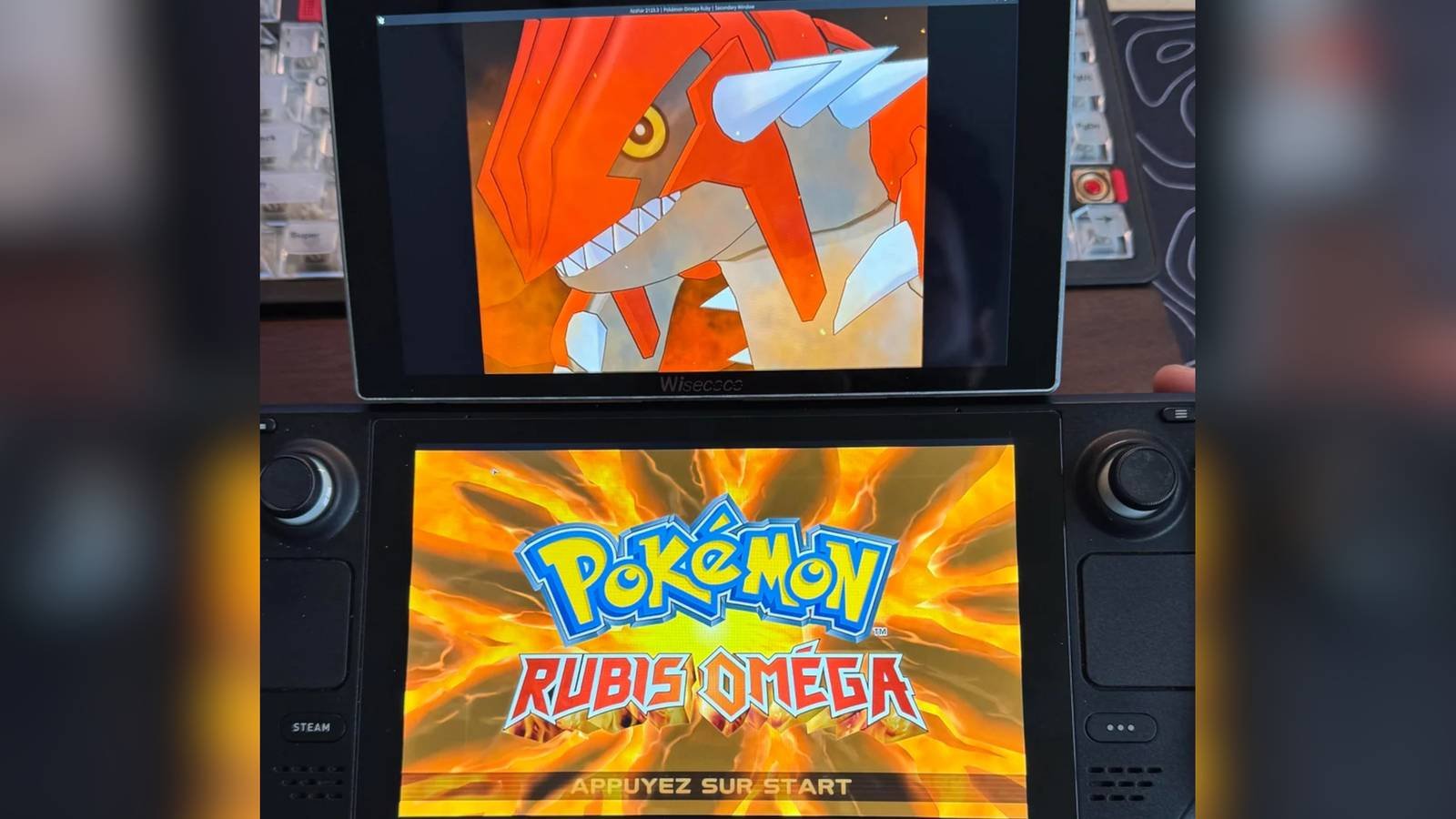
Emulating Nintendo DS and 3DS games presents unique challenges that stump even powerful handhelds like the Steam Deck. The original hardware's dual screens, touch input, microphone, and clamshell mechanics create layers of complexity for emulation. While software solutions exist, they often compromise the authentic dual-screen experience by squeezing both displays onto a single panel or requiring awkward screen-switching.
Enter an ingenious hardware solution from Reddit user rediiboy. Their "Steam Deck DS" modification adds a secondary display through a completely reversible hardware approach that preserves the Steam Deck's integrity. The setup combines:
- A 7-inch portable touchscreen monitor matching the Deck's display size
- A magnetic phone holder designed for laptops
- Strategic positioning that maintains portability
When engaged, the secondary screen mounts magnetically above the Steam Deck's built-in display, recreating the DS/3DS form factor. Crucially, the touch functionality works simultaneously on both screens through SteamOS configuration. When not needed, the holder folds neatly behind the Deck, maintaining its pocketability without permanent modifications.
This approach solves several key emulation hurdles:
- Authentic Screen Placement: Games display natively across two distinct physical screens
- Touch Integration: Both screens retain touch capabilities
- Reversible Design: No internal modifications or adhesive required
- Cost Efficiency: Uses readily available accessories instead of custom fabrication
The solution demonstrates how creative hardware integration can overcome software limitations. Emulators like Citra and DeSmuME already support multi-display output, but most handhelds lack the physical configuration to utilize it effectively. This mod bridges that gap while avoiding the pitfalls of earlier DIY approaches like Raspberry Pi-based solutions that required complete custom enclosures.
For enthusiasts wanting to replicate this setup:
- Configure your emulator for multi-display output before attaching hardware
- Ensure your secondary monitor supports USB-C power delivery
- Test magnet placement to avoid interference with the Deck's internals
- Use Velcro alternatives if traveling through strong magnetic fields
This project highlights how modular accessories expand the Steam Deck's versatility beyond its original design. While Nintendo's dual-screen legacy posed unique challenges, the open nature of PC gaming handhelds enables innovative solutions that preserve gaming history.
Coverage source: TheGamer via Reddit
Comments
Please log in or register to join the discussion