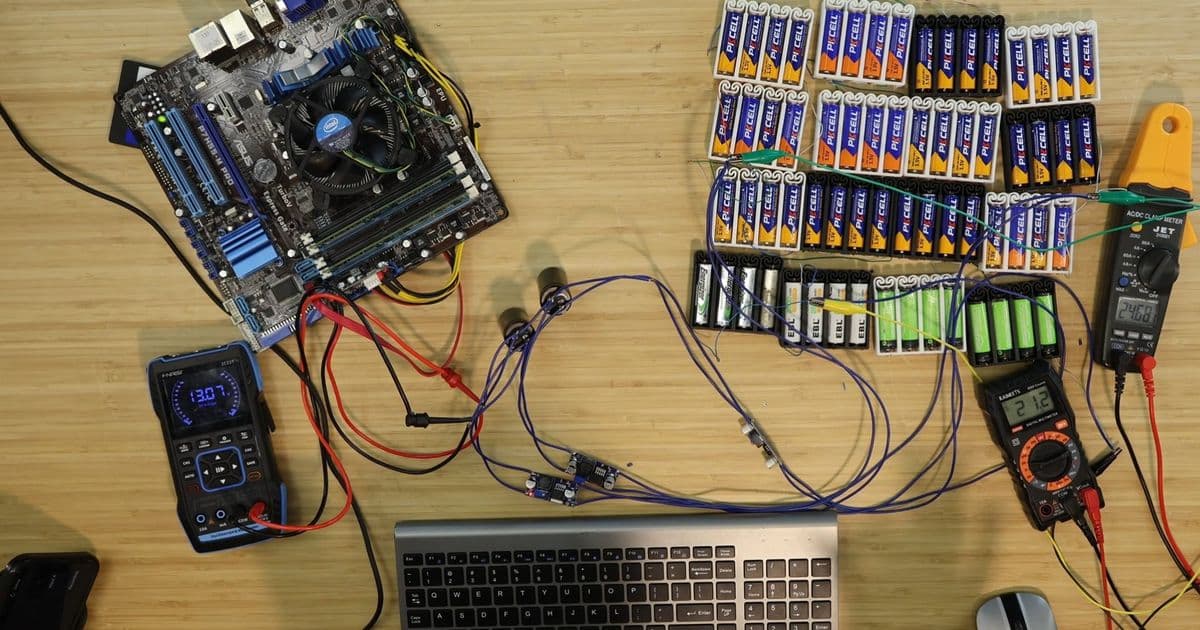
DIY builder overcomes thin-wire resistance and voltage stability issues to run desktop PC for over 30 minutes on 64 AA batteries, demonstrating creative but impractical battery power solution.
Creator and enthusiast ScuffedBits has successfully run a desktop PC for over 30 minutes using only 64 AA batteries, sextupling the runtime from his previous five-minute attempt. The project demonstrates creative engineering solutions to overcome the inherent limitations of using consumer batteries to power a desktop computer.
Overcoming Initial Limitations
The biggest issue in the first build was the high resistance of the tiny wires used to connect the batteries to the motherboard. Instead of replacing them with thicker gauge wiring, ScuffedBits modified the wiring of the battery packs to achieve approximately 25 volts. This higher voltage means the PC requires lower current, preventing instability caused by the thin wiring.
However, 25 volts isn't safe for the motherboard, which typically operates at 12 volts. To solve this, three voltage regulators were wired in parallel to provide a consistent 12 volts until the batteries died. This parallel configuration helps distribute the load and prevents any single regulator from overheating.
Engineering Improvements
Additional refinements included eliminating alligator clips and soldering wires directly to the capacitors from the original project. These direct connections reduce resistance and improve reliability compared to the clip-based connections used previously.
With everything in place, the system booted straight up using just the AA cells this time, unlike the previous attempt which needed an external power source to "jumpstart" the computer.
System Specifications and Performance
The PC being powered features an Intel Core i3-530 processor paired with 8GB of RAM and a WD SATA SSD. Despite being an older system, the Core i3-530 still draws approximately 73 watts according to TechPowerUp specifications.
Once booted, the creator played one round of A Short Hike, completing it about three and a half minutes after turning on the computer. More impressively, they ran Cinebench on the system, pushing the CPU to its limits. The benchmark completed almost eight minutes after booting, with no signs of slowing down.
After the benchmark, ScuffedBits installed Minecraft and played several rounds of Party Games. The system finally died after 33 minutes and 19 seconds while attempting to install Portal 2.
Technical Analysis
The use of 64 AA batteries represents a significant engineering challenge. Standard AA alkaline batteries have a nominal voltage of 1.5 volts, so 64 cells in series would provide approximately 96 volts. However, the creator mentions achieving 25 volts, suggesting a more complex parallel-series configuration to match the voltage regulator requirements.
The three parallel voltage regulators serve multiple purposes: they provide redundancy, distribute heat generation, and increase current capacity. This configuration is crucial because desktop PCs can draw substantial current, especially during CPU-intensive tasks like Cinebench.
Practical Limitations
While impressive from an engineering standpoint, this solution isn't practical for real-world use. The creator noted that purchasing 64 AA batteries multiple times a day would be prohibitively expensive and environmentally wasteful. As an alternative comparison, they tested a 12-volt car battery on the same system, which could run the desktop computer for three to four hours without problems.
Future Implications
This project demonstrates the creative potential of DIY electronics enthusiasts to push the boundaries of what's possible with common components. While not groundbreaking technology, it provides valuable insights into power delivery systems, voltage regulation, and the practical limitations of consumer batteries.
The experiment also highlights the continuing relevance of understanding basic electrical principles like voltage, current, resistance, and power delivery in modern computing applications.
For those interested in similar projects, the creator's YouTube channel ScuffedBits features more DIY electronics experiments and creative computer modifications.
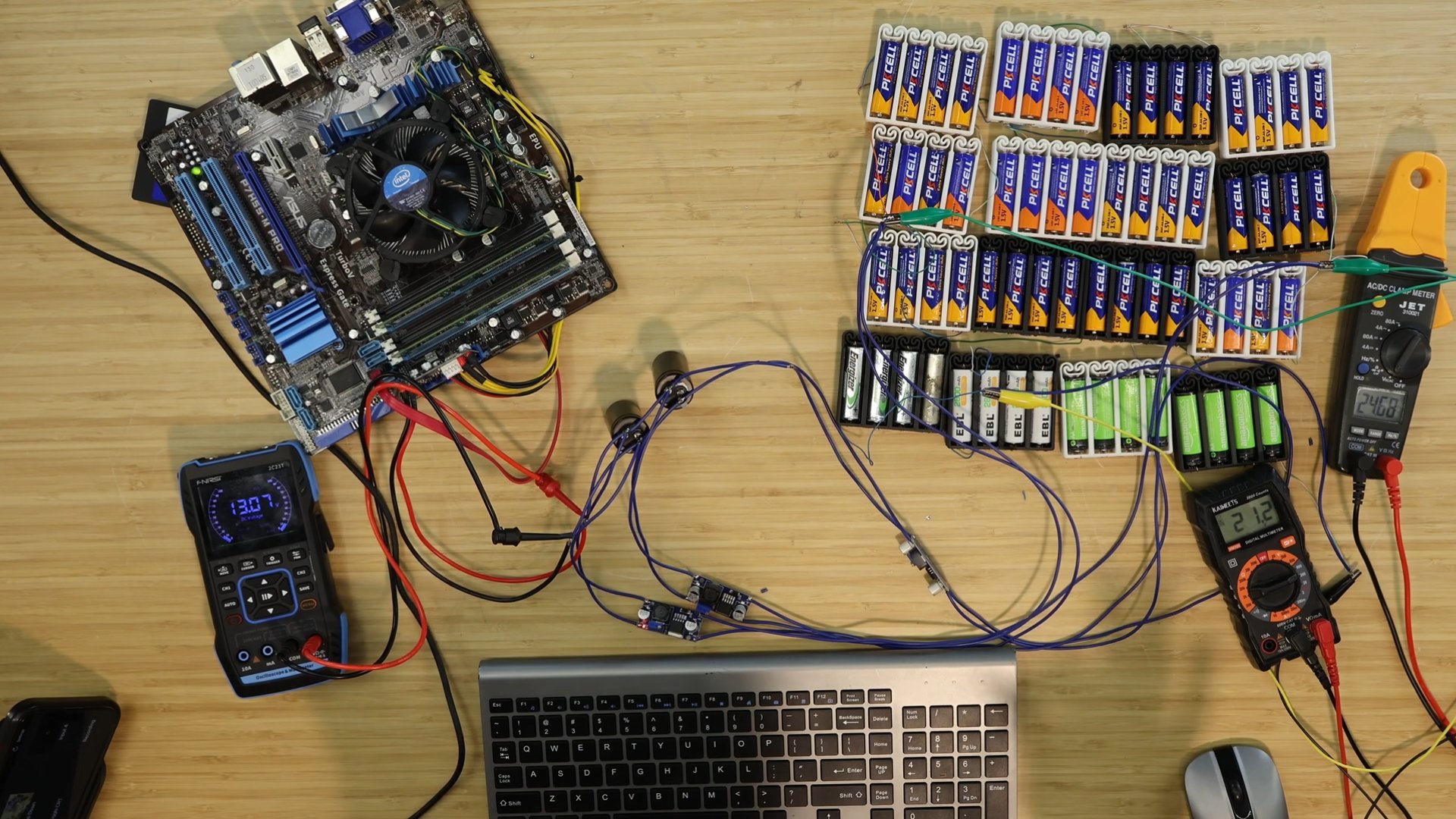
Image credit: ScuffedBits/YouTube
Comments
Please log in or register to join the discussion