A third installment in the series reveals that Emacs ships with far more useful features than most users realize, from dictionary tooltips to keyboard macro forensics, exposing a persistent discoverability gap in one of computing's oldest extensible editors.
Emacs has always carried a peculiar burden: it ships with an extraordinary amount of built-in functionality that almost nobody knows about. The problem isn't that Emacs lacks features. It's that finding them requires either decades of accidental discovery or the kind of obsessive documentation spelunking that most users simply don't have time for. This third collection of overlooked built-in features makes that gap painfully visible, and also reveals why it persists.
The core tension is straightforward. Emacs developers have spent decades building tools into the editor's Lisp foundation, often solving problems that users don't even realize they have. A dictionary that appears on hover. Wildcard support in file-finding commands. The ability to create keyboard macros retroactively from your keystroke history. These aren't obscure Easter eggs. They solve real problems. But they remain invisible to most users because the path from problem to solution runs through function documentation rather than through the kind of discoverable interfaces that modern software takes for granted.
The Discoverability Problem
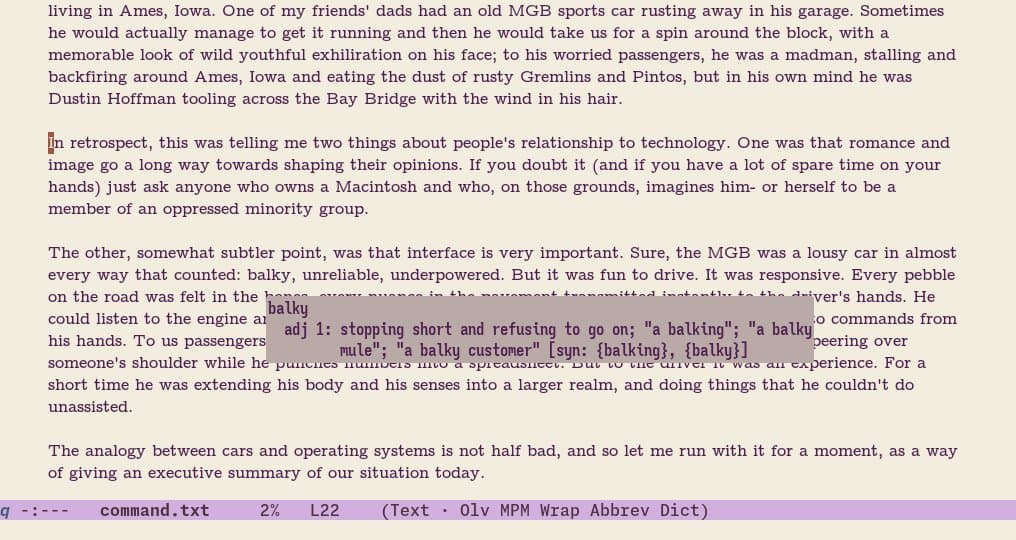
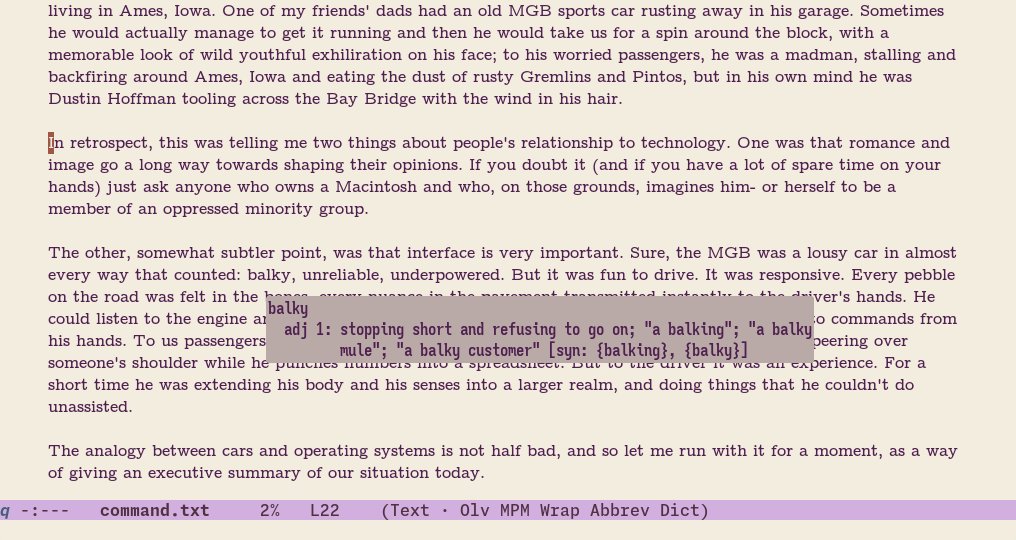
The discoverability crisis in Emacs isn't new, but this collection sharpens the diagnosis. Consider the dictionary tooltip feature. Emacs includes a mode that displays word definitions when you hover over text, complete with support for contemporary slang through Wiktionary. The feature works out of the box with tooltip-mode enabled, and it respects local dictionary files when available. Yet most Emacs users have never encountered it, not because the feature is hidden, but because there's no obvious way to stumble onto it.
The same pattern repeats across the features documented here. find-file and dired both support wildcard patterns for opening multiple files at once, a capability that's immediately useful for anyone working with batch file operations. But realizing this requires reading the full docstring, which most people skip in favor of the basic usage pattern they learned first. The gap between what Emacs can do and what users think it can do is bridged only by documentation depth, and nobody has time for that.
This reveals something important about Emacs as a design philosophy. The editor trusts its users to read documentation thoroughly, rewards deep engagement with its internals, and punishes shallow interaction. This is simultaneously Emacs' greatest strength and its most persistent accessibility problem. Users who invest the time find an editor that anticipates their needs decades before they articulate them. Users who don't invest the time find an editor that feels perpetually inadequate compared to tools with more discoverable interfaces.
Comparison and Diffing
A significant cluster of these features addresses a surprisingly underserved problem in text editing: comparing things. Emacs includes compare-windows, a lightweight command that compares text between two windows starting from their respective cursor positions and stops at the first mismatch. Unlike Ediff, it requires no setup, no region selection, no recursive-edit calls. It just compares what you're looking at and tells you where they diverge.
The elegance of compare-windows lies in its context-agnosticism. It doesn't care about buffer types, modification states, version control status, or file provenance. You can compare a chunk of text in one window against a different chunk elsewhere in the same buffer. You can compare directory listings including file attributes. You can compare anything that appears in two windows, which is a surprisingly liberating constraint.
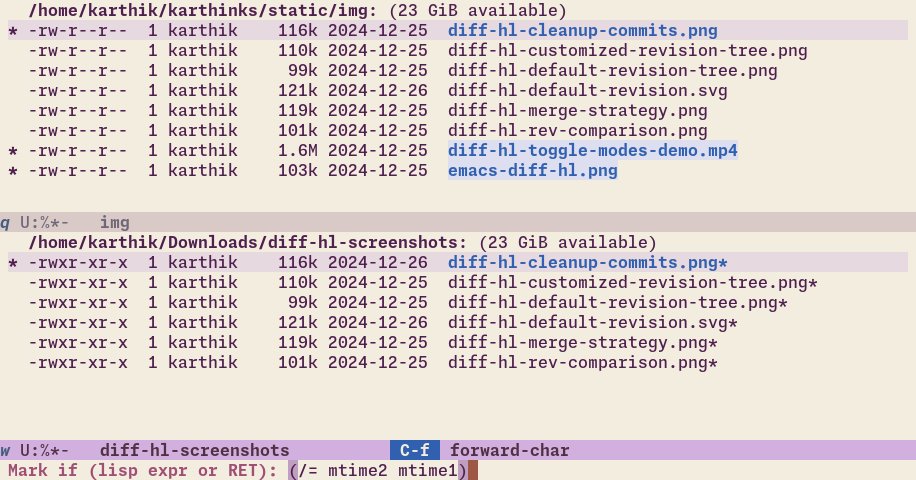
Dired provides a more structured alternative through dired-compare-directories, which marks files that differ between two directory listings. The command accepts custom matching predicates, so you can compare by modification time, file size, or any combination of file attributes. This transforms Dired from a file manager into a diffing tool that works at the filesystem level rather than the content level.
The backup file handling described here represents perhaps the most interesting philosophical approach to versioning. Rather than treating backups as a separate concern from version control, the article suggests overloading Emacs' built-in VC commands to work with backups as well. vc-diff, vc-ediff, and vc-revision-other-window can be extended to compare against the latest numbered backup when a file isn't version controlled, or against the unsaved buffer when changes haven't been saved yet. This creates a single consistent mental model for comparing versions, regardless of whether those versions come from git, from Emacs' backup system, or from the current buffer state.
The Macro Problem
Keyboard macros in Emacs have always suffered from what we might call the foresight problem. You need to know before recording that a sequence of actions will need to be repeated. This requirement fundamentally conflicts with the reality of editing, where you often discover mid-workflow that something you just did manually needs to be done two hundred more times.
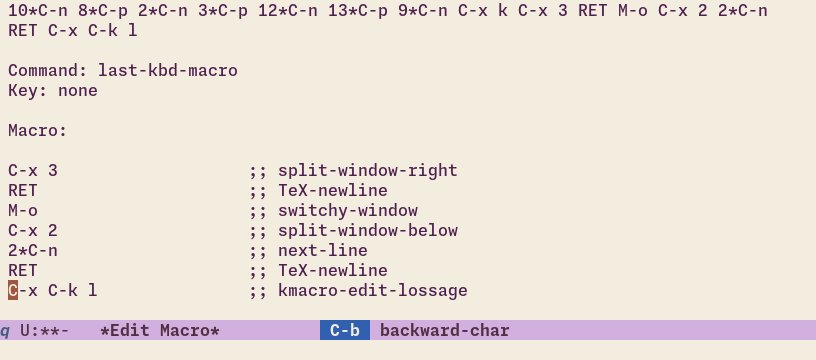
kmacro-edit-lossage addresses this by letting you construct macros retroactively from your keystroke history. Emacs maintains a record of the last 300 or so key presses, accessible through view-lossage, and kmacro-edit-lossage extends this into a full macro editor where you can select, reorder, and modify keystrokes from your recent history. The editing process often requires inserting kbd-macro-query calls to make the resulting macro generalizable, but the fundamental insight is sound: your past actions are a resource, not just a record.
This connects to a broader pattern in Emacs' design philosophy. Rather than providing a single way to accomplish a task, Emacs often provides multiple overlapping approaches that serve different use cases and mental models. The multiple-cursors package offers one interface to macro-like repetition. dot-mode emulates Vim's always-recording approach. kmacro-edit-lossage provides forensic macro construction. Each serves a different point on the spectrum between planning and improvisation.
Navigation and Word Boundaries
The subword-mode and superword-mode distinction reveals how deeply Emacs' notion of "word" affects editing behavior. subword-mode treats each component of CamelCase symbols as a separate word, so forward-word on GtkWindow moves to the boundary between Gtk and Window. superword-mode goes the opposite direction, treating underscores in snake_case as word constituents so this_is_a_symbol counts as a single word.
These modes matter because Emacs' navigation and editing commands are built on word boundaries. Moving by words, killing words, transforming words, all depend on where those boundaries fall. Different programming languages and different naming conventions put those boundaries in different places, and the mode you're in determines whether your editing commands feel intuitive or arbitrary.
The syntax table modifications described here extend this principle. Making colons word constituents in Lisp modes so that backward-kill-word traverses keywords naturally. Treating equals signs and tildes as word constituents in Org mode so that markup delimiters don't interrupt word-level navigation. These are small changes that accumulate into a significantly different editing experience.
Display and Visibility
Emacs provides several commands for controlling what text appears on screen, and the relationships between them are less obvious than they should be. visible-mode disables text invisibility across an entire buffer, revealing folded content in Org files, magit sections, and outline modes. highlight-changes-mode provides live visualization of buffer modifications. ruler-mode offers WYSIWYG margin control for the handful of users who still print from Emacs.
The scroll-all-mode feature deserves particular attention because it solves a problem that most text editors simply don't address. When you have multiple windows showing different parts of the same buffer, or different buffers that need to stay synchronized, scroll-all-mode scrolls every visible window simultaneously. This is immediately useful for comparing file versions, following code and documentation simultaneously, or working with split views that need to stay aligned.
The scroll-other-window configuration options reveal another layer of complexity. When you have more than two windows on screen, Emacs needs a strategy for deciding which window to scroll when you invoke scroll-other-window. The get-lru-window strategy scrolls the least-recently-used window, which works well when that window contains reference material. The get-mru-window strategy scrolls the most-recently-used window, which works better when both windows contain actively edited content.
The Broader Pattern
What emerges from this collection is a portrait of an editor that has solved many problems twice, three times, or more, with each solution serving a slightly different use case or mental model. The apropos family of commands provides increasingly specialized search interfaces. The VC commands can be extended to work with backup files. The highlight-changes system provides both visualization and navigation capabilities that can be used independently.
This redundancy isn't accidental. It reflects Emacs' fundamental design principle: provide primitives that can be combined, rather than providing complete solutions that can only be used as-is. The dictionary tooltip mode exists because Emacs provides both tooltip display primitives and dictionary lookup functions. The macro forensic tool exists because Emacs records keystroke history and provides macro editing facilities. Each feature is a combination of existing capabilities, assembled into a new configuration.
The counter-argument to this approach is obvious. Twenty features that most users don't know about is twenty features that could have been discoverable through better documentation, better UI design, or better defaults. The Emacs approach of building powerful primitives and trusting users to discover them through documentation creates a two-tier experience: deeply rewarding for those who invest the time, perpetually surprising and sometimes frustrating for everyone else.
But there's a deeper point here about the nature of extensible software. Emacs doesn't just provide features. It provides a framework for creating features. Every command described here is implemented in Elisp, and every one can be modified, extended, or replaced. The dictionary tooltip mode isn't a fixed feature; it's a starting point. The macro editing interface isn't a complete solution; it's a primitive that can be built upon.
This is the real answer to the discoverability problem, though it's not a satisfying one. Emacs' features are discoverable through the code itself, through the documentation strings embedded in functions, through the help system that can take you from any keybinding to its source in a single step. The discoverability infrastructure exists. It just requires a different kind of engagement than modern software typically demands.
The twenty features collected here survived contact with actual use in 2026, which means they solved real problems in ways that justified the discovery effort. That's the filter that matters. Not whether a feature is easy to find, but whether it's worth finding once you do. Emacs' built-in library isn't large by modern standards, but as this collection demonstrates, the barrel never runs dry.
Comments
Please log in or register to join the discussion