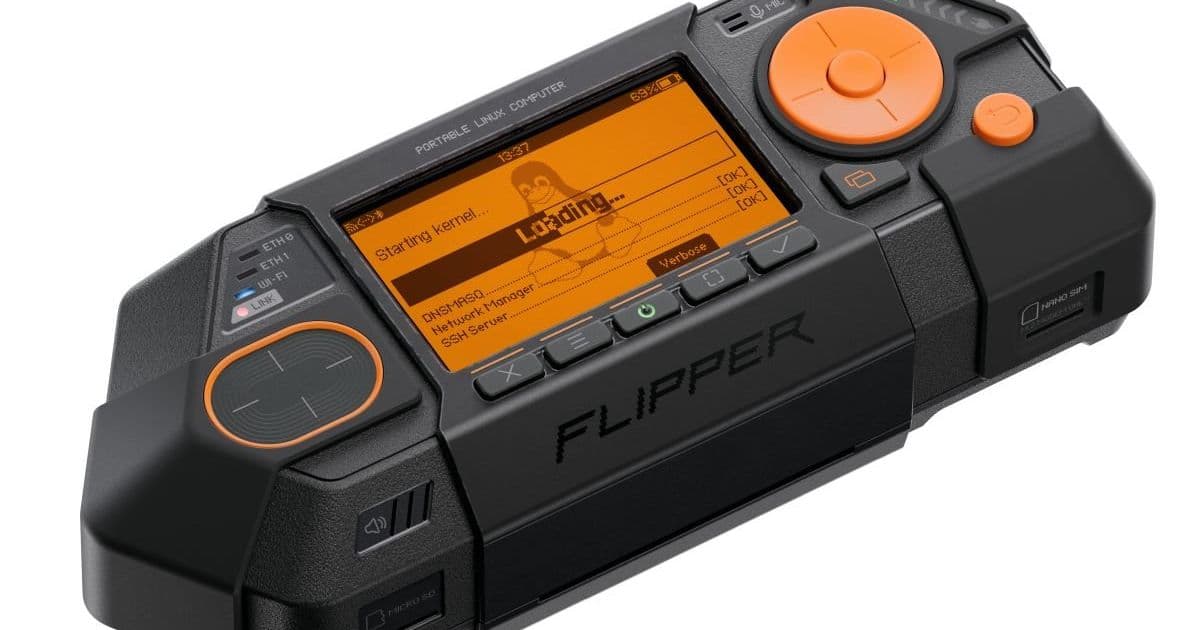
Six years after the Flipper Zero, the team behind the hackable gadget unveiled Flipper One – a handheld Linux PC with Rockchip RK2576, 8 GB RAM, PCIe, SATA and USB 3.0. The device ships with a Debian‑based Flipper OS, a button‑driven UI, and a developer portal that invites the community to flesh out power‑management, video output and NPU support before the first crowdfunding round.
Flipper One – From Microcontroller Toy to Handheld Linux PC
Platform update
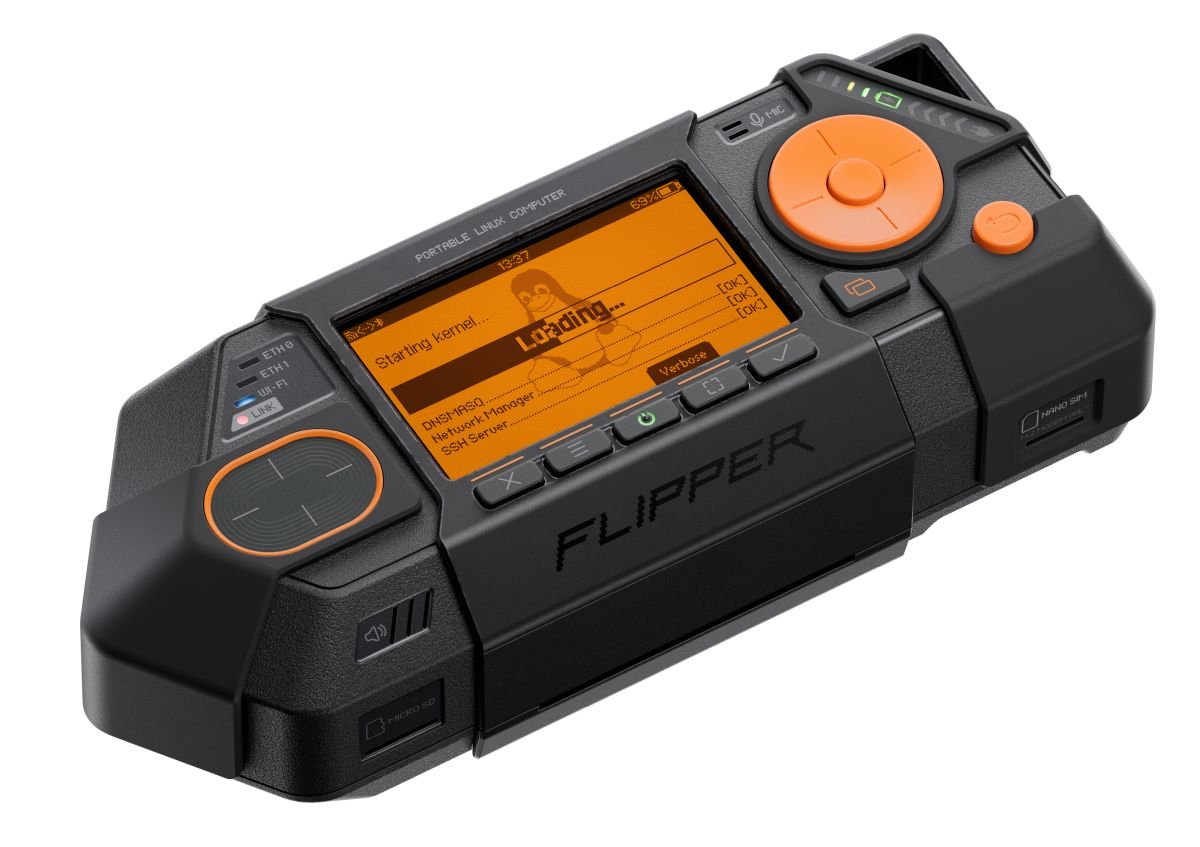
The Flipper team announced Flipper One, a new generation of their pocket‑sized hacking platform. While the original Flipper Zero kept a Cortex‑M4 MCU and a handful of sub‑1 GHz radios, the One upgrades to a Rockchip RK2576 SoC (four Cortex‑A72 performance cores, four Cortex‑A53 efficiency cores, Mali‑G52 MC3 GPU and an NPU capable of 6 TOPS INT8). It ships with 8 GB LPDDR5, 64 GB UFS 2.2 storage and a microSD slot.
Key hardware interfaces that set the One apart:
- 2 × Gigabit Ethernet (RTL8211F‑CG)
- M.2 B‑Key (PCIe 2.1 ×1) for cellular modems, SDRs or SATA drives
- USB 3.1 Type‑C (video + charge), a second Type‑C for data‑only, and a USB‑A 3.1 port
- HDMI 2.1 (4K @ 120 Hz, CEC supported)
- GPIO header (20‑pin) and 14‑pin debug port
- Nano‑SIM slot, 3.5 mm audio jack, and a small 256 × 144 px monochrome display with five physical buttons, a D‑pad, a touchpad and a push‑to‑talk key.
The device measures 155 × 67 × 40 mm, a modest increase over the Zero but still comfortably pocket‑sized. It also includes a secondary RP2350 microcontroller (dual Cortex‑M33 + RISC‑V cores) that handles low‑power tasks and the Wi‑Fi 6 / Bluetooth 5.2 radio (MediaTek MT7921AUN).
Software stack
Flipper One runs Flipper OS, a custom distribution built on top of Debian 12. The OS ships with FlipCTL, a menu‑driven UI designed for tiny screens and button navigation. FlipCTL can manage profiles, which are full system snapshots (kernel, packages, configuration) that can be switched or cloned on the fly.
On the upstream side, Flipper has partnered with Collabora to push mainline Linux support for the RK2576. The kernel now boots the SoC, but a few low‑level components—most notably the DDR trainer—still rely on a proprietary blob. The team is actively working on power‑management, hardware‑accelerated video decoding and exposing the NPU to user space.
For developers who prefer a vanilla distro, the mainline kernel can be installed via the standard Debian package manager, and the device will boot a regular Debian rootfs once the missing blobs are replaced or shimmed.
Developer impact
The early release of a developer portal (https://developer.flipper.one) signals that the company wants community contributions before the hardware hits mass production. Here’s what that means for mobile‑app and embedded developers:
- Access to full Linux toolchain – You can cross‑compile with the standard GCC/Clang toolchains for
arm64andarmhf. The presence of 8 GB RAM eliminates the need for aggressive memory‑footprint tricks that were required on the Zero. - PCIe and SATA expansion – Adding a 4G/5G modem, an SDR front‑end, or even a small NVMe drive becomes a matter of plugging into the M.2 slot and loading the appropriate driver. This opens the door for network‑monitoring, edge‑AI inference, or portable VPN gateways.
- AI on the edge – The integrated NPU can be accessed via the open‑source nncase runtime (currently under integration). Developers can test TensorFlow‑Lite or ONNX models directly on the device, useful for quick prototyping of image classification or audio keyword spotting.
- Portability of existing Linux apps – Because Flipper OS is Debian‑based, you can
apt installmany server‑side tools (nginx, Mosquitto, OpenVPN) and run them headless. The device’s Ethernet ports make it a viable candidate for a portable router or firewall appliance. - Button‑driven UI – While you can attach a USB keyboard and mouse, most interactions will still be through the hardware buttons. The FlipCTL framework provides a simple API (
flipctl menu add …) for adding custom entries, which is ideal for creating single‑purpose tools without a full GUI.
Getting started
- Clone the SDK – Flipper provides a GitHub repository with board support packages: https://github.com/flipperdevices/flipper-one-sdk
- Set up the toolchain – Follow the
README.mdto install theaarch64-linux-gnucross‑compiler and therp2350-none-eabitoolchain for the secondary MCU. - Flash the device – Use the provided
flipper-flashutility over the USB‑C data‑only port. The utility supports both the main OS image and custom rootfs images. - Create a profile – Run
flipctl profile create dev‑edgeand install any extra packages withapt. Snapshots are stored in/var/flipper/profilesand can be switched withflipctl profile switch dev‑edge.
Migration path for existing Flipper Zero users
If you already own a Flipper Zero, the transition to One does not require abandoning your existing scripts:
- Export your Sub‑1 GHz and RFID payloads via the Zero’s UI or the
flipper-clitool. The exported JSON can be imported into Flipper OS usingflipctl payload import. - Port Lua scripts – The One still runs the same Lua runtime used on the Zero, so most automation scripts will work unchanged. Test them on the Zero first, then copy them to
/usr/share/flipper/scriptson the One. - Re‑target hardware‑specific code – Anything that accessed the Zero’s specific radio chips (e.g., CC1101) will need to be rewritten for the new Wi‑Fi/BLE module or for an external SDR plugged into the M.2 slot.
- Leverage the RP2350 – The secondary MCU can run the same firmware you used on the Zero for low‑power tasks, while the main SoC handles heavy lifting. The SDK includes a compatibility layer that lets you compile the old firmware unchanged.
Timeline
Flipper plans to open a crowdfunding campaign later this year. By releasing the developer portal now, they hope to have a set of community‑contributed drivers and utilities ready for the first production batch. Expect incremental firmware updates that will gradually unlock video output over USB‑C, full NPU support and power‑saving modes.
Resources
- Official product page: https://flipperdevices.com/flipper-one
- Developer portal & docs: https://developer.flipper.one
- GitHub SDK: https://github.com/flipperdevices/flipper-one-sdk
- Collabora Linux‑kernel work: https://collabora.com/rockchip-rk2576-mainline
The Flipper One looks set to become a versatile handheld Linux node, bridging the gap between hobbyist microcontrollers and full‑blown edge computers. Its rich I/O, Debian base and open‑source ethos give developers a lot of room to experiment before the device even ships.
Comments
Please log in or register to join the discussion