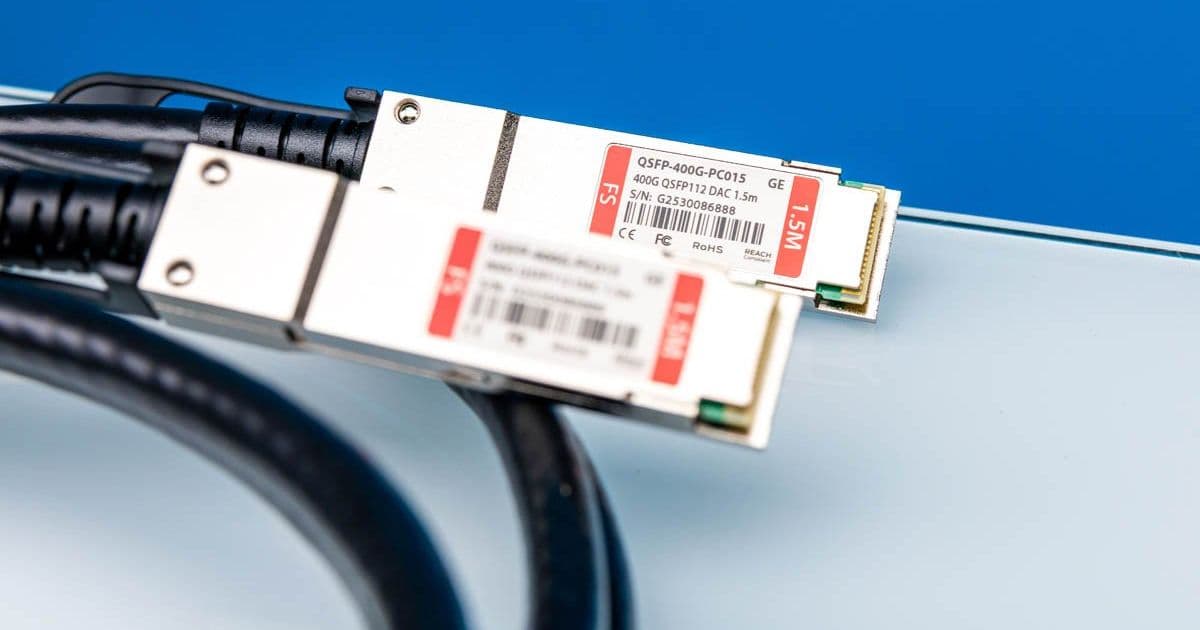
A hands-on look at FS's 400G QSFP112 Direct Attach Cables, exploring their physical design, connector evolution from QSFP-DD, and practical considerations for homelab and data center deployments.
When testing the NVIDIA ConnectX-8 C8240 800G Dual 400G NIC, we needed a way to connect two cards back-to-back for direct testing. This led us to purchase a pair of FS's 400G QSFP112 DACs, and while the review is brief, it offers a valuable look at what 400G networking hardware actually looks like in the real world.
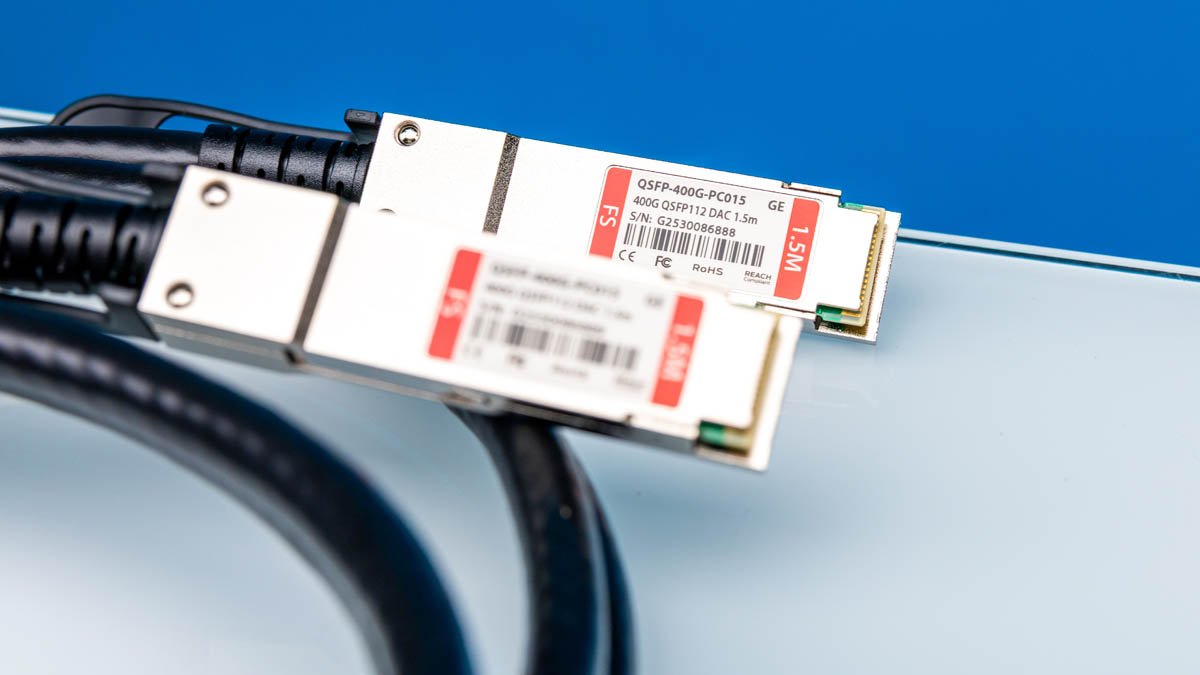
The Hardware: FS 400G QSFP112 DAC 1.5M QSFP 400G PC015
We opted for the 1.5-meter length, though 0.5-meter cables would have sufficed for our bench test. The longer length provides flexibility for future lab configurations where devices might be spaced further apart. The cable is a passive Direct Attach Cable (DAC), meaning it requires no active components or power—it's essentially a high-speed copper interconnect with built-in transceivers at each end.
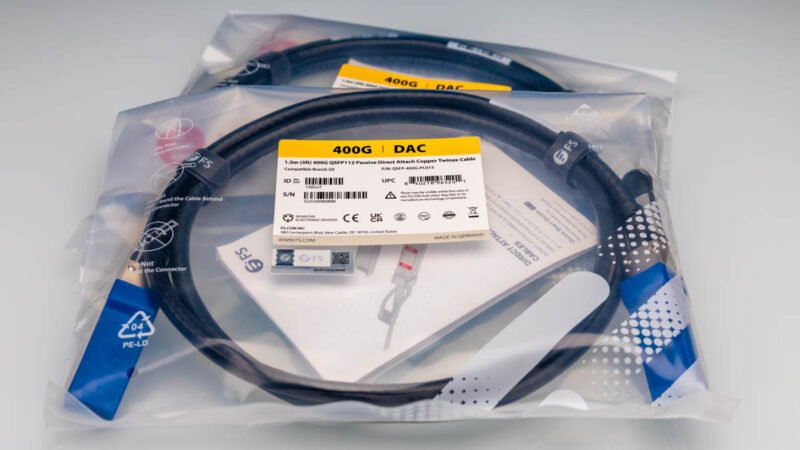
The packaging is straightforward, with the cable itself coiled and secured. The label clearly identifies the model and length, which is essential when managing inventory in a lab environment where you might have dozens of similar cables of different lengths and specifications.
The QSFP112 Evolution: From QSFP-DD to QSFP112
To understand why this cable exists, we need to look at the connector evolution. In our previous coverage of the MikroTik CRS812-8DS-2DQ-2DDQ-RM, we saw the QSFP56-DD connector being used for 400Gbps networking. The QSFP56-DD (Double Density) format uses eight lanes at 50Gbps each to achieve 400Gbps total bandwidth.
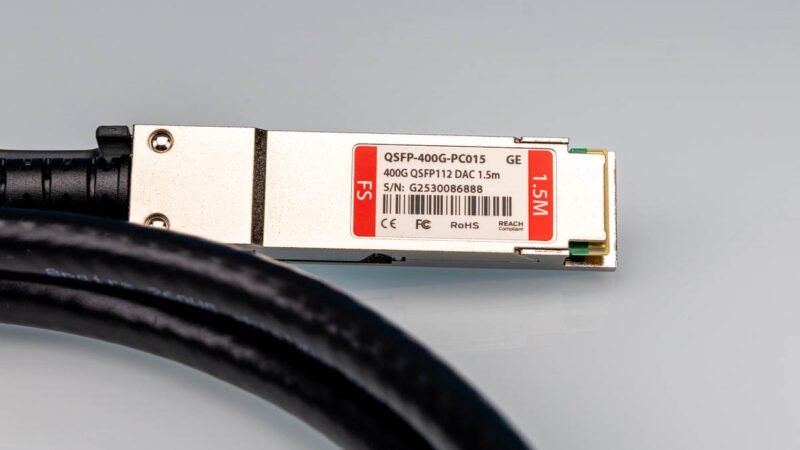
QSFP112 represents a different approach. By doubling the baud rate per lane to 100Gbps, QSFP112 achieves 400Gbps using only four lanes instead of eight. This has significant implications for connector design and cable density. The QSFP112 connector is physically smaller than QSFP-DD because it doesn't need to accommodate double the number of electrical contacts.
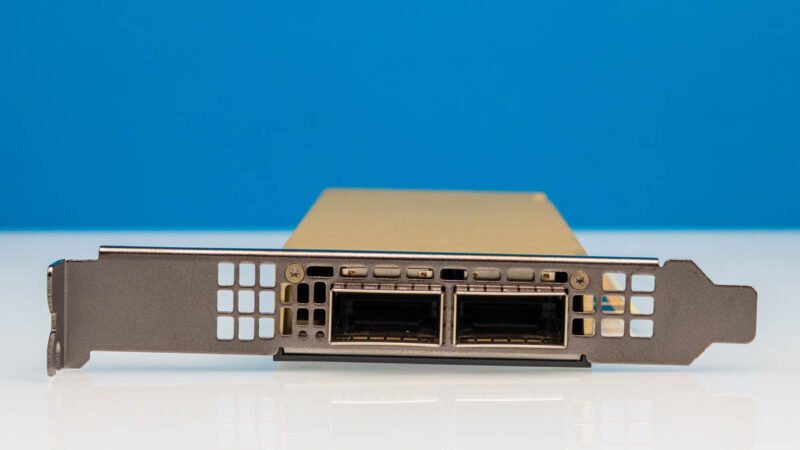
This evolution mirrors what we've seen in optical transceivers. Years ago, we reviewed the FS 400Gbase-SR8 400GbE QSFP-DD Optical Transceiver, which required eight lanes and the larger QSFP-DD form factor. The move to QSFP112 represents a consolidation—achieving the same bandwidth with fewer lanes and a smaller connector footprint.
Physical Characteristics and Practical Considerations
The first thing you notice when handling these cables is their substantial thickness. Compared to legacy QSFP+ or SFP+ cables, a 400G DAC is significantly more rigid. The cable diameter is larger, and the bend radius is more restrictive. This isn't just a matter of aesthetics—it has real implications for cable management in racks and chassis.
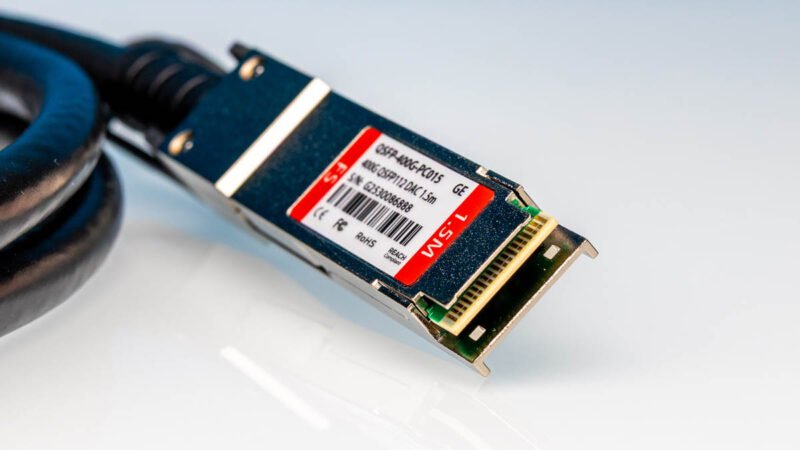
The QSFP112 connectors themselves are robust, with BizLink Special Cables Germany markings on the cable jacket. The connector design accommodates the higher signal density required for 100Gbps per lane signaling while maintaining backward compatibility in terms of physical dimensions with previous QSFP generations.
Performance and Use Cases
While this mini-review doesn't include benchmark data, the choice of DAC versus optical transceivers has performance implications:
DAC Advantages:
- Lower latency (typically 0.1-0.3µs vs 0.5-1.0µs for optical)
- Lower power consumption (0W vs 1-3W per transceiver)
- Lower cost per connection
- No alignment issues or fiber cleaning required
DAC Limitations:
- Distance limited to ~3-5 meters for passive versions
- Less flexibility in cable routing due to thickness
- Not suitable for inter-rack connections in most data centers
For our lab use case—connecting two ConnectX-8 NICs directly or to a nearby switch—the FS QSFP112 DACs are ideal. The NVIDIA SN5610 switch we're primarily using features Massive NVIDIA 800G OSFP to 2x 400G QSFP112 Passive Splitter DAC Cables, which allow a single 800G port to be split into two 400G connections. The FS cables provide an alternative for direct 400G-to-400G connections when the splitter configuration isn't needed.
Cable Management Implications
The thickness of modern 400G cables shouldn't be underestimated. In a dense server chassis or switch, routing multiple 400G DACs requires careful planning. The cables don't bend as easily as their lower-speed counterparts, and cable management arms and trays need to accommodate larger bend radii.
This is particularly relevant for homelab builders transitioning from 10G/25G/40G setups to 100G/400G. The physical infrastructure—rack space, cable management, and even the weight distribution on server rails—needs to be reconsidered. A bundle of 400G DACs weighs significantly more than the same number of SFP+ cables and occupies more vertical space in a rack.
The Economics of 400G DACs
As noted in the original review, these cables are "not cheap." While exact pricing varies, 400G QSFP112 DACs typically cost several hundred dollars each. For homelab builders, this represents a significant investment. However, compared to optical transceivers (which can cost $1,000+ per module) and fiber cabling, DACs remain the most cost-effective option for short-reach connections.
For labs and small deployments, the total cost of ownership favors DACs for connections under 3 meters. The elimination of transceiver costs, fiber cleaning equipment, and the reduced power consumption all contribute to lower operational expenses.
Testing and Validation
While this article focuses on physical inspection, proper validation of 400G DACs involves several steps:
- Link Training: The NIC and switch negotiate link parameters, including signal integrity and lane alignment.
- Error Rate Testing: Using tools like
ethtoolon Linux to monitor CRC errors and packet loss. - Throughput Testing: Validating that the full 400Gbps (or near it) is achievable with tools like
iperf3ornuttcp. - Thermal Testing: Monitoring cable and connector temperatures under sustained load.
The ConnectX-8 NICs we're using support advanced diagnostics, including per-lane signal quality metrics. This is crucial for identifying marginal connections that might pass basic link training but fail under sustained load.
Future-Proofing Considerations
QSFP112 represents a stepping stone toward even higher speeds. The 100Gbps per lane signaling is a foundation for future 800G and 1.6T implementations. When purchasing 400G DACs today, consider:
- Backward Compatibility: QSFP112 ports typically support lower speeds (100G, 200G) through speed negotiation.
- Forward Compatibility: While the physical connector may remain similar, future speeds will likely require new cable specifications.
- Ecosystem Maturity: The QSFP112 ecosystem is still developing compared to established QSFP56-DD.
Practical Recommendations for Homelab Builders
If you're considering 400G networking for your homelab:
- Start with DACs: For lab environments, DACs provide the most cost-effective entry point.
- Measure Twice: Account for cable routing paths and bend radii when planning rack layouts.
- Verify Compatibility: Not all QSFP112 ports support all speeds—check your NIC and switch specifications.
- Consider Splitter Cables: For connecting to 800G ports, splitter DACs (1x800G to 2x400G) provide more flexibility.
- Monitor Thermals: 400G DACs can generate noticeable heat under sustained load—ensure adequate airflow.
The Bottom Line
The FS QSFP112 400G DACs represent the current state of high-speed copper interconnects. They're physically substantial, electrically capable, and economically practical for short-reach connections. While they may not be the most glamorous component in a homelab, they're essential infrastructure that enables the testing and deployment of cutting-edge networking hardware.
For labs like ours, where we're pushing the boundaries of what's possible with consumer and prosumer hardware, these cables are the unsung heroes that make complex testing setups possible. They may not generate benchmark numbers themselves, but without them, we couldn't generate those numbers from the hardware we're reviewing.
The transition to 400G and beyond isn't just about faster NICs and switches—it's about understanding the entire ecosystem, from the physical cables to the software stack that manages them. Every component matters, and sometimes, the most mundane items deserve the closest examination.
Comments
Please log in or register to join the discussion