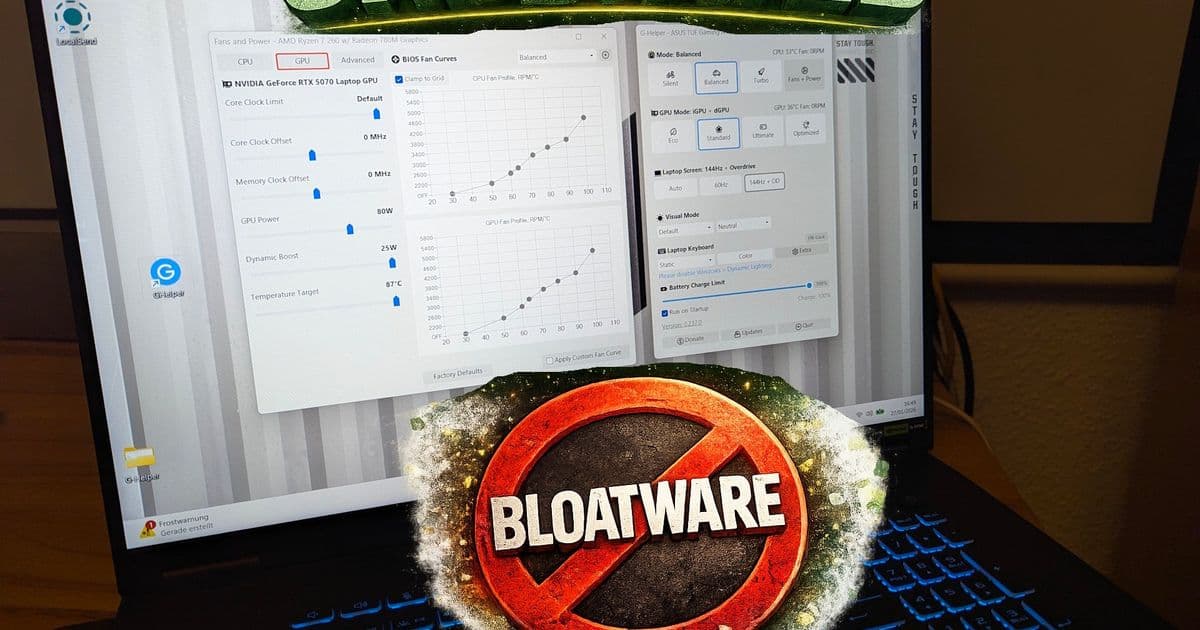
G-Helper replaces bloated Asus software with a 5MB executable that offers all the same features plus extras like custom fan curves, undervolting, and button remapping—without ads, tracking, or 4GB+ of disk usage.
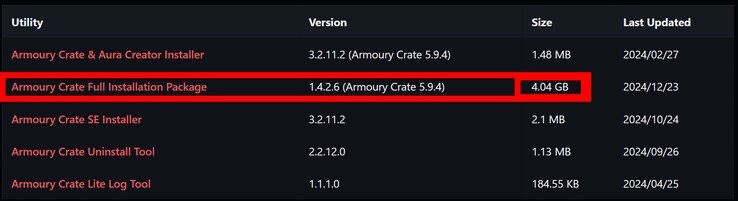
Asus laptops come with a familiar problem: Armoury Crate. The official software suite promises to manage your system's performance, lighting, and settings, but delivers something quite different. At 4.4 GB of disk space, it's bloated from the start. Loading times are painfully slow, it sometimes fails to start entirely, and the interface is cluttered with tabs for gaming libraries, content platforms, and promotional material. On top of that, it spawns an excessive number of background processes that consume system resources even when you're not using it.
For many Asus laptop owners, this has been an unavoidable frustration—until now. G-Helper emerges as a remarkably capable open-source alternative that addresses every complaint about Armoury Crate while adding features the official software never offered.
Why G-Helper Matters
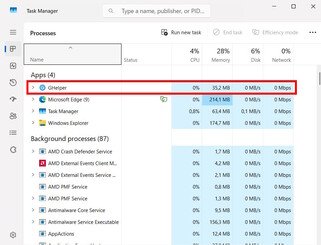
The difference in approach is immediately apparent. While Armoury Crate requires gigabytes of installation files and multiple background processes, G-Helper is a single 5 MB executable contained in a 2 MB ZIP file. It uses approximately 35 MB of RAM compared to the dozens of processes Armoury Crate spawns. There's no data collection, no advertising, and the source code is fully available on GitHub for anyone to audit.
Compatibility and Installation
G-Helper supports an impressive range of Asus laptops including the ROG Zephyrus G14, G15, G16, M16, Flow X13, Flow X16, Flow Z13, DUO, TUF series, Strix and Scar series, ProArt, Vivobook, Zenbook, Expertbook, and even the ROG Ally handhelds. For testing, I used an Asus TUF Gaming A18, but the experience should be similar across supported models.
The installation process is refreshingly straightforward:
- If you want to register your device via MyAsus, do that first
- Uninstall Armoury Crate and MyAsus to avoid conflicts
- Optionally remove Asus Smart Display Control
- Ensure Microsoft .NET 8 is installed
- Verify Asus System Control Interface is present (usually pre-installed)
- Reboot after uninstalling Asus software
- Download G-Helper from GitHub or the official website
- Run the single executable—no installation required
You can configure G-Helper to launch automatically with Windows, making it a seamless replacement for the official software.
Feature Comparison: G-Helper vs Armoury Crate
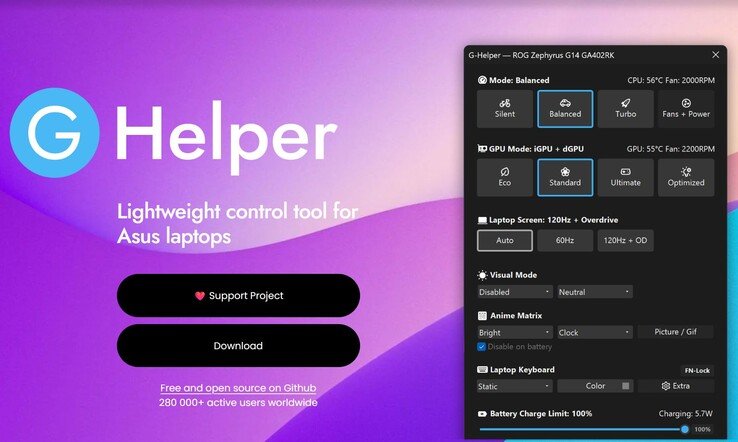
In terms of core functionality, G-Helper matches or exceeds everything Armoury Crate offers:
- Performance Profiles: Switch between Silent, Balanced, and Turbo modes
- Custom Fan Curves: Create and save multiple profiles for each performance mode
- Power Limits: Set custom limits that are read from BIOS, ensuring they stay within official specifications
- RGB Lighting Control: Manage lighting effects including Anime Matrix and Slash Lighting
- System Monitoring: Track CPU and GPU temperatures in real-time
- Battery Management: Set charge limits to extend battery lifespan
- Mini LED Control: Toggle multi-zone settings on supported displays
- Flicker-Free Dimming: Enable eye-friendly display settings

Features Armoury Crate Doesn't Have
Where G-Helper truly shines is in the features it adds that Asus never included:
Multi-Profile Management: While Armoury Crate forces you to choose between predefined profiles or a single manual profile, G-Helper lets you create, save, and switch between multiple custom fan and power profiles for each performance mode. This means you can have different settings for gaming, content creation, and everyday use, all accessible with a click.
Undervolting Support: CPU and GPU undervolting is available, similar to MSI Afterburner. Currently, CPU undervolting is limited to certain AMD processors, but GPU undervolting works across supported hardware. This can reduce heat and power consumption while maintaining performance.
Hardware Button Remapping: Many Asus laptops have four extra hardware buttons that Armoury Crate doesn't let you configure meaningfully. G-Helper allows you to assign any function to these buttons, including finally adding a proper Print Screen key—something inexplicably missing from many gaming keyboards.
Combined Update Functionality: G-Helper displays available updates and installed driver versions, effectively combining the roles of both Armoury Crate and MyAsus into a single application.
Process Management: With one button press, you can terminate all remaining Asus background processes that might still be running, freeing up system resources.
Mouse Configuration: When an Asus mouse is connected, additional configuration options automatically appear in the interface.
What G-Helper Can't Do (Yet)
The only notable missing feature is the ability to change display color profiles. Armoury Crate offers several screen presets such as Cinema or Racing modes, and this functionality isn't currently available in G-Helper. For most users, this is a minor limitation compared to the benefits gained.
Real-World Performance
The interface is extremely clean and well-organized. Everything is logically arranged, and the learning curve is minimal. The main screen provides quick access to essential functions, while additional screens appear only when needed based on your specific hardware configuration.
Performance is where G-Helper truly demonstrates its superiority. The application launches instantly, responds immediately to input, and uses minimal system resources. There's no waiting for tabs to load or dealing with unresponsive controls. The entire experience feels polished and professional.
Who Should Use G-Helper?
If you own an Asus laptop, the answer is simple: you should use G-Helper instead of Armoury Crate. The benefits are immediate and substantial:
- Storage Savings: Free up 4+ GB of disk space
- Performance Gains: Eliminate slow loading times and background processes
- Feature Parity: Get all the functionality you need
- Added Features: Access capabilities Armoury Crate never offered
- Privacy: No tracking or data collection
- Open Source: Transparent code you can audit
Even if you're satisfied with Armoury Crate's basic functionality, the additional features like custom profile management, undervolting, and hardware button remapping make G-Helper worth trying. The installation is non-destructive—you can always revert to Armoury Crate if you find you need something specific that G-Helper doesn't offer (though I haven't found anything yet).
Conclusion
G-Helper represents exactly what open-source software should be: a community-driven solution that solves real problems better than the commercial alternatives. It's mature, fully featured, and remarkably polished for a project that essentially replaces a major manufacturer's software suite.
The combination of minimal resource usage, comprehensive feature set, and thoughtful additions like button remapping and multi-profile management makes G-Helper not just an alternative to Armoury Crate, but a superior replacement. For Asus laptop owners tired of bloated software and promotional content, G-Helper is the solution that finally delivers on the promise of what a system control center should be.
If I owned an Asus laptop, uninstalling Armoury Crate and MyAsus in favor of G-Helper would be one of the first things I'd do after setup. The improvement in user experience is that significant.
Comments
Please log in or register to join the discussion