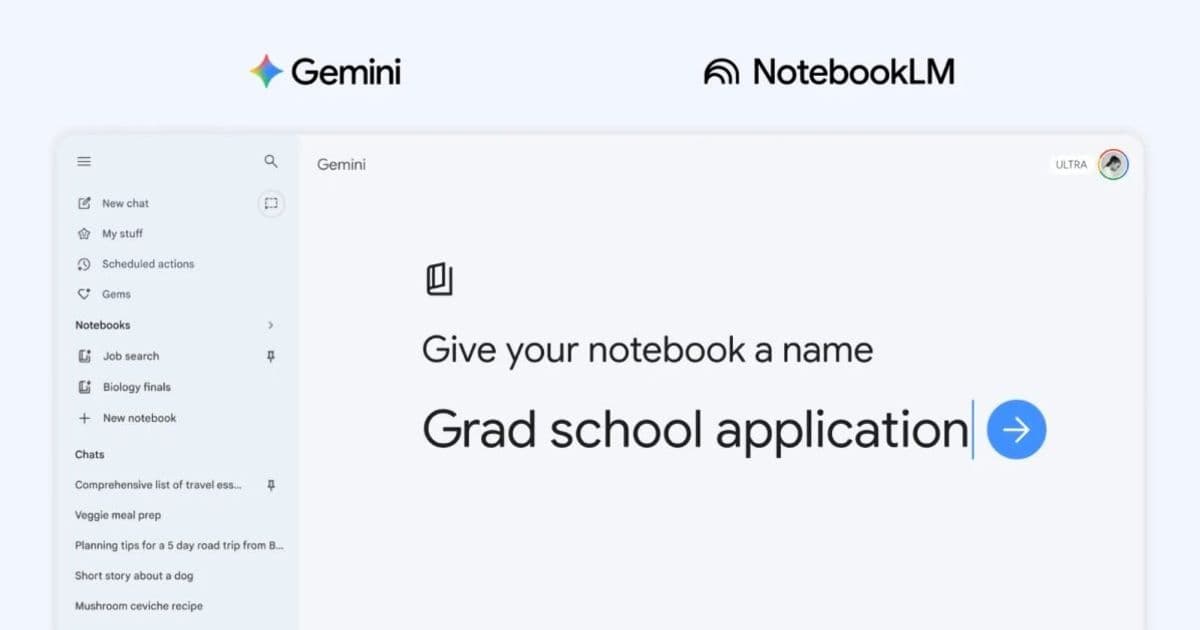
Google is adding "notebooks" to the Gemini app, creating dedicated spaces to organize chats and files while deepening integration with NotebookLM.
Google is rolling out a new organizational feature called "notebooks" in its Gemini app, marking a significant expansion of the platform's capabilities and deepening its integration with NotebookLM. The move represents Google's continued effort to create a more cohesive ecosystem for AI-powered productivity tools.
What Are Gemini Notebooks?
The notebooks feature introduces dedicated spaces within the Gemini app where users can organize their conversations, files, and research materials. This organizational structure allows for better management of ongoing projects and topics, making it easier to keep related content together in one accessible location.
The integration with NotebookLM appears to be a key component of this update. NotebookLM, Google's AI-powered research and note-taking tool, has been gaining traction since its initial release, and this deeper integration suggests Google is positioning it as a central part of the Gemini ecosystem.
Enhanced Organization and Workflow
By creating dedicated notebook spaces, users can now segment their work more effectively. Whether organizing research for a project, tracking conversations about specific topics, or managing multiple ongoing tasks, the notebook structure provides a clear framework for keeping information organized and accessible.
This feature addresses a common pain point in AI chat applications where conversations can become scattered and difficult to reference later. The notebook approach brings a more traditional organizational structure to the AI chat experience, combining the conversational nature of Gemini with the structured approach of traditional note-taking.
Deeper NotebookLM Integration
The enhanced integration with NotebookLM suggests Google is building toward a more unified AI productivity suite. NotebookLM's capabilities for analyzing and synthesizing information from uploaded documents could now be more seamlessly accessed within the Gemini environment.
This integration could allow users to leverage NotebookLM's analytical capabilities directly within their organized notebook spaces, creating a more powerful research and organization tool. The combination of Gemini's conversational AI with NotebookLM's document analysis could provide users with a comprehensive platform for knowledge management.
Strategic Implications
This update reflects Google's broader strategy to compete in the AI productivity space, where companies like Microsoft are also making significant investments. By creating a more organized and integrated experience, Google is positioning Gemini as a serious contender for users looking for AI-powered productivity tools.
The timing of this release also suggests Google is responding to user feedback about the need for better organization in AI chat applications. As these tools become more central to workflows, the ability to manage and organize conversations and files becomes increasingly important.
Availability and Rollout
The notebooks feature is being introduced to the Gemini app, though specific details about the rollout timeline and availability across different platforms weren't immediately clear from the announcement. Users can likely expect to see this feature appear in their Gemini apps over the coming weeks as Google completes the deployment.
This update represents another step in Google's evolution of its AI offerings, moving beyond simple chat interfaces toward more comprehensive productivity tools. The combination of organizational features with deeper integration of specialized tools like NotebookLM suggests Google is building toward a more complete AI-powered workspace.
The introduction of notebooks in Gemini, coupled with enhanced NotebookLM integration, positions Google to offer users a more organized and powerful AI experience. As the AI productivity space continues to evolve, features like these could become essential differentiators between competing platforms.
Comments
Please log in or register to join the discussion