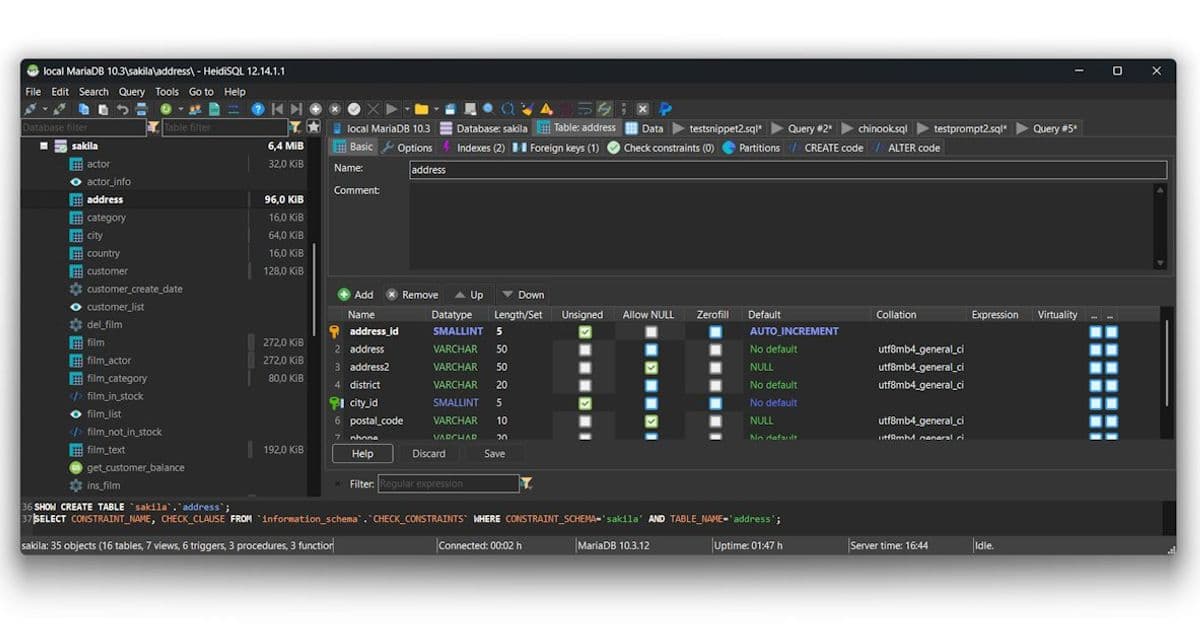
HeidiSQL remains a popular open‑source client for MySQL, MariaDB, PostgreSQL and other relational engines. The project’s GitHub repo shows steady maintenance, a clear contribution policy, and a build process that still depends on Delphi 12.1, limiting cross‑platform adoption.
HeidiSQL 12.1 – What the release actually delivers
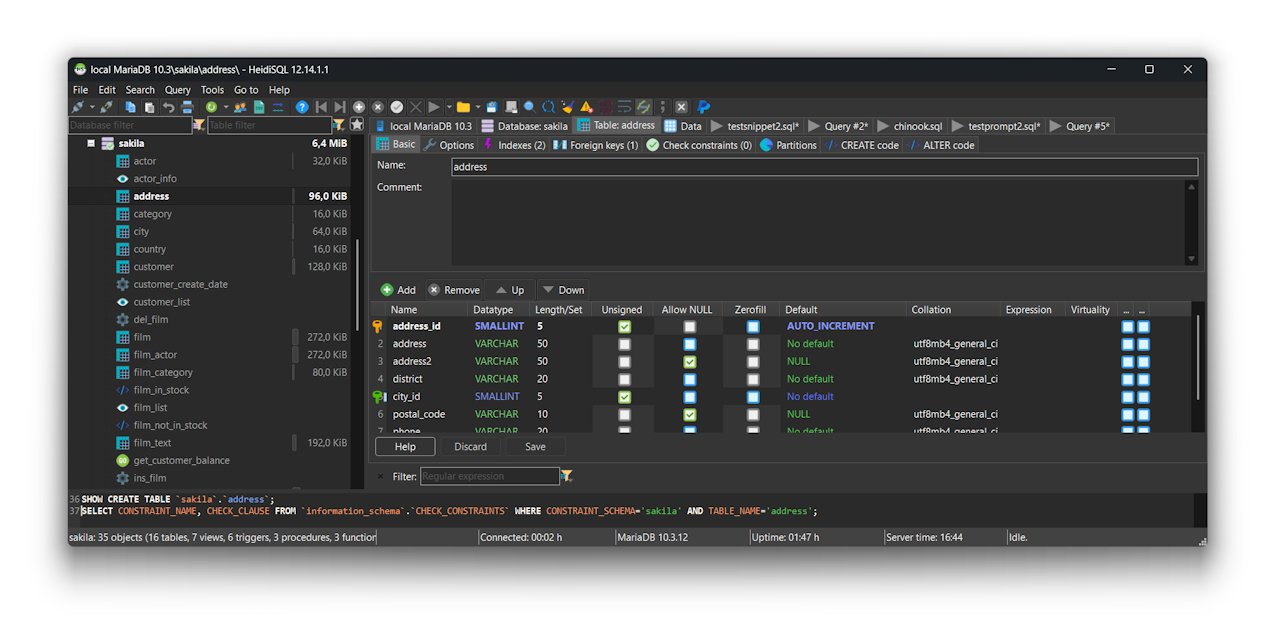
HeidiSQL is a long‑standing graphical client that lets users browse tables, edit rows, run ad‑hoc queries and export data across a range of relational databases (MySQL/MariaDB, Microsoft SQL Server, PostgreSQL, SQLite, Interbase and Firebird). The GitHub repository (HeidiSQL/HeidiSQL) hosts the source, issue tracker and a modest contribution guide.
Claimed features vs. concrete additions
| Claim in the README | What the repo shows | Practical impact |
|---|---|---|
| "Lightweight client for managing…" | The codebase is a Delphi VCL application, compiled with Delphi 12.1. No native Linux/macOS binaries are shipped; the only cross‑platform path is a Lazarus branch that is not currently buildable. | Users on Windows get a fast, native UI; non‑Windows users must rely on the existing Windows executable via Wine or wait for a future port. |
| "Export structure and data to SQL, clipboard or other servers" | Export dialogs are present in the UI and exercised by the test suite. The underlying logic lives in HeidiSQL/src/Export/. |
Works reliably for typical migration tasks, but the export engine does not support incremental or change‑data‑capture workflows that modern data pipelines require. |
| "Online help, forum, issue tracker" | The repo links to the official help site, a public forum, and uses GitHub Issues for bugs. The issue tracker is active: the last 30 days show ~15 new tickets, most of them low‑severity UI bugs. | Good for troubleshooting, but feature requests are explicitly rejected – pull requests are accepted only for bug fixes. |
What is actually new in the latest tag?
The most recent tag (12.1.0.0) bumps the Delphi compiler requirement and updates a handful of third‑party components:
- SynEdit – upgraded to the latest version, fixing a rare crash when editing very long lines.
- VirtualTreeView – minor UI tweaks, no API changes.
- madExcept – refreshed to improve crash reporting on Windows 11.
- Build scripts now invoke
brcc32with a newstyles.rcthat bundles a handful of VCL styles for dark mode.
No new database protocols, no performance‑critical rewrites, and no support for newer authentication methods (e.g., MySQL 8.0 caching_sha2_password) beyond what the underlying MySQL client library already provides.
Limitations that matter to practitioners
- Windows‑only compilation – The README states that "Lazarus or other free compilers cannot currently compile HeidiSQL." This is a hard barrier for developers who prefer open‑source toolchains or need native macOS/Linux binaries. The Lazarus branch exists but lacks a working build configuration; contributors have repeatedly reported missing dependencies and VCL‑specific code that does not translate to LCL.
- Delphi version lock‑in – Requiring Delphi 12.1 (a commercial IDE) means that anyone who wants to build from source must purchase a license. This contradicts the project's open‑source ethos and discourages community‑driven extensions.
- Feature freeze for external contributors – The contribution policy explicitly forbids new features from external pull requests. While this protects the project's stability, it also stalls innovation. Users who need, for example, built‑in support for JSON import/export or a native SSH tunnel manager must wait for the core maintainer to implement them.
- Limited automation – The build process is a series of manual
brcc32calls and package installations. There is no CI pipeline that produces reproducible binaries for multiple architectures. This makes it harder to verify that a given release is built from a clean source tree. - Authentication coverage – Modern cloud‑hosted MySQL instances often require IAM‑based authentication or TLS client certificates. HeidiSQL can be pointed at a TLS‑enabled server, but the UI does not expose certificate management, and the underlying client library does not support the newer authentication plugins out of the box.
Practical advice for current users
- Stick with the official Windows installer if you need a stable GUI for day‑to‑day database work. The installer bundles the required DLLs and registers the VCL styles automatically.
- Use Wine for occasional access on Linux/macOS, but be prepared for occasional UI glitches (e.g., missing system fonts). For heavy usage, consider a native alternative such as DBeaver or pgAdmin for PostgreSQL‑heavy workloads.
- Automate exports via the command‑line mode (
heidisql.exe -d <connection> -e <script.sql>). This is more reliable than the GUI when running scheduled jobs on Windows servers. - Contribute bug fixes by forking the repo, fixing the issue, and referencing the ticket ID in the PR description. The maintainer will merge bug‑only PRs, which is the only path to get changes upstream.
Outlook
HeidiSQL continues to fill a niche: a lightweight, native Windows client that supports a surprisingly wide range of relational engines. However, its reliance on a commercial IDE and the explicit ban on external feature development limit its long‑term appeal, especially as the database ecosystem moves toward cloud‑native services and cross‑platform tooling. Until a functional Lazarus build or a move to a truly open‑source stack materializes, users looking for a flexible, extensible client may need to evaluate alternatives.
Comments
Please log in or register to join the discussion