A practical walkthrough of upgrading HPE iLO 6 from Essentials to Advanced license, showing exactly which features unlock and how the interface transforms for group server management.
When you unbox a new HPE ProLiant MicroServer Gen11 or any modern HPE server, it typically arrives with iLO 6 Essentials pre-installed. This entry-level license provides basic remote management functionality, but for homelab builders and sysadmins managing multiple servers, the Essentials license leaves many powerful features locked behind upgrade prompts. We recently went through this upgrade process ourselves and documented every UI change to show you exactly what you get when moving from iLO 6 Essentials to Advanced.
The Upgrade Process: Simple but Effective
The upgrade itself is straightforward. We purchased an iLO Advanced license key through eBay (affordable options exist for homelab use), then navigated to the Advanced Licensing screen in the iLO web interface. Entering the key immediately unlocks all Advanced features without requiring a reboot or even a refresh in most cases.
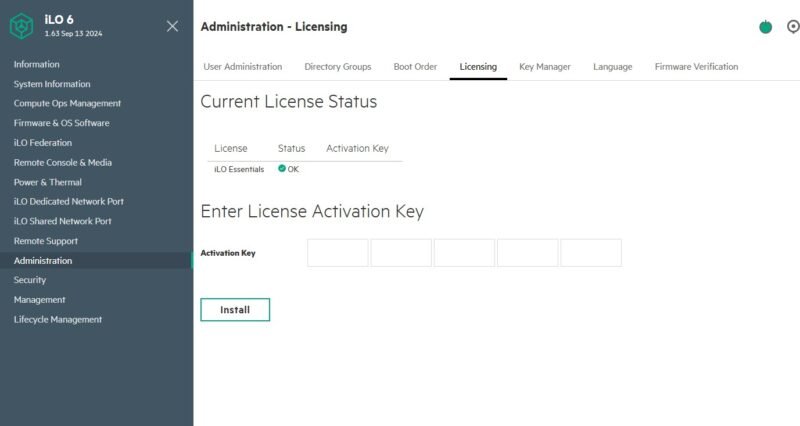
The licensing screen shows your current Essentials license status. After entering the Advanced key, the interface updates to reflect the new capabilities.
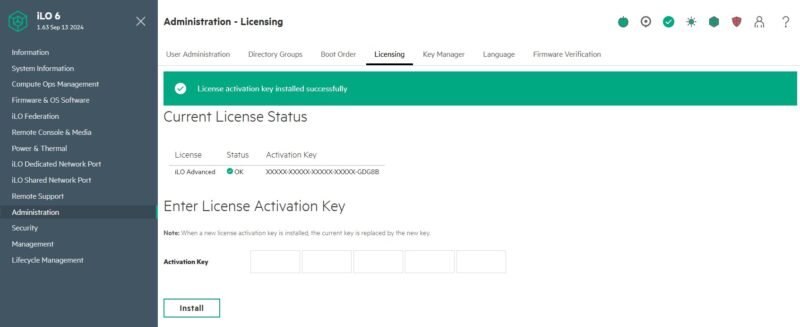
iLO Federation: Group Management Unlocked
The most significant changes appear in the iLO Federation section, which enables centralized management of server groups. This is where the Essentials-to-Advanced transformation becomes immediately visible.
Group Virtual Media
With Essentials, the Group Virtual Media section shows a license requirement message:
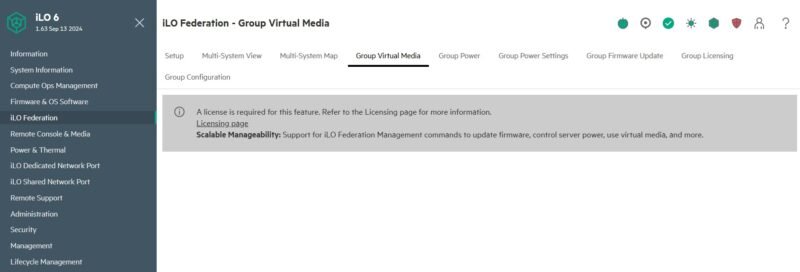
This feature allows you to mount ISO images and virtual drives to multiple servers simultaneously - essential for deploying operating systems or running diagnostics across a server fleet.
After upgrading to Advanced, the interface transforms:
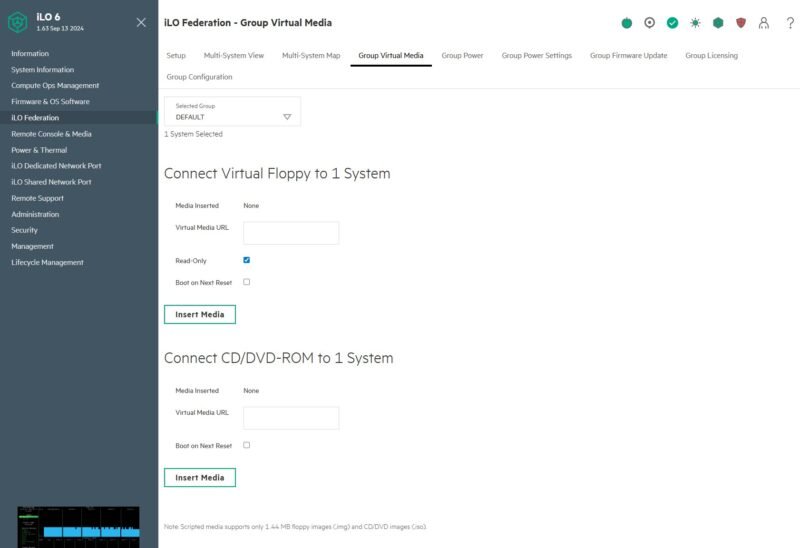
You can now select virtual media sources and attach them to entire groups of systems. For homelab environments running Proxmox, ESXi, or bare-metal Kubernetes clusters, this feature alone justifies the upgrade cost.
Group Power Management
The Group Power screen follows the same pattern. Essentials shows a license requirement:
Advanced unlocks the virtual power button interface for issuing power commands (on, off, reset, graceful shutdown) to entire server groups. This is invaluable for maintenance windows or when you need to power-cycle an entire rack of equipment.
Power Capping and Settings
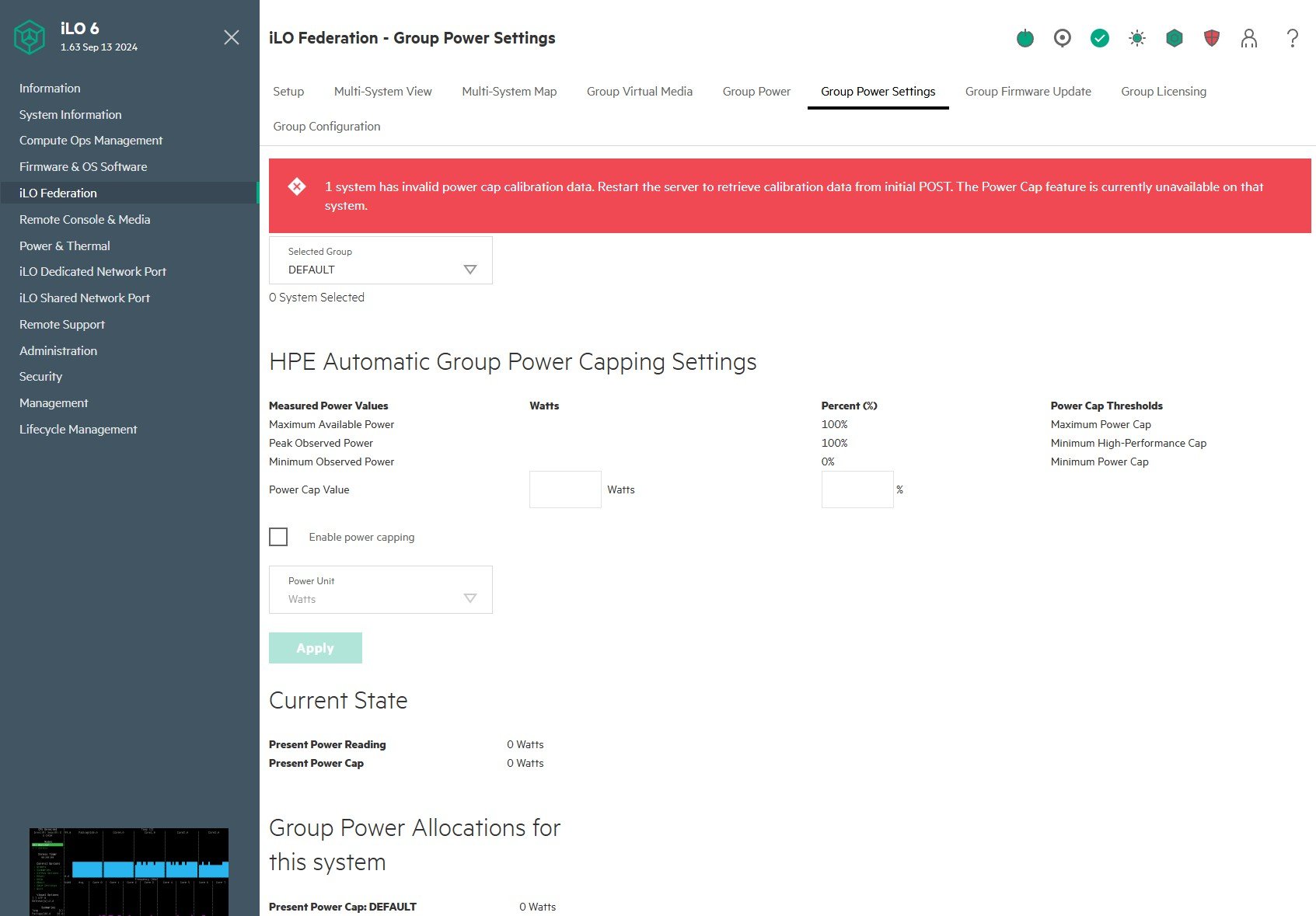
Group Power Settings remains locked in Essentials:
With Advanced, you gain the ability to set power capping policies for server groups. This feature helps prevent circuit overloads in dense deployments and optimizes power consumption during off-peak hours.
Firmware Updates at Scale
Perhaps the most critical security feature is Group Firmware Update:
When major security vulnerabilities emerge (think Intel ME vulnerabilities or AMD PSP issues), the ability to update firmware across multiple servers simultaneously becomes essential. Advanced unlocks this capability, turning what could be hours of manual work into a single operation.
Group Configuration
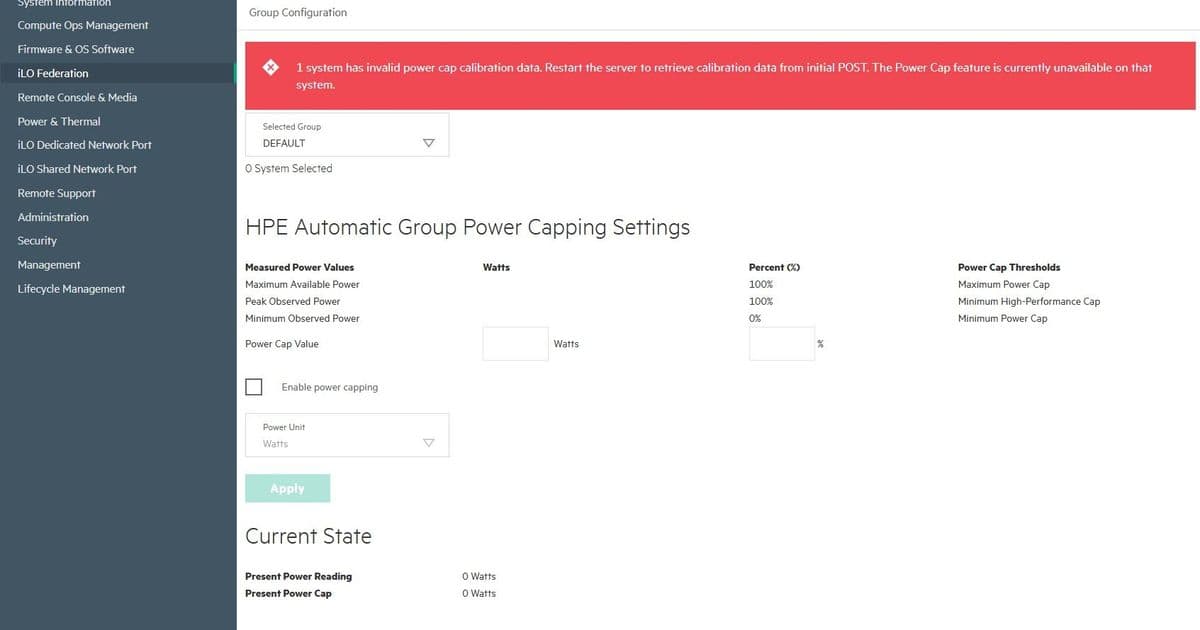
The Group Configuration screen also transforms after upgrade:
This section reveals different systems and groups available for management, enabling policy application across your infrastructure.
Remote Console & Media: Beyond Federation
While we've focused on Federation features, the Advanced license also unlocks additional capabilities in the Remote Console & Media section:
- Advanced Video Redirection: Higher resolution and color depth for remote sessions
- Virtual Keyboard/Mouse: Full input device emulation
- Media Recording: Capture remote console sessions for documentation
- Multiple Simultaneous Sessions: Allow concurrent access for team environments
The Real-World Value for Homelab Builders
For single-server deployments, Essentials might suffice. But in homelab environments where you're running:
- 3-5 node Proxmox clusters
- Kubernetes control planes with multiple masters
- Separate storage and compute nodes
- Development/testing environments that need synchronized management
The Advanced license transforms iLO from a "get me out of trouble" tool into a comprehensive infrastructure management platform.
Cost-Benefit Analysis
At current eBay prices (typically $50-150 for Advanced licenses vs. $300+ retail), the upgrade pays for itself if you manage more than two servers. The time saved during firmware updates alone can recoup the investment within a year.
What About iLO 6 Essentials Plus?
HPE also offers an "Essentials Plus" tier that sits between Essentials and Advanced. It includes some federation features but lacks:
- Group firmware updates
- Advanced power capping
- Some remote console features
For most homelab builders, jumping straight to Advanced provides the best value.
Final Thoughts
The UI changes between Essentials and Advanced are subtle but powerful. What appears as locked screens in Essentials becomes a unified management interface in Advanced. For anyone managing more than a single HPE server, the upgrade is essentially mandatory for efficient operations.
The ability to manage firmware, power, and virtual media across groups of servers transforms iLO from a last-resort emergency tool into your primary infrastructure management platform. In our testing, routine maintenance tasks that previously took 30 minutes across three servers now take less than 5 minutes using Federation features.
For homelab builders who measure everything - from power consumption to deployment time - the Advanced license provides measurable improvements in operational efficiency that justify the investment.
Comments
Please log in or register to join the discussion