Microsoft's IIS support guidance is a reminder that connection timeout, bandwidth caps, and connection limits are not minor server settings, they are upstream reliability controls that shape cloud cost, migration risk, and outage diagnosis.
What Changed
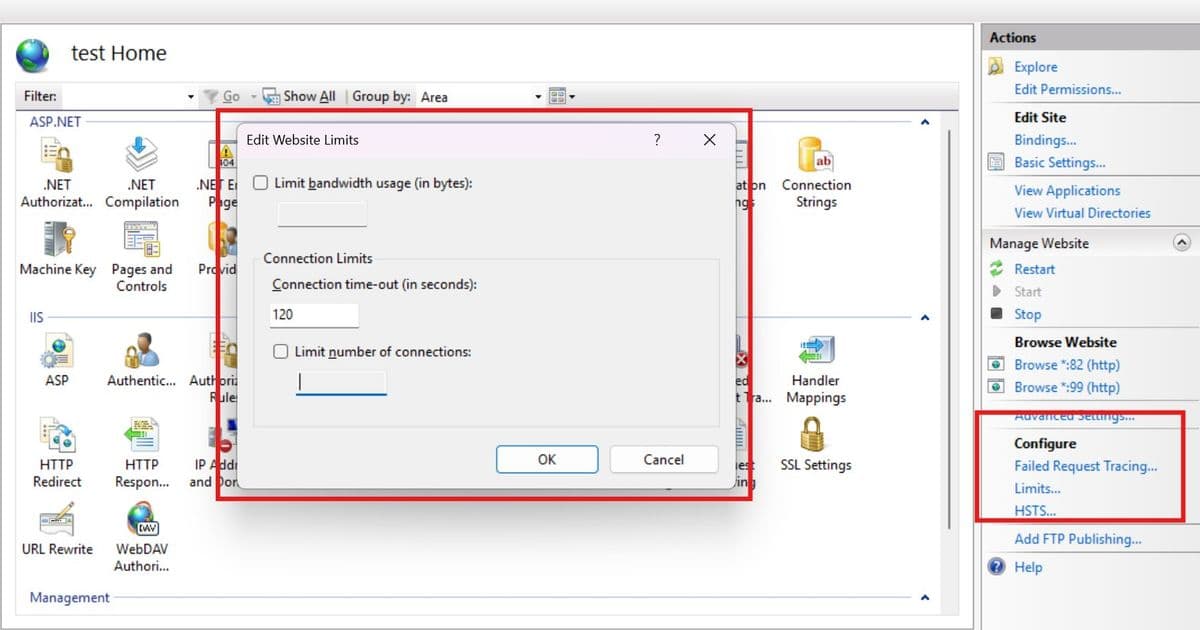
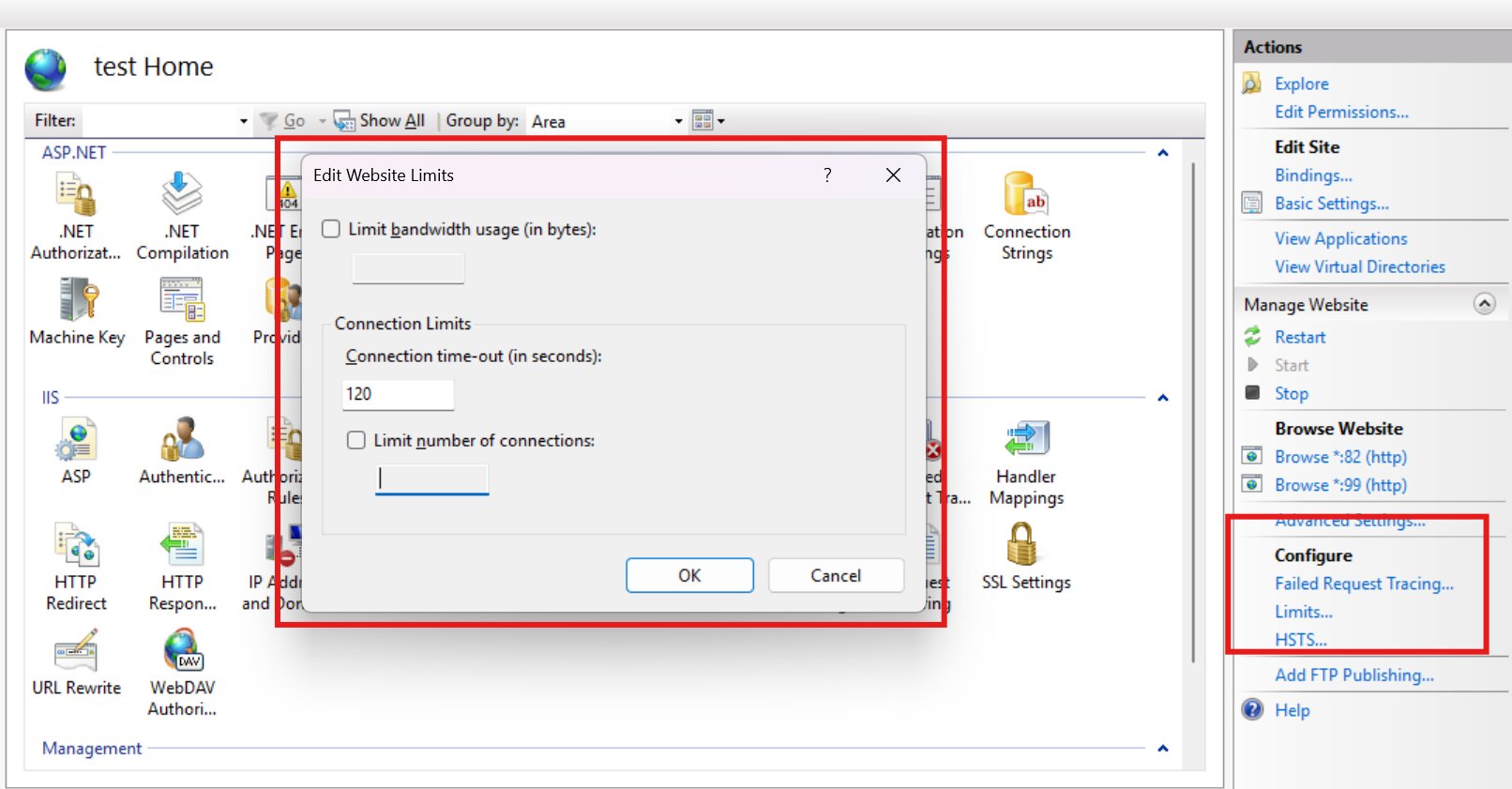
Microsoft's June 12, 2026 Community Hub article on IIS Website Limits focuses on three settings that often look harmless in IIS Manager: connection timeout, bandwidth usage limit, and number of connections. The practical message is bigger than IIS administration. These controls can terminate, throttle, or reject traffic before a request reaches application code.
That matters for any organization running Windows workloads behind cloud load balancers, reverse proxies, CDN services, ingress controllers, or API gateways. A production team may investigate application logs, database latency, thread pools, or recent deployments while the failure is happening lower in the request path.
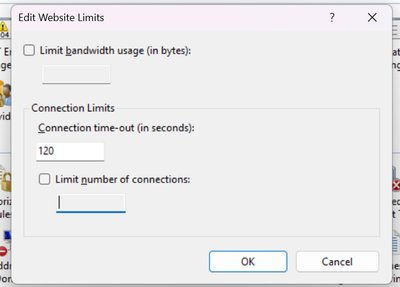
The official IIS limits documentation describes the same three controls at the configuration level. connectionTimeout defaults to two minutes and can apply when a connection is idle, when the request body arrives too slowly, or when a request waits too long in the application pool queue. maxBandwidth limits outbound bandwidth in bytes per second. maxConnections limits simultaneous client connections.
For cloud strategy, the key change is interpretive. IIS Website Limits should be treated as part of end-to-end traffic engineering, not as isolated server preferences. A timeout configured on IIS interacts with Azure Application Gateway backend settings, AWS Application Load Balancer attributes, Google Cloud backend service timeouts, NGINX proxy settings, Envoy route timeouts, and any platform-specific request duration limit.
A common production pattern is a chain like this:
Client -> CDN or WAF -> cloud load balancer -> ingress or reverse proxy -> IIS -> application pool -> database or service dependency
Every hop has opinions about inactivity, backend response time, concurrent connections, and sometimes connection draining. If those settings are misaligned, the user sees 502, 503, or 504 responses while the application may show no clear exception. In a migration, this can be misread as a cloud provider issue, a bad autoscaling policy, or a code regression. In many cases, it is a timeout contract problem.
Provider Comparison
Azure is the most natural comparison point because many IIS estates already run on Windows Server, Azure VMs, Azure App Service for Windows, or hybrid architectures connected through Application Gateway. IIS defaults to a 120-second connection timeout, while Azure Application Gateway's backend request timeout defaults to 20 seconds and supports a broad configurable range. If a backend request takes 75 seconds and Application Gateway is still at its default, the gateway can fail first even though IIS and the application are still processing.
That does not mean every Azure workload should raise timeouts. Longer timeouts increase the time that gateway capacity, backend sockets, worker threads, and dependency calls remain occupied. Azure pricing also makes this operationally relevant. Application Gateway cost depends on the selected SKU and capacity model, and teams should review the Application Gateway pricing page when long-lived requests, large uploads, or high concurrency are expected.
AWS has a different default profile. Application Load Balancer uses a 60-second idle timeout by default, configurable from 1 to 4000 seconds. ALB also has a separate HTTP client keepalive duration, defaulting to one hour. The distinction matters. Idle timeout is about periods with no data moving, while keepalive duration is about how long ALB maintains a persistent client connection. For IIS migrations to AWS, teams should compare ALB idle timeout, target application behavior, IIS connection timeout, and any Windows-hosted upload path.
AWS pricing adds another planning dimension. Elastic Load Balancing charges vary by load balancer type and usage dimensions such as capacity units, processed traffic, and connections, depending on service and region. The current details are on the Elastic Load Balancing pricing page. From a consultant's view, this means timeout tuning is not only a reliability setting. Long-lived idle or slow connections can increase infrastructure occupancy even when request volume looks flat.
Google Cloud takes another approach through backend service configuration. Most Google Cloud load balancers have a backend service timeout, and the default is 30 seconds for many cases. For Application Load Balancers using HTTP, HTTPS, or HTTP/2, that timeout functions as a request and response timeout. The Google Cloud backend service documentation should be checked before migrating IIS applications with long-running APIs, report generation, export jobs, or slow uploads.
Google's pricing model also reinforces architectural choices. Load balancing cost sits alongside forwarding rules, data processing, and network egress considerations, documented in Google Cloud network pricing. If an IIS bandwidth cap slows a download, the bytes may not disappear. They may remain in flight longer, tie up clients and intermediaries longer, and increase the chance that a front-end timeout fires.
Kubernetes and cloud-native stacks do not remove the issue. They distribute it. NGINX exposes settings such as proxy_read_timeout, proxy_send_timeout, and proxy_limit_rate. Envoy documents several timeout types in its timeout configuration guide. If an IIS application is moved behind an ingress controller or service mesh, the old IIS settings still matter, but they now sit behind more policy layers.
A concise comparison looks like this:
| Platform layer | Default behavior to check | Migration risk | Cost angle |
|---|---|---|---|
| IIS | 120-second connection timeout, optional bandwidth and connection caps | Requests can fail before app code sees them | Limits may stretch request duration or reject traffic instead of reducing demand |
| Azure Application Gateway | Backend request timeout defaults to 20 seconds | Gateway can fail before IIS does | Capacity and long-running connection behavior affect gateway sizing |
| AWS ALB | Idle timeout defaults to 60 seconds | Uploads and quiet long polls can break if no data moves | Connection duration and load balancer usage dimensions affect spend |
| Google Cloud Load Balancing | Backend service timeout often defaults to 30 seconds | Long backend work can exceed provider defaults after migration | Data processing, forwarding rules, and egress remain part of design |
| NGINX or Envoy ingress | Proxy and stream timeouts vary by config | Service mesh or ingress can become the failing layer | Extra proxy layers add capacity planning requirements |
The provider decision is therefore less about which cloud has the best timeout value and more about which platform makes the contract easiest to operate. Azure may be simpler for Windows-heavy estates because IIS, Windows Server, and Application Gateway documentation sit close together. AWS may be attractive for teams already standardized on ALB, EC2, and Auto Scaling, but the idle timeout model needs explicit testing for uploads and long-running APIs. Google Cloud's backend service model is clean for teams using global load balancing and NEGs, but default backend timeouts must be reviewed during workload assessment.
Business Impact
The first business impact is incident diagnosis. A 504 from a gateway does not automatically mean the application crashed. A 503 does not always mean CPU is saturated. A slow download does not always mean storage or database latency. IIS may be closing an inactive request, throttling outbound bandwidth, or refusing new connections because a configured cap has been reached.
That difference changes how teams respond during an outage. Raising every timeout can make the alert stop for a short period, but it can also preserve bad behavior for longer. A thread-starved application with a higher connection timeout may hold more queued requests. A slow dependency with a higher load balancer timeout may create a larger retry storm. A connection limit raised without capacity testing may move the bottleneck from IIS to SQL Server, Redis, an identity provider, or a downstream API.
The second impact is migration planning. IIS workloads often carry years of operational tuning, some intentional and some accidental. A low connection cap may have been added to protect a shared server. A bandwidth limit may have been used when several sites lived on the same host. A timeout may have been increased for a legacy report export. During cloud migration, these settings should be inventoried in the same workstream as certificates, app pool identities, scheduled tasks, registry dependencies, firewall rules, and database connection strings.
A practical migration assessment should capture:
- IIS
connectionTimeout,maxBandwidth, andmaxConnectionsper site - Application pool queue length and recycling settings
- Upstream gateway, proxy, CDN, and WAF timeout values
- Maximum expected upload size and slow-client behavior
- Longest normal API, export, and report-generation duration
- Peak concurrent connections, not only requests per second
- Backend dependency timeouts for databases, queues, storage, and third-party APIs
The third impact is pricing. Timeout and connection settings influence how much infrastructure is occupied under load. A request that finishes in 500 milliseconds consumes capacity differently from a request that holds a socket for two minutes. A slow upload consumes front-end and backend connection resources even before application code starts meaningful work. A throttled response may reduce per-client throughput but increase total connection duration.
This is where provider comparisons become financially relevant. In Azure, Application Gateway capacity planning should reflect long-lived requests and WebSocket behavior. In AWS, ALB idle timeout and keepalive policy should be assessed against LCU-related usage patterns and target group health. In Google Cloud, backend service timeout decisions should be paired with load balancing and network egress assumptions. Across all providers, bandwidth throttling at IIS is rarely a substitute for CDN design, object storage offload, compression, caching, or workload-specific rate limiting.
The fourth impact is resilience architecture. Limits are useful when they express a deliberate protection policy. They are risky when they are inherited defaults or undocumented fixes from past incidents. A connection cap can protect a shared IIS server from one noisy site. It can also reject valid traffic during a launch event while CPU sits below 50 percent. A bandwidth cap can protect a small shared host. It can also make every file download slow enough to trip a gateway timeout.
For production systems, use limits as guardrails with telemetry, not as hidden behavior. Connection caps should be paired with metrics that show active connections, rejected requests, queue length, app pool health, and dependency latency. Timeout values should be documented as a chain from client-facing layer to backend application. Bandwidth restrictions should be visible in runbooks so teams do not waste hours tuning CPU, memory, or database indexes when the server is intentionally slowing responses.
A sound timeout strategy usually follows three rules.
First, set the outer layers to fail in a predictable order. If the application has a known 45-second maximum for a report endpoint, the proxy, gateway, IIS, and dependency client settings should be designed around that contract. The user-facing layer should return a clear failure when the service-level objective is exceeded, not an accidental 502 from whichever device gave up first.
Second, separate interactive and long-running work. A public API call that takes several minutes is often a design smell. For exports, media processing, bulk imports, and report generation, a queue-based model is usually better. The request submits work, receives a job ID, and the client polls or receives a callback. That design reduces timeout pressure and makes retries safer.
Third, test slow paths deliberately. Fast-path load testing can miss the exact failures described in the Microsoft article. Teams should simulate slow uploads, large downloads, queued requests, idle keepalive connections, partial client disconnects, and dependency delays. The goal is not to set every limit high. The goal is to know which component fails, what status code appears, and what log entry proves the cause.
For executives and platform leaders, the headline is straightforward. IIS Website Limits are small controls with large blast radius. In a single-server era, they were local server tuning. In cloud and multi-cloud architectures, they are part of the traffic contract between users, gateways, proxies, compute, and dependencies.
Treat them that way during provider selection, migration design, performance testing, and incident response. The result is fewer false root causes, cleaner cloud cost assumptions, and a more defensible architecture for Windows workloads that still matter to the business.
Comments
Please log in or register to join the discussion