iOS 26 introduces visual intelligence capabilities that transform plain text URLs in screenshots into tappable links, addressing a widespread mobile usability issue.
iOS 26's Visual Intelligence Turns Screenshots into Interactive Tools
The latest iOS 26 update brings significant enhancements to Apple's visual intelligence capabilities, with one particularly useful feature transforming how users interact with text-based content. This functionality addresses a common frustration encountered daily by mobile users: encountering plain text URLs that can't be tapped or easily copied.
Solving the Unclickable URL Problem
Many apps and platforms restrict hyperlink functionality, forcing users to manually handle URLs. Instagram exemplifies this limitation, where users often encounter "link in profile" messages or plain text URLs in captions and comments. These non-interactive links create friction, requiring tedious copy-paste actions that disrupt mobile workflows.
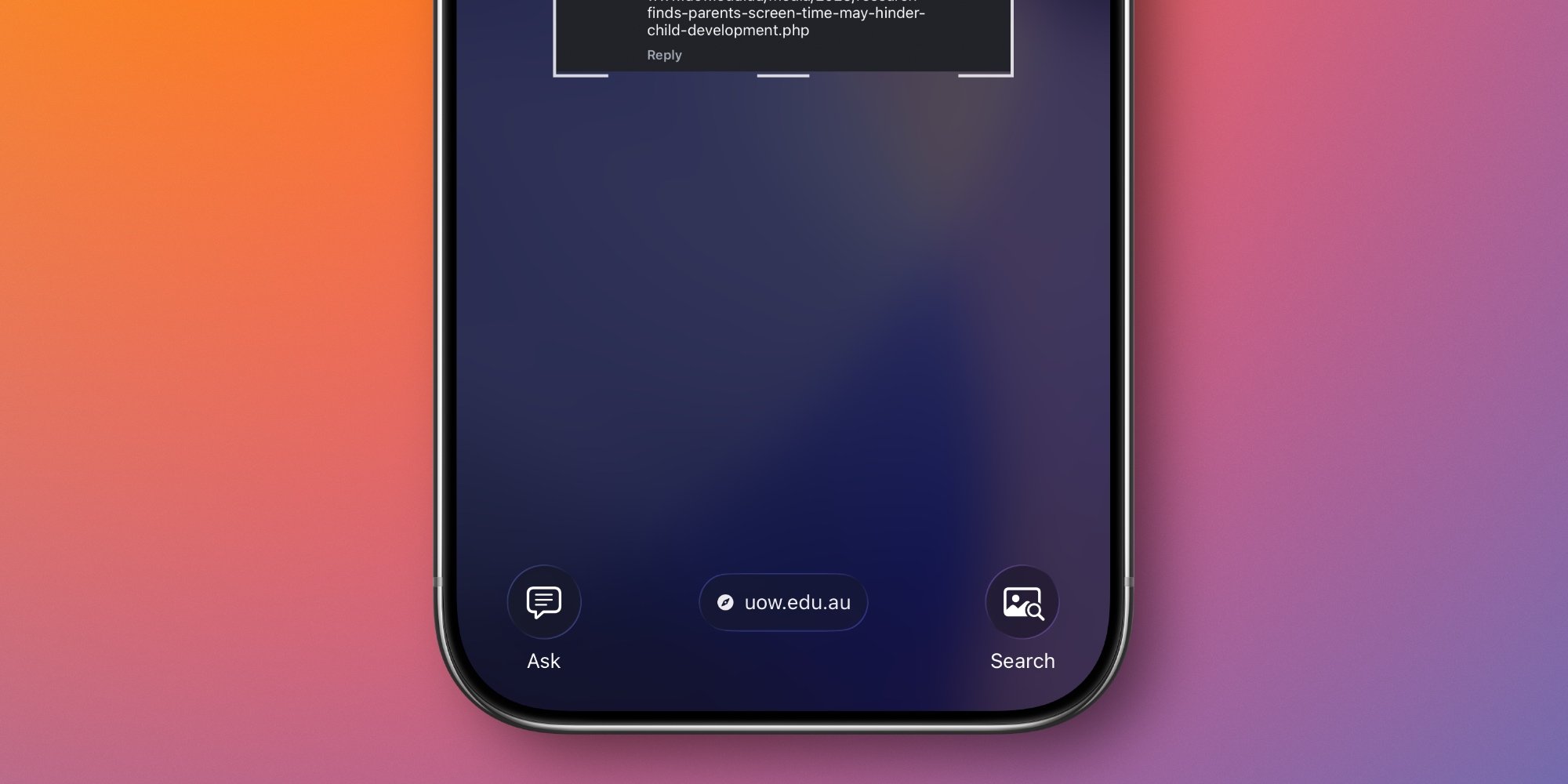
Apple's solution leverages iOS 26's on-device AI processing to analyze screenshot content in real-time. When a user captures a screen containing a URL, the system automatically detects and parses any web addresses present in the image. Within seconds, iOS generates a tappable hyperlink that appears at the bottom of the screenshot preview interface.
How the Feature Works
The process is straightforward:
- Capture a screenshot containing a plain text URL
- iOS 26's visual intelligence scans the image content
- The system identifies and verifies URL patterns
- A tappable link appears in the screenshot editor
This functionality requires Apple's neural engine hardware, meaning it's currently exclusive to iPhone 15 Pro models and newer devices like the iPhone 16 and iPhone 17 series. These processors contain the specialized cores needed for instantaneous on-device image analysis without compromising privacy.
User Experience Considerations
By default, iOS 26 displays screenshots in full-screen mode immediately after capture, with the generated link prominently visible at the bottom. For users who prefer the legacy thumbnail behavior (where screenshots appear as small previews in the corner), tapping the thumbnail remains necessary to access the link generation feature.
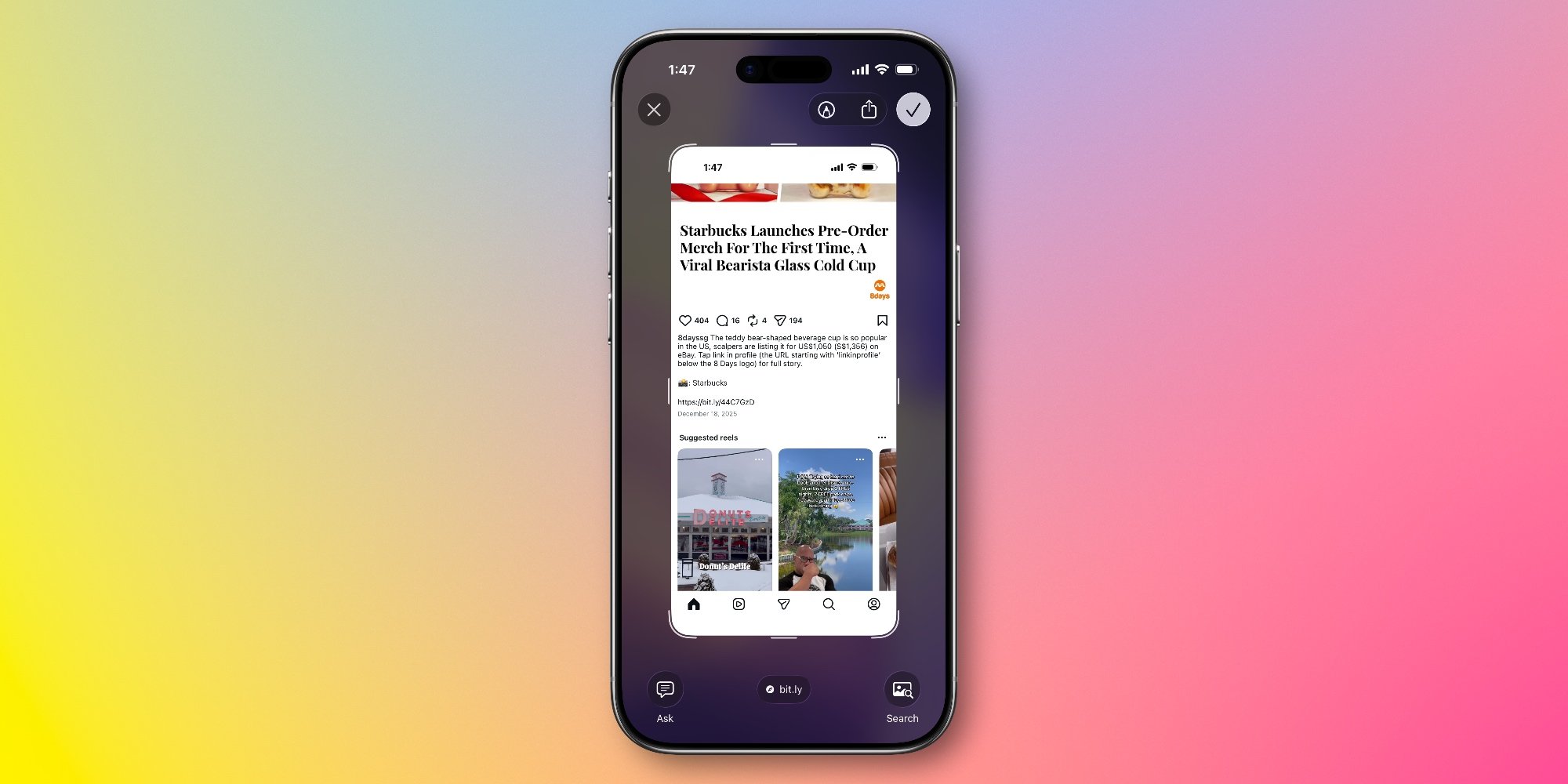
The implementation demonstrates Apple's focus on practical ecosystem integration. Rather than requiring separate app support, this system-level enhancement works universally across all applications. The feature also respects user privacy by processing images locally rather than uploading them to cloud services.
As visual intelligence features become more sophisticated, they're reshaping how we interact with static content on mobile devices. This screenshot enhancement represents a meaningful step toward making information more accessible within Apple's ecosystem. What similar problems would you like to see addressed in future updates?
Ryan Christoffel covers iOS innovations at 9to5Mac. Image credits: Apple Inc.

Comments
Please log in or register to join the discussion