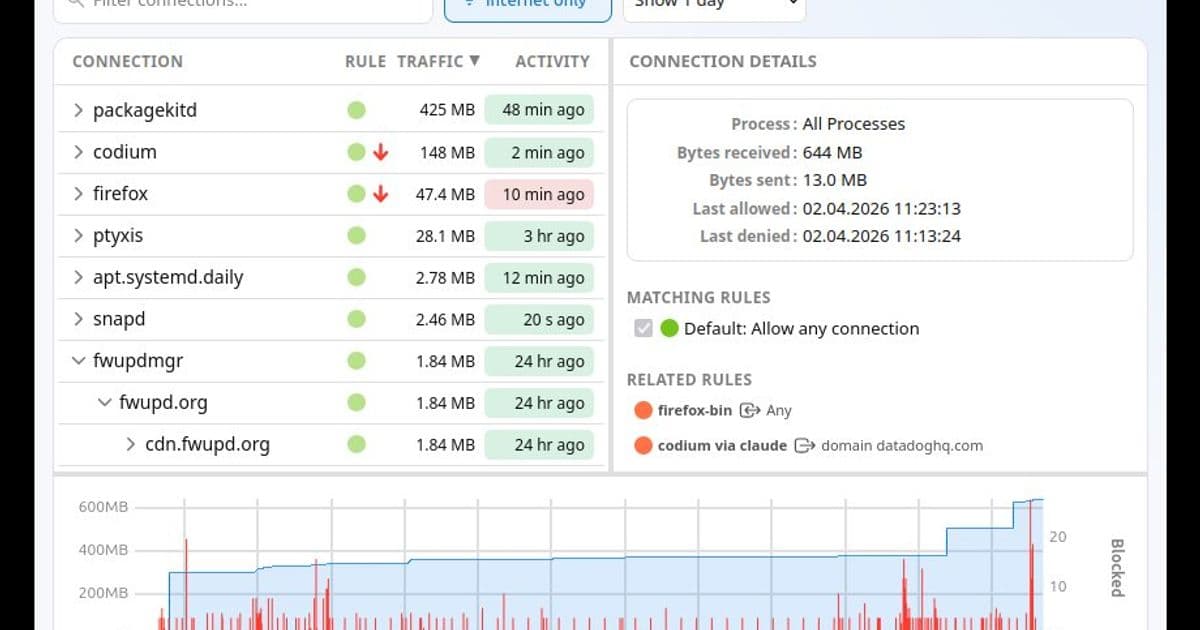
Objective Development brings its network monitoring tool to Linux, addressing growing concerns about software dependencies and privacy.
The political landscape has shifted dramatically in recent months, forcing governments and organizations to confront an uncomfortable truth about their software dependencies. Through automatic updates, vendors can execute arbitrary code with full system privileges at any moment. While most people acknowledge this reality, few want to dwell on it.
Linux emerges as the natural alternative - decentralized, with no single company or country controlling it. This realization prompted me to explore Linux firsthand, installing it on older hardware we had available. The basics were straightforward: browser, email client, text editor, development environment, git client, Signal, Wireshark, and a few others. Mac development wasn't possible, but that was expected.
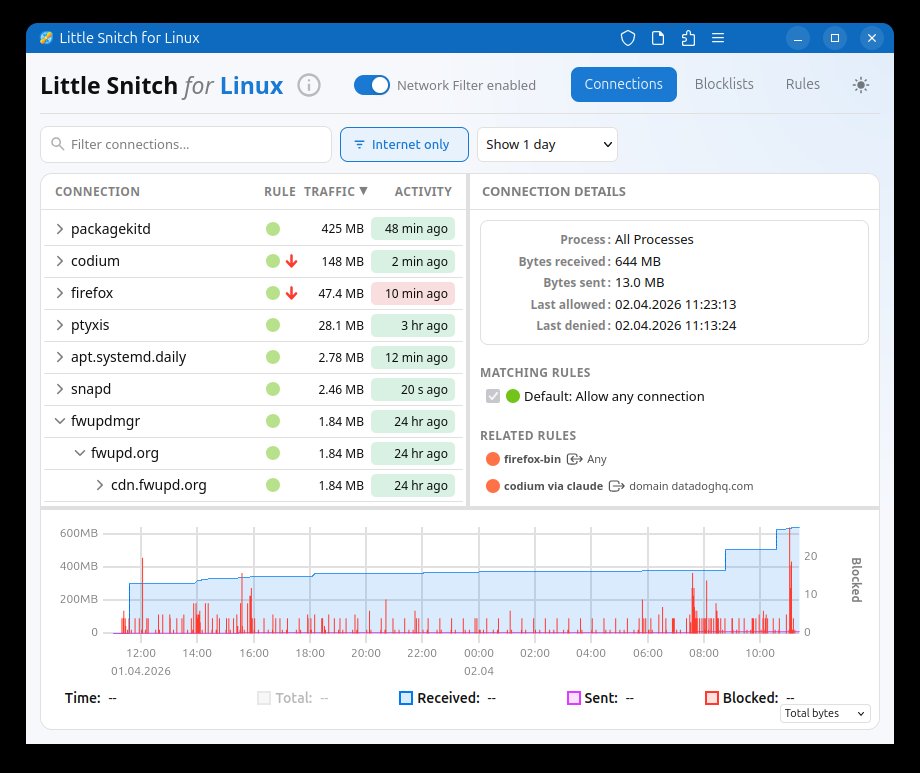
The transition revealed an immediate gap in my digital life. Accustomed to Little Snitch's network monitoring, I felt exposed without visibility into what connections my computer was making. Research uncovered OpenSnitch and various server-focused security tools, but none provided the simple interface I needed: see which process made which connection, with one-click blocking when necessary.
Little Snitch was clearly missing from Linux, so I built it myself. The implementation uses eBPF for kernel-level traffic interception - offering high performance and portability compared to kernel extensions. The main application is written in Rust, a language I'd been eager to explore, while the user interface runs as a web application. This last choice might seem counterintuitive for a privacy tool, but it enables monitoring remote Linux servers from any device, including your Mac. Want to know what Nextcloud, Home Assistant, or Zammad are actually connecting to? Now you can.
How Does It Feel?
Having Little Snitch on Linux raises the question: is Linux better than macOS for privacy? This breaks down into two considerations - the operating system itself and the applications you install.
A Surprisingly Quiet System
Development testing revealed a striking difference. On macOS, processes typically communicate within 5 seconds, generating visible network traffic. On Linux, it often takes a minute or more before any connection appears. This varies significantly by distribution - I chose Ubuntu for its widespread adoption and developer familiarity.
Ubuntu maintains relatively low network activity but still sends feedback to Canonical through metrics channels (ubuntu-insights connecting to metrics.ubuntu.com) and software update channels. You can deny metrics collection, but disabling updates isn't advisable - and that returns us to the familiar dependency problem. The key difference with Linux is choice: multiple distributions exist, allowing you to select whom you trust. Large organizations could even maintain their own distributions.
Over one week on Ubuntu, I observed 9 system processes making internet connections. On macOS, we counted more than 100.
Not All Apps Phone Home
The first application installed on any new system is typically the web browser. My Ubuntu installation came with Firefox pre-installed. Without browsing, Firefox immediately displayed ads and connected to ads.mozilla.org, incoming.telemetry.mozilla.org, and numerous other servers. After disabling most tracking and ads in preferences, some connections persisted.
My recommendation: start your browser and let it sit unused for at least a day. Then examine the connection history to determine what you can disable in settings, what you want to keep, and what you want to block.
News sites exemplify the tracking ecosystem - some use between 50 and 100 trackers. I won't single anyone out; try it yourself.
Most major applications behave similarly across platforms. Installing Thunderbird, Visual Studio Code, or other popular software brings the same metrics you'd see elsewhere. One notable exception: LibreOffice. I launched LibreOffice Writer for testing and observed zero network connections - quite unusual today.
Free, Functional, and Open Where It Counts
Little Snitch for Linux positions itself between Little Snitch Mini and the full macOS version - functional and useful but without the complete polish and depth. Consider it an honest first version. The Mac version remains our primary focus.
The kernel component, written for eBPF, is open source. You can examine the implementation, fix bugs, or adapt it to different kernel versions. The UI is also open source under GPL v2 - improvements are welcome.
The backend, which manages rules, block lists, and the hierarchical connection view, is free to use but not open source. This component embodies more than twenty years of Little Snitch experience, and we'd like to keep those algorithms and concepts proprietary for now.
Important caveat: unlike the macOS version, Little Snitch for Linux is not a security tool. eBPF's limited resources mean it's always possible to circumvent the firewall through techniques like table flooding. Its focus is privacy: showing you what's happening and blocking connections from legitimate software that isn't actively trying to evade detection.
Compatibility notes: development occurred on Ubuntu 25.10 with kernel 6.17, confirmed working on kernel 6.12 and above. Older kernels hit eBPF verifier maximum instruction limits. In theory, compatibility down to kernel 5.17 (where bpf_loop() was introduced) should be achievable, covering Debian 12 (Bookworm) and Ubuntu 24.04 LTS (Noble). Expertise in this area would be valuable for contributions.
You can find Little Snitch for Linux here. It's free and will remain that way. Enjoy it.
Comments
Please log in or register to join the discussion