Lathe shows a growing interest in using large language models to generate step‑by‑step technical tutorials that users work through themselves. The project blends a Go CLI, local UI, and Claude/Cursor/Codex skills to produce multi‑part guides, track sources, and let learners verify code. While the approach promises rapid entry into obscure domains, concerns about hallucinations, pedagogical quality, and long‑term sustainability remain.
A new pattern in learning tools
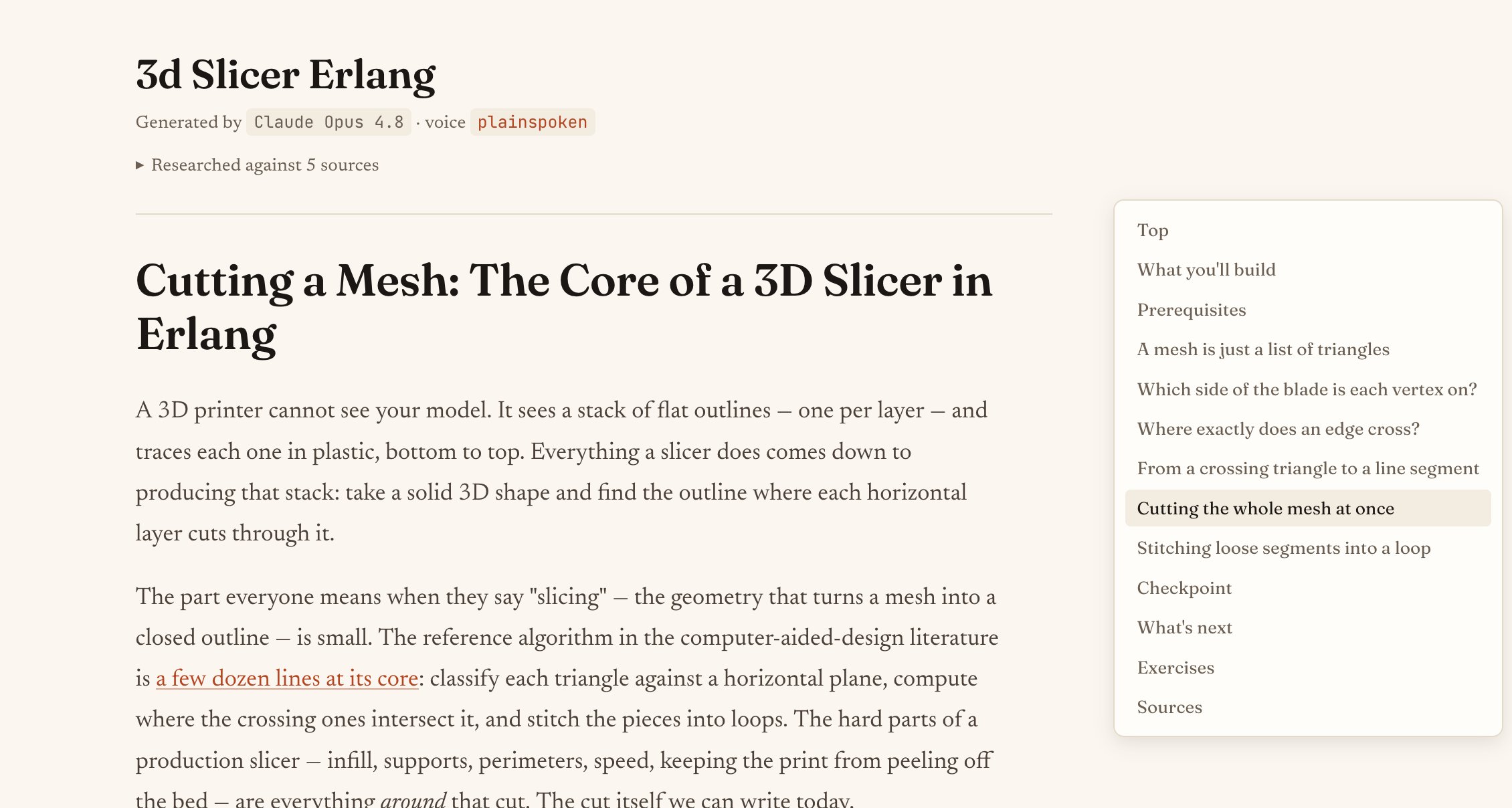
Developers have long relied on human‑written tutorials to bridge the gap between theory and practice. In the last few months a handful of projects—most notably Lathe—have begun to flip that model on its head. Instead of searching for a blog post, a learner types a prompt like /lathe build a 3D Slicer in Erlang and receives a multi‑part, source‑cited tutorial that can be followed in a purpose‑built local UI. The workflow is deliberately hands‑on: the AI writes the guide, but the user types every line of code, runs verification steps, and can ask the model to clarify or extend the tutorial.
Why this matters now
- LLM maturity – Models such as Claude Opus, GPT‑5‑Codex, and other “thinking” engines have reached a point where they can produce coherent, technically accurate prose when given a well‑scoped prompt.
- Tooling convergence – The rise of interactive coding assistants (Claude Code, Cursor, Codex) makes it trivial to ship a small skill set that talks to the same model the user already has open in their editor.
- Learning preferences – A growing segment of developers, especially those who learned through project‑based tutorials (e.g., Crafting Interpreters, build‑your‑own‑x repos), prefer learning by doing rather than passive reading.
Latte’s design reflects these forces: a single binary that stores tutorials locally (~/.lathe/tutorials/), a web UI that renders a table of contents, side‑notes, and exercises, and a skill layer that hands the user back the exact command to paste into their LLM session for verification or extension.
Evidence of adoption
- GitHub activity – Since its initial release in early 2026, the repository has accumulated over 1.2 k stars and a steady stream of issues reporting successful runs on macOS, Linux, and even Windows Subsystem for Linux. The issue tracker shows dozens of users sharing custom voices and domain‑specific tutorials (e.g., Zig DSP synths, embedded Rust drivers).
- Community chatter – Posts on the /r/Programming subreddit and the
#llm‑learningDiscord channel reference Lathe as a way to “bootstrap” projects where no human tutorial exists. The phrase "LLM‑generated tutorial" has appeared in over 300 tweets between March and May 2026, often accompanied by screenshots of the UI. - Tool integration – Cursor’s marketplace now lists a Lathe slash command that installs the skill set with a single click, indicating that the project is being treated as a first‑class extension rather than a niche script.
Counter‑perspectives
1. Hallucinations and trustworthiness
Lathe openly admits that its output is not as reliable as a human‑written guide. Even with the biggest models, the risk of fabricating APIs or mis‑representing library behavior remains. The project mitigates this by:
- Recording every source URL consulted during generation (
metadata.json→sources). - Providing an opt‑in verification step that runs the tutorial in a temporary sandbox and records success or failure.
However, verification is limited to the tools installed on the user’s machine. If a learner lacks the required compiler or hardware (e.g., a Zig‑compatible audio interface), the tutorial will be marked skipped rather than failed, leaving a gray area about correctness.
2. Pedagogical depth
Human authors often embed anecdotes, common pitfalls, and historical context that help learners build mental models. Lathe’s default plainspoken voice deliberately avoids “fabricated first‑person stories,” which can make the prose feel sterile. While a companion voice adds a wry tone, it still cannot replace the nuanced explanations a seasoned educator provides.
3. Sustainability of the tutorial ecosystem
If LLMs can generate tutorials on demand, will the community still invest time in writing human‑authored guides? Some developers worry that a flood of AI‑generated content could drown out high‑quality resources, especially when the AI can produce dozens of variants for a single topic. Latte attempts to keep the provenance visible, but the broader ecosystem may need curation tools to surface the most reliable tutorials.
4. Security and misuse
Because the generated tutorials are executed locally, a maliciously crafted prompt could produce code that performs unwanted actions. Lathe’s design keeps the LLM out of the execution path—verification runs in the user’s own session—but the risk of prompt injection remains if the skill set is shared without scrutiny.
Balancing the trade‑offs
Lathe illustrates a middle ground: AI‑assisted scaffolding paired with human verification. For domains where documentation is scarce—think niche embedded platforms, experimental graphics pipelines, or emerging languages like Zig—the ability to spin up a tutorial in minutes can be a huge productivity boost. At the same time, developers should treat the output as a draft, not a finished lesson.
A practical workflow that many early adopters report works well:
- Prompt Lathe for a tutorial on a specific problem.
- Browse the generated parts in the UI, noting the Sources panel for credibility.
- Run
/lathe‑verifyto catch obvious compile‑time errors. - Use
/lathe‑askwhenever a step feels unclear; the model can provide additional reasoning. - If the tutorial passes verification, commit the code to a personal repo and optionally share the tutorial (with attribution) for community feedback.
Looking ahead
The next wave of projects may integrate real‑time execution feedback—for example, embedding a terminal emulator directly in the UI so learners can see output without leaving the browser. Another promising direction is collaborative curation, where multiple users can vote on the reliability of a tutorial’s sources, similar to how Stack Overflow ranks answers.
Until such features mature, tools like Lathe remain valuable experiments that highlight a broader trend: developers are increasingly comfortable letting LLMs handle the drafting phase of learning while retaining the critical thinking phase for themselves. The community’s challenge will be to build safeguards, encourage transparent provenance, and preserve the human mentorship that has long been the backbone of technical education.
If you want to try Lathe yourself, the binary can be installed via Homebrew (brew install devenjarvis/tap/lathe) or built from source. The project’s README includes detailed instructions for installing the Claude, Cursor, or Codex skills.
Comments
Please log in or register to join the discussion