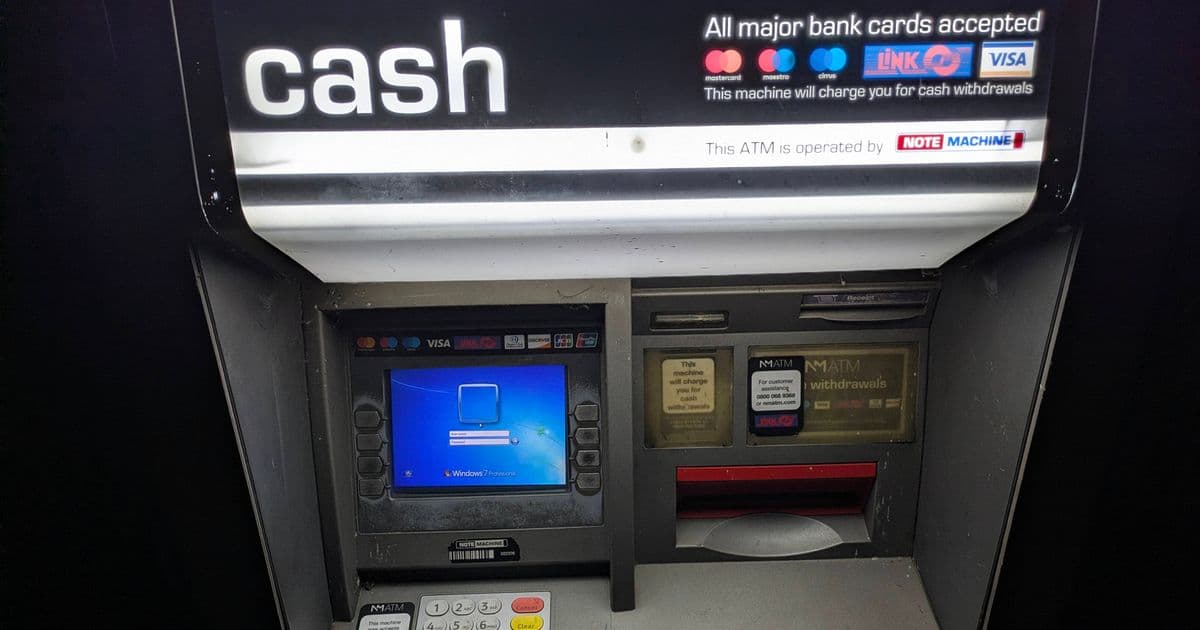
A Manchester ATM recently displayed a Windows 7 Professional login screen instead of a PIN entry prompt, revealing the hidden legacy hardware powering critical financial infrastructure. This incident exposes the persistent use of unsupported operating systems in embedded systems and the complex trade-offs between security, cost, and reliability in banking hardware.
The Incident: When ATMs Forget Their Purpose
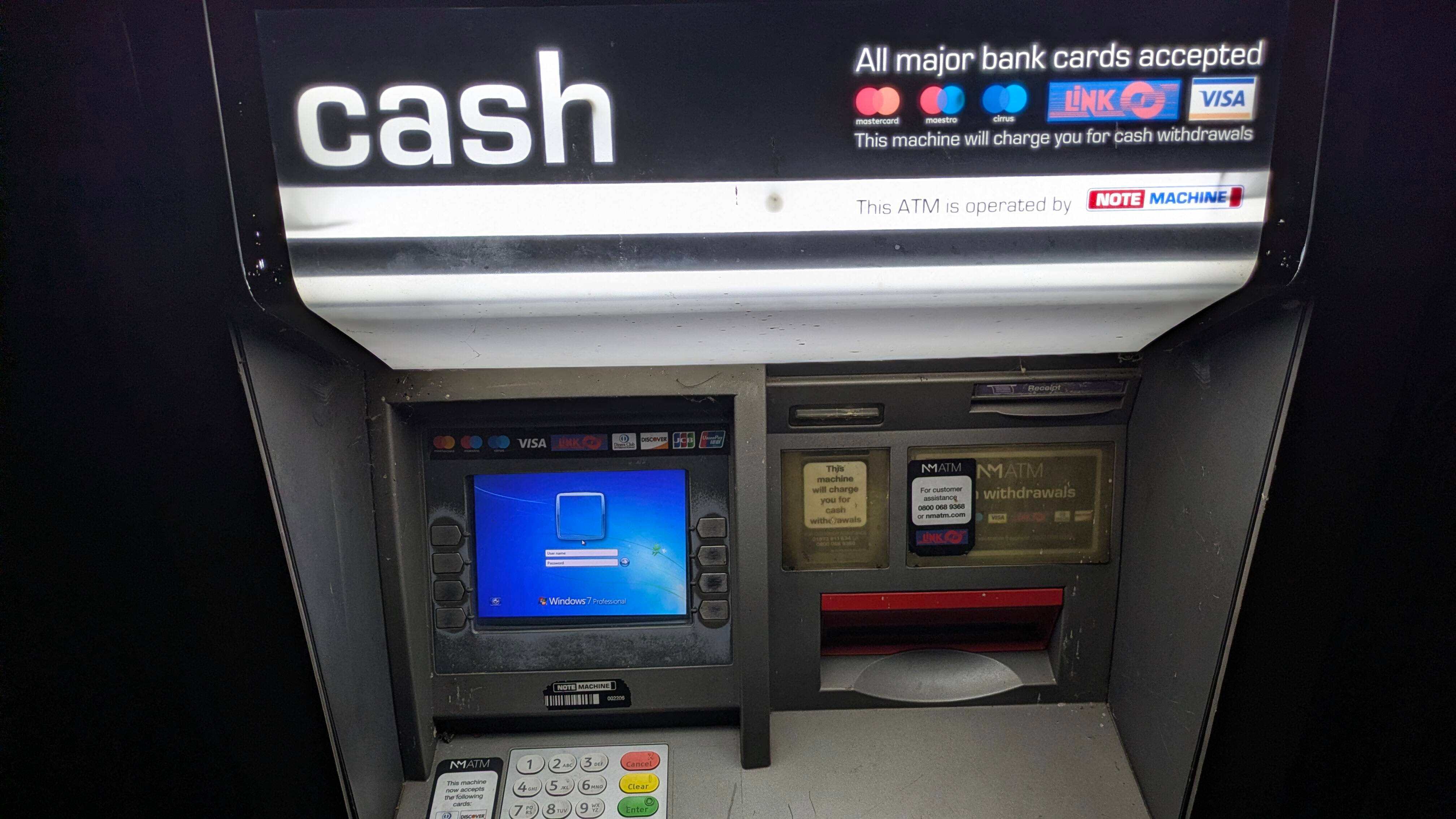
A Register reader spotted an ATM in Manchester displaying an unexpected sight: a Windows 7 Professional login screen instead of the familiar PIN entry interface. The machine, located in a city known for its vibrant music scene, normally charges a fee for cash dispensing. However, following what appears to be a system reboot or update failure, the underlying PC architecture became visible to users through the worn keypad and distressed buttons.
This isn't merely a quirky glitch—it's a window into the hidden infrastructure that powers modern banking. The exposed login screen reveals that this ATM runs on what is essentially a standard PC, complete with Windows 7 Professional, an operating system that reached end-of-life support on January 14, 2020. Extended Security Updates provided patches until 2023, and a specialized point-of-sale version limped along until 2024, but both are now completely unsupported.
The Architecture Beneath: ATMs as Embedded PCs
Modern ATMs are essentially specialized computers with three core components:
- The PC Core: Typically an industrial-grade x86 system running a Windows variant (often Windows Embedded or, in legacy cases, desktop Windows)
- The Security Module: A tamper-resistant hardware component that handles PIN encryption and transaction security
- The Peripherals: Card readers, cash dispensers, keypads, and network interfaces
The Manchester incident exposes the first component. When the system software fails or reboots unexpectedly, the Windows login screen becomes the first interface users encounter. This happens because ATMs typically boot into a kiosk mode that locks down the interface to only show the ATM application. When that application fails to launch or crashes, the underlying OS becomes visible.
Why Windows 7 Persists in Critical Infrastructure
The persistence of Windows 7 in ATMs and other embedded systems stems from several interconnected factors:
1. Certification and Compliance Costs
ATM software undergoes rigorous certification processes. The European Central Bank and national banking authorities require specific security certifications (like PCI DSS compliance for payment systems). Retesting and recertifying an entire ATM network for a new OS version can cost millions per institution. For smaller banks or independent ATM operators, these costs are prohibitive.
2. Hardware Compatibility
Many ATMs from the 2010s era were designed specifically for Windows 7. The drivers for specialized hardware—card readers, encrypting PIN pads, cash dispensers—were written for that OS. Upgrading often requires replacing or refirmware-ing these components, which is more expensive than simply maintaining the existing system.
3. The "If It Ain't Broke" Mentality
ATMs in segregated networks (not directly connected to the internet) appear to function perfectly fine. The Manchester ATM likely operates on a private network, receiving transaction data through secure channels but not browsing the web. Without direct internet exposure, the immediate risk seems minimal, creating a false sense of security.
4. Legacy Software Dependencies
ATM management software, transaction processing applications, and even the user interface frameworks were built for Windows 7's specific architecture. Rewriting these applications for modern Windows versions or Linux (a growing trend) requires significant development resources.
The Security Implications: Beyond the Obvious
While an isolated Windows 7 machine might seem low-risk, the security implications are substantial:
Network Lateral Movement
Even if the ATM itself isn't internet-connected, it likely communicates with a bank's internal network. A compromised Windows 7 system could serve as a foothold for attackers to move laterally into more critical systems. The lack of security patches means known vulnerabilities remain unpatched indefinitely.
Physical Security Bypass
The login screen itself represents a failure of the kiosk lockdown mechanism. A sophisticated attacker could potentially use this interface to access system tools or command prompts, especially if the login credentials are weak or default (common in embedded systems).
Supply Chain Risks
Many ATMs are managed by third-party companies that service multiple banks. A single compromised service technician's laptop or USB drive could introduce malware across an entire network of ATMs running outdated software.
The Broader Pattern: Legacy Systems Everywhere
This Manchester ATM is part of a larger pattern of legacy systems persisting in critical infrastructure:
- Rail Systems: Portugal's rail ticket machines still run Windows 2000, as reported in previous Register articles
- Industrial Control: Many manufacturing plants run Windows XP or 7 on air-gapped systems controlling production lines
- Medical Devices: MRI machines and patient monitoring systems often run outdated Windows versions
- Point-of-Sale Systems: Retail checkout systems frequently use Windows Embedded variants years past support
Modern Alternatives and the Path Forward
The banking industry is gradually moving toward more secure architectures:
Linux-Based ATMs
Major manufacturers like Diebold Nixdorf and NCR are increasingly offering Linux-based ATM platforms. Linux offers several advantages:
- No licensing costs
- Long-term support from vendors
- Smaller attack surface
- Better customization for embedded systems
Cloud-Managed ATMs
Newer ATM designs use cloud-based management systems that can push security updates and monitor system health in real-time. These systems often run lightweight Linux distributions with containerized applications.
Hardware Security Modules (HSMs)
Modern ATMs increasingly separate the payment processing into dedicated HSMs that handle PIN encryption independently from the main OS. This means even if the Windows system is compromised, the critical cryptographic operations remain secure.
What This Means for Homelab Builders and IT Professionals
For those managing their own infrastructure, the Manchester ATM offers several lessons:
Inventory Your Legacy Systems: Many organizations have forgotten about old systems running in closets or basements. Regular audits can identify these before they become security incidents.
Plan for End-of-Life: When a critical system reaches end-of-support, create a migration plan immediately. Don't wait until the last minute.
Isolate When You Can't Upgrade: If you must run legacy systems, ensure they're properly isolated on segmented networks with strict firewall rules.
Monitor for Anomalies: The ATM's failure was visible to users. In your environment, implement monitoring that alerts you to unexpected system states before users encounter them.
The Economics of Legacy Infrastructure
The decision to keep Windows 7 running in ATMs isn't purely technical—it's economic. A single ATM generates revenue through transaction fees. Taking it offline for upgrades means lost income. For a network of hundreds or thousands of machines, the cumulative revenue loss during upgrades can be substantial.
However, this calculus changes when considering:
- Regulatory fines for security breaches
- Reputational damage from compromised customer data
- Insurance costs for legacy systems
- Incident response costs when things go wrong
Conclusion: A Symptom of a Larger Problem
The Manchester ATM's Windows 7 login screen is more than a quirky news story—it's a symptom of systemic challenges in maintaining critical infrastructure. As our physical world becomes increasingly software-driven, the gap between software lifecycles (typically 3-5 years) and hardware lifecycles (10-15 years) creates persistent security vulnerabilities.
For the homelab enthusiast who measures everything, this incident serves as a reminder: every system has an end-of-life date. The question isn't whether legacy systems will fail, but when and how. The Manchester ATM's failure was visible and relatively harmless. The same can't be said for legacy systems controlling power grids, water treatment plants, or transportation networks.
The path forward requires acknowledging that "if it ain't broke" is a dangerous philosophy when the underlying software is already broken by modern security standards. The banking industry's gradual shift toward Linux and cloud-managed systems offers a template for other industries, but the transition will take years—and in the meantime, more ATMs will likely show their Windows 7 login screens to surprised customers.
For those interested in the technical details of ATM security architecture, the PCI Security Standards Council provides detailed documentation on payment system requirements. The NIST National Vulnerability Database also tracks vulnerabilities in legacy Windows versions that remain relevant to embedded systems.
The Register has reached out to local banking authorities for comment on the incident and will update this article with their response.
Comments
Please log in or register to join the discussion