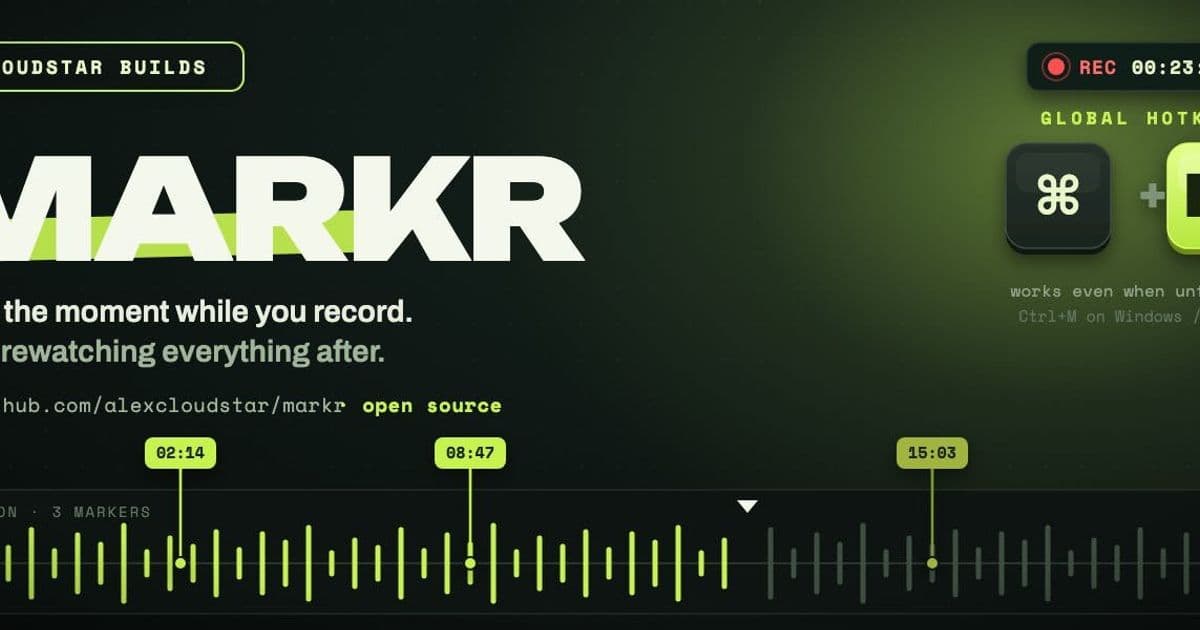
Markr is a small open-source Electron app for creators who know exactly when a recording goes wrong, but do not want to rediscover that moment later.
Company
Markr is an early open-source desktop app from developer Alex Cloudstar, built for a very specific creator workflow problem: recording is manageable, but reviewing the recording afterward is where momentum dies. The project is available on GitHub, where users can inspect the code, run it locally, and open issues as the product takes shape.
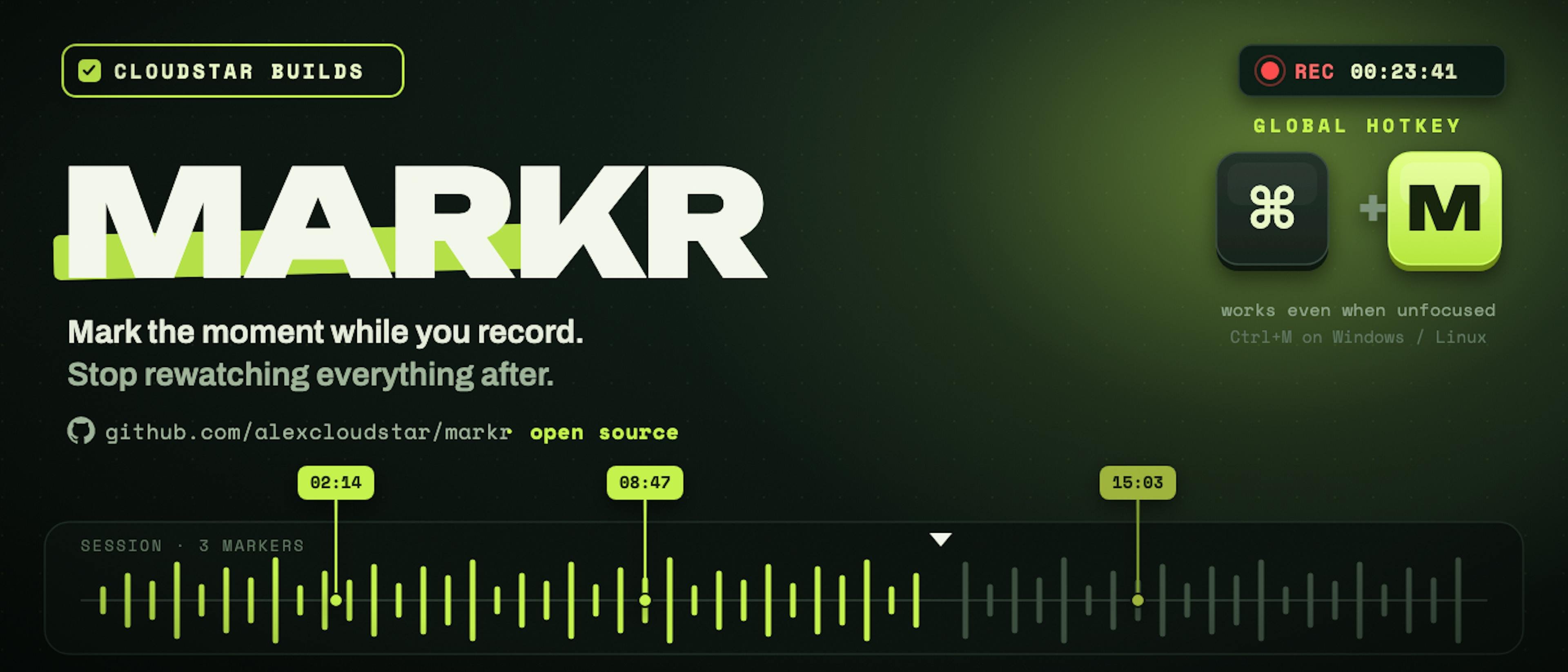
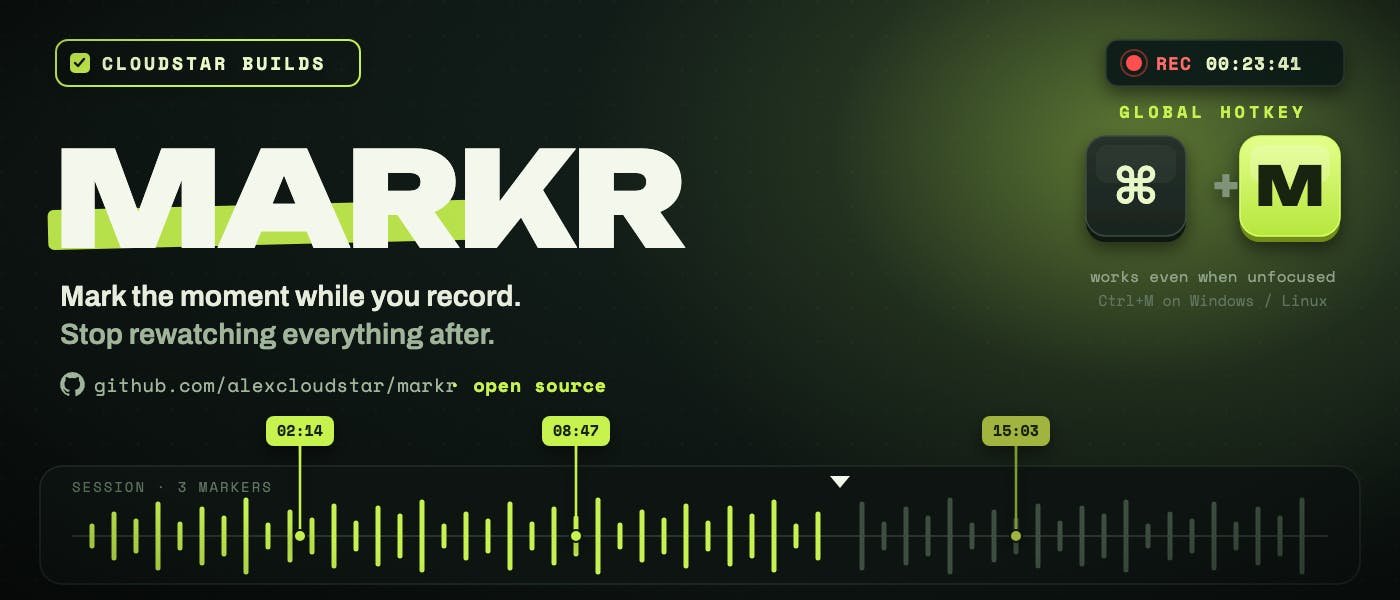
The app is deliberately narrow. It does not record video, edit footage, analyze speech, or upload media to a cloud service. Instead, it runs beside tools such as OBS Studio, camera software, or screen recorders, and lets the user drop timestamp markers during a live recording session. A creator can click a button or use a global hotkey, Ctrl+M on Windows and Linux, Cmd+M on macOS, to mark a mistake, a strong take, or a clip-worthy segment without switching context.
That positioning matters because Markr is not trying to compete with full editing suites or AI video generators. It sits closer to a lightweight production utility, the kind of small tool that removes one repeated irritation from a creative workflow. The project is built with Electron, which makes sense for a cross-platform desktop app that needs global hotkeys and a simple local interface.
Problem They Solve
Markr addresses a problem that looks minor from the outside but compounds quickly for anyone producing video. A 30-minute recording does not usually become 30 minutes of work. It becomes recording, then rewatching, then finding mistakes, then hunting for reusable clips, then finally editing. The creator has already known where the issues happened in real time, but that knowledge disappears unless it is captured immediately.
This is where the product makes a practical bet against over-automation. Many AI editing tools try to infer the best clips, awkward pauses, repeated lines, and usable highlights after the recording is finished. That approach can be useful, but it also asks software to reconstruct intent from audio and video signals. Markr starts from a simpler assumption: the person recording often knows the useful moment as it happens.
That changes the workflow. Instead of treating editing like archaeology, the creator finishes a session with a timestamp list. One marker can mean “cut this mistake.” Another can mean “this section may work as a short.” Another can mark a point worth revisiting in a meeting, tutorial, demo, or interview. The app does not need to understand the footage because the human already supplied the context at the moment of capture.
There are trade-offs. Manual marking requires discipline, and it will miss moments the creator forgets to tag. It also lacks the promise of fully automated clip selection. But the advantage is reliability. A hotkey press is explicit, cheap, private, and instant. For solo creators, developers making tutorials, educators recording lessons, or teams reviewing long meetings, that may be more useful than a larger system that guesses almost correctly.
Funding And Traction
No funding amount, investor list, or priced round has been announced for Markr. Based on the public write-up, this is a self-built open-source MVP rather than a venture-backed company launch. That does not make it commercially irrelevant, but it places the project in a different category from heavily financed creator tooling startups.
Its traction signal is early and product-led: an open GitHub repository, a narrow use case, and a creator-developer explaining the pain from personal experience. The current feature set is intentionally limited to starting a session, dropping markers, and reviewing those markers in a list. Planned directions include marker labels, exports for editing tools, tags, categories, and tighter links into post-production workflows.
The market positioning is modest but sensible. Creator tools have split into two broad directions. One side sells automation, especially AI-assisted editing, clipping, transcription, and repackaging. The other side focuses on workflow control, giving creators faster ways to organize material without handing the whole process to a model. Markr belongs to the second group.
That may be a smaller initial market, but it is a credible wedge. The tool is useful precisely because it does not ask users to change their recording setup. A creator can keep using OBS, a camera, screen capture software, or whatever setup already works, while Markr handles the missing layer: remembering where the useful moments happened.
The open-source angle also gives Markr a possible distribution advantage among developers and technical creators. If the project remains easy to run and extend, contributors could add exports for popular editors, integrations with timeline formats, or session metadata that fits established production workflows. Those additions would move Markr from a timestamp notepad into a practical bridge between recording and editing.
The skeptical view is that timestamping alone may be too small to become a large standalone business. Many editing tools could add a similar feature, and some recording platforms already support markers or chapters in limited forms. The opportunity is in execution: make the hotkey reliable, keep the interface out of the way, export cleanly, and support the editors people already use. If Markr gets those details right, the smallness becomes a strength rather than a ceiling.
Why It Matters
Markr is interesting because it rejects the assumption that every creator workflow problem needs a model-heavy answer. The failed attempt described by Cloudstar, an AI auto-editor that never met the quality bar, is familiar across the current software cycle. AI can reduce tedious work, but it struggles when the desired output depends on taste, timing, and intent. A creator does not only need “a clip.” They need the right clip for the reason they noticed in the first place.
Capturing intent at the source is a recurring pattern in useful productivity software. Developers write commit messages while context is fresh. Designers annotate feedback near the artifact. Meeting participants mark decisions when they happen. Markr applies that same idea to video production: record the metadata while the moment is alive, then use it later when the tedious work begins.
That is a good reminder for the startup ecosystem. Not every useful product starts with a large market thesis, a model stack, or a funding announcement. Some begin as a sharp irritation in a daily workflow. The question is whether that irritation is shared, frequent, and painful enough that a small tool can earn a permanent place beside larger platforms.
For Markr, the next proof points are clear. Exports would make the app more valuable because timestamps become actionable inside editing software. Labels would help users distinguish mistakes from highlights. Integrations could turn a simple session log into a production asset. None of those require a dramatic product shift. They extend the same core idea: mark the moment while recording, then stop wasting time finding it later.
Markr is not pitching itself as the future of video editing. That restraint is part of the appeal. It is a focused open-source utility for creators who want less rewatching and more actual editing, and that is a practical problem worth solving.
Comments
Please log in or register to join the discussion