Microsoft is rolling out automatic workplace check-in via Wi-Fi for Microsoft Places and Teams, letting employee work locations update when laptops connect to configured corporate networks. The feature extends Microsoft 365 presence signals into the physical office, and it lands in a market where Google and Slack handle presence very differently.
What changed
Microsoft is introducing workplace check-in via Wi-Fi for Microsoft Places and Microsoft Teams. The capability updates an employee's workplace location automatically when their laptop connects to a corporate network the organization has configured. When an employee walks into a building and their device joins an approved access point, their work location for the day can switch from "Remote" to in-office without a manual status change. The feature is scheduled to reach organizations with Microsoft Places later in 2026.
This is not Microsoft's first attempt at passive location signals. The Wi-Fi approach builds on the existing workplace check-in via peripherals, where plugging into a configured display or desk dock updates the same location field. The Wi-Fi method removes the dependency on docking hardware, which matters for organizations that have moved to lighter hot-desking setups or laptop-only configurations.
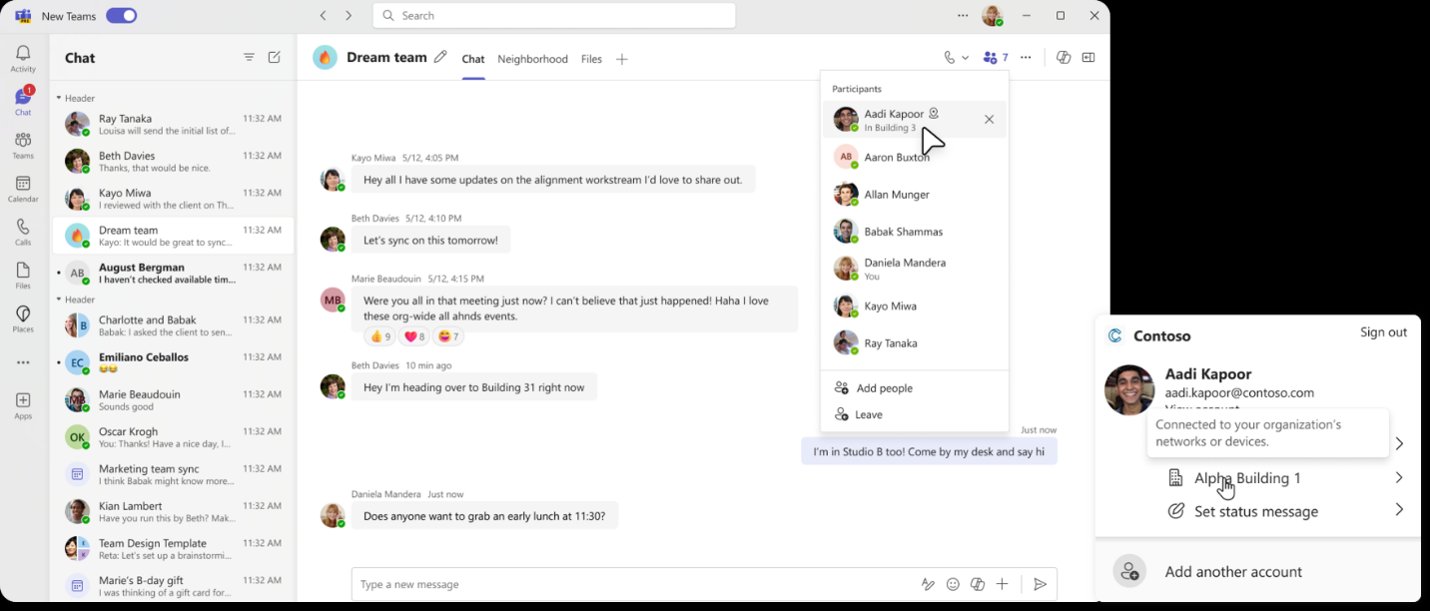
The mechanics are worth understanding before you evaluate the rollout. The signal is generated when a device connects to configured corporate office networks through the Teams client. Administrators register the BSSIDs (the hardware identifiers of individual Wi-Fi access points) for each approved location in the Places directory. If a device is not connected to one of those configured networks, the location shows as "Remote." Microsoft is explicit that the signal is current-state only: it does not retain or track movement over time, and workplace location is not stored as historical data. It functions as an in-the-moment presence indicator rather than an attendance log.
Control is layered. Organizations first decide whether to enable the capability for the tenant, then configure whether the end-user experience is opt-in or opt-out. Individuals control whether the feature runs on their device, and if required location settings are off, Wi-Fi check-in will not activate regardless of tenant policy. Sharing workplace presence and using check-in are separated as distinct decisions, so an employee can let the feature update their location internally without making that location visible to colleagues.
Provider comparison
For organizations weighing collaboration platforms, presence handling is becoming a meaningful differentiator, and the three major ecosystems take noticeably different paths.
Microsoft 365 now stacks several presence layers. Calendar free/busy answers "when can we meet," Teams presence answers "is this person active right now," and Places workplace presence answers "who is physically in the building today." The Wi-Fi check-in feature feeds that third layer automatically. The strategic point is consolidation: Microsoft is folding physical-office coordination into the same directory and policy plane that already governs identity, calendars, and device management. For a tenant already standardized on Microsoft 365, there is little additional procurement, and the controls live in tooling administrators already operate.
Google Workspace offers working location in Calendar, where users set whether they are in the office, at home, or at a specific location. Google's implementation leans on manual entry and calendar context rather than automatic network-based detection, and it does not currently surface a comparable BSSID-driven auto check-in. The trade-off is simplicity and fewer infrastructure dependencies against less automation. Organizations that prefer not to register access point hardware or configure location detection policies may find Google's manual model lower-friction to deploy, at the cost of stale location data when employees forget to update it.
Slack, typically paired with Zoom or Google for calendaring, treats presence as activity-based (active, away, in a huddle) and does not natively model physical workplace location at all. Coordinating in-person attendance in a Slack-centric stack usually means a third-party app or a manual channel convention. For companies on this path, Microsoft's announcement is a reminder that physical-presence coordination is increasingly an expected platform feature rather than an add-on.
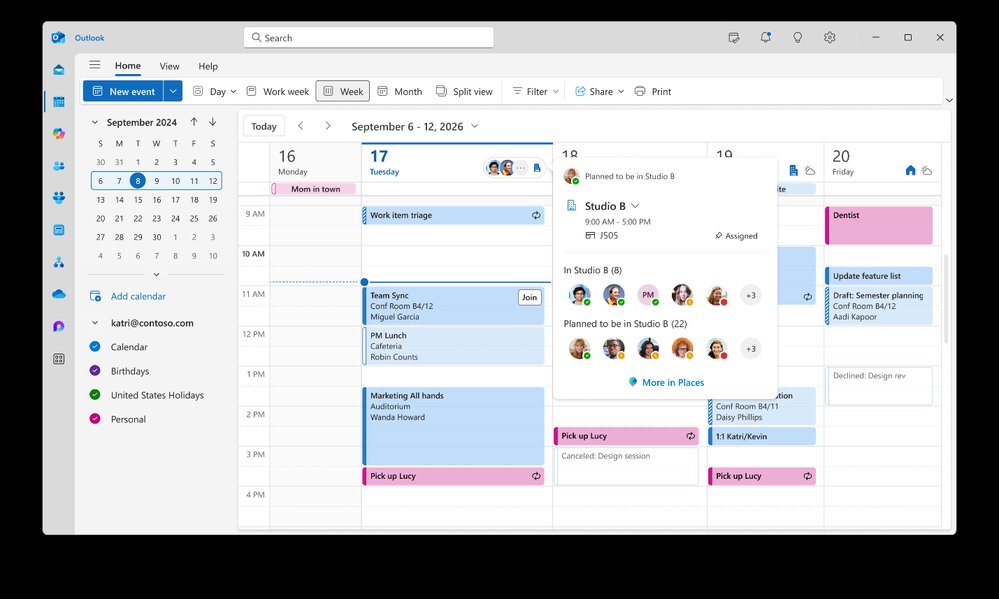
The deeper comparison is about where the signal originates. Microsoft is the only one of the three tying office presence to network infrastructure you already own, which produces more accurate data with less user effort but requires coordination between the collaboration team and the networking team. That cross-functional dependency is the part most easily underestimated during planning.
Business impact
The practical value is coordination, not surveillance, and Microsoft has built the messaging and the technical design around that distinction. Teams that adopt hybrid schedules constantly lose time to the question of who is actually in the building on a given day. Accurate presence lets people book a desk near their team, consolidate in-person meetings, or simply find someone for coffee. The return is measured in reduced friction and better use of office space, which connects directly to real estate and desk-booking decisions many organizations are still actively reworking.
There are concrete prerequisites for any organization considering this. Microsoft Places must be set up with building information populated in the Places directory. The Teams work location detection policy has to be enabled, and approved corporate BSSIDs configured per location. That last step means inventorying access points across each building you want covered, which is straightforward in a single headquarters and considerably more involved across a distributed portfolio of sites. Budget the networking effort accordingly rather than treating this as a pure Teams configuration task.
The governance conversation deserves equal weight. Even though Microsoft does not store historical location, employees and works councils in some jurisdictions will reasonably ask how a network-derived presence signal differs from attendance tracking. The opt-in versus opt-out tenant choice is the single most consequential decision an administrator makes here. Opt-out maximizes data completeness and the coordination benefit but invites pushback in privacy-sensitive cultures and may trigger consultation requirements in regions with strong worker protections. Opt-in respects autonomy and reduces friction with employee representatives but yields patchier data that limits how useful the feature actually becomes. Pair whichever choice you make with clear communication covering what the feature does, what it explicitly does not do, and how individuals adjust their own settings.
For multi-platform organizations, the calculus is whether presence coordination is worth deepening Microsoft 365 commitment. If you are already consolidated on Teams and Microsoft 365, enabling this is an incremental configuration that strengthens an existing investment. If you run a mixed estate, this is one more capability that exists natively on the Microsoft side and requires custom work or third-party tooling elsewhere, a factor worth logging in any platform consolidation analysis you are running this year. To evaluate the broader workplace presence experience, the Microsoft Places adoption resources and the Microsoft Teams blog cover the surrounding feature set and rollout guidance.
Comments
Please log in or register to join the discussion