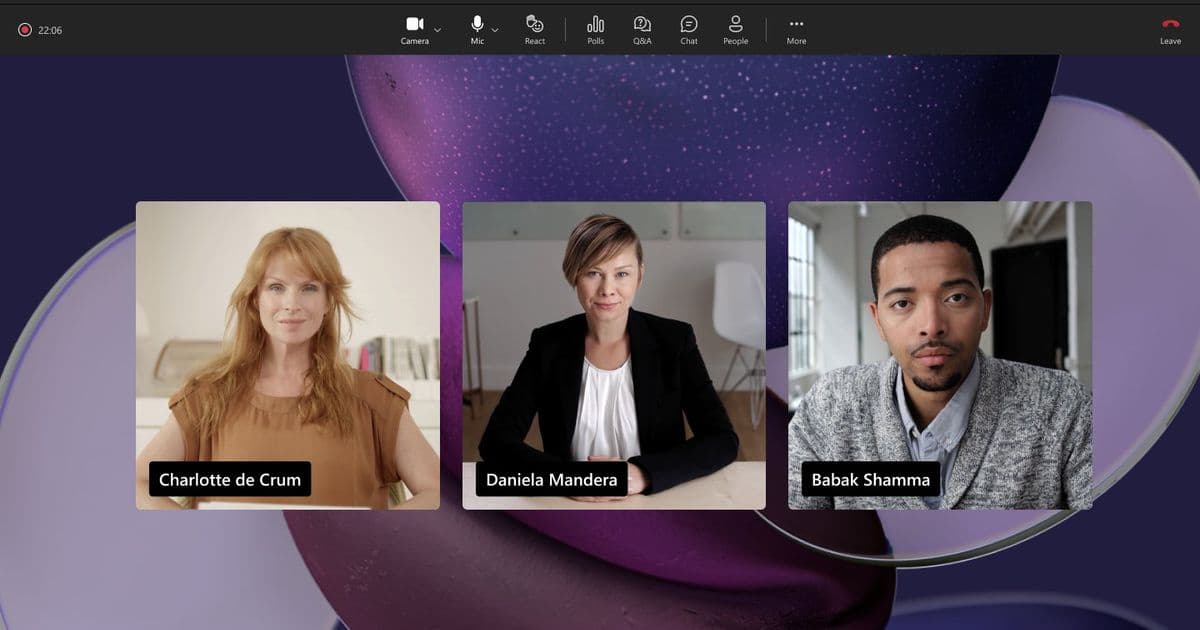
Microsoft is fundamentally restructuring its Teams licensing model to democratize access to advanced workplace coordination and large-scale event capabilities, effective April 1, 2026. The changes expand Microsoft Places features to a broader license tier, introduce a new Teams Shared Space license for managing physical assets, and unlock enterprise-grade town hall and webinar features for Teams Enterprise users.
Microsoft is executing a strategic pivot in its Teams licensing model, moving advanced collaboration and workplace coordination tools from premium tiers into more accessible license packages. Effective April 1, 2026, the company will expand access to Microsoft Places, introduce a new shared space management license, and unlock enterprise-scale event features for Teams Enterprise subscribers. This shift reflects a broader industry trend where hybrid work tools are becoming standard rather than premium, forcing cloud providers to re-evaluate how they package and price their most in-demand capabilities.
What Changed: A Three-Pronged Licensing Expansion
The announcement outlines three distinct licensing updates that collectively lower the barrier to entry for sophisticated workplace coordination and large-scale communication.
1. Microsoft Places Becomes a Standard Calendar Feature
The most significant change affects Microsoft Places, the AI-powered workplace experience that connects employees to colleagues, spaces, and services. Previously, the full Places experience required specific licensing. Now, any license that includes calendar access in Outlook and Teams will gain end-user Places functionality. This includes:
- Microsoft 365 E3, E5, Business Basic, Business Standard, and Business Premium
- Outlook 365 E1, E3, and E5
- Exchange Online
- Various Teams licenses
- Additional Microsoft 365 and Office 365 licenses
Two core Places features become universally accessible:
- Places Finder: This goes beyond the basic Room Finder by providing enriched context for space bookings. Users see images, floorplans, custom attributes, and available technology in surrounding spaces. Organizations can now upgrade at scale by onboarding their spaces to the Places Directory.
- Places Explorer: A map-based interface for space reservations that shows details about all workplaces, including people, spaces, and experiences in each location. Access is through the Places app inside Outlook and Teams.
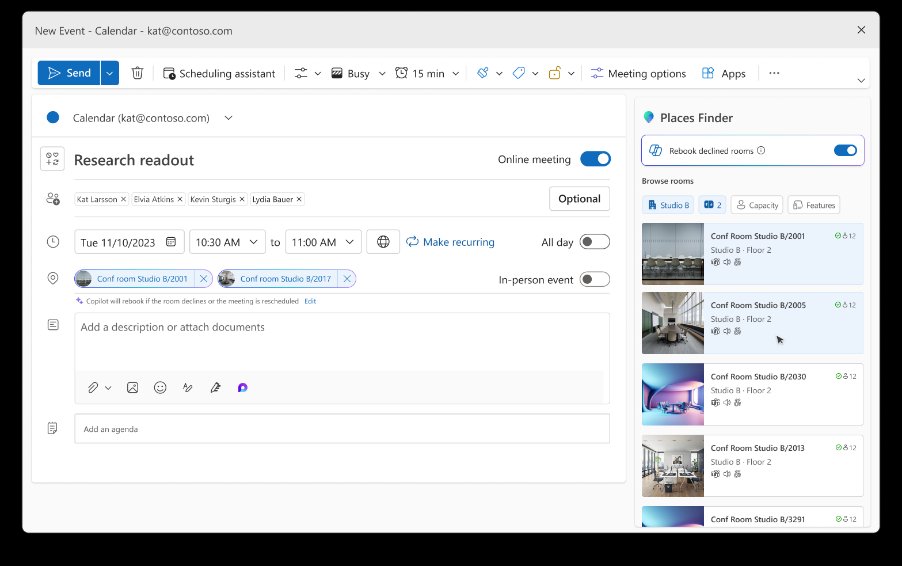
The Places Finder interface provides visual context for space selection, showing floorplans and available technology.
2. Teams Shared Space License Replaces Shared Devices
Microsoft is renaming and expanding the Teams Shared Device license to Teams Shared Space. This license now manages physical workspace assets with increased capacity. The key change is the ability to manage up to four desks with a single license, in addition to the previous capabilities for common area phones, Teams panels, shared rooms, or hotdesking devices.
IT administrators gain new management capabilities:
- Desk Booking: Employees can reserve desks in advance
- Space Management: Admins control booking policies, auto-release settings, and workspace availability in the Places Directory
- Space Analytics: Inventory and utilization reports for licensed shared spaces
- Third-Party API Integration: Connects with external spatial data sources and floorplans
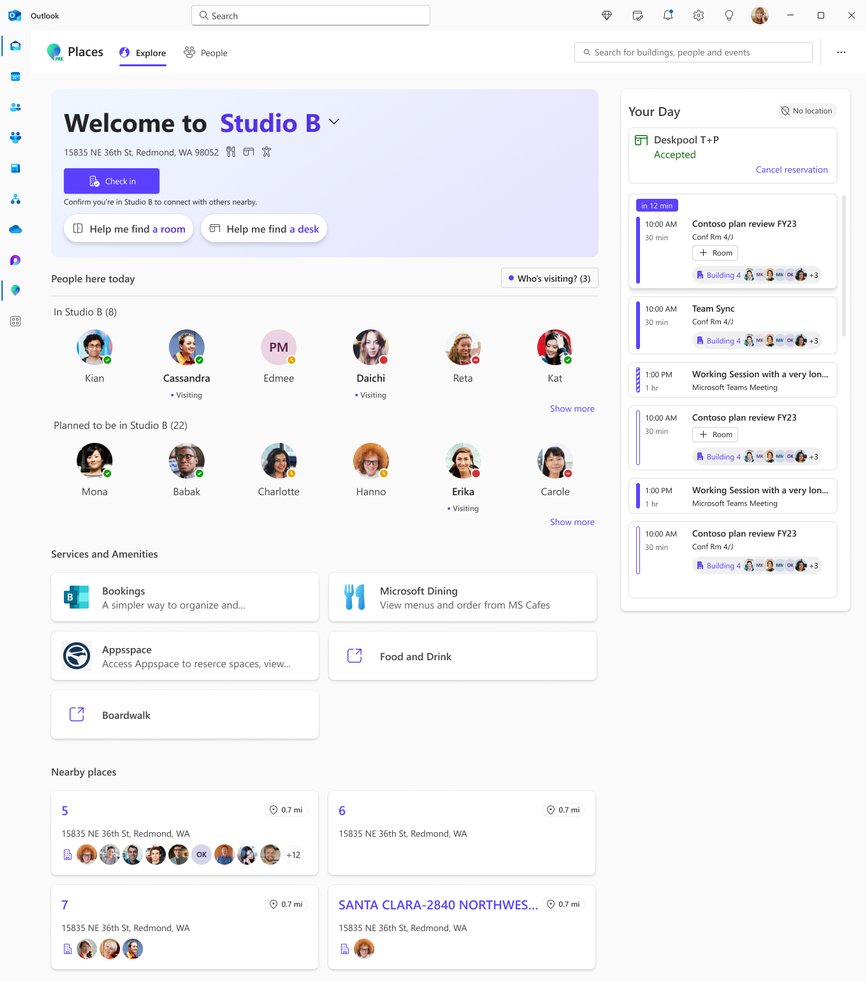
Places Explorer enables map-based exploration of workplace spaces and their current utilization.
For organizations with existing Teams Shared Device licenses, no transition action is required. However, to assign additional spaces like desks, admins will need to purchase additional no-cost licenses to utilize the new four-space allotment.
3. Enterprise-Grade Events for Teams Enterprise Licensees
Perhaps the most impactful change for large organizations is the expansion of Teams town hall and webinar features. Previously, advanced event capabilities required a Teams Premium license. Now, all Teams Enterprise users will receive:
- Streaming Chat: Reduced message lag for smoother attendee-organizer communication
- Reactions Interactivity: Full Teams meeting reactions for town halls and webinars
- Real-Time Event Insights: Performance and reliability feedback for hosts
- Meeting Theme and Email Customization: Organizational branding for event artifacts
- Enterprise Content Delivery Network (eCDN): Bandwidth management for large audiences
- Immersive Events: Custom 3D environments with avatar-based interaction
Teams Enterprise users can now host events for up to 3,000 attendees with all features. A view-only streaming experience extends capacity to 10,000 users. For organizations needing larger scale, Microsoft introduces attendee pack add-on licenses that increase capacity up to 100,000 attendees. These packs come in various sizes and are assignable through the Teams Admin Center after purchase.
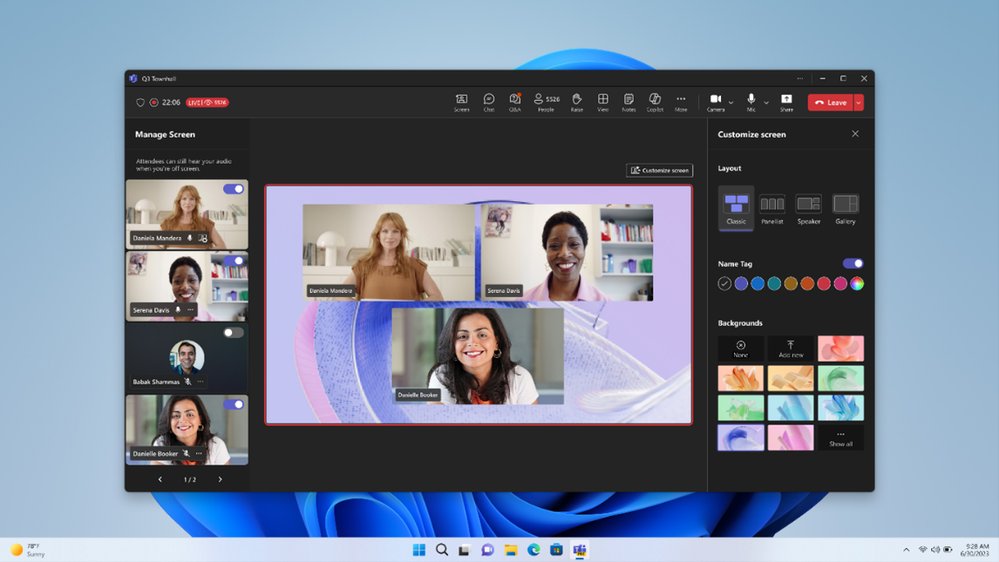
Teams enables customization of event experiences including layouts, name tags, and backgrounds.
Provider Comparison: Licensing Strategy in the Cloud Ecosystem
This licensing overhaul positions Microsoft competitively against other cloud providers in the hybrid work space. Google Workspace and Zoom have different approaches to feature packaging:
Google Workspace typically bundles advanced features in higher-tier Business and Enterprise plans, but doesn't offer the same depth of physical space management as Microsoft Places. Their Meet platform provides large-scale events, but the integration with physical workplace coordination is less comprehensive.
Zoom offers a la carte pricing for specific features like Zoom Rooms and Zoom Events, which provides flexibility but can become complex to manage at scale. Their event platform supports up to 100,000 attendees, similar to Microsoft's new attendee packs, but requires separate licensing from their core meeting platform.
Microsoft's strategic advantage lies in the integration between digital and physical workspaces. By making Places available across most license tiers, they're betting that workplace coordination will become a standard expectation, not a premium feature. This creates a sticky ecosystem where organizations manage both digital collaboration and physical space through the same platform.
Business Impact: Cost Reallocation and Strategic Planning
For IT leaders and cloud architects, these changes require immediate strategic consideration:
Budget Implications Organizations currently paying for Teams Premium specifically for Places or town hall features should reassess their licensing strategy. The expanded access may allow reallocation of budget toward other premium features that remain exclusive to Teams Premium, such as:
- Advanced communication features in Teams meetings
- Meeting protection capabilities
- Advanced Collaboration Tools for admins
- Intelligent recap
- Queues app for Teams Phone
- Enhanced Bookings and virtual appointments
Migration Planning The April 1, 2026 effective date provides a 15-month planning window. Organizations should:
- Audit Current Licensing: Map existing Teams Premium licenses against the new feature distribution to identify cost-saving opportunities
- Assess Space Management Needs: Evaluate whether the expanded Teams Shared Space license (four desks per license) aligns with your physical workspace inventory
- Plan Event Scaling: For organizations hosting large town halls, calculate whether the new 3,000-attendee base capacity meets needs, or if attendee packs are necessary
- Prepare for Places Onboarding: Begin planning space directory onboarding to utilize Places Finder and Explorer features
Operational Considerations The shift to standard licensing for Places features will likely accelerate adoption of hybrid work tools. IT teams should prepare for:
- Increased demand for space booking and management
- Training requirements for employees using Places Explorer
- Integration planning with existing facilities management systems
- Policy development for desk booking and shared space utilization
Technical Deep Dive: How Places Integration Works
Microsoft Places operates as an intelligence layer that aggregates data from multiple sources:
- Directory Integration: Pulls employee data from Azure Active Directory
- Calendar Integration: Syncs with Outlook/Teams calendar to understand occupancy
- Space Inventory: Maintains a Places Directory of physical spaces with metadata
- Sensor Integration: Can connect to IoT sensors or third-party systems for real-time occupancy data
- AI Processing: Uses machine learning to suggest optimal spaces based on preferences, team proximity, and availability
The Places Finder uses this aggregated data to provide contextual recommendations. For example, if you're booking a space for a client meeting, it might suggest a conference room with video conferencing equipment based on your calendar invite containing a Teams link.
The new third-party API integration capability allows organizations to connect existing building management systems, IoT platforms, or custom space databases. This is particularly valuable for enterprises with complex facilities management already in place.
Strategic Implications for Cloud Consultants
From a cloud strategy perspective, this licensing update represents several important trends:
Feature Commoditization Microsoft is following a pattern seen in cloud infrastructure: features that were once premium (like AI-powered recommendations or large-scale events) are becoming standard. This forces providers to innovate continuously at the premium tier while maintaining value in core offerings.
Ecosystem Lock-In By integrating physical space management so deeply with digital collaboration, Microsoft creates switching costs. Migrating away from Teams would mean losing not just communication tools, but also workplace coordination capabilities.
Hybrid Work Maturity The changes acknowledge that hybrid work is no longer experimental. Organizations need robust tools for managing both remote and in-person collaboration, and these capabilities are now expected in standard licenses.
Pricing Model Evolution The introduction of attendee packs for large events shows Microsoft moving toward more granular, usage-based pricing for specific scenarios, similar to how cloud infrastructure providers price compute and storage.
Recommendations for Organizations
For Current Teams Premium Customers Review your Teams Premium feature usage. If you're primarily using it for Places or town hall features, you may be able to downgrade some users to Teams Enterprise or other licenses while maintaining access to these features. However, keep Teams Premium for users who need:
- Advanced meeting features
- Intelligent recap
- Queues app for Teams Phone
- Enhanced Bookings
For Organizations New to Places Start planning your space directory onboarding now. The April 2026 deadline is generous, but migrating physical space data into the Places Directory can be complex. Consider:
- Conducting a space inventory audit
- Defining space metadata standards (capacity, equipment, custom attributes)
- Planning integration with existing facilities systems
- Training facilities and IT teams on Places management
For Large Event Organizers Evaluate your typical event sizes against the new licensing structure. The 3,000-attendee base capacity with full features is substantial, but if you regularly host larger events, calculate the cost of attendee packs versus alternative platforms. Consider:
- Frequency of large events
- Required features (chat, reactions, immersive environments)
- Bandwidth requirements (eCDN inclusion)
- Integration with existing event management workflows
Looking Ahead: The Future of Workplace Licensing
Microsoft's licensing overhaul signals a broader industry shift. As hybrid work tools become essential infrastructure, providers must balance accessibility with premium innovation. We can expect:
- Continued feature migration from premium to standard tiers
- More granular add-ons for specific high-scale scenarios
- Deeper integration between digital and physical workplace management
- Increased AI capabilities moving to premium tiers as standard features mature
For cloud consultants and IT strategists, the key is to view licensing not as a static purchase decision but as a dynamic component of your workplace strategy. The April 2026 changes provide a clear timeline for planning, but the underlying trend toward integrated, intelligent workplace platforms will continue to evolve.
Resources for Further Reading:
- Microsoft Teams Licensing Updates FAQ
- Microsoft Places Documentation
- Teams Town Hall and Webinar Capabilities
- Teams Premium Feature List
The licensing changes take effect on April 1, 2026, giving organizations over a year to plan their transition and optimize their Microsoft 365 investment for the evolving hybrid work landscape.
Comments
Please log in or register to join the discussion