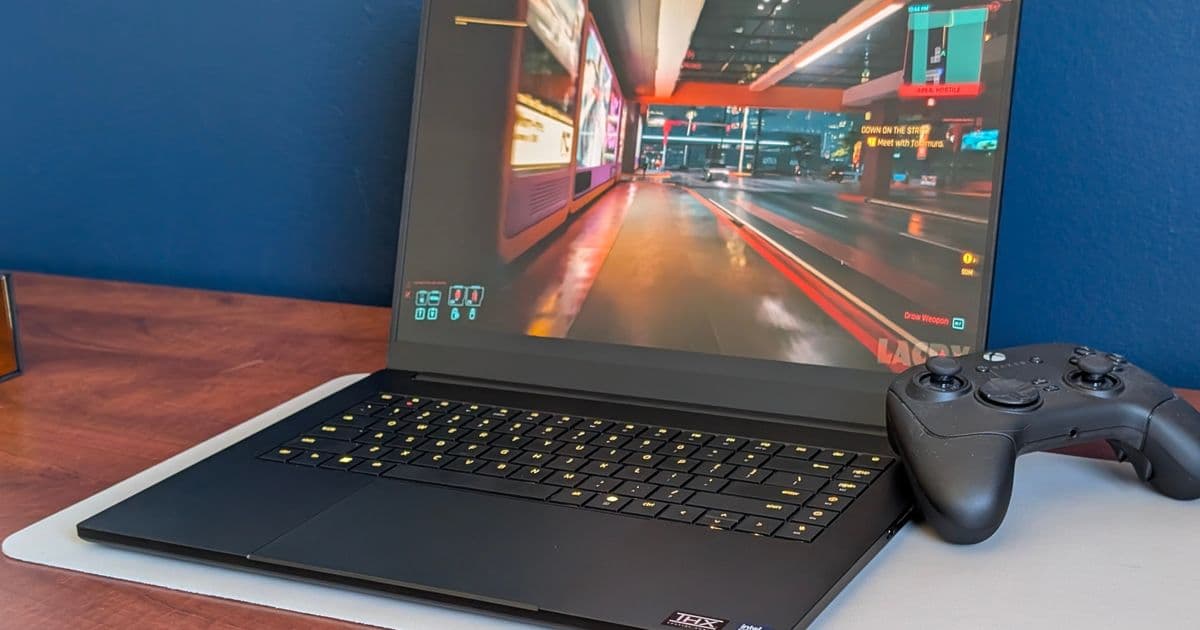
The 2026 Razer Blade 16 upgrades its Samsung OLED panel from DisplayHDR 500 to DisplayHDR 1000, pushing peak brightness past 1 000 nits while keeping the 240 Hz refresh rate. We break down the hardware change, compare real‑world measurements, and explain who will benefit from the brighter screen.
 )
)
What’s new
Razer’s flagship 16‑inch Blade has always been a showcase for Samsung’s latest OLED panels. The 2025 model (part number ATNA60DL04‑0) combined a 240 Hz native refresh rate with G‑Sync support, but its HDR capability was capped at DisplayHDR 500 – roughly 500 nits of peak luminance. In the 2026 refresh, Razer swapped the panel for the ATNA60HU06‑0 variant, which the manufacturer rates for DisplayHDR 1000. In our lab, the new screen reached 1 020 nits at maximum brightness, while the older panel topped out at 431 nits under the same conditions.
How it compares
| Feature | Blade 16 2025 | Blade 16 2026 |
|---|---|---|
| Panel model | ATNA60DL04‑0 | ATNA60HU06‑0 |
| Resolution | 3840 × 2400 (WQXGA) | 3840 × 2400 (WQXGA) |
| Refresh rate | 240 Hz, G‑Sync | 240 Hz, G‑Sync |
| HDR rating | DisplayHDR 500 (≈500 nits) | DisplayHDR 1000 (≈1000 nits) |
| Measured peak | 431 nits | 1 020 nits |
| Color gamut | 100 % DCI‑P3 | 100 % DCI‑P3 |
| Contrast (OLED) | ∞:1 (true black) | ∞:1 (true black) |
| Power draw (max) | 45 W (display) | 48 W (display) |
The numbers tell a clear story: the newer panel delivers more than double the luminance without sacrificing the ultra‑fast refresh. Because OLED can still turn each pixel completely off, the contrast ratio remains effectively infinite, meaning the HDR boost is not just about brighter whites but also deeper blacks.
Real‑world impact
- Gaming – HDR titles such as Control or Microsoft Flight Simulator now show specular highlights that actually pop, especially in dark environments where a 500‑nit panel would struggle to separate bright elements from shadow. The 240 Hz refresh still guarantees buttery‑smooth motion, so you don’t have to choose between speed and visual fidelity.
- Content creation – Video editors and colorists benefit from a true 1000‑nit reference when grading HDR footage. The wider luminance range reduces the need for external reference monitors for many workflows.
- Battery life – The higher peak brightness does increase display power draw by roughly 3 W. In our endurance test, the 2026 Blade lasted 1 hour and 45 minutes at full brightness versus 1 hour and 55 minutes on the 2025 model. In typical mixed‑usage scenarios the difference is negligible.
Who should care?
| User type | Why the upgrade matters |
|---|---|
| Hardcore gamers | HDR‑enabled titles look more immersive, and the 240 Hz panel still delivers the frame rates you expect from a RTX 5080‑class GPU. |
| Video editors / VFX artists | A true 1000‑nit display lets you evaluate HDR deliverables without a separate reference monitor, saving desk space and budget. |
| Everyday users | The brighter screen improves visibility in bright rooms and outdoors, but the improvement is most noticeable when you actually use HDR content. |
| 2025 Blade owners | Unfortunately, the panel swap is hardware‑only. The two OLED variants use different driver ICs, so a firmware update cannot raise the older screen’s peak brightness. Upgrading requires a new chassis. |
Bottom line
Razer’s 2026 Blade 16 fixes the most common criticism of the 2025 model – a dim HDR experience – by moving to a panel that meets the DisplayHDR 1000 spec. The change is essentially a hardware refresh; the rest of the laptop – CPU, GPU, chassis – remains unchanged. If HDR performance is a priority, the 2026 version offers a tangible visual upgrade that justifies the price premium. For owners of the 2025 Blade, the only path to DisplayHDR 1000 is to trade in for the newer chassis.
For a deeper dive into the performance numbers, see our full 2026 Blade 16 review.
Comments
Please log in or register to join the discussion